ActiveCampaign vs ConvertKit: Understanding Which Email Platform Fits Your Marketing Workflow



Email marketing platforms are not all built with the same type of user in mind. Some tools are designed for marketing teams running complex campaigns across multiple channels. Others are built for creators who simply want to grow an audience and send newsletters without dealing with complicated automation systems.
That distinction is important when comparing ActiveCampaign and ConvertKit.
Both tools help businesses build email lists, send campaigns, and automate communication with subscribers. However, their design philosophy is very different. ActiveCampaign focuses heavily on advanced automation, CRM integration, and marketing workflows. ConvertKit is built primarily for creators who want a simpler way to manage audiences and send emails without the complexity of enterprise marketing software.
Understanding how these platforms behave in real-world workflows is the key to deciding which one fits your needs better.
The Type of Email Marketing Each Platform Was Built For
When email marketing tools first became popular, they were mostly designed for businesses sending newsletters. Over time, the market split into two different directions.
Some platforms evolved into full marketing automation systems capable of handling sales pipelines, customer journeys, and behavioral targeting. Others focused on creator-focused email marketing, emphasizing simplicity, newsletters, and digital product sales.
ActiveCampaign clearly belongs to the first category.
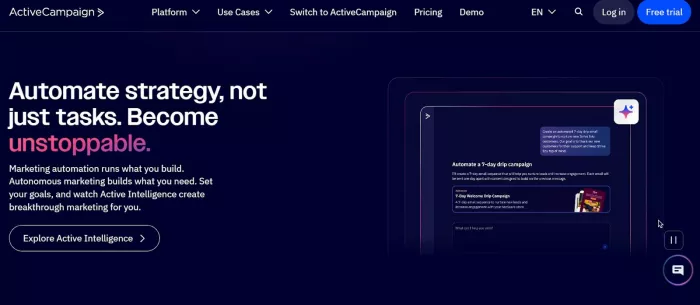
The platform combines email marketing with a built-in CRM, automation engine, and behavioral tracking tools. It allows businesses to create detailed marketing funnels based on user actions such as website visits, email clicks, or purchase behavior. For SaaS companies and marketing teams running sophisticated campaigns, this level of automation can be extremely powerful.
ConvertKit takes a different path.
Instead of building a complex marketing suite, ConvertKit focuses on helping creators build relationships with their audiences. Bloggers, podcasters, course creators, and newsletter writers often prefer tools that are simple, reliable, and focused on content rather than automation complexity.
This difference influences almost everything about the user experience.

ActiveCampaign feels like a marketing operations platform, while ConvertKit feels more like a creator communication tool.
The Learning Curve: How Easy It Is to Start Using Each Tool
The first impression of any marketing platform usually happens within minutes of opening the dashboard. This initial experience reveals a lot about the intended audience.
When new users open ActiveCampaign for the first time, they are greeted with a dashboard filled with multiple sections: campaigns, automations, contacts, lists, deals, reports, and CRM pipelines. The platform is extremely powerful, but the amount of functionality can feel overwhelming for beginners.
Setting up a first campaign typically involves several steps:
1. importing contacts
2. configuring lists or tags
3. designing email templates
4. setting automation triggers
While the onboarding process includes tutorials and walkthroughs, most users need some time to understand how the automation builder and CRM system work together.
ConvertKit feels very different on first use.
The interface is intentionally minimal. Instead of overwhelming users with multiple marketing modules, the platform focuses on three main areas: subscribers, broadcasts, and automations.
A typical beginner workflow looks like this:
1. Create a sign-up form or landing page
2. Start collecting subscribers
3. Send a broadcast email
Because the system is simpler, new users can usually send their first campaign within minutes.
In general, beginners tend to find ConvertKit easier to learn, while ActiveCampaign rewards users who are willing to invest time into understanding its automation capabilities.
Automation Workflows: Where the Real Difference Appears
Automation is the area where the ActiveCampaign vs ConvertKit comparison becomes most interesting.
ActiveCampaign’s automation builder is one of the most advanced systems in the email marketing industry. Users can create complex workflows that react to subscriber behavior in real time.

For example, a SaaS company might build a workflow where:
1. a user signs up for a free trial
2. receives onboarding emails over several days
3. triggers follow-up messages based on feature usage
4. enters a sales pipeline if they request a demo
These automations can include dozens of conditions and behavioral triggers.
ActiveCampaign supports:
1. conditional logic
2. event tracking
3. website behavior triggers
4. CRM integration
5. lead scoring systems
This makes it extremely powerful for businesses that need detailed marketing funnels.
ConvertKit also offers automation tools, but the philosophy is different.
Instead of complex branching workflows, ConvertKit focuses on simpler automation sequences. Users can create email series triggered by events such as subscribing to a form or purchasing a product.
ConvertKit’s automation system usually revolves around:
1. tagging subscribers
2. triggering email sequences
3. simple conditional rules
For creators running newsletters or selling digital products, this system is often more than enough. It avoids the complexity of enterprise marketing automation while still allowing personalized communication.

This is why advanced marketers often gravitate toward ActiveCampaign, while creators frequently prefer ConvertKit’s simplicity.
Audience Management and Segmentation
Managing subscribers efficiently becomes more important as an email list grows.
Different email marketing platforms use different systems to organize audiences. Some rely on traditional lists, while others use tags and segmentation.
ActiveCampaign supports both lists and tags, giving marketers multiple ways to organize contacts. Lists can represent broad categories, such as customers or newsletter subscribers, while tags track specific actions or behaviors.
For example:
1. users who attended a webinar
2. customers who purchased a specific product
3. subscribers who clicked a particular email link
These data points allow marketers to build extremely detailed segments for targeting.
ActiveCampaign also supports advanced personalization features, enabling campaigns to adapt based on subscriber data.
ConvertKit simplifies audience management by relying primarily on tags rather than multiple lists. Every subscriber exists in a single database, and tags define their behavior or interests.
This system avoids duplicate contacts and makes list management easier.
However, it also means segmentation is slightly less flexible than in ActiveCampaign’s advanced targeting system.
In practice:
● ActiveCampaign offers greater segmentation power
● ConvertKit offers simpler subscriber management
Creating Email Campaigns and Content
The experience of actually writing and sending emails is another area where the platforms differ significantly.
ConvertKit is designed for creators who primarily send text-based newsletters. The email editor reflects this focus. Instead of heavy design templates, ConvertKit encourages simple, clean email formatting that resembles personal communication.
Many creators prefer this style because it often leads to higher engagement and deliverability.
ConvertKit’s editor emphasizes:
1. simple text-first email design
2. quick personalization tags
3. inline content editing
4. easy newsletter scheduling
ActiveCampaign takes a more traditional marketing approach.
The platform includes a visual email builder with drag-and-drop design blocks, customizable templates, and layout options. This makes it easier to design branded marketing emails with images, columns, and styled sections.
In short:
ActiveCampaign email creation
1. advanced visual email builder
2. branded marketing templates
3. complex design customization
ConvertKit email creation
1. minimalist editor
2. text-focused newsletters
3. faster writing workflow
The right choice depends on whether someone prioritizes design flexibility or writing simplicity.
Pricing Comparison
Pricing structures can vary depending on subscriber count, but the starting plans for both platforms reveal how they target different audiences.
| Platform | Plan | Starting Price | Key Features |
| ActiveCampaign | Lite | ~$29/month | Email marketing, automation |
| ActiveCampaign | Plus | ~$49/month | CRM, advanced automation |
| ActiveCampaign | Professional | ~$149/month | predictive sending, advanced analytics |
| ConvertKit | Free | $0 | up to 1,000 subscribers |
| ConvertKit | Creator | ~$29/month | automation, integrations |
| ConvertKit | Creator Pro | ~$59/month | advanced reporting |
Pricing scales with subscriber count on both platforms.
ActiveCampaign tends to become more expensive as automation features and contact lists grow. However, the additional cost often reflects the platform’s CRM capabilities and advanced automation tools.
ConvertKit’s pricing is simpler and often more predictable, which appeals to creators who are growing their email lists gradually.
For beginners with small audiences, ConvertKit usually offers better value due to its free plan and simpler pricing structure.
Reviews and User Feedback
User feedback provides valuable insights into how these tools perform in real-world marketing environments.
ActiveCampaign generally receives strong reviews for its automation capabilities. Many marketers praise the flexibility of its workflow builder and the ability to create highly customized marketing funnels.
However, some users mention that the platform requires time to learn.
Common praise includes:
1. extremely powerful automation tools
2. advanced segmentation capabilities
3. strong CRM integration
Common complaints include:
1. steeper learning curve
2. A complex interface for beginners
ConvertKit reviews tend to emphasize simplicity.
Bloggers and creators frequently praise the platform for its clean interface and straightforward email writing experience.
However, advanced marketers sometimes find the automation tools limited compared with platforms like ActiveCampaign.
Typical user feedback highlights:
1. easy onboarding process
2. clean and simple interface
3. excellent deliverability for newsletters
Complaints usually focus on:
1. fewer automation features
2. limited design templates
Customer support for both platforms generally receives positive reviews, with many users reporting responsive support teams and helpful documentation.
Which Tool Works Best for Different Types of Users
Different types of businesses benefit from different email marketing workflows.
Bloggers and content creators
1. ConvertKit usually works best
2. simple newsletter-focused workflow
3. strong tools for audience growth
Digital product sellers
1. both tools work well
2. ConvertKit integrates easily with creator platforms
3. ActiveCampaign offers more advanced funnel automation
SaaS companies
1. ActiveCampaign is often preferred
2. powerful automation and CRM features
Marketing teams and agencies
1. ActiveCampaign typically scales better
2. advanced segmentation and campaign control
These differences explain why many creators see ConvertKit as one of the most popular ConvertKit alternatives to ActiveCampaign when simplicity is the priority.
Final Decision Guide
Choosing between ActiveCampaign and ConvertKit ultimately comes down to how complex your marketing workflow needs to be.
If your strategy involves detailed automation funnels, behavioral targeting, and CRM integration, ActiveCampaign provides the infrastructure needed to manage sophisticated campaigns. Businesses with large marketing teams or complex customer journeys often benefit from this level of control.
On the other hand, if your main goal is building relationships with an audience through newsletters, digital products, or creator content, ConvertKit offers a cleaner and more focused experience. The platform removes much of the complexity that can slow down creators who simply want to write emails and grow their subscriber base.
Both platforms are excellent tools, but they serve different types of marketers. Understanding how you plan to use email marketing daily is the most reliable way to decide which one will actually improve your workflow.


Comments