Which AI Background Remover Actually Works? A Data-Driven Comparison



AI background removal tools are no longer experimental. They are now specialized utilities designed to perform one task with high precision: separating a subject from its background. Unlike design platforms, these tools focus entirely on accuracy, speed, and scalability.
This guide compares only dedicated background removal tools, based on measurable factors such as pricing, cost per image, processing speed, and verified ratings from platforms like G2, Trustpilot, and Capterra.
Tool Comparison Table
| Tool | Pricing Range | Cost per Image | Ratings (G2 / Others) | Processing Speed | Best Use Case |
| Remove.bg | $9 per month to pay as you go | $0.20 to $0.09 | 4.8 to 5.0 | Very fast | High precision work |
| Slazzer | $11 per month for enterprise plans | $0.11 to $0.03 | 4.5 | Fast | Bulk processing |
| removal.ai | Custom pricing | $0.10 to $0.15 | 4.2 on G2 | Fast | Balanced usage |
| Removedo | Free | Free | Limited data | Very fast | Personal use |
Cost Efficiency Comparison
| Tool | 1,000 Images | 10,000 Images | Cost Efficiency |
| Remove.bg | High cost | Very high cost | Low |
| Slazzer | Moderate | Low | High |
| removal.ai | Moderate | High | Medium |
| Removedo | Free | Free | Very high |
At scale, cost becomes the defining factor. While premium tools deliver better quality, bulk-focused tools reduce expenses significantly.
Detailed Tool Analysis
Remove.bg
Remove.bg is considered the most accurate background removal tool available today. It is widely used in professional environments such as e-commerce, photography, and digital marketing.
Its strongest feature is edge detection, particularly around hair, fur, and semi-transparent objects. This is where most tools fail, but Remove.bg consistently produces clean and natural cutouts.
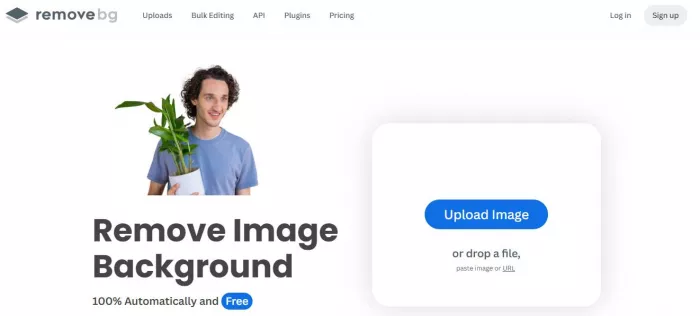
The tool also supports API access, Photoshop integration, and automated workflows, making it highly suitable for businesses handling large volumes of images.
However, pricing is its biggest limitation. At lower volumes, the cost per image is relatively high, and scaling up can become expensive compared to alternatives.
Slazzer
Slazzer is designed for high-volume usage with strong cost efficiency. It offers one of the lowest per-image costs in the market when used at scale.
The tool supports batch processing, API integration, and even on-premise deployment, which is useful for enterprises or businesses with data privacy requirements.
In terms of accuracy, Slazzer performs well for product images and standard subjects, though it may not match Remove.bg in highly detailed edge cases.

Its main advantage is the balance between performance and affordability, making it ideal for businesses that process thousands of images regularly.
removal.ai
removal.ai offers a balanced approach between quality and pricing. It is more affordable than premium tools while still maintaining solid performance.
It works well for portraits, product photos, and general use cases, delivering consistent results in most scenarios. (https://removal.ai/)
The tool also includes batch processing and API support, which adds to its usability for small businesses and teams.

However, it struggles slightly with fine details and complex edges, which can require manual correction in some cases.
Removedo
Removedo is unique because it offers completely free background removal, making it highly attractive for cost-conscious users.
It delivers fast processing speeds and acceptable accuracy for standard images.
However, it lacks enterprise features, integrations, and reliable performance benchmarks, which limits its use in professional environments.
It is most suitable for personal projects, testing, or occasional use.
Tool Comparison Table
| Tool | Pricing Range | Cost per Image | Ratings (G2 / Others) | Processing Speed | Best Use Case |
| Remove.bg | $9 per month to pay as you go | $0.20 to $0.09 | 4.8 to 5.0 | Very fast | High precision work |
| Slazzer | $11 per month for enterprise plans | $0.11 to $0.03 | 4.5 | Fast | Bulk processing |
| removal.ai | Custom pricing | $0.10 to $0.15 | 4.2 on G2 | Fast | Balanced usage |
| Removedo | Free | Free | Limited data | Very fast | Personal use |
Final Takeaway
Choosing the right background removal tool depends on how often you use it and the level of precision you need. If your work involves detailed images where clean edges matter, a high-accuracy tool like Remove.bg is the most reliable choice. For businesses handling large volumes of images, Slazzer offers a better balance between cost and performance. If your needs fall somewhere in between, removal.ai provides solid results without the higher pricing.
For occasional or personal use, Removedo can be a practical option, especially when cost is a concern. In most cases, the decision comes down to a simple trade-off between quality and cost. Understanding your usage volume and output requirements will help you choose a tool that delivers consistent results without unnecessary expense.


Comments