AI tools to Manage Your Business Without Working 80 Hours a Week



You don’t need a complicated setup or an 80‑hour workweek to use AI in your business. Think of AI as a few simple “helpers” that you plug into what you already do: answer customers, keep track of money, plan your week, and promote your work.
Why AI Is a Game-Changer
Running a business today means juggling marketing, finances, customer support, and if you’re doing it all yourself, burnout lurks around every corner. AI tools can step in as that reliable assistant who never gets tired, delivering insights and streamlining work so you aren’t glued to your desk.
How to Use AI to Manage Your Business
Start with just a few helpers
Instead of trying every fancy tool, pick 3 areas that drain you most:
- Talking to customers all day
- Managing tasks and projects
- Handling money and paperwork
Then plug in 1 simple AI tool for each. Your goal isn’t to be “high-tech”; your goal is to work less.
1. AI for daily tasks and planning
These tools help you organize your day so you don’t live inside your inbox or to‑do list.
- AI chat assistants (like ChatGPT, Gemini, Copilot)
Use them to draft emails, write replies to clients, brainstorm ideas, or turn rough notes into clean documents.

- AI task managers (like Motion, ClickUp, Todoist with AI, Notion AI)
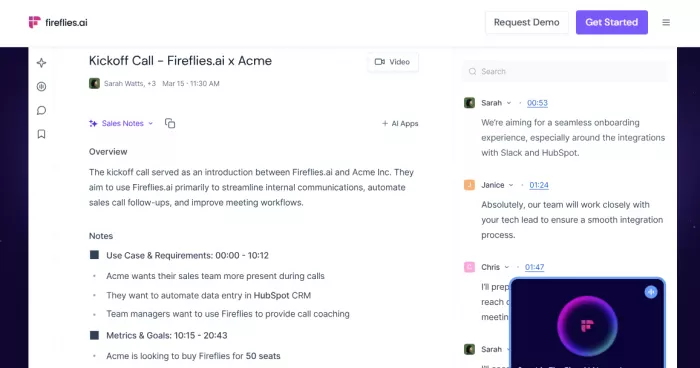
They can break big projects into smaller tasks, prioritize your day, and reshuffle your schedule automatically when things change. - Meeting helpers (like Otter, Fireflies, Zoom’s AI)
They join your calls, take notes, and give you a summary with action items so you don’t have to rewatch meetings or scribble everything down.
How this saves time:
You stop manually planning every hour, stop typing every email from scratch, and stop writing long meeting notes.
2. AI for customers and support
Busy with DMs and repeated questions? Let AI take the first layer.
- Chatbots for your website/WhatsApp/Instagram
Tools like ManyChat, Intercom, Drift, or simple website bots can answer FAQs, take basic orders, and collect customer details automatically.

- AI helpdesk assistants (in tools like Zendesk, Freshdesk, HubSpot)
These can suggest replies, sort tickets by urgency, and auto‑answer common questions.

How this saves time:
You still handle tricky issues, but AI deals with “Where’s my order?”, “What are your prices?”, “What time are you open?” all day, every day.
3. AI for marketing and content
You don’t have to stare at a blank screen for hours to post something.
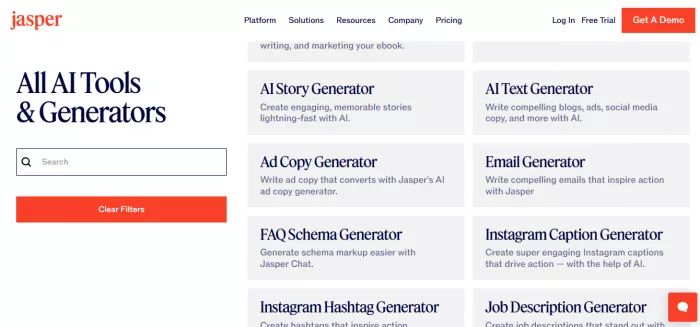
- Writing tools (Jasper, Copy.ai, any AI chat assistant)
Use them to draft posts, captions, newsletters, product descriptions, or ad ideas. You still edit the voice; they handle the “first draft”.
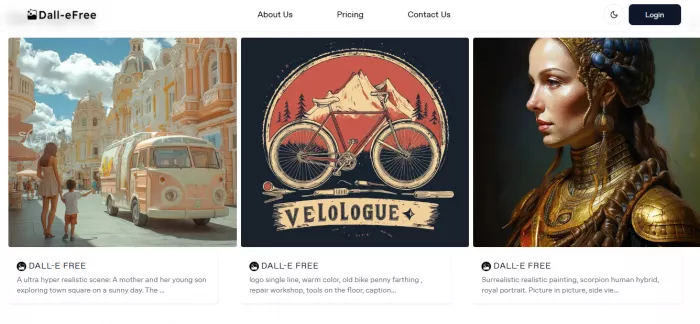
- Design helpers (Canva with AI, DALL‑E, Adobe Express)
They help you create social posts, flyers, thumbnails, and simple designs quickly without a designer.
- Social media schedulers with AI (Buffer, Hootsuite, SocialPilot)
These can suggest good posting times, repurpose content, and schedule everything for the week in one sitting.
How this saves time:
You batch your content once, then let AI and schedulers handle the rest instead of posting manually every day.
4. AI for money and admin
If you hate spreadsheets, this part is for you.
- Accounting tools with AI (QuickBooks, Xero, Zoho Books)
They read receipts, match transactions, categorize expenses, send invoices, and remind clients to pay.

- Expense and receipt apps (Fyle, Expensify, your accounting tool’s mobile app)
Snap photos of receipts; the AI reads the amounts and fills things in for you. - Simple dashboards (Notion, Airtable, spreadsheet + AI assistant)
Ask in natural language: “How much did we make last month?” instead of digging through files.
How this saves time:
You spend less time on manual entry and end‑of‑month panic, and more time just checking summaries and making decisions.
5. AI for teams and projects
If you work with a team or freelancers, AI can reduce your coordination time.
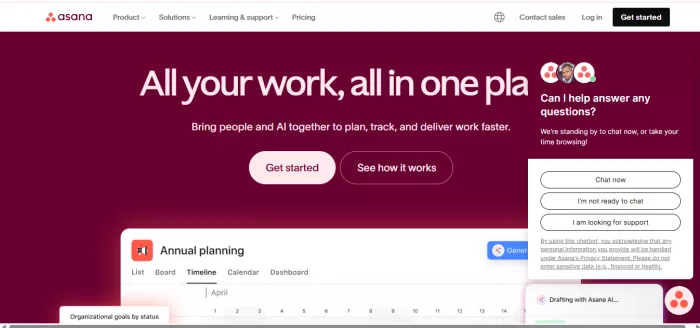
- Project tools with AI (Asana, Trello, ClickUp, Monday)
They create tasks from notes, highlight what’s overdue, and help you see who’s overloaded.
- Writing and communication helpers (Grammarly, email AI, Docs with AI)
They clean up messages, proposals, and reports so everything is clear and professional.
How this saves time:
You don’t answer “What’s the status?” all day, people can see it in one place, and AI keeps it updated from notes and messages.
Final Verdict
AI management tools aren’t magic, they’re practical aids to reclaim your life. Start with one or two that target your biggest bottleneck, then expand as you see results. Whether you’re a solo hustler or building a team, these platforms help you escape the endless grind, freeing you to focus on what truly matters.


Comments