Best AI Tools for Google Ads- For Real Campaign Optimization, Not Just Hype



What Actually Matters in a Google Ads AI Tool
The difference between a useful tool and a wasted subscription is not features. It is measurable impact on workload and performance.
Time saved is the first filter. If a tool does not remove at least 4 to 6 hours of weekly account management, it is adding friction rather than removing it. Tools that require daily logins and manual approvals often increase cognitive load instead of reducing it.
Impact on CPA and ROAS is the second filter. A tool that helps restructure campaigns, optimize bids, or improve search term quality can directly affect cost efficiency. Tools that only provide alerts rarely move performance metrics significantly.
Learning curve matters more than most people expect. Platforms like Optmyzr are powerful but require onboarding time that can stretch into weeks. For smaller teams, that delay offsets the benefits.
Finally, automation level defines real value. Fully manual tools with insights are useful. Semi-automated tools with rules are better. Fully autonomous systems are rare but are the only ones that truly reduce workload.
Tools That Actually Compete (Not Random SaaS Additions)
Optmyzr
Optmyzr is built for serious advertisers managing large budgets or multiple accounts. It is not trying to simplify Google Ads. It is trying to give you control at scale.
It works best for agencies or in-house teams handling multiple campaigns with significant spend. If you are managing five to ten accounts or budgets above $10,000 per month, the rule engine and automation workflows start making sense. If you are a beginner, it is overwhelming.
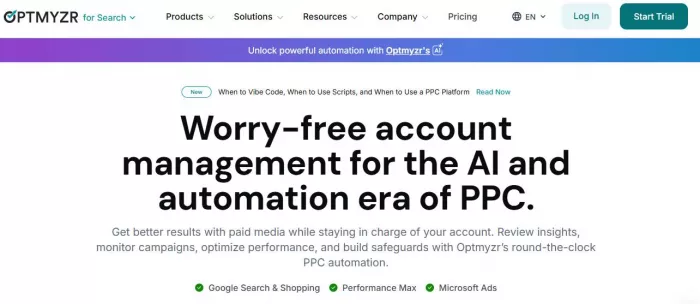
Where it breaks is usability. The interface is dense, and setting up automation requires understanding how rules interact. Misconfigured rules can lead to budget misallocation or aggressive bid changes. (https://www.optmyzr.com/)
Workflow impact is substantial once configured. Bulk operations, automated rule execution, and reporting pipelines can reduce manual work by 6 to 10 hours per week. However, the initial setup time can take several days.
Pricing Breakdown
| Plan | Price | Notes |
| Starter | ~$249/month | Limited accounts and features |
| Pro | ~$499/month | Full automation suite |
| Advanced | ~$799/month | Agency-scale usage |
Ratings Snapshot
| Platform | Rating |
| G2 | ~4.6/5 |
| Capterra | ~4.6/5 |
| Trustpilot | Not listed |
Verdict
Use it if you manage multiple accounts and need automation depth.
Avoid it if you want simplicity or quick onboarding.
Opteo
Opteo sits in the middle between usability and performance. It focuses on actionable recommendations with a cleaner interface compared to Optmyzr.
It is best suited for small to mid-sized businesses or freelancers managing a handful of accounts. The system prioritizes clarity over complexity, which reduces the learning curve significantly. (https://opteo.com/)
Where it breaks is automation depth. Most recommendations still require manual approval. It improves decision-making speed but does not eliminate work.
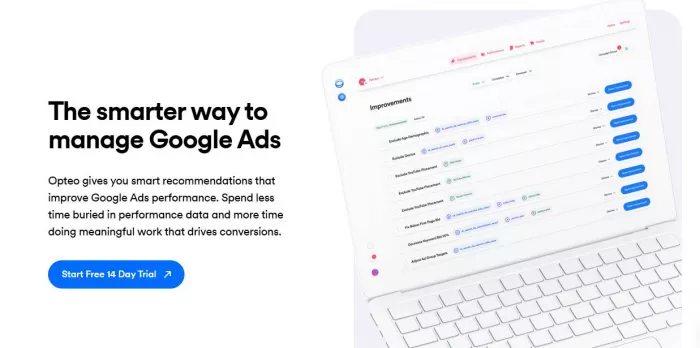
Workflow impact is moderate. Expect 3 to 5 hours saved per week through prioritization and alerts, but not full automation. It reduces noise rather than replacing effort.
Pricing Breakdown
| Plan | Price | Notes |
| Basic | ~$99/month | Limited spend tiers |
| Growth | ~$149–$199/month | Higher ad spend support |
Ratings Snapshot
| Platform | Rating |
| G2 | ~4.6/5 |
| Capterra | ~4.7/5 |
| Trustpilot | ~4.5/5 |
Verdict
Use it if you want structured guidance without complexity.
Avoid it if you expect automation to replace manual work.
Adalysis
Adalysis focuses heavily on testing and optimization rather than automation. It is built for advertisers who care about data validation and controlled experimentation.
It is ideal for performance marketers running A/B tests across ads, keywords, and campaigns. If your strategy relies on iterative testing, Adalysis provides deeper insights than most tools.
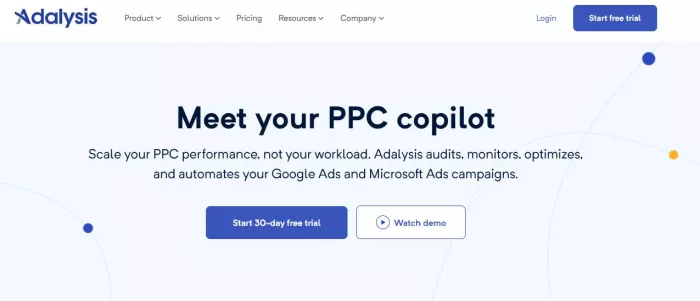
Where it breaks is speed. It does not automate decisions. It slows down execution in favor of accuracy, which is not ideal for fast-moving campaigns. (https://adalysis.com/)
Workflow impact is analytical rather than operational. It does not reduce workload significantly but improves decision quality. Expect minimal time savings but better performance insights.
Pricing Breakdown
| Plan | Price | Notes |
| Standard | ~$149/month | Core testing features |
| Advanced | ~$199+ | Higher usage and accounts |
Ratings Snapshot
| Platform | Rating |
| G2 | ~4.7/5 |
| Capterra | ~4.6/5 |
| Trustpilot | Not listed |
Verdict
Use it if testing and data accuracy drive your campaigns.
Avoid it if you need automation or time savings.
Adzooma
Adzooma is positioned as an entry-level optimization tool with a strong focus on simplicity and accessibility.
It is best for beginners or small businesses that need basic recommendations without paying high subscription costs. The interface is simple, and onboarding is quick.
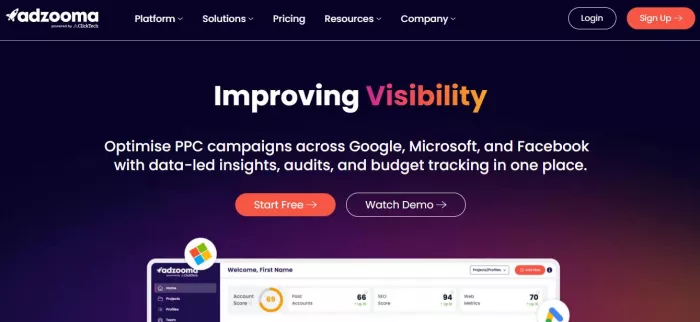
Where it breaks is depth. Recommendations are often surface-level and repetitive. For advanced users, it adds little value beyond what Google Ads already provides.
Workflow impact is minimal. It may save 1 to 3 hours per week, mostly by consolidating insights into one dashboard. (https://adzooma.com/)
Pricing Breakdown
| Plan | Price | Notes |
| Free | $0 | Limited features |
| Paid tiers | ~$69–$179/month | Expanded tools |
Ratings Snapshot
| Platform | Rating |
| G2 | ~4.4/5 |
| Capterra | ~4.6/5 |
| Trustpilot | ~4.0/5 |
Verdict
Use it if you are starting out and need guidance.
Avoid it if you manage large budgets or complex campaigns.
Side-by-Side Comparison
| Tool | Starting Price | Automation Level | Time Required | Best For |
| Optmyzr | $249 | High (rule-based) | Medium to High | Agencies |
| Opteo | $99 | Medium | Medium | SMBs |
| Adalysis | $149 | Low | High | Testing-focused users |
| Adzooma | $0 | Low | Low | Beginners |
Final Decision Based on Use Case
● If you are a beginner with a low budget, Adzooma or Opteo provide enough structure without overwhelming complexity. The focus should be on learning rather than automation.
● For growing businesses, Opteo offers a balance between usability and insight. It helps prioritize work without requiring deep technical setup.
● If needed by agencies or advanced users, Optmyzr is the most practical choice. It delivers real workflow improvements through automation, but only if you invest time in setup.
The decision is not about finding the best tool. It is about choosing the one that reduces your workload while improving performance within your specific workflow.


Comments