The 5 Best Online Platforms to Sign and Approve PDFs



Signing PDF documents digitally has become a critical tool for businesses, professionals, and individuals who need to quickly finalize contracts and agreements. Instead of dealing with printing, scanning, and faxing, digital signing streamlines the entire process. Whether you're handling a contract, an approval form, or a report, having the right PDF signer is crucial to getting the job done securely and efficiently.
This list covers the top five PDF signers for 2026. These tools offer fast, reliable, and secure digital signature solutions to help you complete documents on time.
1. Lumin — Fast and Collaborative PDF Signing
Lumin is a leading PDF signer known for its fast and collaborative PDF signing features. Whether you need to sign a contract, approve a document, or request signatures from multiple parties, Lumin provides an efficient and secure solution. With instant online signing, real-time collaboration, and cloud integration, it is an all-in-one platform that simplifies document management.
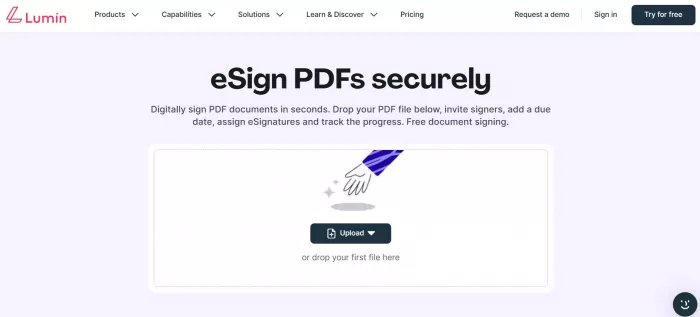
How to Sign and Approve Documents Step-by-Step:
1. Upload your PDF: Drag and drop the document or select it from your cloud storage.
2. Sign your PDF: Use the draw signature online tool or upload your pre-saved signature.
3. Share the signed document: Once signed, share the document via email or save it to your cloud account.
Pros:
● Intuitive interface for ease of use
● Real-time collaboration allows teams to work together
● Legal compliance with encrypted e-signatures
● Seamless cloud integration for easy access across devices
Ideal for: Teams and professionals who manage multiple documents daily and need fast, secure digital signatures with the ability to collaborate in real-time.
2. Nitro Sign
Nitro Sign is another powerful online PDF signer that stands out for its document management features and integration with popular cloud services like OneDrive and Google Drive. Ideal for businesses looking to automate their workflows, Nitro Sign allows users to sign PDFs online, track document progress, and store signed documents securely in the cloud.
Key Features:
● Document management: Keep track of documents and streamline workflows.
● Cloud integrations: Connect with OneDrive, Google Drive, and more.
● Automated workflows: Enhance your team’s productivity with document automation.
Pros:
● Seamless cloud service integrations
● Bulk signing and document routing for teams
● Advanced workflows for document approvals
Cons:
● Pricing is higher compared to other tools, making it more suitable for mid-sized businesses.
● Limited features on the free version.
Best for: Mid-sized businesses that need workflow automation and secure document signing features.
3. PDFfiller
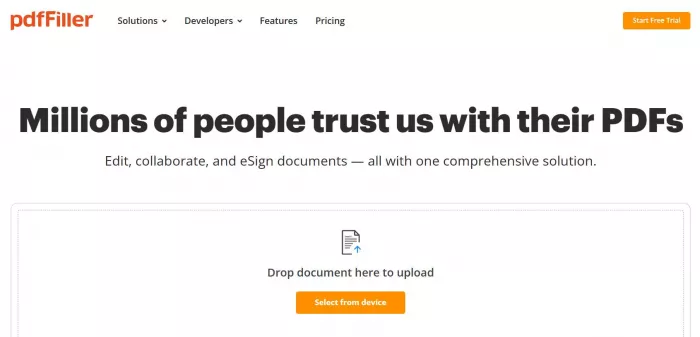
PDFfiller is an all-in-one online PDF editor that lets you fill out forms, add text, and insert signatures. It’s an excellent solution for both individual and business users who need to sign and edit PDF documents online. PDFfiller offers secure sharing options, making it easy to share signed documents with others.
Key Features:
● Form filling: Easily complete and sign forms within the platform.
● Document sharing: Share completed forms with anyone securely via a link or email.
● Secure cloud storage: Store your signed documents securely on the cloud for future reference.
Pros:
● Comprehensive PDF editing capabilities
● Easy signing and form-filling process
● Secure document sharing and storage
Cons:
● The free version has limited functionality compared to the paid version.
● Interface can be overwhelming for first-time users.
Best for: Individual users and small businesses needing form-filling and signing functionality with secure document management.
4. SignNow
SignNow is a user-friendly platform designed for legally binding e-signatures and document management. Known for its integration with popular business tools like Salesforce and Google Workspace, SignNow provides an easy way for enterprises and teams to manage contracts and agreements digitally. The platform enables document tracking, allowing businesses to streamline their approval processes.
Key Features:
● Legally binding e-signatures: Ensure all signed documents are legally recognized.
● Integration with apps: Works with Salesforce, Google Workspace, and others.
● Team collaboration: Multiple users can work on the same document at once.
Pros:
● Easy-to-use platform for quick signing
● Integration with business tools like Salesforce and Google Workspace
● Audit trails for document tracking and compliance
Cons:
● More advanced features require a paid plan
● Basic plan has limited customization options
Best for: Enterprises and teams that need advanced features and integrations with business platforms to manage large volumes of contracts.
5. PandaDoc
PandaDoc is a comprehensive document management platform that combines e-signatures with document creation and management. Ideal for sales teams, legal professionals, and businesses managing proposals and contracts, PandaDoc helps automate the document workflow and ensures that all agreements are signed digitally and securely.
Key Features:
● Document creation: Create and edit proposals, contracts, and agreements with ease.
● e-Signatures: Get documents signed quickly and securely online.
● Integration with CRM systems: Integrates with Salesforce, HubSpot, and more.
Pros:
● Excellent for sales teams managing contracts and proposals
● Seamless e-signature integration with CRM tools
● Comprehensive document management and automation
Cons:
● Some advanced features require a paid plan
● Can be overwhelming for users who only need simple e-signature functionality
Best for: Sales and business teams that need to manage multiple documents and automate document workflows.
Pros and Cons of Free PDF Signers
Pros:
● No software installation: Online PDF signers are accessible from any device with an internet connection, providing flexibility.
● Easy to use: Most platforms are intuitive, making it easy to sign PDFs online without any prior training.
● Time-saving: Digital signatures save you time compared to traditional manual signing.
● Secure: Platforms like Lumin ensure document security with encryption and compliance with legal standards.
Cons:
● Feature limitations: Free versions often have fewer features and may limit the number of signatures or documents you can process.
● Ads: Free tools sometimes include ads, which can disrupt your workflow.
● Lack of advanced options: Businesses or teams with specific needs may require paid plans for more powerful features.
How Secure Are PDF Signers Online?
When using an online PDF signer, security is crucial, especially when signing legal documents. Make sure the platform uses SSL encryption and provides data privacy protection to ensure that your documents are kept secure. Tools like Lumin offer strong encryption, making it safe to store and sign sensitive documents online.
When to Consider Upgrading to a Paid Plan
While free PDF signers are sufficient for casual use or occasional document signing, businesses that require advanced features, such as bulk signing, team collaboration, and secure document storage, should consider upgrading to a paid plan. Paid versions often include unlimited document handling, secure e-signatures, and integrations with business platforms, making them ideal for professional and business use.
Final Thoughts — The Best PDF Signer for Fast and Secure Electronic Signatures
For teams and professionals who need fast, collaborative, and secure document signing, Lumin stands out as the top choice. With its intuitive interface, real-time collaboration, and cloud integration, Lumin offers everything you need in a PDF signer.
For occasional users, free options like Smallpdf or HelloSign are great choices, but for businesses, enterprises, or teams managing multiple documents and requiring advanced features, Lumin provides the most comprehensive and reliable solution.


Comments