Canva vs Adobe Express for Social Media Managers: Which Tool Is Actually Better in 2026?



Why This Comparison Actually Matters
If you manage social media daily, design tools are not optional. They directly affect how fast you can create posts, how consistent your brand looks, and how much time you spend fixing things that should have worked the first time.
In a real workflow, this means:
● Designing Instagram posts and carousels daily
● Creating reels and short videos quickly
● Resizing content across platforms without breaking layouts
● Maintaining brand consistency across dozens of posts
● Collaborating with teams or clients without friction
I have used both Canva and Adobe Express extensively for all of this. Not for occasional design work, but for real content pipelines where speed, repeatability, and output quality matter every day.
This comparison is not about features on paper. It is about what actually happens when you are trying to ship content on time.
Ease of Use and Interface
The first difference becomes obvious within minutes of using both tools.
Canva feels like it was built for non-designers who still need to produce high-quality output. Everything is where you expect it to be. Drag, drop, adjust, export. Even when working on complex carousels, it rarely slows you down.
Adobe Express, on the other hand, looks cleaner but feels slightly fragmented. Some tools are hidden behind panels, and switching between features takes more clicks than expected.
What I noticed in real usage
● Canva lets you move fast without thinking
● Adobe Express requires more “figuring out” before flow kicks in
● Canva handles multi-page designs better (especially carousels)
Where things slow down
● Adobe Express slows you down when editing multiple frames or layouts
● Canva rarely blocks workflow, but large projects can feel heavy
Clear takeaway: Canva is faster for day-to-day content production.
Templates and Design Quality
Templates are not just a bonus. They are the backbone of social media workflows.
Canva has a massive template library. But more importantly, many of them are actually usable without heavy editing. This matters when you need to produce content at scale.
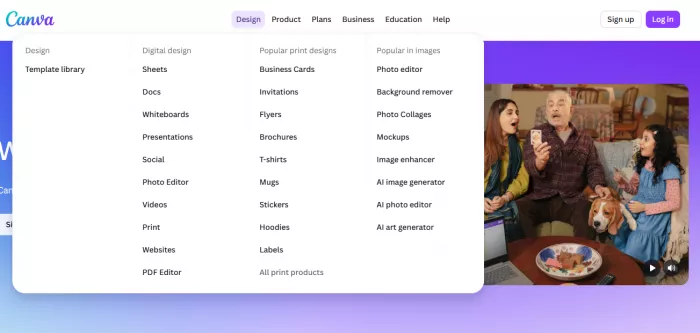
Adobe Express templates look cleaner and more “designed,” but there are fewer strong social media-specific options compared to Canva.
What I noticed
● Canva templates are practical and conversion-focused
● Adobe Express templates feel more polished but less flexible
● Canva has better coverage for reels, carousels, and ads
Real workflow impact
With Canva, I often start from a template and publish within minutes.
With Adobe Express, I end up modifying more elements, which increases time per post.
Social Media-Specific Features
This is where the gap becomes more visible.
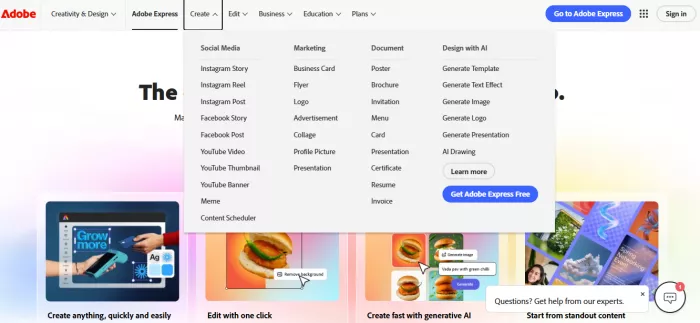
Canva is clearly built for social media managers. Features like resizing, scheduling, and content formats are tightly integrated.
Adobe Express supports these features, but they feel secondary rather than core.
Key differences in practice
● Canva’s resize tool works instantly across formats
● Canva’s scheduler is built-in and usable
● Adobe Express resizing is less intuitive
● Adobe Express scheduling exists but is not as seamless
Real usage experience
When repurposing content across Instagram, LinkedIn, and Facebook:
● Canva saves significant time
● Adobe Express requires more manual adjustments
AI Tools and Automation
Both tools are pushing AI features aggressively, but the execution is different.
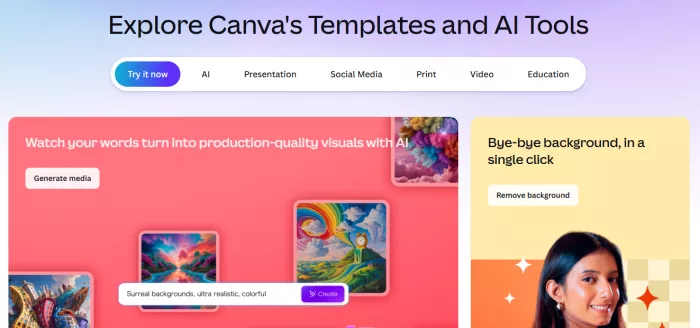
Canva’s AI feels more integrated into the workflow. Background removal, text generation, and image editing are fast and reliable.
Adobe Express has strong AI features, especially with Adobe Firefly, but they feel more like add-ons rather than workflow tools.
What I noticed
● Canva background remover is faster and more consistent
● Canva Magic Write is usable for captions and hooks
● Adobe Firefly produces good visuals but takes more effort to integrate
● Adobe Express AI tools feel slightly disconnected from the main workflow
Where time is saved
Canva reduces editing steps. Adobe Express adds creative control but increases effort.
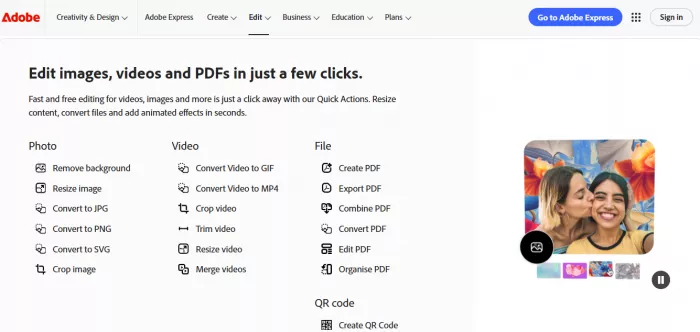
Video Editing Capabilities
For social media managers, video editing is not optional anymore.
Canva has improved significantly in video editing. It is simple but effective for reels, shorts, and basic motion content.
Adobe Express offers better motion control and slightly cleaner video output, but the workflow is slower.
Real usage comparison
● Canva is faster for reels and short-form content
● Adobe Express is better for slightly polished edits
● Canva timeline editing is simpler
● Adobe Express gives more control but requires more time
If you are posting daily content, speed matters more than precision.
Brand Kit and Consistency
This is one of the most important features for social media teams.
Canva’s Brand Kit is one of its strongest advantages. Colors, fonts, logos, and templates can be applied consistently across all designs.
Adobe Express also has branding features, but they are not as tightly integrated into daily workflows.
What I noticed
● Canva makes it easy to maintain brand consistency across 50+ posts
● Adobe Express requires more manual control
● Canva’s style application is faster and more reliable
Collaboration and Team Workflows
In real-world use, this decides whether a tool scales or not.
Canva is clearly ahead here.
You can share designs, comment, edit in real time, and manage workflows easily. It works well even with non-designers.
Adobe Express supports collaboration, but it feels less smooth and less central to the product.
Real workflow difference
● Canva works like a collaborative workspace
● Adobe Express feels more like a single-user tool with sharing options
Pricing Breakdown
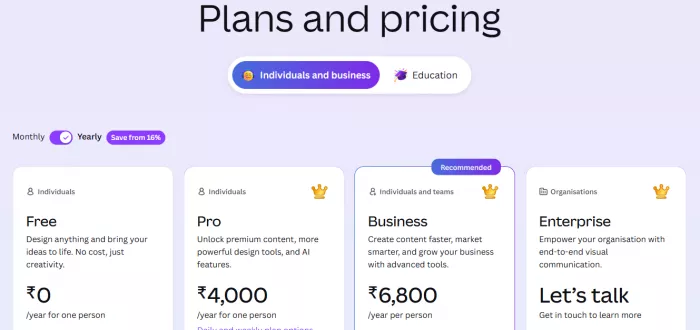
Here is the current pricing structure:
| Plan | Canva Pricing | Adobe Express Pricing |
| Free Plan | Free | Free |
| Monthly | $14.99/month (Canva Pro) | $9.99/month |
| Yearly | $119.99/year | $99.99/year |
What you actually get
Canva Free
● Limited templates
● Basic editing
● No brand kit
Canva Pro
● Full template library
● Brand kit
● Background remover
● Content scheduler
● Premium assets
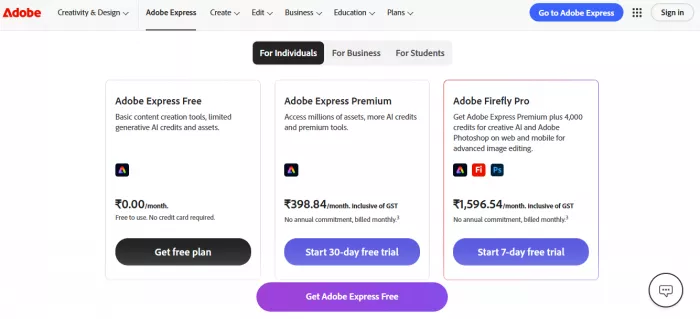
Adobe Express Free
● Basic editing tools
● Limited templates
● Basic AI tools
Adobe Express Premium
● Adobe Firefly AI
● Premium templates
● Branding tools
● Advanced editing
Ratings and Real User Feedback
| Tool | Rating | Reviews |
| Canva | 4.7/5 | 6,800+ reviews (G2) |
| Adobe Express | 4.5/5 | 700+ reviews (G2) |
Feature Comparison Table
| Feature | Canva | Adobe Express |
| Pricing | Higher pricing, especially for teams, but includes more built-in tools like scheduler, brand kit, and full template access in one plan | Lower starting price, but some features depend on Adobe ecosystem or add-ons, which can increase overall cost |
| Templates | Extremely large library with highly practical, ready-to-use social media templates across posts, reels, ads, and carousels | Smaller but more curated template library, with stronger visual polish but less variety for daily content needs |
| AI Tools | AI features are deeply integrated into workflow, including background remover, Magic Write, image editing, and quick design suggestions | Powered by Adobe Firefly with strong generative AI (text effects, image generation), but feels more like separate tools rather than part of the workflow |
| Video Editing | Built for speed and simplicity, ideal for reels, shorts, and quick edits with drag-and-drop timeline and instant exports | Offers more advanced controls like animations, clip maker, and speech enhancement, but takes more time to execute |
| Collaboration | Strong real-time collaboration, shared folders, comments, and easy team workflows, especially useful for agencies or social media teams | Supports collaboration, but less intuitive and not as central to the product experience compared to Canva |
| Brand Kit | Highly optimized for scaling content, allows instant application of colors, fonts, and logos across multiple designs | Includes branding tools, but applying and managing brand consistency requires more manual effort |
| Social Media Features | Built specifically for social media managers, with resizing, scheduling, captions, and multi-platform publishing integrated into one workflow | Includes scheduling, resizing, and social features, but relies more on add-ons and feels less streamlined |
Real Pros and Cons
Canva
Pros
● Canva is the fastest tool for daily content creation because it allows you to go from idea to finished post with minimal steps and almost no friction.
● The template ecosystem is extremely strong, as most templates are practical and ready to use without requiring heavy customization.
● The brand consistency tools are highly effective, since you can apply fonts, colors, and logos across multiple designs instantly without manual adjustments.
Cons
● Canva can feel heavy when working on large or complex designs, as performance tends to slow down with more elements and pages.
● It offers limited advanced design control, which becomes noticeable when you need precise adjustments or highly customized layouts.
Adobe Express
Pros
● Adobe Express provides better design precision, allowing more control over layout, spacing, and visual details compared to Canva.
● Its AI tools powered by Adobe Firefly generate high-quality visuals and effects that are useful for more polished creative work.
● The final output often looks cleaner and more refined, especially for static designs and branded visuals.
Cons
● Adobe Express has a slower workflow for bulk content creation, as it requires more steps and adjustments for each design.
● The template ecosystem is weaker, with fewer ready-to-use options for social media content compared to Canva.
● Collaboration is not as smooth, since team workflows and real-time editing are less intuitive than in Canva.
Final Verdict
For social media managers, Canva is the better tool.
It is built for speed, scale, and consistency. When you are handling daily posts, multiple platforms, and tight timelines, Canva simply reduces friction. It lets you move from idea to published content faster than Adobe Express.
Adobe Express makes more sense in specific scenarios. If the focus is on fewer, more polished creatives with slightly better visual control, it performs well. It is also useful if you are already working inside the Adobe ecosystem.
But for real-world social media workflows where volume, speed, and repeatability matter, Canva is the tool that actually holds up.


Comments