Change How You Work and Create with These Top 10 AI Tools



The artificial intelligence revolution isn't coming; it's already reshaping how professionals approach daily tasks, creative workflows, and collaborative projects. These ten AI tools represent the current state of productivity enhancement, offering capabilities that compress hours of manual work into minutes of intelligent automation while maintaining professional quality standards.
1. Glean — Enterprise Knowledge Intelligence Platform

Glean stands as the most comprehensive Work AI platform designed to transform how organizations access, understand, and utilize their collective knowledge across distributed systems. The platform integrates with over 100 enterprise applications, including Google Workspace, Microsoft 365, Slack, Confluence, Jira, Salesforce, GitHub, and Zendesk, to create a unified knowledge graph that powers intelligent search, content generation, and workflow automation.
Core Capabilities
The platform operates through three interconnected modules that work together to deliver contextually relevant information. Enterprise Search employs hybrid retrieval combining semantic understanding with custom language models to surface documents, conversations, code, and people based on user intent rather than simple keyword matching. The system understands individual roles, project contexts, and behavioral patterns to deliver personalized results that reflect what each employee actually needs to know.
Glean Assistant functions as an AI work companion that answers questions by synthesizing information across company knowledge bases and public web sources. The assistant handles diverse tasks, including:
- Summarizing lengthy documents and discussion threads across multiple platforms
- Analyzing data patterns and generating insights from scattered information
- Drafting content aligned with organizational voice and compliance requirements
- Conducting deep research with multi-step analysis and cited sources
Unlike generic chatbots that operate in isolation, Glean Assistant maintains awareness of enterprise permissions, ensuring users only see information they're authorized to access.
Automation and Intelligence
The platform's most advanced capability comes through Glean Agents, which automate repetitive workflows and orchestrate departmental processes using an agentic reasoning engine. These autonomous agents execute multi-step tasks such as generating automatic responses to common inquiries, routing support tickets based on content analysis, updating project dashboards from scattered communications, and triggering notifications when specific conditions occur across connected systems.
Business Impact
Forrester research indicates that Glean saves up to 110 hours per employee annually, with adoption rates reaching 93% within two years of implementation. Organizations recover their investment in under six months, driven primarily by reduced time spent searching for information, decreased internal support requests (down 20% for IT and HR functions), and accelerated onboarding that saves 36 hours per new employee.
2. Notion AI — Integrated Workspace Intelligence
Notion AI brings advanced language model capabilities directly into collaborative workspaces, eliminating context switching between documents and AI tools. The integration enables in-line content generation, workspace-wide search, text editing, task creation, and database auto-population without leaving active documents.
Workspace-Native Features
The system excels at cleaning up draft text, generating action items from meeting notes, building custom dashboards that aggregate data across pages, and answering questions about workspace content using natural language queries. Unlike standalone AI assistants, Notion AI maintains awareness of document structure, project hierarchies, and team member assignments when generating responses.
Template automation accelerates repetitive documentation by generating standardized formats for project briefs, status reports, technical specifications, and client deliverables based on minimal input parameters. Database functionality extends to intelligent field population, where AI infers appropriate values for properties based on entry titles and existing patterns.
Deployment Efficiency
The pricing model includes free trial access in all Notion accounts, allowing teams to evaluate functionality before committing to paid AI add-ons that operate on per-member monthly subscriptions. This approach enables selective deployment where only team members actively using AI features incur additional costs.
3. Carousel Maker — AI-Powered Social Media Design Platform

Carousel Maker eliminates the design bottleneck that slows social media content production by transforming ideas, text, and articles into publication-ready carousel posts for LinkedIn, Instagram, and TikTok. The platform addresses the blank-page paralysis that content creators face when starting new projects through three AI-powered generation methods.
Content Generation Methods
Topic-to-Carousel functionality converts simple subject descriptions into fully structured, written, and designed multi-slide presentations without requiring manual content organization. Text-to-Carousel mode repurposes existing content such as blog excerpts, email newsletters, or presentation notes into visual slide formats optimized for social engagement. URL-to-Carousel extraction analyzes complete web articles and automatically segments key points across appropriately formatted slides.
Design System and Brand Consistency
The design system includes over 20 professionally crafted templates spanning minimal, bold, educational, and personal brand aesthetics, each optimized for specific platform requirements. Multi-platform formatting automatically adjusts dimensions for LinkedIn (1080×1350), Instagram squares and portraits, TikTok vertical formats, Facebook, and YouTube Shorts without manual resizing.
Brand consistency features allow creators to establish custom color palettes matching exact brand specifications, select from 10+ premium font families or upload proprietary typography, position logos with precision across all slides, and apply global style changes that update every slide simultaneously. The visual editor operates on drag-and-drop principles, requiring zero design expertise while maintaining professional output quality.
Performance Metrics
Users report content output increases from 2 posts weekly to a daily publishing cadence, with time investment dropping from 2 hours per carousel in traditional design tools to 30 seconds using AI generation. The platform supports content creation in over 100 languages, enabling global audience reach and multilingual brand management from unified workflows.
4. Zapier — Workflow Automation Across 8,000+ Applications
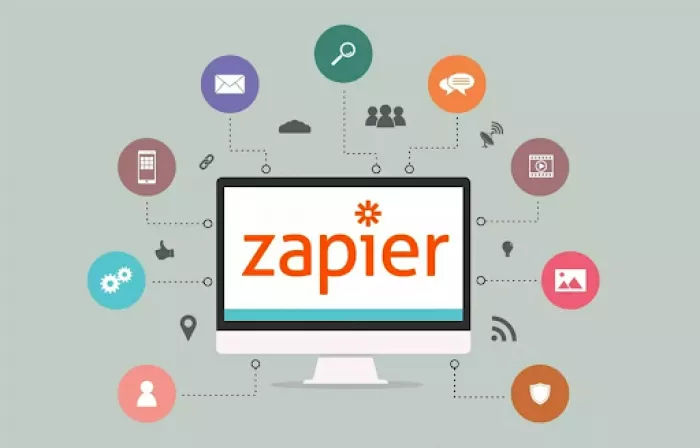
Zapier connects disparate software applications through automated workflows called Zaps that trigger actions in one tool based on events in another. The platform supports over 8,000 integrations spanning CRM systems, project management tools, marketing platforms, communication apps, and data storage services.
Automation Architecture
Multi-step Zaps handle complex automation sequences involving conditional logic, data transformation, filtering, and branching paths that execute different actions based on runtime conditions. AI-enhanced features include natural language workflow creation, where users describe desired automation in plain English and the system generates appropriate connection configurations.
Enterprise Capabilities
Enterprise functionality addresses team collaboration through shared workflow management, role-based permissions, activity monitoring, and execution analytics that track performance at scale. Security and compliance features include SSO integration, audit logging, and GDPR alignment for organizations with strict data governance requirements.
Practical applications include auto-tagging uploaded assets based on content analysis, routing customer support tickets to appropriate team members using sentiment detection, generating project briefs from form submissions, syncing contact information between sales and marketing platforms, and triggering notifications when specific database conditions occur.
| Zapier Plan Comparison | Free Tier | Professional | Team | Enterprise |
| Monthly Task Limit | 100 tasks | 2,000-50,000 | 50,000+ | Custom |
| Multi-Step Zaps | No | Yes | Yes | Yes |
| Premium App Access | Limited | Full | Full | Full |
| Team Collaboration | No | Limited | Full | Full |
| Starting Price | $0 | $19.99/month | $69/month | Custom |
5. Grammarly — AI Writing Enhancement and Style Optimization

Grammarly provides real-time writing assistance that extends beyond grammar correction to encompass tone adjustment, clarity improvement, engagement optimization, and delivery confidence enhancement. The platform operates across web browsers, desktop applications, and mobile devices through extensions and integrations that activate wherever users write.
Contextual Intelligence
Contextual understanding enables the system to differentiate between casual communication requiring conversational tone and formal business writing demanding professional precision. Suggestions adapt based on audience, purpose, and domain, with specialized guidance for technical documentation, creative writing, academic papers, and marketing copy.
Advanced Features
Advanced capabilities include plagiarism detection that scans content against billions of web pages, citation generation for academic writing, vocabulary enhancement recommendations that suggest stronger word choices, and readability scoring that identifies complex sentences hindering comprehension.
Team Functionality
Team features provide brand tone profiles that ensure consistent voice across organizational communications, performance analytics showing writing patterns and improvement areas, and snippet libraries containing approved phrases and messaging for common scenarios. Integration with platforms like Google Docs, Microsoft Word, Slack, and Gmail enables seamless correction without workflow disruption.
6. Synthesia — AI Video Generation from Text Scripts

Synthesia transforms written scripts and documents into professional business videos featuring AI-generated presenters, eliminating traditional video production requirements such as cameras, studios, actors, and editing expertise. The platform targets training content, product demonstrations, company announcements, customer onboarding, and marketing explainers where consistent messaging matters more than cinematic production values.
Video Creation Process
Users select from diverse AI avatars representing different demographics, professions, and presentation styles, then input script text that the avatar delivers with appropriate pacing, emphasis, and gestures. Multi-language support enables single-script translation into dozens of languages with matching lip-sync, allowing global distribution without re-recording content.
Template libraries provide pre-built structures for common video types including tutorial sequences, comparison presentations, announcement formats, and interview-style discussions. Customization options include brand color application, logo placement, background selection, text overlay positioning, and scene transitions that maintain professional aesthetics without manual editing.
Strategic Value
The platform proves particularly valuable for organizations maintaining large training libraries that require frequent updates, as script modifications generate new videos within minutes compared to scheduling re-shoots and post-production timelines associated with traditional approaches.
7. Perplexity AI — Research and Information Synthesis
Perplexity AI specializes in research-driven queries that require information synthesis from multiple sources with transparent citations. The platform combines search capabilities with natural language processing to deliver comprehensive answers backed by verifiable sources rather than single-reference responses.
Research Capabilities
The system excels at comparative analysis across products, services, or concepts by aggregating information from diverse sources and presenting balanced perspectives. Real-time web access ensures answers reflect current information rather than training data cutoffs that characterize purely language-model-based systems.
Citation transparency allows users to verify claims by reviewing source materials directly, making the platform particularly suitable for professional research, competitive analysis, market investigation, and academic inquiry where source credibility matters.
Professional Applications
Teams leverage Perplexity for industry trend analysis, competitor monitoring, technical specification research, and regulatory compliance investigation where comprehensive multi-source understanding provides more value than single-document retrieval.
8. Gamma — Instant Presentation and Document Creation
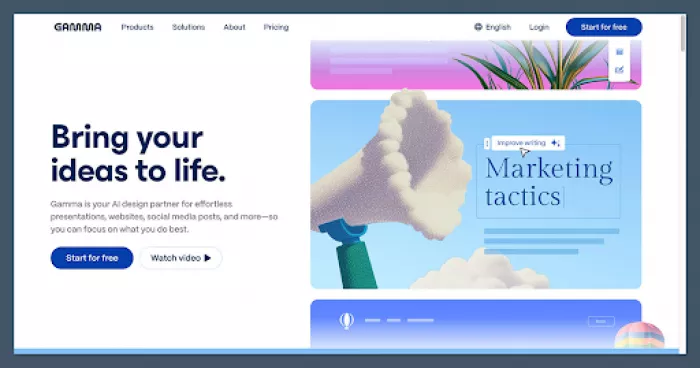
Gamma converts notes, outlines, and ideas into polished presentations, documents, and web pages without manual formatting or design decisions. The platform addresses the time sink of traditional presentation building where content creation represents a fraction of total effort compared to layout adjustment, theme application, and visual consistency maintenance.
Intelligent Structuring
AI-powered structuring analyzes input content to determine optimal slide sequences, heading hierarchies, and information density per section. The system selects appropriate visual treatments including:
Charts and data visualizations for quantitative information
Diagrams and flowcharts for process explanations
Image placements that enhance rather than distract from content
Text formatting that improves readability and comprehension
Collaboration and Export
Real-time collaboration features allow team members to simultaneously edit content, leave comments, and suggest revisions without version control conflicts. Export options include PDF downloads, web-hosted presentations with shareable links, and PowerPoint format for organizations requiring traditional file formats.
The platform particularly benefits professionals who deliver frequent presentations on similar topics, as template creation enables rapid customization rather than starting from blank slides for each new audience.
9. Midjourney — Advanced AI Image Generation

Midjourney represents the current state of artistic AI image generation, producing photorealistic images, illustrations, concept art, and design mockups from text descriptions. The platform operates through Discord-based interaction where users submit prompts and receive generated images within community channels or private conversations.
Creative Control
Advanced prompting syntax enables precise control over composition, lighting, camera angles, artistic styles, color palettes, and mood through parameter adjustments and style references. Multi-image blending allows users to combine reference photos with descriptive prompts to generate variations that maintain specific visual characteristics.
Version iterations built into the workflow allow rapid exploration of compositional alternatives, enabling users to refine outputs through selective regeneration of specific elements rather than complete restarts.
Professional Applications
Design teams use Midjourney for concept exploration, mood board creation, placeholder asset generation, and client presentation visuals where speed and variety matter more than pixel-perfect precision. Marketing departments leverage the platform for social media graphics, campaign ideation, and visual storytelling that differentiates brands from stock photography dependence.
10. Microsoft Power Automate — Enterprise RPA and Workflow Integration
Microsoft Power Automate combines robotic process automation with digital workflow orchestration, allowing teams to automate processes spanning cloud applications and legacy on-premises systems. The platform targets organizations heavily invested in Microsoft ecosystems who need tight integration with Teams, SharePoint, Outlook, Excel, and Azure services.
Desktop and Cloud Automation
Desktop flows enable automation of repetitive tasks in older software lacking modern API access, such as data entry in legacy ERP systems, report generation from desktop applications, and file management across network drives. AI Builder functionality includes document reading that extracts structured data from invoices and forms, sentiment analysis for customer feedback classification, and prediction models for business forecasting.
Enterprise Features
Pre-built templates accelerate deployment for common scenarios including approval workflows, notification systems, data synchronization, and report distribution. The visual flow designer uses drag-and-drop components representing triggers, actions, conditions, and loops that construct automation logic without coding requirements.
Enterprise connectors provide authenticated access to hundreds of third-party applications alongside Microsoft's native services, enabling cross-platform automation that respects security boundaries and permission structures. Governance features include environment separation, solution packaging, and lifecycle management that support enterprise-scale deployments across departments and regions.
Making the Right Choice: Strategic AI Tool Selection
The landscape of AI productivity tools has matured beyond experimental novelty into practical business necessity. These ten platforms represent distinct solution categories rather than competing alternatives each addresses specific workflow bottlenecks that drain time and creative energy from professional work.
Enterprise teams struggling with information fragmentation will find the strongest ROI in knowledge management platforms like Glean, which directly attack the hours lost to searching across disconnected systems. Content creators facing daily publishing demands benefit disproportionately from design automation tools like Carousel Maker that eliminate the gap between ideation and publication. Organizations managing complex cross-platform workflows gain immediate value from automation tools like Zapier that handle repetitive coordination tasks without human intervention.
The critical insight is that tool selection should follow workflow diagnosis rather than feature comparison. The most capable platform delivers minimal value when disconnected from actual pain points. Start with your most annoying repetitive task, the one that makes you think "there must be a better way" and select the tool that specifically addresses that friction point. Success comes from solving one problem completely before expanding to comprehensive transformation.
These tools collectively represent a fundamental shift in how work gets done. The competitive advantage no longer belongs to organizations with the largest teams, but to those who most effectively amplify human capabilities through intelligent automation. The question isn't whether to adopt AI tools, but which specific workflows to enhance first.


Comments