Digital Portfolio Management: Optimizing Creator Workspaces and Modern Kitchens


Digital portfolio management has moved far beyond spreadsheets and shared drives. For creators, designers and food content professionals, it now describes a structured approach to organizing every digital asset, project and tool across the entire workspace, including the kitchen as a production environment. When recipe shoots, product reviews and styling sessions all generate raw files, metadata and revision histories, the line between studio and kitchen blurs. A modern setup treats both rooms as one connected system, where digital workflows govern not just file storage but also equipment data, appliance manuals and the reference material that keeps a creative business running. This guide walks through the practical steps of building such a system, from defining the scope to documenting hardware, integrating digital asset management features, and avoiding the most common pitfalls along the way.
1. Define the Scope of the Workspace
The first step is mapping out everything that belongs to the creative environment. A portfolio is not only a collection of finished work, it also includes the tools, references and physical assets that produce it.
Inventory of Digital and Physical Assets
A complete inventory covers software licenses, camera bodies, lenses, lighting, props and kitchen appliances used in shoots. Each item should be logged with its serial number, purchase date and a link to the corresponding data sheet. Treating a refrigerator or oven the same way as a camera lens may sound unusual, but for food creators these appliances are production tools.

Categorizing by Project Type
Recipe development, brand collaborations, editorial work and personal experiments each have different storage and access needs. Splitting them into clearly named categories from the start prevents the chaotic folder structures that plague most creative archives.
2. Build the Digital Backbone
The second step is choosing and configuring the platforms that hold everything together. Service management thinking applies here: the creator is both the user and the administrator of internal application services.
Selecting the Right Tools
A solid stack typically combines cloud storage, a digital asset management tool and a project tracker. Look for digital asset management features such as version control, tagging, smart collections and granular permissions. These features matter more than raw storage capacity, because they determine how quickly a file can be found six months later.
Standardizing Metadata
Every asset should carry consistent metadata: client, project, date, location of the shoot, and the equipment used. Standardized metadata is what transforms a file dump into a searchable archive and makes automated digital workflows possible.
3. Document Equipment and Appliances
Step three focuses on the often neglected layer: hardware documentation. Creators tend to archive their photos meticulously while losing track of the warranty papers and technical specs of the gear that produced them.
Centralizing Data Sheets
A dedicated folder for data sheets, manuals and firmware notes saves hours during troubleshooting. Whenever a new device enters the workspace, its data sheet should be downloaded as a PDF and tagged with the same metadata logic used for creative files.
Integrating Kitchen Hardware
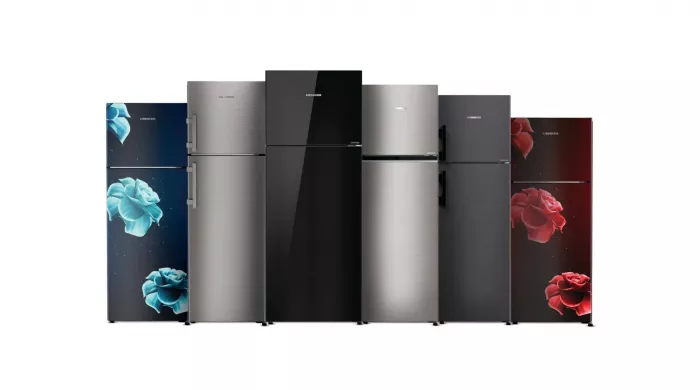
For food-focused creators, the kitchen deserves the same documentation discipline. Cooling performance, energy class and dimensions of a discreet Built in fridge belong in the equipment register alongside the camera and the tripod, because lighting setups, color grading references and even shoot scheduling depend on knowing exactly which appliance is in the frame.
4. Connect Workflows Across Rooms
The fourth step is the integration layer, where the kitchen and the studio start behaving like one continuous workspace.
From Recipe to Published Asset
A typical workflow begins with a recipe brief, moves through ingredient sourcing, then shooting, editing and publishing. Each stage produces files that should flow automatically into the right folder, tagged with the right project ID. Automation rules in the chosen platform reduce manual sorting to almost zero.
Linking Hardware States to Projects
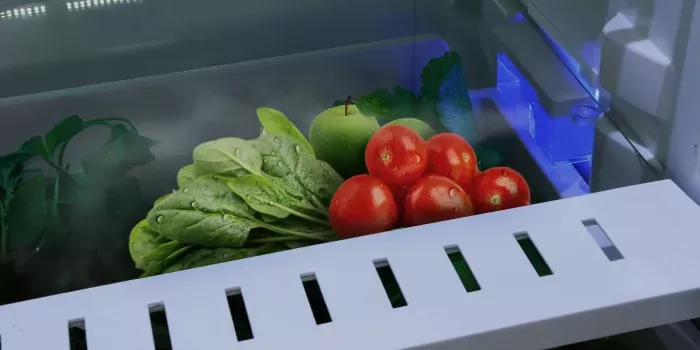
Some creators go further and log appliance settings as part of the shoot record. Oven temperature, fridge zone and induction power level become part of the metadata, which makes a recipe genuinely reproducible. This is where digital portfolio management starts to resemble a small scale service management system, with developer resources and templates that the creator builds once and reuses across every project.
5. Common Mistakes to Avoid
Several recurring mistakes undermine even well planned setups:
- Mixing personal and client files in the same root folder
- Skipping metadata because it feels slower in the moment
- Ignoring backups until a drive actually fails
- Letting tool subscriptions overlap without auditing them yearly
- Forgetting to document hardware, especially built in appliances that rarely move
- Relying on one cloud provider without an offline copy
- Naming files with spaces, special characters or inconsistent date formats
- Treating digital portfolio management as a one time setup rather than an ongoing routine
6. Practical Checklist
Use the following list as a recurring audit, ideally once per quarter:
- Confirm that every active project has a single source of truth folder.
- Verify that all assets from the last 90 days carry complete metadata.
- Update the equipment register with any new hardware, including kitchen appliances.
- Download or refresh data sheets for every device added in the period.
- Test the backup by restoring at least one file from the secondary location.
- Review user permissions and remove access for completed collaborations.
- Archive finished projects into a read only structure.
- Audit subscriptions and cancel any application services no longer in use.
- Refresh the metadata schema if new project types have appeared.
- Document any new automation or template as a reusable resource for future work.
Strategic Implementation of Digital Portfolio Management
The successful adoption of modern asset oversight requires a structured approach that aligns technological capabilities with organizational objectives. Companies in 2026 increasingly rely on integrated systems that combine real-time analytics with automated decision support, enabling more responsive and data-driven investment strategies. The transition from traditional spreadsheet-based methods toward sophisticated platforms demands careful planning across multiple operational dimensions.
Technology Infrastructure and System Integration
A robust technological foundation forms the backbone of any modern investment oversight initiative. Organizations must evaluate cloud-based architectures, API connectivity with existing ERP systems, and the integration of KI-driven analytical tools. The digital portfolio management approach benefits significantly from machine learning algorithms that process vast datasets and identify patterns invisible to conventional analysis. Security protocols, including end-to-end encryption and multi-factor authentication, remain essential considerations when handling sensitive financial information across distributed teams and stakeholders.
Workflow Optimization and Team Collaboration
Beyond technology, the human element plays a decisive role in achieving operational excellence. Effective digital portfolio management for modern enterprises requires redesigned workflows that eliminate redundant manual processes and foster cross-functional cooperation. Training programs ensure that analysts, managers, and executives leverage available tools efficiently, while standardized reporting frameworks improve transparency. Collaborative dashboards allow stakeholders to access synchronized information, reducing decision-making latency and supporting agile responses to market shifts. SEO-optimized internal documentation further enhances knowledge sharing across departments.


Comments