EditPro Tips AI: How It Actually Works, Where It Helps, and Where It Fails

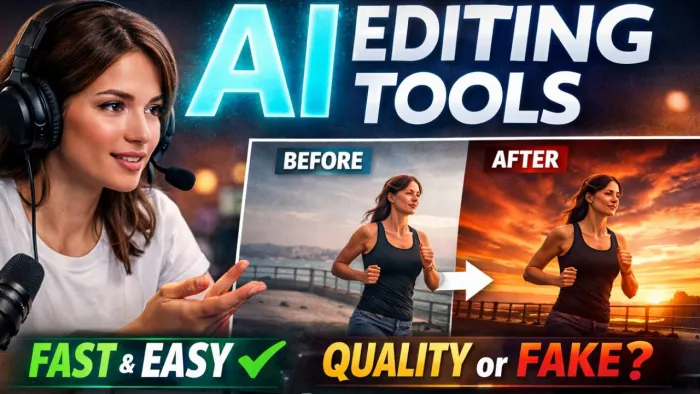
Why creators are actively searching for AI editing shortcuts
The demand for AI editing tools did not come from laziness. It came from pressure.
Creators today operate inside tight feedback loops. Platforms reward speed, consistency, and volume more than polish. A short-form video that looks “good enough” today often performs better than a carefully edited piece released a week later. This has reshaped how editing decisions are made.
Instead of asking “How can I make this perfect?”, many creators now ask:
- How fast can I produce usable content?
- Can this look professional without manual effort?
- Can I repeat this style daily without burning out?
AI editing tools promise answers to those questions. They advertise prompt-based automation, one-click enhancements, and platform-ready output. Tools like text-to-edit, auto background replacement, and scene-aware enhancement are no longer experimental. They are actively marketed as productivity necessities.
This environment is where tools branded under names like EditPro Tips AI gain attention. Not because creators want artificial creativity, but because they want fewer decisions between idea and publication.
The key question is not whether these tools work. It is how they work, where they help, and where they quietly fail.
What EditPro Tips AI actually is in practical terms
EditPro Tips AI is not a single editing model. It represents a category of AI-assisted editing systems designed to convert natural language instructions into visual changes.
At a functional level, these systems focus on three capabilities:
1. Translating human prompts into editing actions
2. Preserving visual continuity across edits
3. Reducing manual timeline interaction
Rather than replacing editing software, they sit on top of it or integrate into existing creative environments.
Core capability breakdown
| Capability area | What it claims to do | What it practically does |
| Prompt-based editing | “Describe the edit in text” | Converts text instructions into preset-driven actions |
| Scene preservation | Maintain subject and background | Uses segmentation and masking models |
| Character consistency | Keep faces and subjects stable | Applies reference locking across frames |
| Multi-photo processing | Batch edit multiple assets | Runs the same model settings on grouped inputs |
| One-shot edits | Single command enhancement | Applies stacked filters and adjustments |
| Social content optimization | Platform-ready output | Auto crops, resizes, and adjusts contrast |
These features align closely with capabilities seen in Canva Magic Edit, Photoshop Generative Fill, CapCut AI tools, and Runway ML. EditPro-style platforms do not invent new editing logic. They orchestrate existing AI techniques into faster workflows.
How EditPro-style AI editing actually works behind the scenes
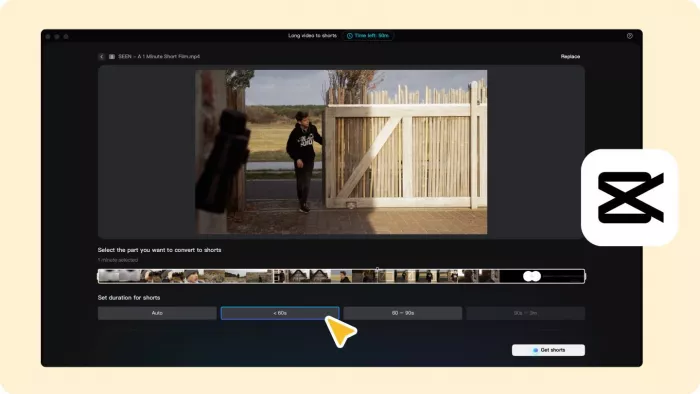
Despite marketing language, the internal workflow of these tools is relatively consistent across platforms.
The process typically follows this pipeline:
1. User uploads image or video
2. User provides a prompt or selects an action
3. The system performs scene analysis
4. AI applies transformations based on learned patterns
5. Output is generated and rendered
Simplified editing pipeline
Upload → Scene detection → Prompt interpretation → Model processing → Rendered output
Intelligence does not come from understanding creativity. It comes from pattern recognition.
For example, when a user types “make this video more cinematic,” the system does not invent a cinematic style. It applies learned correlations such as:
1. Increased contrast
2. Desaturated highlights
3. Shadow lift
4. Slower motion curves
5. Color grading presets
This is why outputs often look familiar. The AI is reproducing statistically common aesthetics, not inventing new ones.
Integration ecosystem
EditPro-style tools rarely operate alone. They typically integrate or overlap with:
1. CapCut AI auto-edit features
2. Canva Magic Edit and Magic Design
3. Adobe Photoshop generative tools
4. Runway text-to-video and video cleanup
In most cases, EditPro Tips AI acts as a workflow shortcut layer rather than a replacement for professional software.

Where practical value ends and marketing begins
The strongest promise of AI editing is time reduction. In controlled tests, AI-assisted workflows can reduce basic editing time by 40 to 70 percent for repetitive tasks such as:
- Background cleanup
- Color correction
- Caption placement
- Format resizing
However, the quality trade-off becomes visible quickly.
Observed efficiency comparison
| Task | Manual editing | AI-assisted editing |
| Basic color correction | 5 to 10 minutes | 30 to 60 seconds |
| Caption placement | 10 minutes | Instant |
| Subject isolation | 15 minutes | 1 to 2 minutes |
| Creative storytelling | Human-led | AI struggles |
AI excels at mechanical repetition. It struggles with intent.
Common issues observed across EditPro-style tools include:
1. Over-sharpened textures
2. Artificial contrast halos
3. Unnatural skin smoothing
4. Inconsistent lighting between frames
These artifacts are not bugs. They are side effects of optimization models prioritizing visual punch over realism.
For creators focused on speed, this trade-off is acceptable. For creators focused on authenticity, it often is not.
Safety, legitimacy, and privacy risks that deserve attention
AI editing platforms attract opportunistic abuse. This is not speculation. It is observable across download mirrors, fake landing pages, and scam promotions.
Common risk patterns seen with AI editing tools
| Risk type | Evidence-based observation |
| Fake download pages | Cloned sites offering malware |
| Redirect chains | Ad networks masking payloads |
| Missing reviews | Artificial scarcity or new domain risk |
| Data collection | Device IDs, usage patterns, prompt logs |
| Unclear ownership | No verifiable company details |
Creators should verify:
1. Domain age and HTTPS security
2. Presence of independent reviews
3. Transparent privacy policy
4. Clear refund or contact information
AI editing tools often process sensitive visual data. This includes faces, locations, and private content. Any platform that does not clearly explain data retention policies should be treated cautiously.
How EditPro-style workflows compare with other editing ecosystems
AI editing tools do not exist in isolation. They compete with traditional and AI-first platforms.
Comparative evaluation
| Factor | Traditional software | AI-first tools | EditPro-style AI |
| Speed | Slow | Very fast | Fast |
| Control | High | Low | Medium |
| Skill requirement | High | Low | Medium |
| Cost | Subscription-heavy | Freemium | Mixed |
| Output realism | High | Variable | Variable |
| Creative freedom | Full | Limited | Semi-limited |
Traditional tools like Adobe Premiere or Photoshop remain unmatched for precision. AI-first tools like Runway focus on experimentation. EditPro-style tools occupy the middle ground where efficiency outweighs perfection.
Final assessment
EditPro Tips AI represents a real category of modern editing tools. Its strengths lie in speed, consistency, and workflow reduction. Its weaknesses lie in creativity, realism, and over-automation.
It is not dangerous by default. It is not revolutionary either.
Used intentionally, it saves time. Used carelessly, it flattens originality.
That is the defining truth of modern AI editing. Not whether it works, but how responsibly it is used.


Comments