insnoop.com- Anonymous Instagram Story Viewer Explained

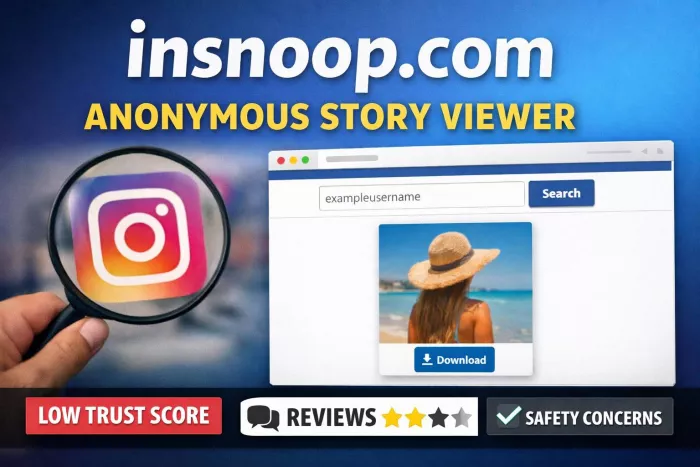
insnoop.com is a browser-based Instagram Story viewer that lets users view Stories and Highlights anonymously, without logging in to Instagram or appearing in the story view list. It operates entirely through standard web browsers and relies on publicly available Instagram content rather than requiring authentication. (InSnoop)
Below you’ll find an in-depth look at what insnoop.com is, how it works, how to use it, real user feedback, trusted review data, feature comparisons, pricing, legality and risks, alternatives, and aggregated ratings all helpful for making an informed decision.
What insnoop.com Is and What It Does
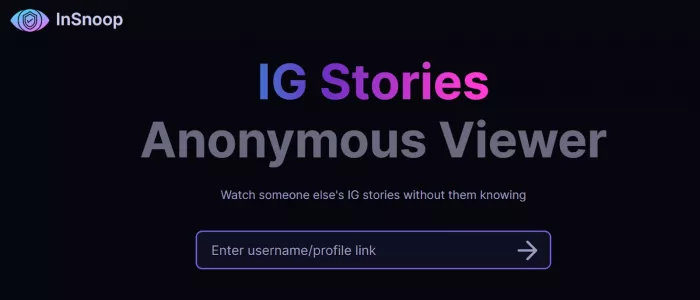
insnoop.com is a web-based Instagram Story viewer that lets you browse and download publicly available Instagram Stories and Highlights anonymously, without creating an Instagram account or signing in.
Here’s how the site describes its core purpose:
| Feature | Explanation |
| Anonymous Viewing | Users can enter an Instagram username/profile link and view stories without being visible in the viewer list. |
| Download Stories & Highlights | Users can save images and videos from public stories for offline use. |
| No Login Required | No Instagram credentials are collected or required. |
| Works Across Devices | The tool is browser-based and compatible with PC, tablet, or mobile. |
How insnoop.com Works Technically
insnoop.com is designed to let people view public Instagram Stories without logging into Instagram. To understand how that works, it helps to compare it with how the official Instagram app functions.
When you open a Story inside the Instagram app, Instagram records:
● Your account username
● The time you viewed the Story
● Your device/session data
That’s why your name appears in the Story viewer list.
insnoop.com works differently.
What Happens Behind the Scenes
Instead of asking you to log into Instagram, insnoop.com:
1. Accesses Public Story Data Only
If an Instagram account is public, its stories are technically accessible over the web. insnoop.com requests that publicly available content and displays it to you.
2. Does Not Use Your Instagram Account
Because you never sign in through insnoop.com, Instagram has no account identity to attach to the view. There is no logged-in user session connected to your request.
3. Does Not Use Instagram’s Official API
Instagram provides official APIs (application programming interfaces) for approved developers. insnoop.com does not use those approved pathways. Instead, it relies on alternative methods such as retrieving publicly visible web data.
4. Uses HTTPS Encryption
The website uses SSL (HTTPS), which means the connection between your browser and insnoop.com is encrypted. This protects your browsing session from being easily intercepted by third parties. It does not, however, guarantee total anonymity from Instagram itself.
Why Your Name Doesn’t Appear in the Viewer List
Since:
● You are not logged into Instagram
● No Instagram account session is created
● The request is made outside Instagram’s official viewing system
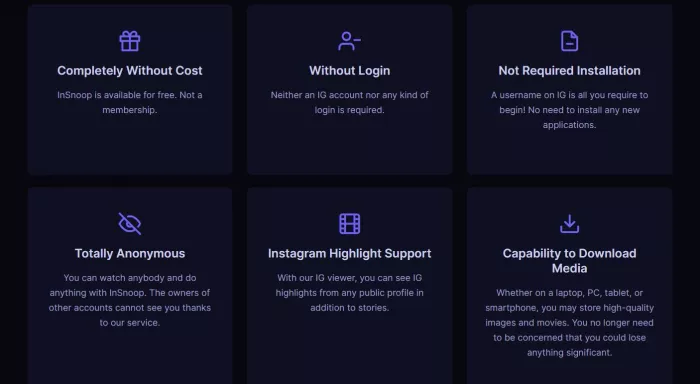
Instagram cannot connect the story view to your username. Therefore, your name does not show up in the viewer list.
Explicit Limitations
| Limitation | Explanation |
| Only Public Profiles | Private profiles and stories are inaccessible through insnoop.com. (SoftwareCurio) |
| No Engagement Tools | You can view or download, but you cannot like, comment, or interact. |
| No Official Ownership or Support | There is minimal transparency about the site’s owners or support structure. |
| Not Guaranteed to Work | Because it relies on third-party data access methods, it can occasionally show errors or fail to load stories. |
Step-by-Step: How to Use insnoop.com
This section walks through clear, numbered steps so even first-time users understand how to use insnoop.com:
1. Open a Web Browser
Use Chrome, Firefox, Edge, Safari, or another modern browser.
2. Navigate to the Official insnoop.com Website
Ensure the URL is exact: https://insnoop.com — this prevents landing on look-alike or malicious copycat sites that may attempt to collect personal data.
3. Enter the Target Instagram Username
Paste the desired public Instagram username (no @) into the search field.
4. Click “Search”
The tool will attempt to locate public stories associated with that username.
5. Browse Available Stories
If public stories or highlights exist, they will appear. You can scroll through them directly.
6. Download Story Content
Click any download button next to an image or video to save it to your device. Usually images download in JPEG format and videos in MP4.
7. Respect Legal Boundaries
Downloaded content belongs to the original creator and should not be reused for commercial or unapproved public distribution.
Tips for Best Experience
1. If stories are failing or returning no results, verify the account is still public.
2. Clear browser cache or try a different browser if content doesn’t load.
3. Bookmark alternative anonymous tools in case the site has downtime.
Also read: https://www.softwarecurio.com/blog/insnoop-review/?
Aggregated Ratings and Real User Feedback
insnoop.com is not listed on major review platforms such as Trustpilot, Capterra, or G2, so it does not have standard numerical ratings like “4.3/5.” However, we can compile sentiment and review data from multiple independent sources to present a realistic picture:
| Source | Rating or Sentiment | Notes |
| Scam Detector | 26.2/100 (Low Trust) | Flags potential risk factors; low trust score. |
| ScamAdviser | Moderate Safety | SSL validated; phishing alert flagged. |
| SoftwareCurio | Neutral/Functional | Confirms anonymous viewing works; risk & transparency concerns. |
| Reddit Discussions | Mixed | Some users report success, others report failures or server issues. |
| PrivateStoryViewer | Cautionary | Warns about ads, risk of redirects, and unclear data practices. |
Summary Interpretation
1. Curated trust sites show mixed signals, with a particularly low independent trust score (26.2/100) from Scam Detector.
2. ScamAdviser suggests the site has SSL but notes phishing alerts in automated scans.
3. User discussions on Reddit show both success stories and complaints about failures, intermittent downtime, and reliability problems.
Feature Comparison Table
Compare insnoop.com with similar Instagram story/viewer tools:
| Feature | insnoop.com | StoriesIG | Inflact | Pixwox |
| Free to Use | Yes | Yes | Partial | Yes |
| Anonymous Viewing | Yes | Yes | Yes | Yes |
| Login Required | No | No | Yes | No |
| Highlights Access | Yes | Limited | Yes | Yes |
| Downloads | Yes | Yes | Yes | Yes |
| Analytics & Extra Tools | No | No | Yes | Basic |
| Reliability | Variable | More Consistent | High | Moderate |
| Best For | Occasional use | Basic anon views | Professional use | Analytics + views |
Notes:
● StoriesIG is frequently cited as a backup free anonymous tool.
● Inflact has paid tiers with professional analytics and content tools.
insnoop.com Ratings and Reviews vs Alternatives
Because insnoop.com isn’t officially rated on platforms like Trustpilot, Capterra, or G2, here’s how common review metrics stack up for alternatives that are rated elsewhere:
| Platform | Typical Rating | Notes |
| Inflact | Often high in third-party tool comparison lists | Paid subscription, professional marketer focus |
| StoriesIG | Not on major platforms but widely recommended | Free & more reliable according to user discussions |
| Pixwox | Not major platform rated | Adds profile insights + story views |
No specific numerical scores from Trustpilot/Capterra/G2 exist for insnoop.com, but broader review data points toward functional utility with notable risk awareness needed.
Legality, Safety & Ethical Considerations
Safety Concerns
Some independent reviews caution that the site:
1. has no clear privacy policy;
2. may redirect to ads or suspicious survey pages;
3. and could expose user IP data or browsing behavior.
ScamAdviser identifies a phishing alert signal and requires manual verification of trust indicators.
Legal Considerations
Viewing public content is generally legal, but:
1. Using unauthorized tools may violate Instagram’s Terms of Service.
2. Downloading and redistributing someone’s content may raise copyright concerns.
3. There is no guarantee of anonymity due to technical glitches. (SoftwareCurio)
Due Diligence Checklist
Before using insnoop.com:
1. Confirm the profile is public.
2. Avoid entering any personal credentials.
3. Use with caution if reliability matters.
4. Respect content ownership and refrain from reposting without permission.
Final Assessment: Is insnoop.com Worth Using?
Pros:
1. Free and no login required.
2. Simple and fast anonymous story browsing.
3. Works on nearly any browser/device.
Cons:
1. Low independent trust score; minimal transparency.
2. Reliability issues and occasional errors.
3. Legal/ethical gray area.
4. Safety warnings regarding mashup redirects.
Best-Fit Use Cases:
1. Casual, infrequent viewing of public Instagram stories.
2. Quick competitor research when anonymity is desired.
3. Temporary access when the official Instagram app is unavailable.
When to Avoid:
1. If you require guaranteed anonymity.
2. If reliability matters (e.g., for business reports).
3. If downloading and repurposing content may violate rights.


Comments