Schoology BCPS: Complete User Guide for Students, Parents & Teachers

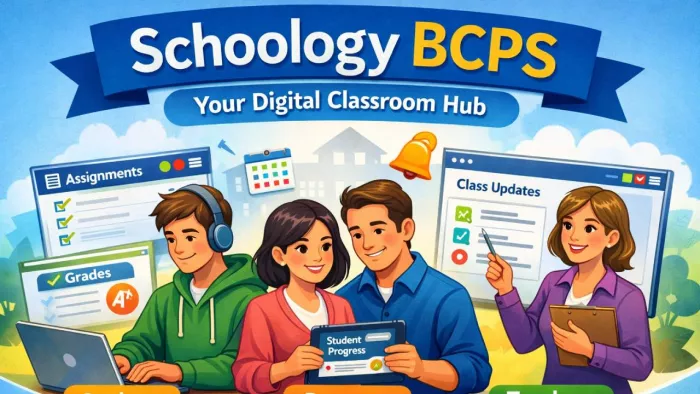
In today’s digital classrooms, learning no longer stops when students leave school. Assignments, grades, announcements, and communication now happen online. For families in Baltimore County Public Schools, this digital learning space is called Schoology BCPS.
It is the central platform where students manage their classes, parents track progress, and teachers share lessons. Simple, secure, and organized, Schoology BCPS connects the entire school community in one place.
What Is Schoology BCPS?
Schoology BCPS is the official online learning platform used by Baltimore County Public Schools in Maryland. It works as a central hub where all school-related activities happen digitally. Instead of searching through emails, notebooks, or different apps, users can log into one place to find assignments, class announcements, learning materials, and grades.
Think of Schoology as a virtual school building. Each class has its own “room,” every assignment has a “desk,” and all messages travel through one secure system.
Why BCPS Uses Schoology
BCPS adopted Schoology to make learning more organized and accessible. The platform supports both in-person and online education, helping schools stay connected even when students are not physically in the classroom. It also improves communication between teachers, students, and parents, which is essential for academic success.
How Students Experience Schoology
For students, Schoology becomes their daily school planner. After logging in, they see a dashboard with all their classes. Each course contains assignments, lesson notes, discussion boards, and upcoming tests.
Students can submit homework digitally, take quizzes online, and review feedback from teachers. No more lost worksheets or forgotten deadlines everything is stored safely in one place. The built-in calendar helps them manage their time and stay aware of what is due and when.
Many students also like that they can message their teachers directly through Schoology when they have questions, making it easier to ask for help.
How Parents Use Schoology
Parents get a special view-only account that allows them to stay informed without interfering with their child’s work. Through Schoology, parents can see upcoming assignments, completed work, grades, and teacher announcements.
This transparency helps families support learning at home. Instead of waiting for report cards or parent-teacher meetings, parents can track progress in real time and address problems early.
How Teachers Benefit From Schoology
For teachers, Schoology is a powerful classroom management tool. It allows them to upload lesson materials, create quizzes, grade assignments, and communicate with students and parents all from one platform.
The system saves time and reduces paperwork, giving teachers more space to focus on instruction rather than administration.
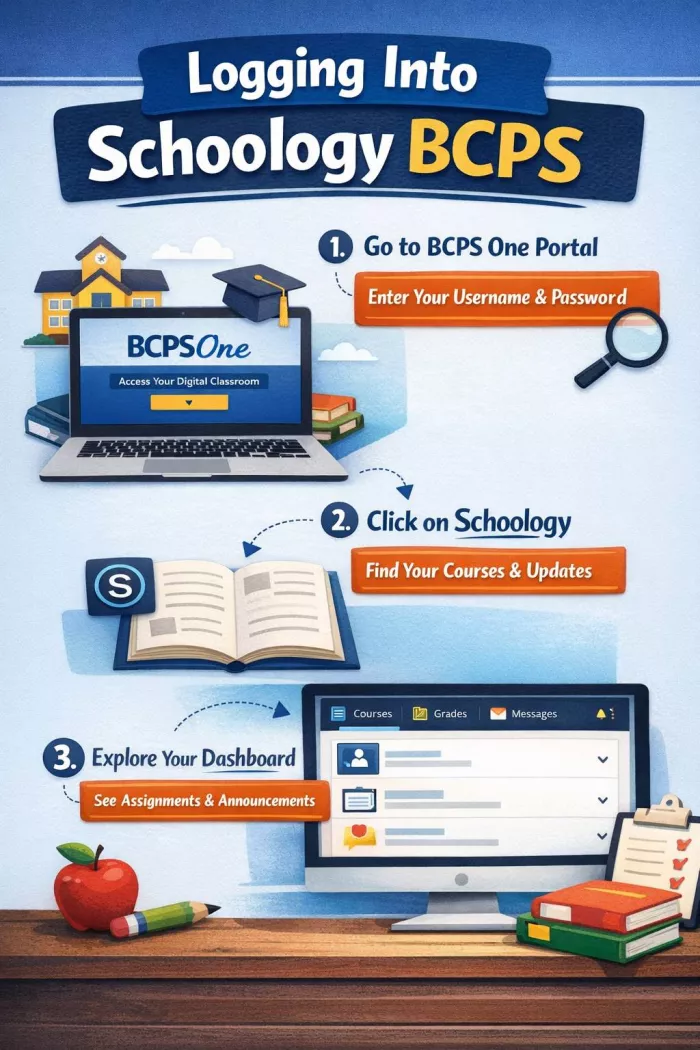
Logging Into Schoology BCPS
Key Features That Make Life Easier
Schoology BCPS is designed to simplify school life. Assignments are posted with clear due dates. Grades are updated quickly. Announcements reach everyone at once. A built-in calendar keeps track of school events. Messages allow private communication between students, teachers, and parents.
These features work together to reduce confusion and improve learning consistency.
Common Challenges and How Users Handle Them
While Schoology BCPS is designed to be reliable, users sometimes face small issues especially when they are new to the platform. Most of these challenges are simple to fix.
One of the most common problems is login trouble. This usually happens when passwords expire, accounts are locked, or users try to log in through the wrong portal. Students and parents typically solve this by resetting their credentials through BCPS One or contacting their school’s IT support team.
Another frequent concern is missing assignments. In many cases, the assignment is posted under a different class section or hidden within a folder. Refreshing the page, checking the course menu carefully, or switching to the correct marking period usually solves the issue.
Some users report that notifications do not appear on time. This is often caused by device settings or disabled email alerts. Adjusting notification preferences inside Schoology or turning on app notifications fixes this quickly.
Occasionally, files fail to upload or quizzes do not submit properly. This is usually related to slow internet connections or unsupported file formats. Reconnecting to stable Wi-Fi or re-uploading the file normally resolves the problem.
Although these issues can be frustrating, most users find that Schoology support teams and school administrators respond quickly. Over time, students and parents become more comfortable using the system, and these problems occur less often.
Is Schoology BCPS Safe?
Safety and privacy are major concerns for parents and schools, and this is one area where Schoology BCPS performs strongly. Since it is managed by Baltimore County Public Schools, the platform operates under strict district security policies and education data protection laws.
Schoology uses secure login systems that only allow verified students, parents, and staff to access accounts. Each user receives a unique username and password provided by the school, and access is linked directly to the BCPS system. This means outsiders cannot freely join or view student information.
All communication on Schoology happens within a controlled environment. Messages, announcements, and shared materials are monitored according to school guidelines. This reduces the risk of inappropriate content and keeps conversations focused on learning.
Student data such as grades, assignments, and personal details are stored securely and are only visible to authorized users. Parents can view their child’s progress, but cannot access information about other students. Teachers can manage privacy settings for each course, ensuring only enrolled students can participate.
From a user’s point of view, this makes Schoology BCPS a safe and trustworthy digital classroom where learning happens without compromising privacy.
Who Will Find Schoology BCPS Most Useful?
Students who want to stay organized, parents who want to stay informed, and teachers who want to manage classes efficiently will all benefit from Schoology. It is especially helpful for families who prefer digital learning tools or need flexibility in accessing school information.
Schoology BCPS vs Google Classroom
| Feature | Schoology BCPS | Google Classroom |
| Platform Type | Full Learning Management System (LMS) | Assignment and classroom tool |
| Ease of Use | Slight learning curve but highly organized | Very simple and beginner-friendly |
| Course Layout | Structured folders, sections, and modules | Stream-style post feed |
| Assignment Management | Advanced submission, grading, and feedback tools | Basic assignment posting and grading |
| Parent Access | Dedicated parent portal with live progress tracking | Email summaries only |
| Communication | Built-in messaging, announcements, discussions | Relies on Gmail and comments |
| Gradebook | Detailed grade tracking and reports | Basic grading system |
| Calendar & Reminders | Integrated class calendar | Syncs with Google Calendar |
| File Storage | Built-in resources library | Google Drive integration |
| Best For | School districts needing full control and tracking | Quick, lightweight classroom setup |
Final Verdict
Schoology BCPS is more than just an online classroom it is a bridge between school and home. By bringing lessons, assignments, and communication into one secure space, it makes education more transparent, accessible, and organized.
For students, it reduces stress. For parents, it offers clarity. For teachers, it creates structure. In today’s connected world, Schoology BCPS stands as a reliable companion in modern education.


Comments