SFM Compile Explained: From Rendering Issues to Compilation Videos



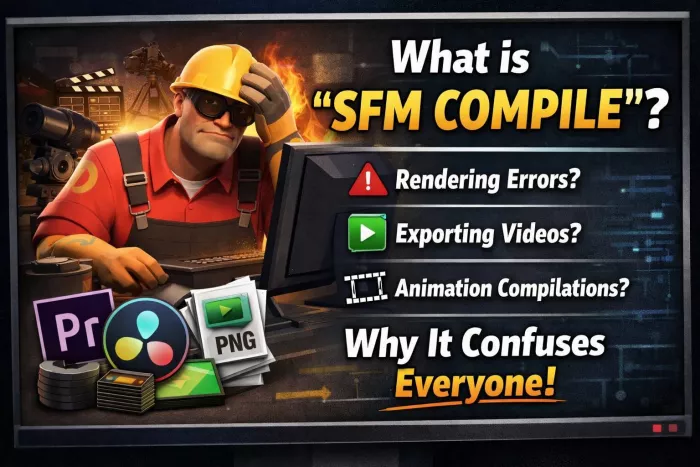
Why the term “SFM Compile” exists at all
In traditional software development, compiling means turning raw code into a finished, executable output. Source Filmmaker does not work that way. There is no “Compile” menu option that magically turns a scene into a final animation.
Yet creators still use the term constantly.
That is because, in the SFM community, “compile” has become shorthand for the entire finalization process. Depending on who you ask, it can mean:
1. Rendering an animation into a video file
2. Baking lighting, motion, and camera work into a final output
3. Exporting image sequences or posters
4. Combining multiple shots into a single finished video
5. Packaging a scene so it no longer depends on unstable live playback
So when someone says “I can’t compile my SFM,” what they usually mean is:
“I can’t get my project into a stable, finished form.”
The term stuck because creators needed a single word to describe the moment when a fragile, crash-prone scene becomes something shareable.
Why people actively search for “SFM Compile”
Search intent around this phrase generally falls into a few clear categories.
Some users are new to SFM and assume there must be a compile step they are missing, similar to game modding or programming. Others are mid-project and stuck, dealing with black frames, broken lighting, missing models, or crashes during export. A third group is looking for SFM compilation videos, meaning collections of finished animations, not the technical process at all.
This creates confusion because the same phrase points to:
1. a workflow problem
2. a rendering/export issue
3. or a content format (compilation videos)
Understanding which one you are dealing with changes the answer completely.
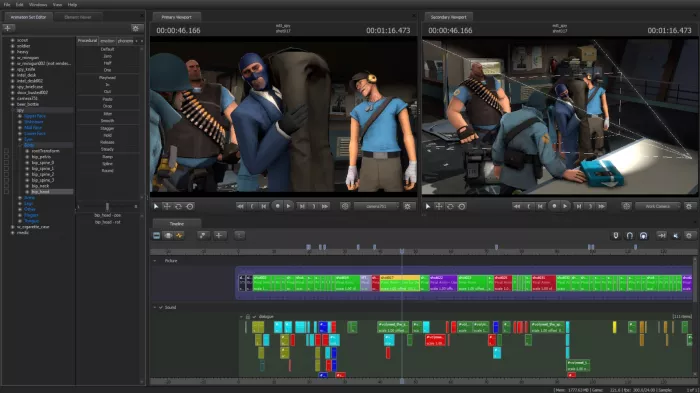
What “compiling” an SFM project looks like in real workflows
In practice, finishing an SFM project is less like compiling code and more like locking down a live performance.
Source Filmmaker runs on a real-time engine originally designed for games, not offline animation. That means your scene is always “alive.” Lights update dynamically, physics can behave unpredictably, and performance depends heavily on your hardware.
To “compile” a project, creators usually go through steps like:
1. Finalizing camera shots and locking timelines
2. Baking or stabilizing motion where possible
3. Testing playback shot by shot, not all at once
4. Choosing a render method (image sequence vs video)
5. Exporting and then assembling externally
There is no single correct workflow, but experienced users all converge on the same principle:
Never trust real-time playback as your final output.
How SFM creators actually render and export projects
Most serious SFM creators avoid exporting directly to compressed video formats at first. Instead, they rely on image sequence rendering.
This means SFM exports each frame as a still image. Those images are then compiled into a video using external software like Adobe Premiere Pro, DaVinci Resolve, or Blender’s video editor.
The reason is stability. If SFM crashes during a video export, you lose everything. If it crashes during an image sequence, you only lose the last frame.
Common render approaches include:
1. PNG or TGA image sequences for quality
2. Separate audio export
3. External assembly for final timing and compression
This is the closest thing SFM has to a true “compile” phase.
The tools that surround “SFM Compile” workflows
Source Filmmaker is mainly used for animation and scene setup, but it is rarely enough on its own. To finish a project properly, creators rely on several supporting tools.
1. Source Filmmaker (SFM)
Used for posing characters, animating movement, setting cameras, and basic lighting. This is where the core animation happens, but it is not ideal for final rendering or editing.
2. External video editors
Programs like video editors are used to combine rendered shots into one video, sync audio, adjust timing, and export the final file. They are more stable and flexible than SFM for final output.
3. Image editing tools
Used to create thumbnails, posters, and preview images. They help fix lighting issues, improve image quality, and add text or branding that SFM cannot handle well.
4. Model import and asset tools
These tools allow creators to bring in custom characters, props, and environments. Many projects depend on them to avoid using only default assets, though they can increase complexity.
5. Steam Workshop assets
Creators rely heavily on community-made models, maps, and rigs from the Workshop. This saves time but can also cause performance issues if assets are poorly optimized.
6. Audio tools (optional but common)
Used to clean dialogue, add sound effects, or mix music. SFM has limited audio control, so many creators handle sound separately.
7. Project management outside SFM
Files, renders, backups, and versions are often organized manually. This helps prevent data loss and makes large projects easier to manage.
Common beginner mistakes that break “compiles”
If you look at crash reports, forum posts, and Discord help channels, the same problems appear again and again.
One major issue is scene overload. Beginners often add too many lights, high-resolution models, or complex particle effects without realizing how fragile SFM becomes under load.
Another is camera misuse. Animating multiple cameras in one session without carefully managing shot order can cause black frames or missing renders.
Lighting is another frequent culprit. Dynamic lights stack quickly, and what looks fine in the viewport can break during export.
There is also the classic mistake of trusting preview playback. SFM can play smoothly at low resolution and then fall apart at render quality.
Most “SFM compile failed” complaints trace back to these fundamentals, not hidden bugs.
Performance bottlenecks and why SFM feels unstable
Source Filmmaker often feels unstable not because users are doing something wrong, but because of how the software was originally built.
1. Built on older technology
SFM was designed years ago for a different era of hardware. It was never optimized to fully use modern CPUs and GPUs, so newer systems do not always improve performance as much as users expect.
2. Limited use of multi-core CPUs
Modern processors rely on multiple cores working together, but SFM mainly uses only a few. This causes the CPU to become overloaded quickly, especially in scenes with many characters or animations.
3. High-end GPUs do not guarantee stability
Even powerful graphics cards may not help much. SFM does not consistently use GPU acceleration, so performance often depends more on CPU behavior than graphics power.
4. Unpredictable RAM usage
SFM can suddenly consume large amounts of memory, especially when loading high-resolution models, textures, or maps. When memory spikes too fast, crashes become more likely.
5. Large scenes multiply the risk
Adding more characters, lights, physics, or effects increases complexity rapidly. Instead of slowing down gradually, SFM often reaches a tipping point where it crashes without warning.
6. Real-time engine limitations
Because SFM runs scenes live like a game engine, everything updates at once. Unlike offline renderers, it does not isolate calculations cleanly, which makes heavy scenes fragile.
The role of compilation videos in SFM culture
1. “Compile” is often used to mean a compilation video
In the SFM community, many people use “compile” to describe a video made by stitching together multiple short SFM clips. This has nothing to do with rendering or exporting inside the software.
2. Most SFM animations are very short
Creating even a few seconds of animation takes time, so creators usually release short scenes, jokes, or tests. Compilation videos allow these small pieces to be grouped into one longer video.
3. Compilations help creators reuse content
Creators can combine older clips into a single upload instead of making new animations. This helps keep channels active without extra animation work.
4. Longer videos perform better on platforms like YouTube
Viewers tend to watch longer videos, and platforms often favor higher watch time. Compilation videos naturally fit this behavior.

Ethical, copyright, and platform safety realities
SFM exists in a complicated legal space. It relies heavily on assets from games, mods, and community uploads. Many models are ripped, ported, or shared without clear licensing.
Creators often assume:
“Everyone does it, so it’s fine.”
That assumption does not always hold, especially on monetized platforms. Copyright claims, takedowns, and demonetization are real risks, particularly for compilation videos using mixed assets.
There are also platform safety concerns. SFM is widely used for adult content, and that has shaped how platforms moderate SFM uploads. Even non-adult creators can get caught in automated systems.
Understanding these boundaries is part of learning SFM, even if it is rarely discussed openly.
Is SFM still worth learning in 2026 and beyond?
This is the question many new users are really asking when they search for “SFM Compile.”
The honest answer is nuanced.
SFM is still valuable for:
1. Learning animation fundamentals
2. Fast prototyping and posing
3. Community-driven projects
4. Hobbyist storytelling
But it is no longer the future of animation pipelines. Tools like Blender, Unreal Engine, and real-time cinematic tools have surpassed SFM in stability, rendering quality, and scalability.
Many creators now treat SFM as:
1. a learning tool
2. a stylistic choice
3. or a stepping stone
Not an endgame.
What actually matters if you want to work with SFM today
● The biggest change is how you think about the tool
Success with SFM is more about mindset than technical tricks. There is no missing “compile” button that fixes everything. Understanding how SFM behaves is more important than mastering shortcuts.
● Think of “compile” as a process, not a feature
Finishing an SFM project means managing steps like animation, rendering, exporting, and editing. You control this process by how you plan and structure your work.
● Keep scenes small and stable
Large, complex scenes increase crash risk quickly. Breaking projects into smaller shots makes SFM more reliable and easier to fix when something goes wrong.
● Use external tools for final output
Rendering image sequences and assembling them outside SFM reduces crashes and improves quality. This approach is standard among experienced creators.
● Practice asset discipline
Only use models, textures, and effects you actually need. Too many assets slow performance and increase instability.
● Be mindful about what you share
Understand where assets come from and how platforms handle SFM content. Ethical sharing avoids takedowns and community issues.
● Working within these limits makes SFM enjoyable
When you respect the software’s constraints, SFM becomes predictable and manageable. Ignoring them leads to frustration, no matter how many “fixes” you try.
In the end, “SFM Compile” is less a feature and more a mirror. It reflects how creators struggle to turn fragile creative work into something finished. Once you understand that, the confusion around the term starts to disappear, and the software becomes easier to work with, limits and all.


Comments