Best AI Chatbot Tools: 7 Platforms for Support, Sales, and Automation



Chatbots have moved far beyond basic website pop-ups that answer a few preset questions. The better platforms now work closer to customer service software, sales routing systems, ecommerce assistants, and social messaging tools. They can answer common questions, qualify leads, collect details before a human handoff, support agents during busy periods, and connect with the tools a business already uses.
That matters because customer conversations rarely happen in one place.
A buyer might ask about a product on Instagram. A SaaS user might need help inside an app. A sales prospect might visit a pricing page before booking a demo. A support customer might expect a fast answer without waiting for an agent. A good AI chatbot tool should reduce waiting time without making people feel stuck inside automation.
The best choice depends on the job. Some tools are made for customer support teams. Some are stronger for sales teams, ecommerce stores, creators, agencies, or developers building custom AI agents. Before choosing a platform, it helps to decide what kind of conversation the chatbot needs to handle most often.
Quick Comparison Table
| Tool | Best For | Key Features | Pricing Snapshot | Main Limitation |
| Intercom Fin | Busy customer support teams | AI agent, help center answers, workflows, human handoff | Fin starts at $0.99 per outcome; minimum commitment may apply | Can become expensive at high AI-resolution volume |
| Drift | B2B sales teams | Website chat, lead qualification, routing, buyer engagement | Custom pricing through Salesloft | More useful for sales than general support |
| Tidio | Small businesses and online stores | Live chat, Lyro AI, flows, ticketing, Shopify-friendly setup | Free plan; Starter from ~$24.17/month (annually); Growth from ~$49.17/month (annually) | Advanced automation and higher AI limits cost more |
| Freshdesk Omni | Freshworks users and support teams | Unified inbox, Freddy AI, WhatsApp, Messenger, routing | Growth from $29/agent/month (annually); Pro from $79/agent/month (annually); Enterprise from $119/agent/month (annually) | Best value comes inside the Freshworks ecosystem |
| Zendesk AI | Large support teams and enterprises | AI agents, ticketing, copilot, routing, knowledge base tools | Support Team from $19/agent/month (annually); Suite Team from $55/agent/month (annually); Copilot add-on ~$50/agent/month (annually) | Setup and pricing can feel complex |
| Botpress | Custom AI chatbot builders | Visual builder, knowledge bases, APIs, custom AI agents | Free tier available; Team plan ~$750/month (annually) | Less beginner-friendly than plug-and-play tools |
| Manychat | Social media messaging and creators | Instagram, Messenger, WhatsApp, flows, AI add-on | Free plan; Pro from $29/month (annually); AI add-on $29/month | Not built for complex support ticketing |
Pricing changes frequently and may vary by region, billing cycle, usage limits, add-ons, and contract terms. Always check the official website before purchasing.
1. Intercom Fin: Best AI Chatbot Tool for Busy Customer Support Teams
What it is best for
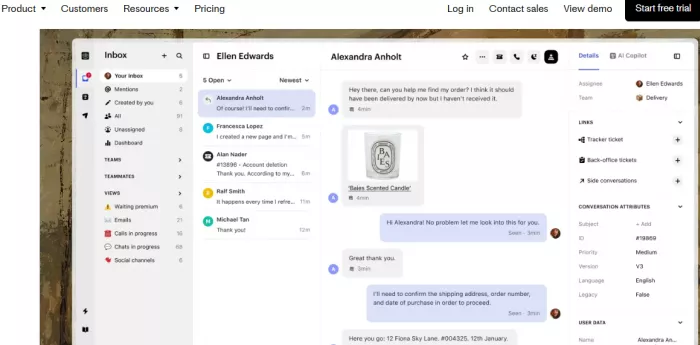
Intercom Fin is best for businesses that receive a high volume of customer support questions and want AI to resolve common issues before they reach a human agent. It suits SaaS companies, subscription businesses, fintech products, and digital platforms where customers often ask about login issues, billing, account settings, product guidance, troubleshooting, and plan details.
Fin works best when a business already has a proper support setup behind it. That means a help center, clear policies, defined support workflows, and agents who can step in when an issue needs human judgment.
For example, Fin can answer a billing-policy question automatically. If the customer then asks for account-specific help, the conversation can be handed to a human agent with useful context.
Key features
- AI support agent for customer questions: Fin can answer customer questions using approved company content. This helps teams reduce repetitive tickets while keeping answers tied to official support material.
- Human handoff for complex issues: Some support conversations should go to a person. Fin can pass the conversation to a human agent when the issue is sensitive, personal, account-specific, or too complex for automation.
- Workflow-based support: Fin can guide users through structured steps. It can collect issue details, route requests, or help with troubleshooting before an agent gets involved.
- Support context inside Intercom: Fin works inside Intercom’s broader customer communication platform. When agents take over, they can see the conversation history and respond with better context.
Pricing
Fin starts at $0.99 per outcome. Intercom describes an outcome as a resolved conversation, completed procedure, or successful handoff-based workflow. A minimum monthly commitment may apply. Intercom also offers paid platform plans, and pricing can change based on features, usage, contract terms, and account requirements.
Where it may fall short
Fin depends heavily on the quality of the company’s support content. If your help center is outdated, incomplete, or vague, the AI agent has less reliable material to use. It can also become expensive for companies with a large number of AI-resolved conversations.
Pros
- Works well for businesses that already have a strong support system and detailed help center.
- Can reduce repeated support questions around billing, login issues, account settings, and product guidance.
- Human handoff makes it useful for sensitive, personal, or account-specific cases.
- Fits support teams that want AI to handle routine questions while agents focus on complex conversations.
Cons
- Depends heavily on the quality of your help center and support documentation.
- Not the best choice if you only need a simple website chat widget.
- Outcome-based pricing can become expensive when AI resolves a high number of conversations.
- Needs proper setup before it can deliver reliable support answers.
Verdict
Intercom Fin is a good choice if customer support volume is the main problem. It is less useful for businesses that only need simple lead capture, casual live chat, or social media automation.
2. Drift: Best AI Chatbot Tool for B2B Sales Teams
What it is best for
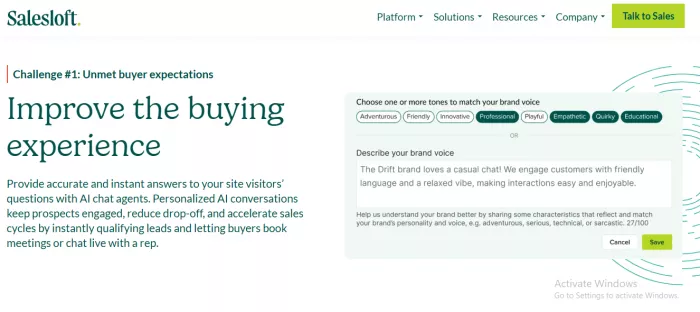
Drift is best for B2B companies that want to turn website visitors into sales conversations. It is built more for pipeline generation than for general customer support. That makes it useful for SaaS companies, enterprise service providers, agencies, and B2B teams where a qualified lead has high value.
A typical use case is a visitor landing on a pricing page. Drift can ask qualifying questions, identify whether the visitor is a good fit, and route the person to the right sales rep or meeting scheduler.
This makes Drift more useful for revenue teams than for businesses that mainly need FAQ automation.
Key features
- Website visitor engagement: Drift helps teams start conversations while buyers are already browsing. This can reduce the gap between interest and action when a visitor is not ready to fill out a form.
- Lead qualification: The chatbot can ask about company size, role, budget, timeline, and buying intent. Sales teams can then focus on better-fit conversations instead of treating every visitor the same way.
- Sales routing: Drift can route qualified visitors to the right representative or team. This is helpful for companies with territories, account ownership, or different sales motions.
- Meeting booking: Drift can help qualified prospects book meetings faster. This is useful when the goal is to reduce friction between website interest and a sales conversation.
Pricing
Drift pricing is generally custom and sales-led through Salesloft. Public self-serve pricing is not clearly listed on the main Drift product pages. Businesses should contact Salesloft for current pricing. Costs may vary based on traffic, features, CRM integrations, company size, and contract terms.
Where it may fall short
Drift is not the best choice if the main goal is customer service automation. It also needs careful setup. Weak prompts, poor routing rules, or loose CRM data can make the chatbot feel intrusive rather than helpful.
Pros
- Strong fit for B2B teams that want to turn website visitors into sales conversations.
- Useful for engaging visitors on high-intent pages such as pricing, demo, or product pages.
- Can qualify leads by asking about company size, role, budget, timeline, and buying intent.
- Helps route better-fit prospects to the right sales rep or meeting booking flow.
Cons
- Not ideal for businesses mainly looking for customer support automation.
- Pricing is less transparent than many self-serve chatbot platforms.
- Needs clear CRM data and routing rules to work well.
- Can feel too sales-heavy if the chatbot is not set up carefully.
Verdict
Drift is worth considering when the chatbot’s job is to help sales teams find and route qualified buyers. If the main problem is support tickets or ecommerce questions, another platform will probably fit better.
3. Tidio: Best AI Chatbot Tool for Small Businesses and Online Stores
What it is best for
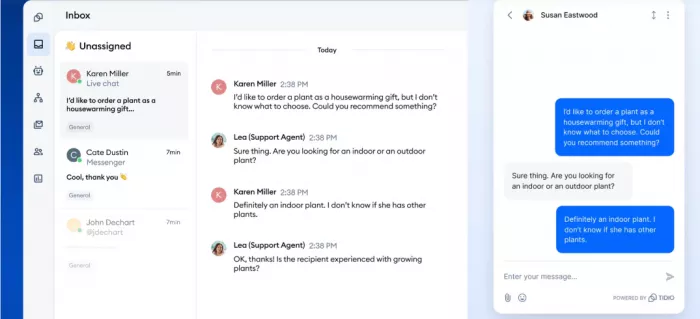
Tidio is best for small businesses, ecommerce stores, and lean support teams that want live chat and AI automation without a heavy enterprise setup. It is especially useful for online stores that repeatedly answer questions about shipping, returns, product availability, discount codes, and order status.
A Shopify store, for example, can use Tidio to answer “Where is my order?” or “What is your return policy?” while still allowing a human agent to take over when the customer has a specific issue.
Tidio sits in a useful middle ground. It offers more than a basic chat widget, but it does not feel as heavy as a large support platform.
Key features
- Lyro AI Agent: Lyro can answer customer questions using your website content, FAQs, and support information. This helps small teams reduce repetitive replies while keeping answers close to the business’s own policies.
- Live chat and ticketing: Tidio combines real-time chat with ticketing. That means conversations can continue even if a visitor leaves the website.
- Automation flows: The visual flow builder can greet visitors, collect email addresses, offer discounts, or route questions. Non-technical users can build simple automations without writing code.
- Ecommerce-friendly setup: Tidio works well for online stores because it connects naturally with customer service and product-browsing workflows. It can help sellers respond faster during busy shopping periods.
Pricing
Tidio has a free plan. Paid plans currently include Starter from about $24.17/month when billed annually, Growth from about $49.17/month when billed annually, and Plus from about $749/month. Lyro AI conversations have separate limits. The first 50 Lyro conversations are offered as a one-off free allowance, with paid quotas available after that. Pricing can change based on billing cycle, conversation volume, AI usage, and plan changes.
Where it may fall short
Tidio is approachable, but higher AI usage and advanced automation require paid plans. Larger companies with complex routing, compliance rules, advanced reporting, or multi-brand support needs may outgrow it.
Pros
- Good option for small businesses and ecommerce stores that want live chat and AI automation in one place.
- Useful for answering common store questions about shipping, returns, discounts, and order updates.
- Combines live chat, AI answers, simple automation flows, and ticketing.
- Easier to start with than heavier enterprise support platforms.
Cons
- Higher AI usage and advanced automation usually require paid plans.
- Less customizable than developer-first platforms such as Botpress.
- May feel limited for large teams with complex routing, reporting, or multi-brand support needs.
- Costs can increase as conversation volume grows.
Verdict
Tidio is a sensible first choice for small businesses and ecommerce stores. It is not the most customizable chatbot platform, but it covers the daily support and sales questions many smaller teams deal with.
4. Freshdesk Omni: Best AI Chatbot Tool for Mid-Sized Support Teams
What it is best for
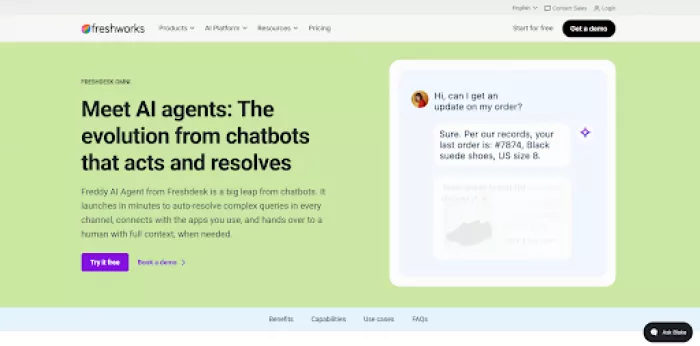
Freshdesk Omni is made for growing teams that have outgrown a basic chat widget but do not need a full enterprise rollout. It fits companies handling steady daily volume across web chat, email, WhatsApp, and social messaging. The AI agent closes routine questions, and a human steps in on the rest.
The chatbot side runs on Freddy AI Agent. It reads customer intent, works from your existing knowledge sources, and resolves common requests without a human in the loop. Freshworks reports resolution rates of up to 80% on the AI agent.
For example, a subscription business can let the AI agent handle order changes and password resets on web chat. A billing dispute can then move to an agent with the full conversation history attached.
Key features
- Freddy AI Agent for autonomous resolution: The AI agent answers customer questions using your help center and internal knowledge sources. It can complete common requests end to end instead of pushing people through a scripted menu.
- Freshdesk Command Center: Web chat, email, phone, WhatsApp, social messaging, and the customer portal all land in one workspace, so AI-powered customer service runs from a single view rather than channel by channel.
- Freddy AI Copilot for agents: Copilot prioritizes work, recommends next steps, drafts replies, and summarizes long threads. This helps teams hold quality steady during busy periods.
- Guided AI setup with free onboarding: Freshworks includes AI onboarding at no extra cost, with quick-start walkthroughs and ready-to-use agents. Teams can start with one use case and expand across channels later.
Pricing
Freshdesk Omni is priced separately from the Freshdesk email and ticketing line. Annual plans start at $29/agent/month for Growth, $79/agent/month for Pro, and $119/agent/month for Enterprise. Every plan includes the first 500 Freddy AI Agent sessions, with additional sessions at $49 per 100. Freddy AI Copilot is a $29/agent/month add-on on Pro and Enterprise. A 14-day free trial gives full Enterprise access. Pricing may vary by region, billing cycle, and add-ons.
Where it may fall short
Omni costs more per agent than Freshdesk's ticketing-only plans, so teams that handle email alone will pay for channels they do not use. AI usage is metered beyond the included sessions, which means high chat volume needs a session estimate before committing.
Pros
- Practical fit for growing teams that need more than live chat but less than an enterprise platform.
- AI agents resolve routine chat and messaging questions without an agent in the loop.
- Free AI onboarding is included, so teams are not left to configure the AI alone.
- Recognized as a Leader in G2's Spring 2026 Mid-Market Grid Report.
Cons
- Costs more per agent than the ticketing-only Freshdesk plans.
- AI Agent sessions are metered, so high chat volume adds cost above the base plan.
- Freddy AI Copilot is a separate seat add-on and is not available on Growth.
- Best results depend on maintaining a current knowledge base.
Verdict
Freshdesk Omni is a strong pick when a growing team wants AI-powered customer service across chat, ticketing, and messaging in one place. Teams that only answer email may be better served by a simpler ticketing plan.
5. Zendesk AI: Best AI Chatbot Tool for Large Support Teams
What it is best for
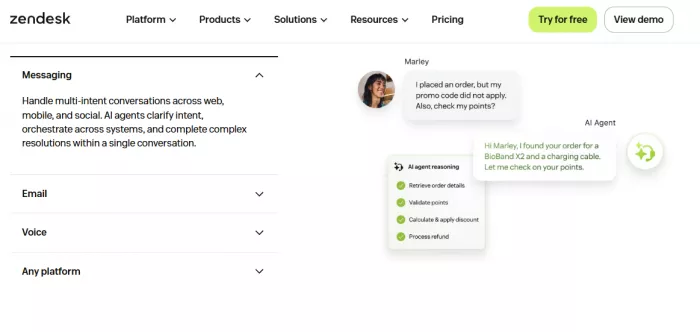
Zendesk AI is best for established support teams that need more than a simple chatbot. It suits companies handling large ticket volumes across email, chat, messaging, voice, and help center content.
Zendesk is built for structured support operations. That means ticketing, routing, reporting, knowledge management, admin controls, agent assistance, and automation in one environment.
This makes it more suitable for larger support teams than for small businesses that only need quick live chat on a website.
Key features
- AI agents for automated resolution: Zendesk AI agents can answer customer questions and resolve routine issues using support content and workflows. This is useful for teams receiving repeated questions across several channels.
- Copilot for support agents: Copilot can help agents write replies, summarize tickets, and understand customer context. This is helpful when human agents still handle complex or sensitive cases.
- Ticketing and routing: Zendesk’s core strength is structured ticket management. AI works alongside routing rules, triggers, automations, and customer history.
- Knowledge base connection: Zendesk AI becomes more useful when connected to a maintained help center. Strong documentation can support both self-service and live customer conversations.
Pricing
Zendesk pricing currently starts at $19/agent/month billed annually for Support Team. Suite Team starts at $55/agent/month billed annually, while Suite Professional starts at $115/agent/month billed annually. Zendesk also lists Copilot as an add-on at around $50/agent/month billed annually. Enterprise and advanced AI features may require sales consultation. Pricing can change by region, selected plan, add-ons, contract terms, and usage.
Where it may fall short
Zendesk can feel too heavy for small teams. Pricing can also become complex once AI agents, copilot features, workforce tools, quality assurance, and enterprise requirements are added.
Pros
- Strong choice for mature support teams handling large ticket volumes.
- AI features work with Zendesk’s ticketing, routing, reporting, and knowledge base tools.
- Useful for both automated customer answers and agent assistance.
- Fits companies that need structured support operations across several channels.
Cons
- Can feel too complex for small teams that only need basic chat or FAQ automation.
- Costs can rise with AI add-ons, copilot features, higher-tier plans, and enterprise tools.
- Requires proper setup, workflows, and documentation to get the best results.
- May be more platform than a small business needs at the beginning.
Verdict
Zendesk AI is best for companies that need a full support platform with AI built into the service workflow. Small businesses may prefer Tidio or Manychat, while larger support teams will value Zendesk’s structure.
6. Botpress: Best AI Chatbot Tool for Custom AI Agents
What it is best for
Botpress is best for developers, agencies, and technical teams that want to build custom AI agents instead of using a fixed chatbot template. It is useful when a business needs a chatbot connected to internal tools, knowledge bases, APIs, databases, or specialized workflows.
For example, an agency could build a chatbot for a real estate client that answers property questions, captures lead details, and sends qualified inquiries into a CRM. A software company could build an internal support bot that searches documentation and triggers backend actions.
Botpress is not the lightest option, but it offers more room for custom logic.
Key features
- Visual bot builder: Botpress lets teams design conversation paths and agent behavior visually. This helps map complex flows without writing every step manually.
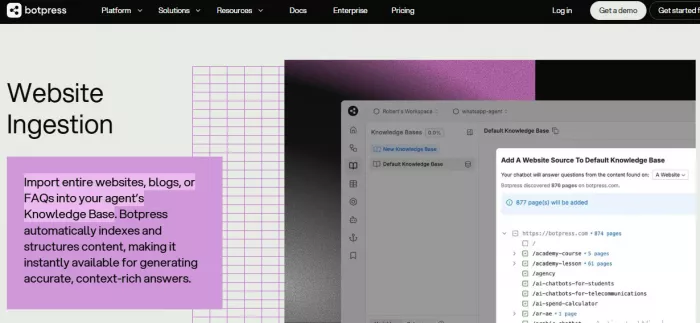
- Knowledge base support: Bots can answer questions using documents, websites, and stored information. This is useful for technical documentation, policy guides, internal knowledge, or product manuals.
- API and integration flexibility: Botpress is stronger than many simple chatbot tools when a bot needs to connect with external systems. This matters for workflows such as checking order status, updating records, or triggering backend actions.
- Developer-friendly customization: Technical teams can shape the bot’s behavior more deeply than they can with many plug-and-play platforms. That control is useful when the chatbot must follow a specific business process.
Pricing
Botpress offers a free tier with usage limits. Its Team plan is currently listed at $750/month when billed annually, including 1,500 conversations per month. Extra conversation packs are listed separately. Monthly pricing may differ, and costs can change based on plan type, conversation volume, AI usage, storage needs, and billing cycle.
Where it may fall short
Botpress is flexible, but it is less beginner-friendly than simpler chatbot platforms. Teams need to plan conversation design, integrations, testing, fallback behavior, and deployment before putting a custom bot in front of customers.
Pros
- Good fit for developers, agencies, and technical teams building custom AI agents.
- Offers more control over workflows, APIs, knowledge bases, and backend integrations.
- Useful when the chatbot needs to follow specific business logic.
- Strong option for businesses that need more than a fixed chatbot template.
Cons
- Less beginner-friendly than plug-and-play chatbot tools.
- Requires planning, testing, and technical setup before launch.
- Not the easiest option for simple live chat or basic FAQ automation.
- Pricing can become harder to predict as usage and custom workflows grow.
Verdict
Botpress is a strong choice when the chatbot needs to do something specific. If the goal is simple live chat, basic support automation, or social DM replies, a lighter tool will be easier to manage.
7. Manychat: Best AI Chatbot Tool for Social Media Messaging
What it is best for
Manychat is best for creators, ecommerce brands, coaches, agencies, and businesses that depend on social messaging. Its strength is automation across Instagram, Messenger, WhatsApp, TikTok, Telegram, SMS, and other direct conversation channels.
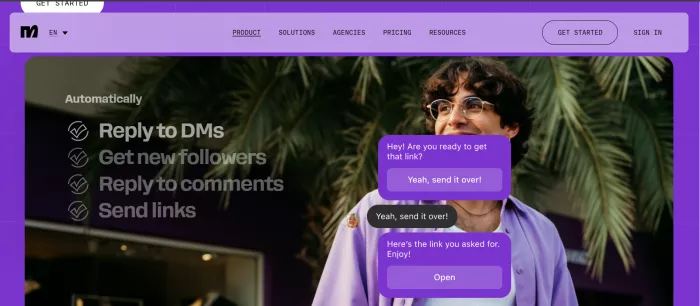
It is especially useful for businesses that sell or build audiences through social platforms. A creator can ask followers to comment a word on an Instagram post and then automatically send a product link, free resource, webinar page, or discount code through DMs.
Manychat is less about traditional ticketing and more about social conversation automation.
Key features
- Instagram and social DM automation: Manychat can automate replies to comments, direct messages, story mentions, and campaign triggers. This is useful for creators and brands that run promotions through social platforms.
- Visual automation builder: Users can create flows for lead capture, product recommendations, event reminders, and follow-ups. The builder is approachable for marketers and creators who do not code.
- Multichannel messaging: Manychat supports channels such as Instagram, Messenger, WhatsApp, SMS, Telegram, and TikTok depending on the plan. This helps businesses stay close to the channels their audience already uses.
- AI add-on: Manychat AI can assist with replies and conversation handling. It works best with clear flows and approval controls instead of being left to manage every customer interaction on its own.
Pricing
Manychat has a free plan. Its Pro plan is currently listed at $39/month on monthly billing or $29/month on annual billing for up to 2,500 active contacts. Manychat AI is listed as a $29/month add-on to Pro. Pricing can change based on active contacts, billing cycle, channels, add-ons, and message usage.
Where it may fall short
Manychat is strong for social conversations, but it is not built like a full support desk. Teams that need detailed ticket history, SLA management, advanced routing, quality control, or complex enterprise reporting will likely need another platform.
Pros
- Strong fit for creators, ecommerce brands, coaches, agencies, and social-first businesses.
- Useful for automating Instagram DMs, Messenger, WhatsApp, comment replies, and campaign flows.
- Helps send product links, lead magnets, discount codes, webinar pages, and follow-ups through social messaging.
- Visual flow builder makes it easier for marketers and creators to build automations without coding.
Cons
- Not built to replace a full customer support desk.
- Lacks deeper support features such as SLA tracking, complex ticket history, and advanced routing.
- Costs can rise as the number of active contacts grows.
- AI features require an additional paid add-on.
Verdict
Manychat is one of the most practical choices for social messaging automation. It is a strong fit for creators and ecommerce brands, but not the right platform for deep support operations.
How to Choose the Right AI Chatbot Tool
Start with the type of conversation, not the longest feature list.
Customer support teams
Customer support teams should start with Intercom Fin, Zendesk AI, or Freshdesk Omni. Intercom Fin is strong for AI-led support resolution. Zendesk AI fits mature ticketing operations.
Sales teams
Sales teams should look at Drift first. It is designed for website visitor engagement, qualification, and routing leads to sales. That makes it better for pipeline conversations than general support automation.
Ecommerce stores
Ecommerce stores should compare Tidio and Manychat. Tidio works well for on-site product and support questions. Manychat is stronger when customers interact through Instagram, Messenger, or WhatsApp.
SaaS companies
SaaS companies should choose based on whether the main problem is support or sales. Intercom Fin and Zendesk AI are better for customer support. Drift is better for demo requests and lead qualification.
Agencies
Agencies should consider Botpress and Manychat. Botpress is useful for custom chatbot builds. Manychat is better for social media automation campaigns and creator-led client work.
Small businesses
Small businesses should usually avoid starting with the most complex enterprise platform. Tidio is a practical first choice for live chat and simple AI automation. Manychat is better for social-first businesses.
Enterprise organizations
Enterprise organizations should compare Zendesk AI, Intercom Fin, and Botpress. Zendesk AI works well for structured support operations. Intercom Fin is useful for AI-first customer service. Botpress fits teams that need custom AI agents connected to internal systems.
Final Thoughts
The best AI chatbot tool depends on the work the chatbot needs to handle. A sales team trying to qualify website visitors needs a different platform from a support department trying to reduce ticket volume. An ecommerce store answering shipping questions has different needs from an agency building custom automation for clients.
Before choosing a platform, decide what job the chatbot needs to do first: support, sales, automation, social messaging, or custom development.


Comments