
Not every creator needs the same link-in-bio tool. Someone selling online courses has different needs than a photographer showing off a portfolio. An affiliate marketer isn't looking for the same features as a YouTuber trying to grow an email list.
Link-in-bio tools have come a long way. They no longer serve as simple pages with a handful of buttons. The right platform can showcase your work, sell products, collect bookings, highlight brand collaborations, or bring everything together in one place.
That's also why there's no single "best" option. The right choice depends on what you want your bio link to do and the way you create content.
The seven platforms below each have their own strengths. Some focus on helping creators sell digital products, while others are better suited for building a portfolio, growing an audience, or managing brand collaborations. We compared them based on customization, monetization features, analytics, pricing, ease of use, and overall value to help you find the one that best fits your needs.
Quick Comparison: 7 Best Link-in-Bio Tools at a Glance
| Tool | Best For | Free Plan | Paid Plan Starts | Transaction Fee |
| TieUp.io | All-in-one creator portfolio + monetization | Yes | - | 0% |
| Beacons | Feature-rich free plan + creator commerce | Yes | $10/mo | 9% (free) / 0% (paid) |
| Linktree | Widest integrations + brand recognition | Yes | $5/mo | 0% |
| Stan Store | Selling digital products without leaving the page | Yes | $29/mo | 0% |
| Later Link in Bio | Auto-updating pages for frequent posters | Yes | $16.67/mo | 0% |
| Taplink | Affiliate marketing + lead capture | Yes | $3/mo | 0% |
| Hopp by Wix | Long-term brand building + SEO | Yes | Free (Wix plan) | 0% |
1. TieUp.io: Best All-in-One Creator Platform for Serious Growth
Best for: Influencers, coaches, bloggers, doctors, agencies, and business owners who want a complete digital identity in one link.
If you've been treating your link-in-bio page as just a collection of buttons, TieUp.io will change how you think about it entirely.
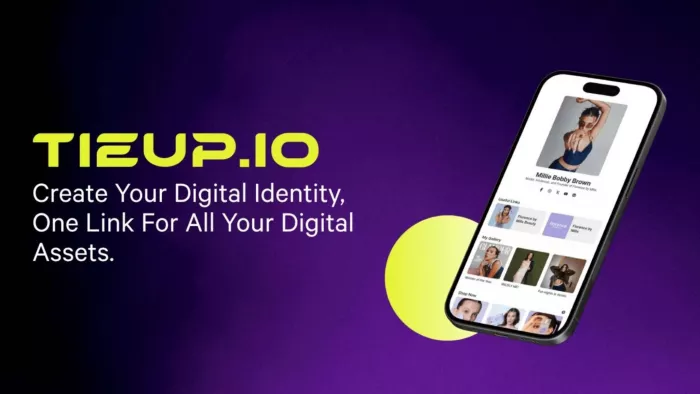
Built with creators at the center, TieUp.io positions itself as a full creator portfolio platform, not just a link aggregator. The idea is simple but powerful: your audience is scattered across Instagram, YouTube, TikTok, and Twitter. Your work (collaborations, products, portfolio, promo codes) shouldn't be scattered too.
With TieUp.io, you build what they call a "mini-world": a beautifully customized page that brings together every dimension of your creator identity into a single, shareable link.
What Makes TieUp.io Stand Out:
Unlimited Links and Embedded Videos Unlike tools that cap links on free plans, TieUp.io lets you add as many links and videos as you need. Promoting five brand collaborations or running 20 affiliate campaigns at once, you won't hit a wall.
Full Portfolio Showcase This is where TieUp.io differentiates itself. You can document and display your previous work - past brand deals and campaign collaborations. When brands land on your page, they see your value rather than a link list.
E-commerce Product Display TieUp.io lets you surface your products or offerings directly on the page. Your audience can browse freely and decide what they want, without being redirected through a dozen steps.
Affiliate Codes, Promo Codes & Coupons Most link-in-bio tools treat affiliate marketing as an afterthought. TieUp.io makes it a built-in feature. You can add your promo codes and coupons directly to your page so your audience gets better deals and you get better conversion rates.
Drag-and-Drop Customization You don't need a designer or a developer. The platform's intuitive drag-and-drop interface lets you arrange and style your page from scratch in minutes, not hours.
Monetization Through Brand Visibility TieUp.io is designed for creators who want to attract brand partnerships. By positioning your wall across your social profiles, brands can immediately see your full offering and your audience fit. Inbound collaboration inquiries get more qualified as a result.
New Monetization Streams The platform treats your profile as a career asset. Making yourself more discoverable to potential clients is a side effect of using it correctly.
Free to Start, Made in India with Global Reach TieUp.io offers a free profile with no strings attached. Creator profiles like Kritika Khurana, Prajakta Koli, Manoj Bajpayee, and international creators are already on the platform, lending it the trust signal and community you want to be part of.
Best Use Case:
A travel blogger who works with tourism boards and lifestyle brands. They want one clean URL on Instagram showing their media kit, portfolio, affiliate deals, and product links, with no subscription fee or cluttered design.
TieUp.io Pros:
- Your past brand deals and campaign work live on the same page as your active links, so brands can assess your track record without asking for a separate portfolio
- Promo codes and affiliate coupons sit directly on the page, not behind an extra tap, which meaningfully reduces the drop-off that kills affiliate conversions
- Free plan has no link cap and zero transaction cut. Both matter far more once you're earning than they do on day one
- Drag-and-drop layout means you can rearrange your entire page around a new campaign in minutes, without touching a template or asking for help
TieUp.io Cons:
- No native connection to Mailchimp, ConvertKit, or Zapier, so email list building requires wiring in an external tool
- Analytics show what's being clicked but not who's clicking; no audience demographic data for brand pitches
- The platform has strongest traction in the South Asian creator market. If your partnerships are primarily Western, name recognition is lower than Linktree's
- No link scheduling: timed campaigns and flash promotions have to be updated manually, which is friction that Linktree handles automatically
Pricing: Free
2. Beacons: The Most Generous Free Plan in the Category
Best for: Creators who sell digital products, courses, or coaching and want to do it all without paying a monthly subscription upfront.
Beacons earns its place near the top of every serious link-in-bio comparison in 2026, and for good reason. It packs more value into its free plan than most tools put behind a paywall.
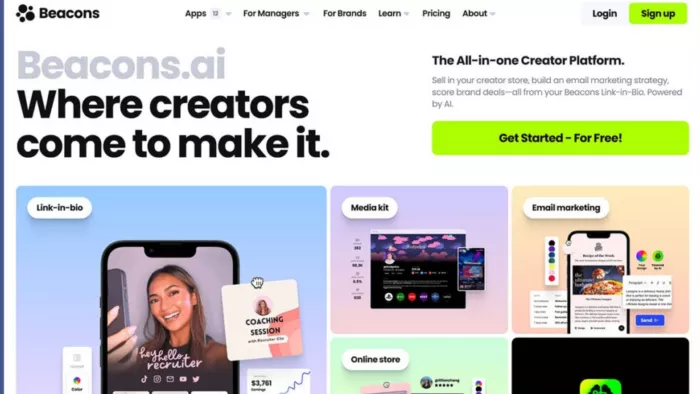
On the free tier, you get a link-in-bio page, a digital storefront where you can sell downloads, courses, and memberships, a built-in email marketing tool, a media kit generator, and an invoice system for brand deals. That's five separate tools, for free.
The catch is the 9% transaction fee on free plan sales, which stings when your revenue scales. The paid Creator Pro plan at $10/month drops that fee to 0% and adds custom domains and priority support.
Beacons is also the most creator-commerce-forward tool on this list. If you're actively selling and you want your bio page to double as a storefront, Beacons removes the need for a separate Gumroad or Payhip account.
The trade-off is complexity. The editor has a steeper learning curve than simpler tools, and the templates aren't as polished as what you'll find on Linktree or TieUp.io. But if monetization is your north star and budget is your constraint, Beacons is hard to argue against.
What Makes Beacons Stand Out:
Five Creator Tools in One Free Plan No other tool in this roundup bundles this much into a free tier. Beacons combines a customizable link-in-bio page, a fully functional digital storefront, an email marketing tool, a media kit generator, and a brand deal invoice system, all at $0/month. For a creator just launching their monetization engine, that's an entire business stack before you've spent a dollar.
Built-In Creator Commerce Without Third-Party Tools Most link-in-bio tools send visitors elsewhere to buy. Beacons handles the entire transaction natively: product delivery, checkout, memberships, and course access. No need to stitch together Gumroad and a separate media kit builder.
Brand Deal Invoice Generator This is a rare feature. Beacons lets creators generate professional invoices for influencer campaigns directly from the platform. It's a huge time-saver for anyone doing multiple brand partnerships per month, and a legitimacy signal when dealing with finance teams at larger companies.
Media Kit That Updates Automatically Rather than maintaining a static PDF, Beacons generates a shareable media kit that pulls in your latest follower counts, engagement rates, and content metrics. For creators pitching brands frequently, this removes a recurring administrative task entirely.
Beacons Pros:
- The free media kit pulls live follower counts and engagement rates automatically, so you can pitch a brand without opening Canva or maintaining a PDF
- Upgrading to Creator Pro at $10/month zeroes out the 9% transaction fee, which pays for itself after $112 in monthly sales
- The invoice generator lives in the same dashboard as your links, so brand deal paperwork doesn't require switching apps
- Memberships and recurring subscriptions are handled natively, not just one-off downloads. Useful if you're building subscription income alongside product sales
Beacons Cons:
- 9% transaction fee on free plan sales is the sharpest catch in any tool on this list. At $1,000/month in earnings, that's $90 gone before you see a cent
- The page editor has 30+ block types with no clear visual hierarchy, and first-time users routinely spend 20+ minutes just figuring out where things live
- Page design skews functional over branded; the aesthetic ceiling is noticeably lower than TieUp.io or Linktree for creators where visual identity matters
- Free plan support is slow. Creator communities report response times of 48 hours or more, which stings when something breaks before a campaign goes live
Pricing: Beacons offers a free plan with core link-in-bio features. Paid plans start at $10/month, with higher Creator and Store plans available for users who need advanced monetization, email marketing, and storefront features.
3. Linktree: The Reliable Classic That Still Holds Up
Best for: Creators who want the most recognized, widest-integrated tool with minimal setup friction.
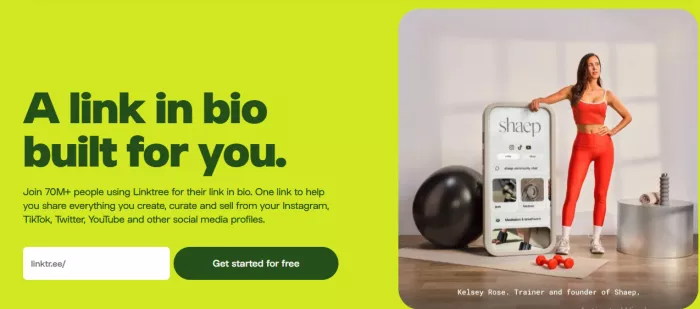
Linktree basically invented the category when it launched in 2016 in Melbourne, Australia. In 2026, it sits at a $1.3 billion valuation with over 50 million users worldwide, a testament to how thoroughly it nailed the original product.
It's not the flashiest tool on this list, but it delivers a consistent, polished experience that works everywhere. The setup takes minutes, and you get access to one of the broadest integration libraries in the space: Mailchimp, Shopify, Google Analytics, Meta Pixel, Spotify, Zapier, and dozens more.
The analytics suite tracks clicks, views, revenue, geographic data, and conversion performance, with deeper reporting on paid tiers. Linktree also supports embedded YouTube and TikTok videos, QR code generation, and e-commerce through "Commerce+" integrations.
Where Linktree falls short is value relative to price. The free plan forces Linktree branding on your page and locks analytics behind a paywall. Both Beacons and TieUp.io handle this more generously. And at $24/month for the Premium tier, it's expensive for solo creators who can get more elsewhere for less.
But if brand recognition matters to your positioning, or if you rely heavily on specific third-party integrations, Linktree remains the safe, proven choice.
What Makes Linktree Stand Out:
The Broadest Integration Library in the Category With connections to 300+ third-party apps (Mailchimp, Shopify, Google Analytics, Meta Pixel, Spotify, TikTok Shop, Zapier), Linktree is the only bio link tool that plugs cleanly into almost any existing marketing stack. If your workflow already runs on these tools, Linktree speaks the same language without requiring workarounds.
Link Scheduling for Timed Promotions Linktree lets you schedule when specific links appear and disappear, automatically. Running a 48-hour flash sale or a limited-time collab? Set the dates and your bio link updates itself. No one else on this list handles this as cleanly or reliably.
QR Code Generation Built In Every Linktree page generates a QR code that links back to your bio page. For creators who show up at events or on merchandise, this is an underrated feature that bridges physical and digital audiences without any extra setup.
50 Million Users as a Trust Signal When you send a brand manager to your Linktree, they recognize it immediately. That instant credibility shortcut still carries real weight in professional creative contexts, even if newer tools offer more features for less.
Video Embeds Directly on the Page Rather than just linking to your YouTube or TikTok, Linktree lets you embed videos directly on your bio page so visitors can watch without being redirected. It's a small touch that reduces drop-off and increases time spent on your page.
Linktree Pros:
- Brand managers at mid-sized companies recognize Linktree on sight. Sending one there requires zero explanation, which removes friction in professional outreach
- The integration list covers tools most competitors miss: Patreon, Bandcamp, OpenTable, and Twitch all connect natively alongside the mainstream options
- Link scheduling lets you set expiry dates on promotional links, so a flash sale link disappears automatically without you logging back in to remove it
- QR codes generate with every page and can go into invoices, presentations, or printed materials without leaving the platform
Linktree Cons:
- "Made with Linktree" appears on every free page, a small but visible signal to visitors that you didn't pay, which lands differently depending on your brand positioning
- Clicks and views are free; conversion tracking, geographic data, and revenue attribution all require a $9–$24/month paid plan
- Pages load in roughly 3 seconds on mobile, slower than most newer tools built on lighter stacks, and that gap has a real effect on bounce rate
- At $24/month, the Premium tier costs more than Stan Store's full commerce plan, hard to justify when the core product is still a link hub
Pricing: Linktree includes a free forever plan. Paid plans start at Starter ($8/month), followed by Pro ($15/month) and Premium ($35/month). Annual billing reduces the monthly cost to $6, $12, and $30, respectively.
4. Stan Store: When Your Bio Link Is Basically a Checkout Counter
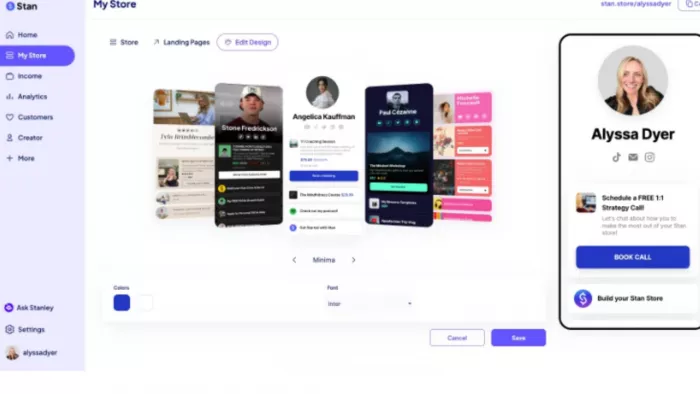
Best for: Creators whose primary goal is converting followers into paying customers, without redirecting them to an external checkout.
Stan Store blurs the line between link-in-bio page and digital storefront in a way that no other tool on this list does. Visitors land on your Stan page and can browse your products, add to cart, and complete a purchase without ever leaving the page.
That one-step checkout experience is Stan's biggest differentiator. It handles payment processing, digital product delivery, discount codes, and upsells, all native. For creators whose income comes primarily from courses, coaching packages, memberships, or digital downloads, Stan can meaningfully improve conversion rates because it eliminates the friction of being bounced to a separate site.
It's less suited for creators who primarily need a hub for outbound links. If you want to organize 15 different URLs across your social channels, Stan is overkill. But if you want to sell first and link second, it's the most conversion-optimized tool in this roundup.
What Makes Stan Store Stand Out:
No-Redirect Native Checkout This is Stan's defining feature and nothing else in this list replicates it. When a visitor clicks a product on your Stan page, they don't get bounced to Stripe, Gumroad, or any third-party site. The full checkout happens right there. That single-screen purchase journey consistently outperforms multi-step funnels in conversion rate, especially on mobile where friction kills decisions.
Automated Digital Product Delivery The moment a purchase completes, Stan automatically delivers the product: PDF, video course, Notion template, or coaching calendar link. There's no manual fulfillment and no customer support email asking "where's my download?" It just works.
Upsells and Discount Codes Inside the Page Stan lets you stack upsells at checkout and apply discount codes. These are tools usually reserved for dedicated e-commerce platforms like Shopify. For creators running promotions or selling product bundles, this is a meaningful revenue multiplier that most link-in-bio tools don't touch.
Purpose-Built for Creator Courses and Coaching Stan's templates and structure are designed around the creator economy's most common offers: online courses, 1-on-1 coaching packages, digital downloads, and memberships. Everything about the UX is tuned to reduce drop-off between "I'm interested" and "I bought."
Stan Store Pros:
- The full purchase happens on the Stan page, with no redirect to Stripe or Gumroad. Checkout abandonment drops when the buyer never has to leave
- Digital delivery is instant and automatic. A buyer gets access to their course or PDF the moment payment clears, no queue, no manual send
- Upsells trigger at the checkout screen while the buyer is already paying, not in a follow-up email the next day. The timing is what makes them convert
- You can build your entire creator commerce stack (courses, coaching, subscriptions, downloads) inside one dashboard without touching a third-party platform
Stan Store Cons:
- $29/month with no meaningful middle tier makes Stan a hard sell for creators earning less than $500/month from digital products
- Managing outbound links (your YouTube, your newsletter, a podcast) feels like an afterthought in a UI designed entirely around product cards
- Layout structure is fixed. You can change colors and add a logo, but you can't rearrange the page, which limits brand expression for visually-led creators
- Stan is built for selling to your audience. It has no media kit, no portfolio section, and no tooling for attracting the brands that would pay you to create
Pricing: Stan Store does not offer a permanent free plan. Instead, it provides two paid options: Creator ($29/month) and Creator Pro ($99/month), both designed for creators selling digital products, coaching, and memberships.
5. Later Link in Bio: The Smart Choice for Scroll-First Creators
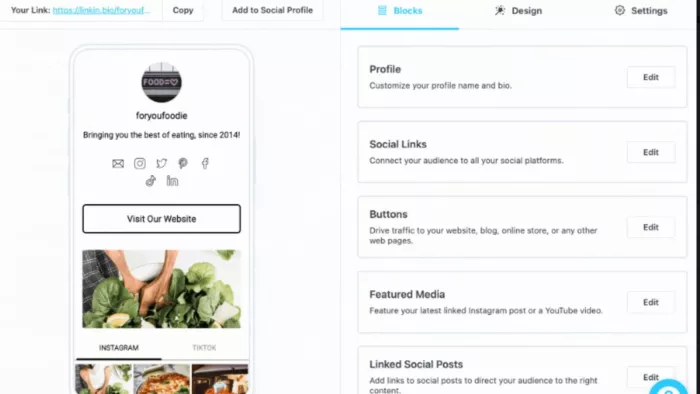
Best for: Creators who post frequently on Instagram or TikTok and want their bio page to mirror their content feed automatically.
Most link-in-bio tools are static: you add links manually, and they stay until you remove them. Later's Link in Bio works differently. It connects directly to your Instagram and TikTok profiles (plus Snapchat) and auto-generates a shoppable, clickable version of your social feed.
When someone visits your link-in-bio page, they see your most recent posts, and each one links to whatever you choose: a product page, an article, a booking form, or a YouTube video. It's the closest thing to making your social feed itself the conversion point.
This approach eliminates the maintenance problem that plagues other tools. You don't need to remember to update your bio page when you launch something new. Your latest post drives traffic automatically.
Later also supports custom affiliate links per post, email signups, custom URLs, and SEO settings like titles and meta descriptions. That last one is rare for a link-in-bio tool.
The limitation is that it's most powerful if you already use Later as your scheduling tool. As a standalone, it doesn't offer the breadth of features that justify its price point for most creators.
What Makes Later Link in Bio Stand Out:
A Bio Page That Updates Itself Every Time You Post Most creators forget to update their link-in-bio after publishing new content, and traffic to that post goes nowhere useful. Later eliminates this entirely. Because the bio page mirrors your actual social feed, every new post you publish automatically becomes a clickable, linkable destination. No manual update. No missed opportunity.
Per-Post Link Assignment Across Multiple Platforms Later lets you attach a unique URL to each individual post across Instagram, TikTok, and Snapchat simultaneously. A food creator can link Monday's reel to a recipe and Tuesday's story to a shop. Zero overlap, zero confusion for the audience.
Shoppable Feed That Converts at the Scroll Visitors to your Later bio page don't see a list of buttons. They see your actual content feed. When something catches their eye, they tap it and land exactly where you want them. This post-first experience feels more natural than a button grid, especially for visual creators whose content itself does the selling.
Affiliate Link Tracking Per Post Later supports unique affiliate links per post, which means you can track exactly which piece of content is driving affiliate revenue and which campaigns are worth repeating. For creators juggling multiple brand partnerships at once, that granularity is valuable data.
Later Link in Bio Pros:
- Every post you publish automatically becomes a live, clickable destination on your bio page. You never log into a dashboard just to swap a link again
- You can attach a different URL to each individual post, so a viewer who taps your reel about a protein bar lands on that product, not your homepage
- Per-post affiliate tracking shows you exactly which piece of content drove the sale, a level of granularity that most link-in-bio tools can't offer at any price
- The bio page supports custom meta titles and SEO descriptions, so your Later page can actually appear in Google results for your name or niche
Later Link in Bio Cons:
- The tool is built around content volume. Creators who sell static products like courses or templates get almost nothing from a feed-mirroring system
- Later's Link in Bio is significantly more valuable if you're already scheduling posts inside Later; as a standalone, the price premium doesn't hold up against free alternatives
- The page layout is your social feed, which means inconsistent posting aesthetics are the first thing visitors see, and there's no way to curate around that
- Visual customization (fonts, colors, layout) is locked behind higher-tier plans; on the entry plan, you're choosing between templates, not designing anything
Pricing: Free / Paid plans from ~$16.67/mo
6. Taplink: The Underrated Workhorse for Affiliate Marketers
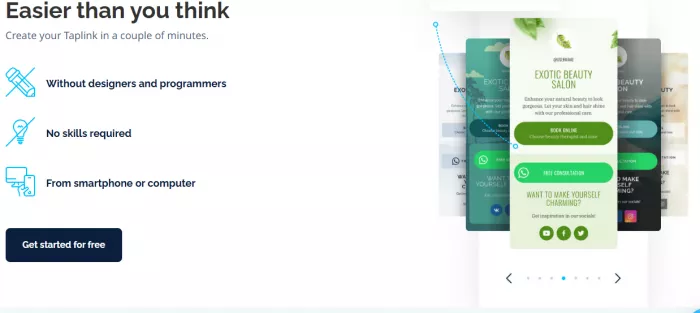
Best for: Creators and marketers who prioritize lead capture, affiliate revenue, and funnel-style page design on a tight budget.
Taplink doesn't get talked about in the same breath as Linktree or Beacons, but it's a remarkably capable tool for a specific creator type: the affiliate-focused, email-list-building creator who's conversion-obsessed and doesn't need a fancy portfolio but absolutely needs a page that works.
At $3/month for the Pro plan, it's the most affordable paid option on this list, and it includes form-based lead capture, payment links, multi-language support, and a surprisingly flexible page builder.
The interface is simple without being basic, and the page load speeds are consistently fast. For creators running several affiliate campaigns simultaneously, the ability to embed countdown timers and stack promo links without needing an external tool makes Taplink worth a serious look.
It won't win a design competition, and the free plan's feature set is thin, but for creators who care about leads and link performance more than aesthetics, Taplink punches well above its weight.
What Makes Taplink Stand Out:
Countdown Timers for Urgency Without Third-Party Apps Taplink lets you embed countdown timers directly on your bio page, a feature that typically requires a separate landing page builder. For creators running limited-time drops or flash sales, a live countdown clock on the bio page adds urgency at the exact moment someone is deciding whether to click.
Lead Capture Forms Built Right In Most link-in-bio tools require an external integration (Mailchimp, ConvertKit, a separate form tool) to collect email addresses. Taplink has lead capture baked in. Visitors can enter their name and email directly on your bio page, which cuts the friction that kills signup rates.
Multi-Language Support for Global Creators Taplink is one of the few link-in-bio tools that supports multi-language page display. It's a meaningful advantage for creators with international audiences who want their bio page to feel native across regions.
Stacking Affiliate Links Without Clutter The platform's page structure is designed to accommodate many links in a clean, organized way. For creators running five or ten affiliate campaigns simultaneously, Taplink's layout keeps things readable. Most creators don't think about this until their page starts looking like a cluttered sidebar ad.
$3/Month Pro Plan - Best Price-to-Feature Ratio on This List At just $3/month, Taplink Pro unlocks the full feature set including custom domains, forms, timers, and payment buttons. No other paid plan on this list delivers this level of functionality at this price point.
Taplink Pros:
- $3/month Pro plan unlocks custom domains, lead forms, countdown timers, and payment buttons. That's more conversion tooling per dollar than any other paid plan on this list
- Lead capture forms are native to the page; a visitor submits their email without a Mailchimp account or a Zapier workflow, no integration on your end at all
- Countdown timers embed directly in the page structure, not via an external script. A flash sale clock that actually loads with the page, not after it
- Multi-language display lets a creator in France or Brazil show copy in their audience's language from a single URL without building separate pages
Taplink Cons:
- The design looks stuck around 2019: dated block styling and a limited font selection, with no grid or modular layout. It works but it doesn't look like a considered brand choice
- There's no creator community or inspiration ecosystem around Taplink. No gallery or case studies, and almost no organic word-of-mouth in creator spaces
- Media embeds are limited to video. No Spotify player or podcast widget, no GitHub embed. Anything beyond a link or a video lives outside the page
- The brand name carries zero recognition with agencies or marketing teams reviewing creator pages. No one in a brand meeting is going to say "oh, it's a Taplink"
Pricing: Taplink offers a free Basic plan for creating simple link-in-bio pages. Paid plans start with Pro at $4/month (billed annually) and Business at $8/month (billed annually). If billed quarterly, the Business plan costs $9/month ($27 every three months), with discounts available for longer billing periods.
7. Hopp by Wix: Built for Creators Who Think in Years, Not Posts
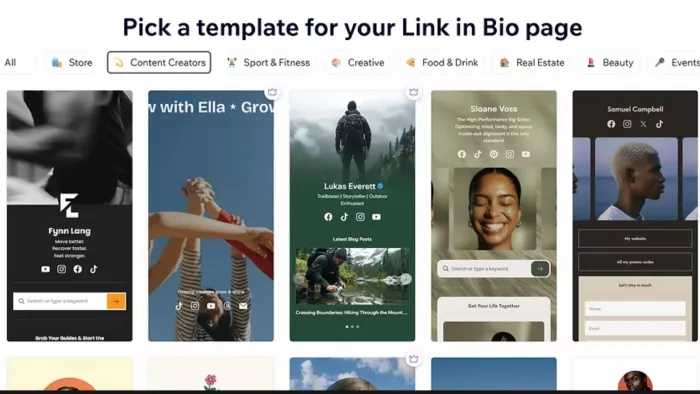
Best for: Creators building a long-term, searchable, brand-scalable presence beyond social media.
Hopp by Wix is the most ambitious tool on this list in terms of what it's trying to be. It's not trying to help you manage your links today. It's trying to build your discoverable presence for the next five years.
That's a bold claim, but Wix has the infrastructure to back it up. Hopp pages support custom meta titles and descriptions, making them indexable by Google. Almost no other link-in-bio tool prioritizes this. For creators selling services or running booking-based businesses, showing up in search results for your name or niche is a long-term asset most bio link tools ignore entirely.
The platform also charges 0% on all sales and bookings, which is rare and significant. It bundles selling, bookings, contact management, and content into one platform. The whole stack runs on Wix's infrastructure for hosting and payments, which means enterprise-grade reliability without enterprise-grade setup.
The limitation is ecosystem lock-in. Hopp is most powerful if you're already inside (or happy to move to) the Wix ecosystem. If you just want a quick, clean link page without a larger commitment, it's more than you need.
What Makes Hopp by Wix Stand Out:
The Only Major Bio Link Tool That Actually Cares About SEO Every other tool on this list is essentially invisible to search engines. Hopp pages support custom meta titles and meta descriptions, which means your creator page can show up when someone Googles your name or your niche. For creators building a personal brand that extends beyond social media, this is a compounding long-term advantage no other bio link tool gives you.
0% Commission on Every Sale and Booking Hopp charges absolutely nothing on transactions: no percentage fee on digital product sales or coaching bookings. Over time, especially as revenue scales, this makes Hopp significantly cheaper than free-plan tools that clip 9% of every sale.
Booking System That Works Without Calendar Plugins Unlike tools that require Calendly or Acuity integrations for scheduling, Hopp has bookings built in natively. A coach or service-based creator can let followers book a session directly from the bio page. No third-party redirect, no missed appointments.
Enterprise-Grade Infrastructure from Wix Hopp runs on Wix's infrastructure. The same system powers hundreds of millions of websites worldwide, delivering industry-leading uptime, fast global CDN delivery, enterprise security, and payment processing that handles volume without breaking. Most link-in-bio tools are built lean; Hopp is built to scale.
Content Management Alongside Link Management Hopp also serves as a content management platform. Publish and manage posts from the same dashboard where you manage links, a meaningful simplification for creators building a body of work beyond a social feed.
Hopp by Wix Pros:
- Bio pages have indexable meta titles and descriptions, so your page can rank in Google search for your name or niche, a compounding visibility advantage no purely social tool builds
- 0% on every transaction, at any volume. A creator doing $10,000/month in coaching bookings keeps the full amount where Beacons' free plan would clip $900
- Booking calendar is native, not a Calendly integration, so a follower can schedule a session directly from your bio page without the creator setting up a third-party account
- Built on Wix's infrastructure, the page stays up reliably under traffic spikes. That matters for creators who experience sudden viral moments and can't afford a bio page that goes down
Hopp by Wix Cons:
- The full value only materializes inside the Wix ecosystem. If you don't already use Wix, you're committing to a new platform relationship just to get a link page
- Setup takes noticeably longer than any other tool here. Getting bookings and SEO settings plus a custom domain live together realistically takes 30–60 minutes, not five
- The page aesthetic skews toward "minimal website" rather than "native bio page," and it rarely looks as mobile-native as tools built specifically for this purpose
- For a creator who needs to point people to four or five links and nothing else, the feature depth stops being a benefit and starts being clutter
Pricing: Free (with Wix plan)
How to Choose the Right Link-in-Bio Tool for Your Stage
Not every creator needs the same thing. Here's a fast decision framework based on where you are:
If you're just starting out and want a clean, professional presence for free, start with TieUp.io. The free plan has no hidden fees or link limits, plus a portfolio feature that makes you look credible to brands from day one.
If monetization is your immediate priority and you need to sell digital products or coaching packages, look at Beacons (free, 9% fee) or Stan Store (paid, but zero friction checkout).
If you post constantly and want your bio page to stay fresh without effort, Later Link in Bio's feed-based approach is the cleanest solution.
If you run multiple affiliate campaigns and care more about conversion than design, Taplink's $3/month Pro plan is exceptional value.
If brand recognition and integrations matter more than anything else, Linktree's ecosystem and name recognition still make it the safe corporate choice.
If you're thinking five years ahead and want your bio page to rank on Google, Hopp by Wix is the only tool in this list that takes SEO seriously.
5 Things Most Link-in-Bio Comparisons Don't Tell You
There are a few factors that look minor in a comparison table but matter enormously in practice:
Page load speed is a conversion variable. Users drop off in under 3 seconds. Tools with heavy scripts and forced redirects bleed clicks silently. Test your shortlisted tool on mobile before committing.
Transaction fees scale painfully. A 9% fee feels trivial at $100/month in sales. At $5,000/month, that's $450 you didn't budget for. Always calculate fees at your expected revenue ceiling, not your starting point.
Analytics access is a negotiating point. If you're pitching brand deals, traffic data and click-through rates on your bio page can strengthen your media kit significantly. Tools that lock analytics behind paid plans reduce your position in that conversation.
Custom domains are a brand signal. A link like yourname.tieup.io or yourname.beacons.ai is fine for starting out. A custom domain like links.yourname.com communicates a different level of seriousness to brands.
Portfolio visibility separates casual creators from career creators. Tools that let you showcase previous campaigns and press features are doing more than linking. They're selling on your behalf.


Comments