8 Best AI Video Generations Tools Creators Are Actually Using in 2026



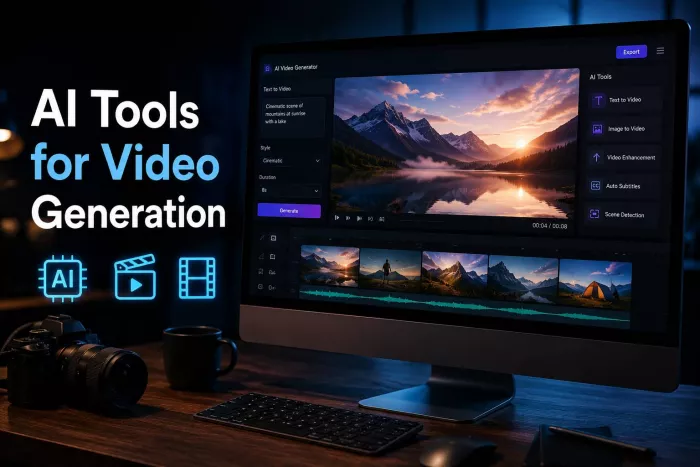
AI video generation has moved from novelty to production workflow. The best tools now do more than turn prompts into short clips. They help creators build ads, product demos, social videos, avatar explainers, training content, cinematic b-roll, and branded video assets without starting from a blank timeline.
Below are the top AI video generation tools worth considering in 2026, with pricing, strengths, and the type of user each tool fits best.
Quick Overview: Top AI Video Generation Tools
| Tool | Best For | Starting Price | Main Strength |
| Runway | Cinematic AI video and editing | Free, paid from $12/month billed annually | Professional video generation and creative control |
| Google Veo / Flow | High-fidelity cinematic clips | Google AI Pro and Ultra plans, India Ultra from ₹6,500/month | Realistic motion, audio, and Google ecosystem access |
| Synthesia | Training and business videos | Free, paid from $29/month | AI avatars and corporate video production |
| HeyGen | Avatar videos and video translation | Free, paid from $29/month | Talking avatars, captions, localization |
| Kling AI | Realistic motion and creator videos | Free, paid plans reported from around $10/month | Strong movement, camera control, social clips |
| Luma Dream Machine | Fast creative short clips | Free trial, paid from about $9.99/month | Natural motion and image-to-video creativity |
| Pika | Stylized creative video | Free access, paid tiers vary | Fun effects, image animation, short-form visuals |
| InVideo AI | Prompt-to-full-video creation | Free, paid from $25/month or $20/month annually | Script, stock, voiceover, and editing in one place |
1. Runway: Best for Serious Creative Control
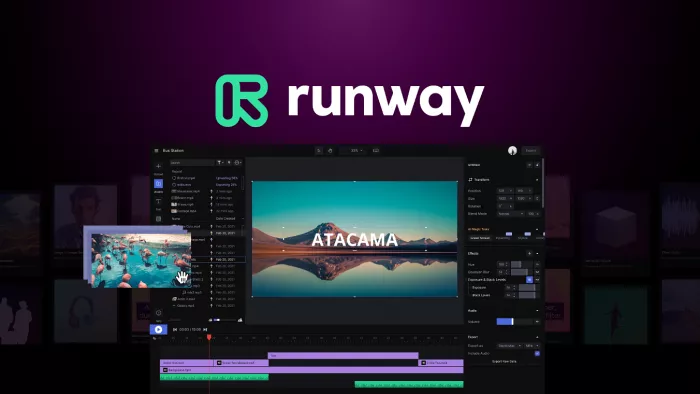
Runway remains one of the strongest choices for creators who want more than a simple prompt box. It is built for people who care about camera movement, scene control, visual consistency, and post-generation editing. The platform’s newer video models are designed for realistic outputs, cinematic motion, and production-style creative workflows. Runway’s own site positions Gen-4.5 as a high-fidelity video model with strong creative control.
The biggest advantage of Runway is that it feels like a creative studio rather than a single-purpose generator. You can create video from text or images, use AI editing tools, experiment with motion, and refine assets inside a professional interface. That makes it useful for ad creatives, music videos, concept films, product visuals, and branded storytelling.
Pricing starts with a free plan, while the Standard plan is listed at $12 per user per month when billed annually. Runway also offers higher tiers such as Pro and Unlimited, with the Unlimited plan listed at $76 per user per month billed annually.
Runway is not the easiest tool for a beginner who only wants a quick social video. Its credit system and advanced controls take time to understand. But for creators who want flexibility, it is one of the most capable AI video platforms available.
Runway at a Glance
| Aspect | Details |
| Best for | Filmmakers, agencies, creators, and brands that need cinematic AI video clips with more creative control. |
| Core idea | Generate and edit high-quality AI video using text, images, motion controls, and advanced creative tools. |
| Typical use cases | Ad concepts, music videos, cinematic b-roll, product visuals, social clips, and creative experiments. |
| Starting price | Free plan available; paid plans from $12/month billed annually. |
| Main strengths | Strong video quality, professional controls, AI editing tools, and flexible creative workflows. |
| Limitations to know | Credit usage can rise quickly, and beginners may need time to understand the controls. |
2. Google Veo and Flow: Best for High-Fidelity AI Video
Google’s video generation stack has become one of the most important players in the market. Veo 3.1 is described by Google as a model for high-fidelity 8-second videos with support for 720p, 1080p, or 4K outputs and native audio generation through the Gemini API.
The strongest part of Google’s approach is realism. Veo is especially useful when you need cinematic scenes, believable motion, natural lighting, and high production value. Google Flow also gives creators a more structured creative studio for building scenes and stories rather than generating disconnected clips.
Pricing depends on region and access route. In India, Google lists AI Ultra starting at ₹6,500 per month, with Flow credits and higher usage limits. Google’s support page also states that AI Ultra includes the highest access to its most capable Veo model, 1080p and 4K resolution, camera controls, and top-up credits in supported countries.
Google Veo is ideal for creators who want premium-looking outputs and are already comfortable working inside the Google ecosystem. The downside is access complexity. Depending on your country, plan, and usage route, limits and available models may differ.
Google Veo / Flow at a Glance
| Aspect | Details |
| Best for | Creators and teams that want realistic, cinematic AI video with premium visual quality. |
| Core idea | Use Google’s advanced video models to generate polished scenes with realistic motion and strong detail. |
| Typical use cases | Cinematic clips, story scenes, product visuals, creative campaigns, and high-end concept videos. |
| Starting price | Access varies by plan and region; Google AI Ultra in India starts from ₹6,500/month. |
| Main strengths | Realistic visuals, strong motion, high-resolution output, audio support, and Google ecosystem integration. |
| Limitations to know | Access, usage limits, and available features can vary depending on region and subscription tier. |
3. Synthesia: Best for Business and Training Videos
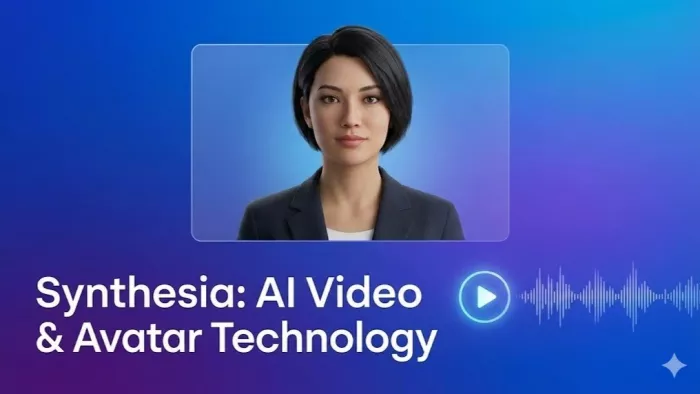
Synthesia is not trying to be a cinematic AI video tool. Its strength is structured business video. If you need training modules, onboarding videos, internal explainers, product walkthroughs, or multilingual corporate content, Synthesia is one of the most polished options.
The platform is built around AI avatars, scripts, templates, branded scenes, and voice options. Instead of hiring presenters or recording teams, companies can create consistent talking-head videos from text. That makes it practical for HR, compliance, SaaS education, sales enablement, and customer support content.
Synthesia’s official pricing lists a free plan, a Starter plan at $29 per month or $264 annually, and a Creator plan at $89 per month or $804 annually. The Starter plan is enough for basic business videos, while Creator is better for teams producing more frequent content.
The limitation is creative range. Synthesia is excellent for presenter-led content, but it is not the best choice for cinematic scenes, product b-roll, music videos, or experimental visual storytelling. Use it when clarity and professionalism matter more than visual spectacle.
Synthesia at a Glance
| Aspect | Details |
| Best for | Companies, educators, HR teams, and SaaS brands creating structured business videos. |
| Core idea | Turn written scripts into professional avatar-led videos without filming a presenter. |
| Typical use cases | Training modules, onboarding videos, compliance lessons, product explainers, and internal communications. |
| Starting price | Free plan available; paid plans from $29/month. |
| Main strengths | Polished AI avatars, business templates, multilingual support, and reliable corporate workflows. |
| Limitations to know | Better for presenter-led videos than cinematic, stylized, or highly creative visual storytelling. |
4. HeyGen: Best for Avatar Videos and Localization
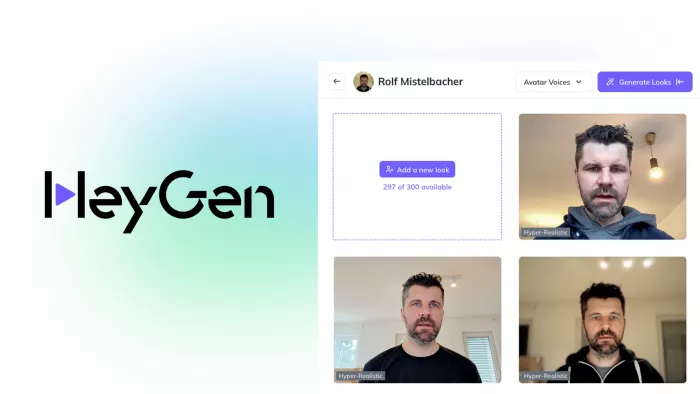
HeyGen is one of the easiest tools for creating avatar-led videos, personalized messages, video translations, and social-ready business content. It competes closely with Synthesia, but it often feels more creator-friendly and marketing-focused.
The platform includes stock avatars, custom avatars, captions, voice features, translation tools, and templates. It is especially useful for founders, educators, agencies, coaches, and marketers who want to produce polished talking videos without filming themselves every time.
HeyGen’s India pricing page lists a free plan with up to 3 videos per month. The Creator plan costs $29 per month, or $24 per month when paid annually. The Business plan costs $149 per month, plus $20 per additional seat per month. HeyGen’s help page also says the Creator plan includes unlimited avatar video generation, watermark-free exports, captions, 1080p export, and access to 700+ stock avatars.
HeyGen is best when the video needs a human-like presenter, not a cinematic world. Its credit limits and advanced avatar features can make costs rise for heavy users, but for regular business video creation, it is one of the most practical tools available.
HeyGen at a Glance
| Aspect | Details |
| Best for | Marketing teams, trainers, SaaS founders, and creators producing talking-head videos at scale. |
| Core idea | Turn scripts into realistic avatar videos with stock or custom presenters. |
| Typical use cases | Product explainers, onboarding videos, training content, sales videos, and multilingual marketing assets. |
| Starting price | Free tier available; paid plans from $29/month. |
| Main strengths | High-quality talking avatars, voice cloning, captions, translation, and reusable presenter workflows. |
| Limitations to know | Better for presenter-style videos than cinematic scenes or stylized character-driven videos. |
5. Kling AI: Best for Realistic Motion on a Budget
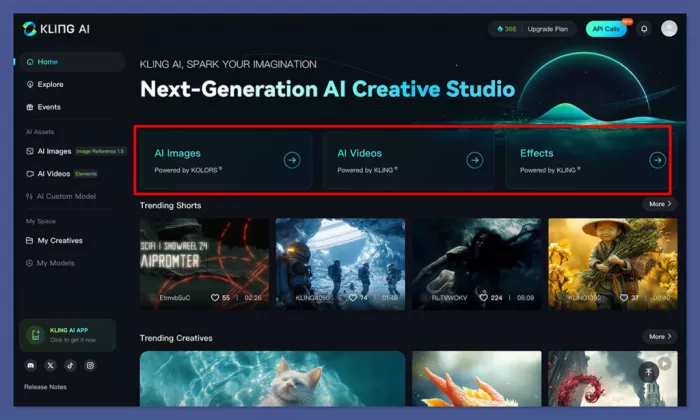
Kling AI has become popular because it can produce strong motion, realistic human movement, and cinematic short clips without requiring a heavy production setup. It is particularly attractive for creators making short-form videos, ad concepts, stylized scenes, and image-to-video experiments.
Its biggest advantage is movement quality. Many AI video tools can generate pretty frames, but the motion falls apart. Kling is stronger when you need walking, camera movement, object interaction, or social-style visual realism.
Pricing is less straightforward than some competitors because plans and credit systems can vary by region and access route. Recent pricing guides report that Kling offers a free option for testing and paid plans starting around $10 per month, though real costs depend on credit use and generation settings.
Kling is a strong option for creators who want realistic clips without jumping directly into expensive production tools. The tradeoff is reliability and pricing clarity. Since AI video generation often requires multiple attempts, users should treat the starting plan as a testing tier rather than a full production budget.
Kling AI at a Glance
| Aspect | Details |
| Best for | Creators who want realistic movement, short-form AI clips, and cinematic social visuals. |
| Core idea | Generate realistic AI video clips from text or images with strong motion and camera behavior. |
| Typical use cases | Short-form content, ad concepts, social media clips, image-to-video scenes, and visual experiments. |
| Starting price | Free access available; paid plans commonly start around $10/month, depending on region and credit use. |
| Main strengths | Realistic motion, strong camera movement, good image-to-video output, and creator-friendly pricing. |
| Limitations to know | Pricing and credit rules can be less clear than established tools, and results may need several retries |
6. Luma Dream Machine: Best for Fast Creative Experiments
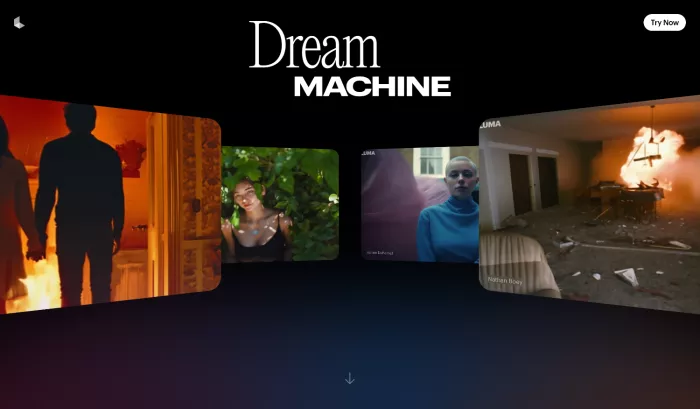
Luma Dream Machine is a strong choice for creators who want fast, visually impressive short clips from text or images. It is especially good for mood pieces, cinematic fragments, concept shots, and quick visual testing.
Dream Machine became known for natural motion and accessible video generation. TechRadar described it as an AI video generator that converts text prompts into realistic 10-second videos with natural motion and accurate physics, while also offering controls such as clip length, resolution, and aspect ratios.
Pricing has been reported to start at about $9.99 per month for paid access, with higher tiers for heavier users. Luma has also expanded beyond simple generation with newer creative tools like Ray3 Modify, which can use real footage and transform scenes with AI enhancements.
Luma is best for fast ideation rather than full editing. If you want to generate many visual directions quickly, it is useful. If you need long videos, detailed timeline editing, or corporate avatar content, other tools will fit better.
Luma Dream Machine at a Glance
| Aspect | Details |
| Best for | Creators, designers, and marketers who need fast visual experiments and short cinematic clips. |
| Core idea | Turn text or still images into short video clips with natural movement and cinematic styling. |
| Typical use cases | Concept shots, mood videos, social visuals, campaign tests, scene ideas, and animated still images. |
| Starting price | Free access available; paid plans commonly start around $9.99/month. |
| Main strengths | Fast generation, natural motion, strong image-to-video results, and easy creative testing. |
| Limitations to know | Better for short clips and ideation than long-form production or detailed timeline editing. |
7. Pika: Best for Playful and Stylized Video Creation
Pika is one of the more creator-friendly AI video tools for short, stylized, and social-ready content. It is useful for animating images, creating surreal clips, experimenting with effects, and turning simple ideas into eye-catching visuals.
The platform is less corporate than Synthesia and less production-heavy than Runway. Its appeal comes from speed, accessibility, and creative effects. Pika’s homepage highlights Pikaformance, a model designed for expressive animation and synced sound, including making images speak, sing, or perform.
Pika is useful for creators who want viral-style visuals, character animation, memes, music-linked effects, or experimental short clips. It is not always the best choice for highly controlled cinematic continuity, but it works well when the goal is fast creative output.
Pricing can vary by plan and region, and the official homepage focuses more on access than public plan details. For a practical buying decision, treat Pika as a tool to test first through its available free or entry access, then upgrade only if its style matches your content workflow.
Pika at a Glance
| Aspect | Details |
| Best for | Social creators, meme pages, visual experimenters, and brands creating playful short-form clips. |
| Core idea | Generate and animate stylized videos using prompts, images, effects, and sound-driven creative tools. |
| Typical use cases | Viral-style clips, animated images, music-linked effects, character motion, memes, and social visuals. |
| Starting price | Free access available; paid plan pricing varies by tier and usage. |
| Main strengths | Fun effects, quick experimentation, accessible interface, and strong stylized video output. |
| Limitations to know | Less suited for strict cinematic continuity or highly controlled professional production. |
8. InVideo AI: Best for Turning Prompts into Complete Videos

InVideo AI is different from most tools on this list because it focuses on full video assembly, not just raw AI clips. It can help generate scripts, scenes, voiceovers, stock footage, subtitles, and edits from a single prompt. That makes it useful for YouTube shorts and long videos, explainer content, social ads, list videos, and marketing content.
The platform is especially valuable for users who do not want to manage separate tools for scriptwriting, voiceover, stock assets, and editing. InVideo’s pricing page says paid plans include access to 200+ image, video, audio, and music models, including models such as Veo 3.1, Sora 2 Pro, Kling 3.0, Nano Banana Pro, and ElevenLabs music. It also says InVideo v4 Agent can create up to 30 minutes of video from a single prompt.
InVideo’s site lists paid plans starting with Plus at $17 per month billed yearly, Max at $85 per month billed yearly, and Generative at $170 per month billed yearly. Other current pricing references list Plus at $25 monthly or $20 annually, and Max at $60 monthly or $48 annually, so users should check the checkout page before subscribing.
InVideo AI is best for marketers and creators who want finished videos quickly. It is not the deepest tool for frame-level control, but it is one of the strongest options for speed and end-to-end production.
In a Pictory vs InVideo comparison, InVideo’s biggest strength is control and gives users more flexibility over scenes, templates, branding, media, and final edits.
InVideo AI at a Glance
| Aspect | Details |
| Best for | YouTubers, marketers, educators, and small teams that want complete videos from prompts. |
| Core idea | Turn a prompt into a full video with script, scenes, stock footage, voiceover, subtitles, and edits. |
| Typical use cases | YouTube videos, explainers, list videos, social ads, product videos, and marketing content. |
| Starting price | Free plan available; paid plans commonly start from $25/month or around $20/month annually. |
| Main strengths | End-to-end video creation, script generation, stock asset access, voiceovers, and fast editing workflow. |
| Limitations to know | Better for assembled videos than advanced frame-level AI video control. |
Which AI Video Generator Should You Choose?
The right tool depends on what kind of video you actually need. Runway is the best fit for professional creative control. Google Veo and Flow are strongest for cinematic realism and premium outputs. Synthesia and HeyGen are better for avatar-led business content. Kling and Luma are excellent for realistic short clips and creative experimentation. Pika is ideal for stylized social visuals. InVideo AI is the most practical option when you want a complete video from a prompt rather than only a generated clip.
| Use Case | Best Tool |
| Cinematic AI clips | Runway or Google Veo |
| Business training videos | Synthesia |
| Avatar explainers | HeyGen |
| Short-form realistic visuals | Kling AI |
| Fast creative experiments | Luma Dream Machine |
| Stylized social content | Pika |
| Full YouTube or marketing videos | InVideo AI |
| Professional AI editing workflow | Runway |
Final Verdict
The best overall AI video generation tool in 2026 is Runway if you want creative control and production flexibility. Google Veo is the premium choice for cinematic realism, especially for users already inside Google’s AI ecosystem. For business videos, Synthesia and HeyGen remain more practical because they solve a specific problem: turning scripts into presenter-led content quickly.
For most creators, the smartest setup is not one tool. Use InVideo AI for complete videos, Runway or Kling for strong visual clips, and HeyGen or Synthesia when you need a clean presenter. AI video is still a trial-and-error medium, so the best tool is the one that matches your workflow, budget, and tolerance for re-generating clips until the result looks right.


Comments