Mollygram Instagram Explained: How It Works, Features, Safety, and Anonymous Viewing



Many people search for ways to view or download Instagram content without logging in or revealing their identity. This is where tools like Mollygram Instagram appear in search results. Some users discover the name while trying to watch Instagram stories anonymously, download reels, or view public profiles without using their own account.
Mollygram is not an official Instagram feature. Instead, the term generally refers to a third-party Instagram viewer and downloader tool that allows people to access certain public Instagram content through a website interface. Because many similar tools exist, the exact design of Mollygram may change over time, but the general purpose remains the same: providing a simplified way to interact with public Instagram content outside the main app.
The sections below explain what Mollygram is, how it works, and what realistic expectations users should have before using it.
What the Term “Mollygram Instagram” Usually Refers To
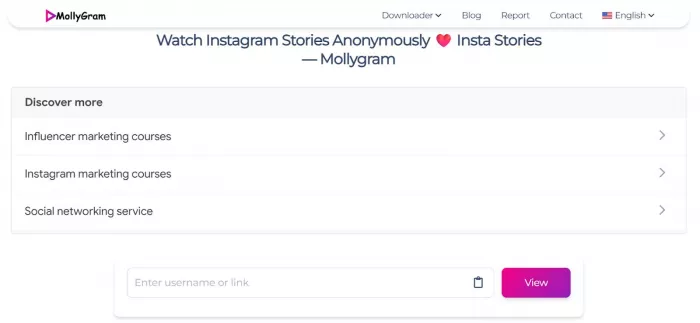
When people search for Mollygram Instagram, they are typically referring to a web-based Instagram viewer and downloader that allows users to explore public Instagram content without logging into the Instagram platform itself.
Unlike the official Instagram app, Mollygram usually works through a browser. Users enter a username or post link, and the tool retrieves publicly available content such as:
1. Profile photos
2. Posts and images
3. Instagram reels
4. Stories (if public)
5. Highlights
It acts more like a viewer layer rather than a social network. You cannot usually post, like, or comment through it.
The main appeal is anonymous browsing and quick downloads.
How Mollygram Works in Practice
Most Instagram viewer tools follow a similar workflow. Mollygram typically functions by pulling publicly accessible Instagram data and presenting it in a simplified interface.
The process usually looks like this:
1. The user visits the Mollygram website.
2. A search field appears asking for an Instagram username or post URL.
3. The tool retrieves the public data linked to that account or post.
4. The content is displayed in a format that allows viewing or downloading.
Since the tool only accesses public data, it cannot unlock private accounts.
Mollygram Feature Overview
| Feature | What It Allows Users To Do |
| Profile Viewer | View public Instagram profiles without logging in |
| Story Viewer | Watch stories from public accounts |
| Reel Downloader | Download Instagram reels for offline viewing |
| Photo Download | Save images from public posts |
| Highlight Viewing | Access story highlights if public |
| Anonymous Viewing | View content without notifying the account owner |
The exact features depend on the version of the tool currently available online.
What Types of Instagram Content Mollygram Can Access
Mollygram generally interacts with public Instagram data only. The most common types of content it can display include:
01. Public profile posts
Images and videos posted on public accounts.
02. Instagram reels
Short-form videos that users often want to download or save.
03. Stories
Temporary content that normally disappears after 24 hours.
04. Highlights
Saved story collections visible on profiles.
05. Profile photos
Some tools allow viewing or downloading profile pictures in higher resolution.
However, it cannot access:
a. Private accounts
b. Direct messages
c. Followers lists hidden by privacy settings
d. Content restricted by Instagram permissions
Typical Step-by-Step Usage
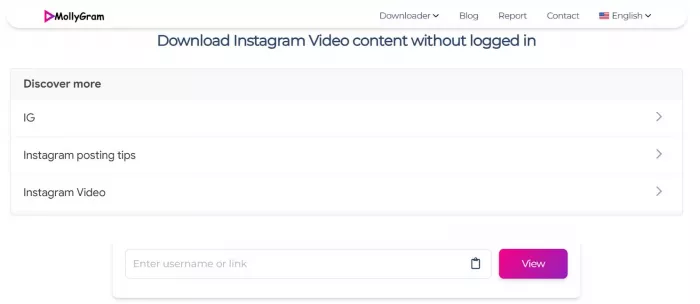
Using Mollygram is usually simple. Most users follow a process like this.
Step 1: Open the Mollygram website
Users visit the tool through a web browser on desktop or mobile.
Step 2: Enter the Instagram username
Type the username of the public Instagram account you want to view.
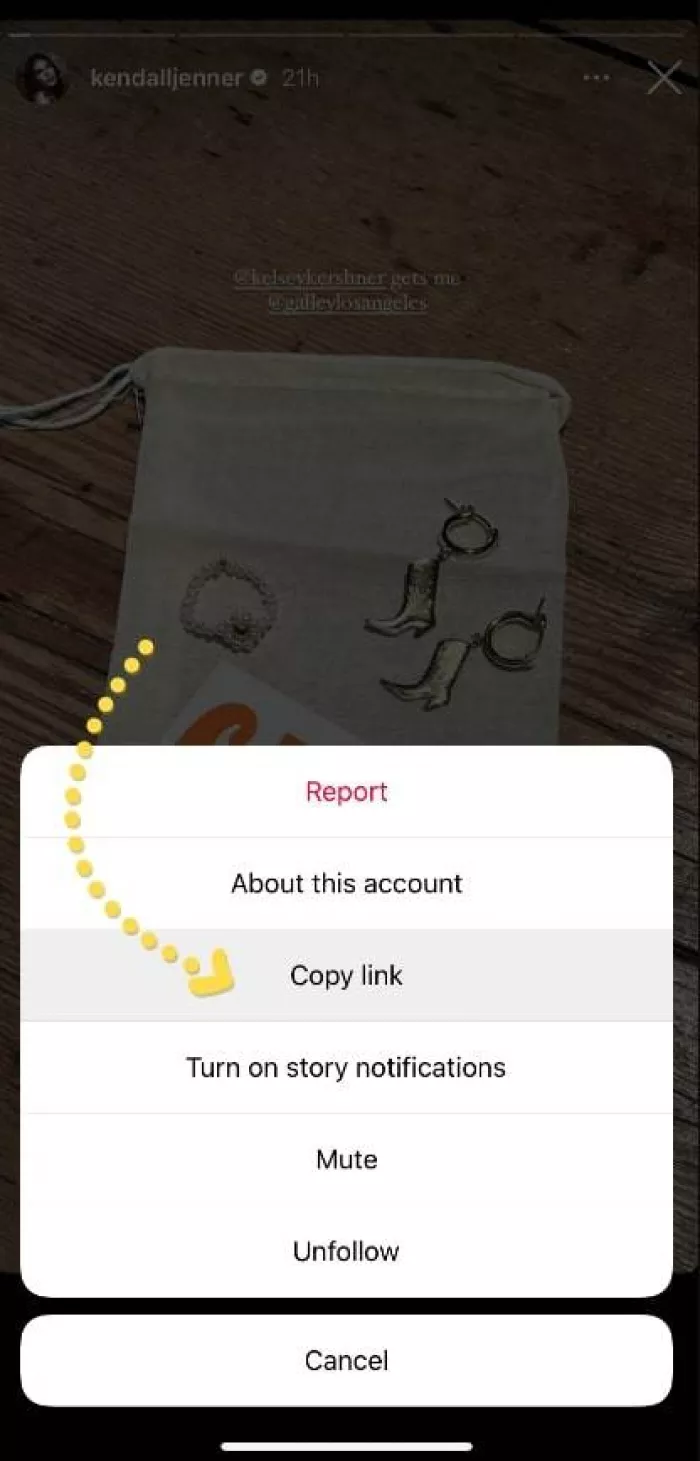
Step 3: Load the profile content
The tool fetches the available public posts, reels, and stories.
Step 4: Choose the content
Users can select a specific post, reel, or story.
Step 5: View or download
Many tools provide a download button to save the content locally.
The entire process usually takes less than a minute.
Why People Search for Mollygram
There are several reasons why users look for tools like Mollygram.
01. Anonymous story viewing
Some people want to watch stories without appearing in the viewer list.
02. Content downloads
Instagram does not offer easy download options for posts or reels.
03. No login requirement
Users who do not want to sign into Instagram may prefer a viewer tool.
04. Research or monitoring
Social media researchers or marketers sometimes monitor public accounts.
05. Quick access to public media
Instead of opening the Instagram app, users can quickly access content via a browser.
Benefits and Convenience
| Advantage | Why It Helps |
| No login required | Users can view content without signing into Instagram |
| Quick downloads | Allows saving posts or reels easily |
| Anonymous viewing | Stories can be watched without appearing in viewer lists |
| Simple interface | Often easier than navigating Instagram |
| Works in browsers | No app installation required |
For people who occasionally want to download or view public content, these tools can be convenient.
Important Limitations Users Should Know
Despite its convenience, Mollygram has several limitations.
| Limitation | Explanation |
| Cannot access private accounts | Instagram privacy rules still apply |
| Feature reliability may vary | Third-party tools can break when Instagram updates its system |
| Ads or popups | Some versions rely on advertising |
| Content availability varies | Stories may not always load correctly |
| No interaction features | Users cannot like, comment, or follow accounts |
These tools depend heavily on how Instagram structures its public data, so functionality can change.
Situations Where Mollygram May Be Useful
Certain use cases make these tools more practical.
1. Saving inspiration content
Designers or creators may download visuals for reference.
2. Watching stories quietly
Some users want to view content without appearing in a viewer list.
3. Quick browsing without logging in
Useful when accessing Instagram on a shared computer.
4. Researching public accounts
Journalists or marketers sometimes analyze public profiles.
However, it is not useful for interacting with Instagram communities or accessing private content.
Comparison With Similar Instagram Viewer Tools
Several other tools offer similar functionality.
| Tool | Key Focus | Anonymous Viewing | Download Support |
| Mollygram | General Instagram viewer | Yes (for public content) | Posts, reels, stories |
| StoriesIG | Story viewing | Yes | Stories only |
| InstaDP | Profile viewing | Limited | Profile photos |
| Inflact Downloader | Content downloads | No focus on anonymity | Posts and reels |
Most tools provide overlapping features, but reliability and design differ.
Frequently Asked Questions
Is Mollygram safe to use?
It can be relatively safe if you use a legitimate viewer site and avoid entering personal information. However, because it is a third-party tool, users should be cautious about ads, popups, and potential data tracking.
Do you need an Instagram account to use Mollygram?
Usually no. Most Mollygram-style viewers allow users to access public Instagram content without logging into an Instagram account.
Can Mollygram download Instagram stories or reels?
Many versions of the tool offer download options for stories, reels, photos, and videos, but this depends on how the website currently functions.
Does Mollygram allow anonymous viewing?
Most people use it for anonymous story viewing. Since the content is accessed outside the Instagram platform, the account owner typically cannot see who viewed the story.
Can Mollygram view private Instagram accounts?
No. Tools like Mollygram can only access public Instagram profiles. Private accounts remain protected by Instagram’s privacy settings.
Final Thoughts on Mollygram Instagram
Mollygram is essentially a browser-based Instagram viewer designed for accessing public content without logging into the platform. For users who want quick access to posts, reels, or stories, it can provide a convenient way to browse and download content from public accounts.
At the same time, it is important to remember that Mollygram is a third-party tool with clear limitations. It cannot access private profiles, its features may change depending on Instagram updates, and users should always be cautious about privacy and security when using external websites.
Used responsibly, Mollygram can help view public Instagram content, save media for personal reference, or browsing anonymously, but it should not be seen as a replacement for the official Instagram experience.


Comments