7 Powerful AI Text-to-Speech Tools to Turn Scripts into Studio-Quality Audio



AI text-to-speech has matured from robotic voices into a serious production tool for creators, brands, and developers. The best platforms now combine neural voices, cloning, language coverage, and APIs so you can plug lifelike speech into everything from YouTube channels to large-scale SaaS products.
Below are 7 of the best AI text-to-speech tools in 2026, with a focus on who they’re for, what they do best, and how their pricing starts.
1. ElevenLabs : Best for Ultra‑Realistic Creator Voices
Best for: Creators and brands who need human-like narration with a consistent, signature voice.
Key features: ElevenLabs specializes in neural voices that capture subtle intonation, pacing, and emotional cues, so long-form narration sounds natural rather than “flat.” You can do voice generation from its large voice library, instantly clone voices from short samples, or design new voices from text prompts, giving you a surprising amount of creative control. It supports dozens of languages and styles, and the TTS API lets you plug the same high-quality voices into apps, tools, or automated content pipelines.
Pricing: Free tier with limited characters; paid plans start from around 5 USD per month and scale via character-based usage.
Ideal for: YouTubers, course creators, indie studios, and personal brands that want high realism and a recognizable “anchor” voice.
Verdict: Choose ElevenLabs if realism and character are non‑negotiable and you want one or two voices that audiences instantly associate with your content.
2. Play.ht : Best for Long‑Form Content and Voice Libraries
Best for: Publishers and marketers who need a large voice library and strong language coverage for blogs, podcasts, and audiobooks.
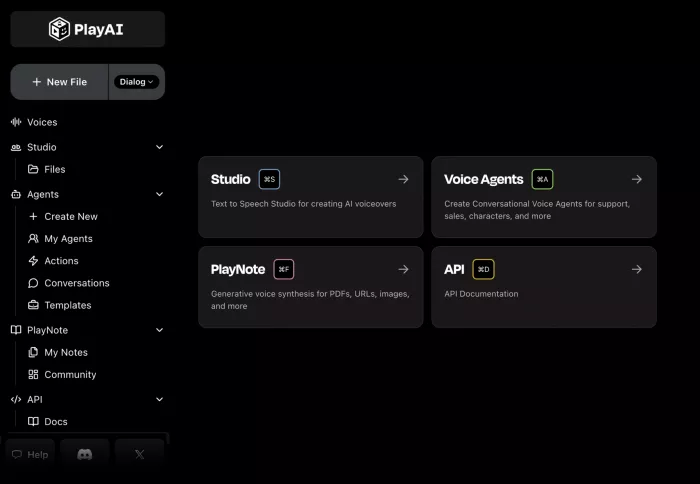
Key features: Play.ht gives you access to hundreds of AI voices across many languages and accents, so you can quickly test and select a voice that fits each project. It supports expressive controls like pitch, speed, emphasis, and pauses, plus dialog and multi-speaker support for more dynamic content such as interviews or dramatized reads. Batch processing, preview tools, and API integration make it practical to convert large volumes of text articles, documentation, or scripts into audio at scale.
Pricing: Free or trial options in some tiers; paid plans commonly start in roughly the 19–39 USD per month range depending on word limits and features.
Ideal for: Blog and news sites, podcast-style shows, agencies, and content marketers focused on repurposing text libraries into audio.
Verdict: Go with Play.ht if your priority is a broad voice catalog, strong language support, and efficient long‑form production rather than deep timeline editing.
3. Murf AI : Best for Business Presentations and Training
Best for: Teams producing professional voice-overs for presentations, explainer videos, and e‑learning modules.
Key features: Murf AI combines a studio-like editor with AI voices, so you can align scripts, visuals, and timing inside one workspace instead of hopping tools.
Pricing: Murf usually offers a free plan with limited minutes; paid plans start around 19 USD per month and scale with more minutes and team features.
Ideal for: L&D teams, corporate trainers, agencies, and educators who need structured voice-overs with consistent quality and brand-safe delivery.
Verdict: Pick Murf if your workflow revolves around slide decks, training videos, and explainers where collaboration and precise control over delivery matter more than experimental voice cloning.
4. Descript : Best for TTS Inside a Full Audio/Video Editor
Best for: Creators who want TTS, recording, and editing fused into a single audio/video production environment.
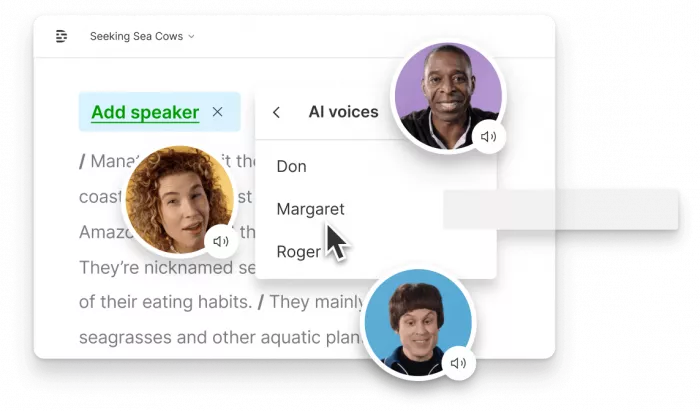
Key features: Descript’s Overdub feature lets you create an AI version of your own voice (with consent) and then generate or correct narration directly from text. You edit audio “like a document,” cutting, rearranging, and regenerating speech in the transcript while the timeline updates automatically, which saves massive time in podcast editing and video workflows. On top of that, Descript includes automatic transcription, subtitles, audio cleanup, screen recording, and export tools, so TTS becomes just one piece of a broader, end‑to‑end production stack.
Pricing: Free tier with limited TTS and editing; paid plans with higher limits and advanced features generally start around 12–24 USD per user per month.
Ideal for: Podcasters, YouTubers, and video-first creators who want fewer tools and tighter control over revision and post-production.
Verdict: Choose Descript if you care about the whole editing pipeline and see TTS as a way to patch, extend, and streamline your voice-over rather than as a standalone generator.
5. Resemble AI : Best for Custom, Emotional Brand Voices
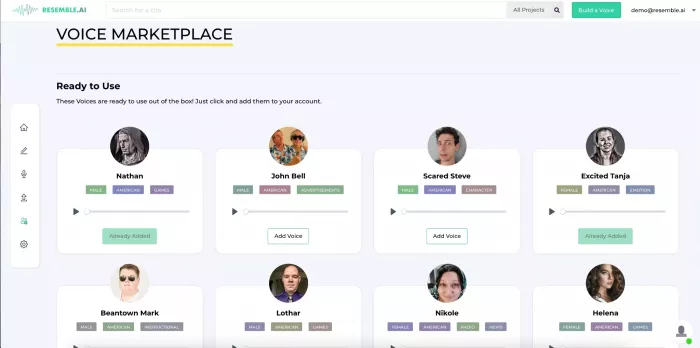
Best for: Brands, apps, and game studios that want emotionally rich, custom AI voices integrated into products and experiences.
Key features: Resemble AI focuses on high-fidelity voice cloning that preserves tone, rhythm, and speaking style, so cloned voices stay believable over time. Its emotion control allows you to dial in different moods such as joy, anger, or sadness inside generated speech, which is valuable for storytelling, characters, or branded assistants. APIs and real-time capabilities make it suitable for interactive uses like in‑app voices, dynamic prompts, and conversational agents, not just offline voice-overs.
Pricing: Public information points to creator-friendly plans starting in the tens of USD per month, with more advanced or enterprise tiers scaling higher based on API usage and feature sets.
Ideal for: Product teams, game and interactive studios, and agencies building distinctive, emotionally aware brand voices.
Verdict: Consider Resemble AI if your goal is to build a unique, emotionally expressive voice that feels like part of your product or story, not just a generic narrator.
6. Google Cloud Text-to-Speech : Best for Developers and Scale
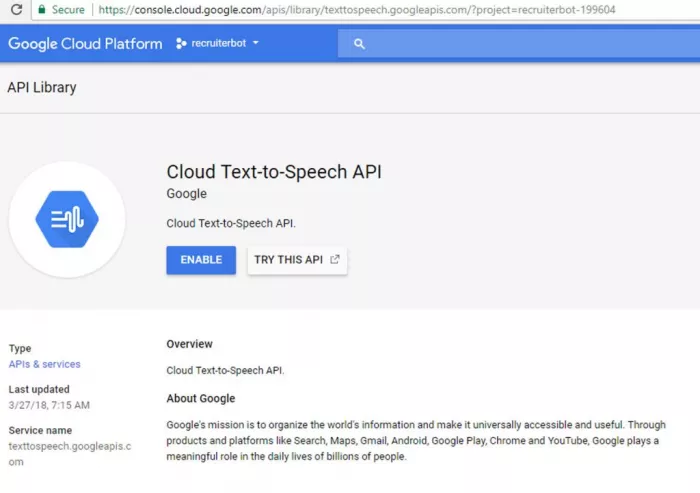
Best for: Developers and enterprises that need scalable, reliable TTS as an API service for apps, IVR, and infrastructure.
Key features: Google Cloud TTS offers a wide range of standard, WaveNet, Neural2, and studio-quality voices across many languages, giving you options from basic system prompts to premium output. It supports SSML, so you can control pauses, emphasis, and pronunciation programmatically, which is critical when you generate speech dynamically at runtime. The API supports multiple audio formats and integrates with other Google Cloud services, making it straightforward to embed in web, mobile, and backend systems.
Pricing: Typically includes a limited free monthly quota for certain voices, then a pay‑as‑you‑go model, charging per million characters with different rates for standard vs. neural voices.
Ideal for: SaaS providers, contact centers, system integrators, and any team that treats TTS as infrastructure rather than a creative desktop tool.
Verdict: Use Google Cloud TTS if you need predictable, large-scale speech generation with strong language coverage and are comfortable working at the API and infra layer.
7. Modern Low‑Latency TTS APIs (e.g., Agent-Focused Platforms)

Best for: Teams building real-time agents, voice bots, and interactive demos where latency and responsiveness are critical.
Key features: These newer APIs optimize for ultra-low latency so speech generation keeps up with conversational interactions, which is key for voice assistants and live tools. They typically provide neural voices with some style controls and are designed to integrate tightly with large language models and agent frameworks. Many support streaming output, letting you start playback while the rest of the response is still being generated, improving perceived responsiveness in live conversations.
Pricing: Commonly usage-based, charging per million characters, with competitive pricing aimed at developers running high-volume or experimental agent workloads.
Ideal for: AI agent platforms, support bots, experimental apps, and startups working on conversational interfaces and live, voice-first experiences.
Verdict: Look at low‑latency TTS APIs if you care less about a graphical interface and more about speed, streaming, and deep integration with conversational AI stacks.
Snapshot Comparison
| Tool | Best for | Standout strength | Typical starting paid price* |
| ElevenLabs | Realistic creator/brand voices | Expressive neural voices, rich cloning | From around 5 USD/month |
| Play.ht | Long-form blogs & audio | Large voice library, multi-language | Roughly 19–39 USD/month |
| Murf AI | Business training & presentations | Slide/editor workflow, nuanced delivery | From around 19 USD/month |
| Descript | Podcasts & video with integrated TTS | Full editor + Overdub voice | Around 12–24 USD/user/month |
| Resemble AI | Custom, emotional brand voices | Emotion control, high-fidelity cloning | Tens of USD/month and up |
| Google Cloud Text-to-Speech | Developer and enterprise apps | Scalable API, SSML, multiple voice tiers | Pay‑as‑you‑go per million characters |
| Low‑latency TTS APIs | Real-time agents & assistants | Streaming, tight LLM integration | Usage-based per‑million characters |
*Always verify current pricing on the official site before making decisions.
Final Assessment
Taken together, these seven tools show how broad the TTS landscape has become from creator-first platforms that feel like “virtual voice actors” to deep APIs built for real-time infrastructure. The practical question is less “which is the single best?” and more “which tool fits your volume, technical comfort, and how central voice is to your product or content strategy.” If you map your main use case (creator, trainer, publisher, or developer) to the “Best for” and “Verdict” sections above, you can quickly shortlist two or three tools to test before committing a budget.


Comments