Toolify AI Review: A Useful Map of the AI Market With Some Wrong Turns



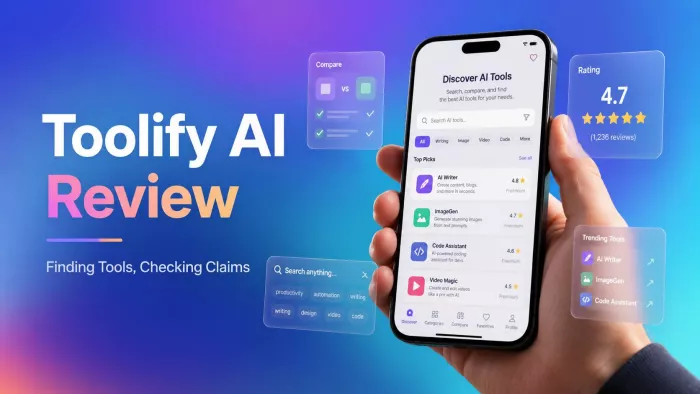
Toolify AI promises to make the crowded AI market easier to search. Instead of opening dozens of websites, users can browse one directory, compare products, inspect pricing and find tools for a specific task.
That promise is valuable. The problem is that finding a tool and judging it are two different jobs. I used Toolify to search for an Instagram caption generator and found that it handled the first job much better than the second.
What Toolify Is Really Selling
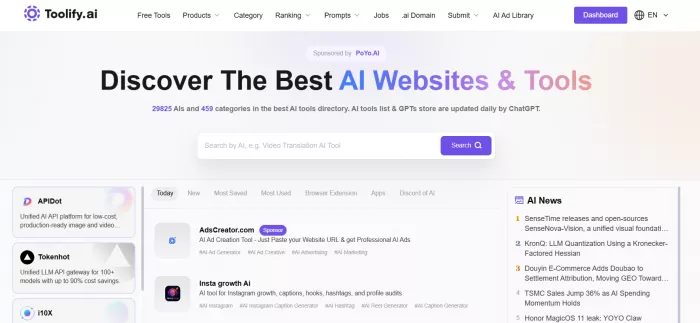
Toolify is not an AI tool in the usual sense. It does not write captions, generate images or analyse documents inside the main directory. It catalogues products made by other companies and directs visitors to their websites.
The platform currently presents itself as a directory of 29,825 AI products across 459 categories. It also says its tool listings and GPT catalogue are updated daily using ChatGPT. These are Toolify’s own figures and can change as products are added or removed.
Its core promise is straightforward: describe what you need, find relevant AI products and compare enough information to decide which websites are worth visiting.
Toolify approaches that job from several directions.
| Part of Toolify | What it provides |
| Discovery tools | Keyword search, categories, new releases, most-saved products and traffic-based rankings |
| Product formats | Separate areas for websites, mobile apps, Chrome extensions, Discord tools and public GPTs |
| Product research | Descriptions, reported pricing, features, use cases, advantages, limitations and website links |
| Market data | Estimated traffic, popular regions, referral sources, search terms and related products |
| Supporting resources | AI models, prompts, n8n workflows, profession-based pages, articles and AI news |
| Founder services | Paid submissions, featured advertising, listing updates, GPT submissions and sponsored content |
The range is wider than a normal software directory. Users can browse products by category, check which sites receive the most estimated traffic, explore GPTs or models and move between related alternatives. Toolify’s category index includes everything from writing and image generation to social media, architecture, legal services, health and adult AI products.
This makes Toolify useful for exploration, but it also creates a busy experience. Product discovery, articles, rankings, advertisements, prompt libraries and founder services all sit inside the same platform.
I Gave It One Clear Job
To see whether the directory was useful in practice, I chose a task connected to a real content workflow: finding an AI Instagram caption generator.
I was looking for a browser-based product that could generate captions from either an image or a short description. A useful result also needed some control over tone and length, plus a free plan that allowed enough testing before payment.
Toolify had a dedicated caption generator category containing more than 50 products. It offered four sorting options, including Best, Most Saved, Recent and Relevant. I could also separate websites from browser extensions and mobile applications.
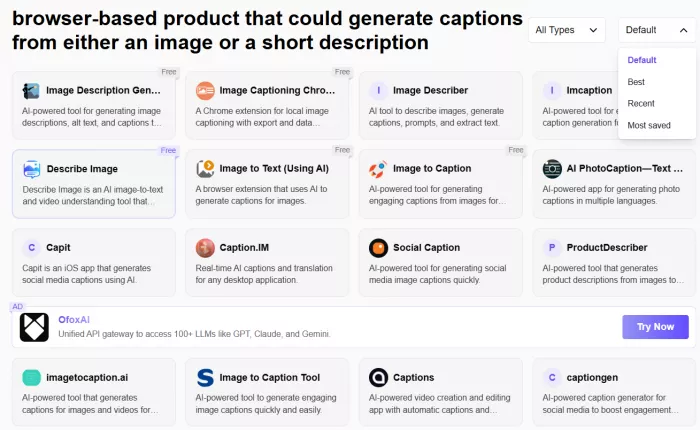
That gave me a structured place to begin. I did not need to know any product names beforehand, and each result included enough information to decide whether it deserved a closer look.
The output from Toolify was not a caption. It was a shortlist. That distinction is important. Toolify does not complete the task. It reduces the number of products that need to be opened and tested elsewhere.
The Category Was Broader Than Expected
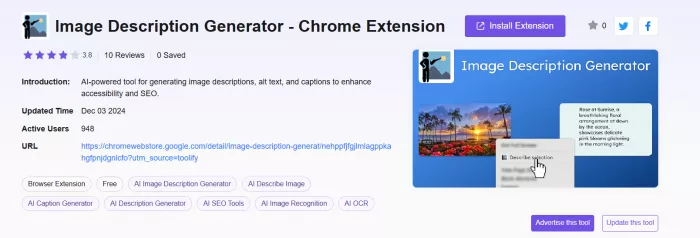
The first result was Image Description Generator, which Toolify described as an IAI-powered tool for generating image descriptions, alt text, and captions to enhance accessibility and SEO. It technically belonged in the category because it contained a caption feature. However, it was not primarily a caption generator.
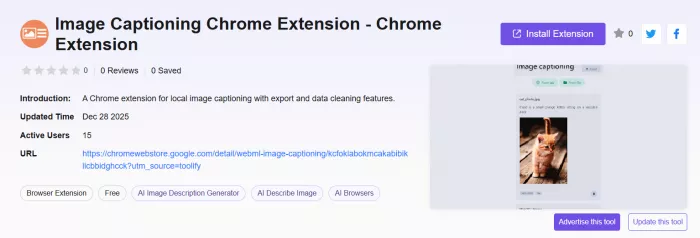
The second result, Image Captioning, was a much closer match. Toolify described it as a free generator with controls for writing style and caption length, without requiring login.
Other results included:
● InstaCaptain, which combined caption generation with automatic hashtag suggestions.
● Captionit, which focused on jokes, puns, memes and short entertaining captions.
● CaptionMaster, which offered multilingual and platform-specific caption creation.
● Caption Cue, which supported image uploads, tone controls and language selection.
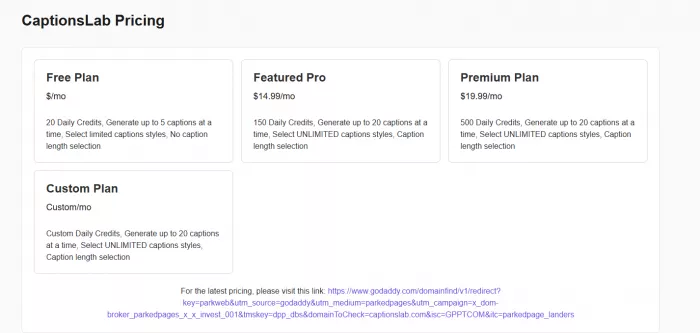
● CaptionsLab, which listed separate credit limits for free and paid plans.
This variety was helpful. Within a few minutes, I could see that the category contained simple generators, mobile apps, Instagram growth services, hashtag products and wider marketing platforms.
The weakness was ranking relevance. Toolify did not explain why a $49-per-month growth service appeared above a dedicated free caption generator. The order seemed to reflect a mixture of category connection, promotion, popularity and other signals rather than closeness to my exact requirement.
Toolify found suitable products, but the user still had to identify them inside a broader list.
The Product Profiles Saved Time
The individual entries contained more information than I expected from a directory page.
For each product, Toolify could show:
● A short explanation of what the product does.
● Its main features and intended use cases.
● Reported pricing plans and free allowances.
● A brief advantages-and-limitations section.
● Toolify saves, ratings and written reviews.
● Links to the product website or app store.
● Related products and alternatives.
This format made scanning easy. I did not need to open every website simply to learn whether a product accepted images or worked only on iPhone.
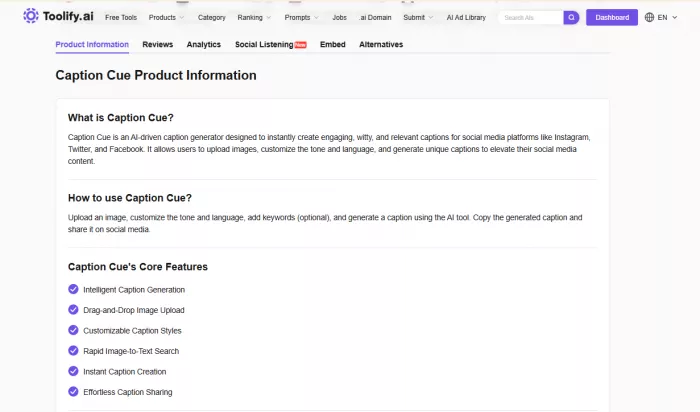
Caption Cue, for example, was described as supporting drag-and-drop image uploads, different caption styles, multiple languages and quick image-to-text generation. CaptionsLab listed 20 daily credits on its free plan, with higher limits and more style controls on paid tiers.
Those details helped me eliminate products that did not match the workflow.
The profiles were less convincing when I looked at the evidence behind them.
Many products displayed a five-star score while showing zero written reviews. Cool Caption Ideas, Gainsty, CaptionMaster and several others all had the same visible score with little or no supporting feedback. A five-star label has limited meaning when nobody has explained what was tested or why the score was given.
The language across profiles also followed a very similar pattern. Features were often repeated as advantages, while limitations used broad statements such as generated content may require editing or results depend on the input.
These are reasonable cautions, but they do not show that Toolify independently tested each product.
One Listing Exposed the Risk
CaptionsLab provided the clearest example of why Toolify information needs checking.
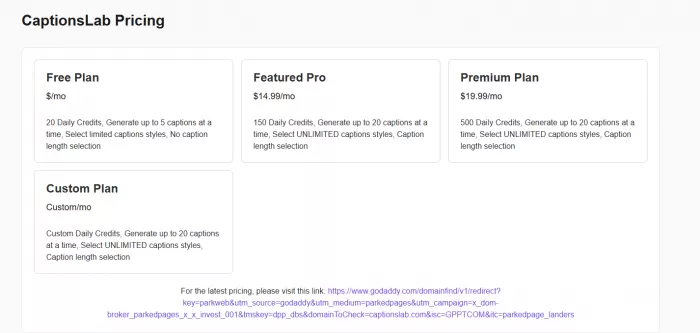
Its profile contained detailed pricing, including a free plan with 20 daily credits and paid plans starting at $14.99 per month. The listing looked complete enough to support a decision.
However, the link presented for checking the latest price led to a GoDaddy parked-domain page rather than a working CaptionsLab pricing page.
This does not mean every Toolify listing is outdated. It shows the difficulty of maintaining a directory of nearly 30,000 changing products.
AI startups close, move domains, change pricing and remove free plans frequently. Toolify may keep the old entry even after the original service has changed or disappeared.
The experience changed how I read the profiles. They were useful summaries, but dates, prices and working links still needed confirmation.
The Comparison Went Off Course
Toolify also creates direct comparison pages. These are meant to place two products side by side using their features, use cases, prices and traffic data.
I opened a comparison involving CaptionGenerator. Instead of pairing it with another caption product, Toolify compared it with Toplyne, a sales platform offering lead scoring, customer segmentation, CRM functions and conversion analytics.
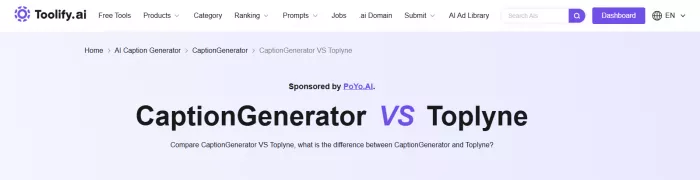
The page correctly listed their different features, but the comparison itself had little practical value. One product generated social media captions and hashtags. The other helped businesses score leads and manage sales activity.
This appears to be a side effect of automatically creating large numbers of comparison pages. The system can describe both products, but it does not always establish whether they belong in the same buying decision.
Toolify’s comparison feature works best when the user already knows two closely matched product names. Browsing its automatically generated pairings can lead to combinations that should never have been comparisons in the first place.
Another issue is its reliance on traffic. Some Toolify comparisons decide that one product is more recommendable because its website receives more estimated monthly visits. Popularity can be useful context, but it does not measure caption quality, customer support, privacy or value for money.
Its Free-Tool Promise Is Ambitious
Toolify has a separate directory dedicated to free AI products. It claims every included tool has been vetted, provides real value and clearly explains restrictions such as monthly word or credit limits.
The page specifically promises to help visitors avoid fake free trials and compare genuine free plans. That is one of Toolify’s most useful ideas. A normal category can contain free products, freemium services, limited trials and expensive subscriptions together. A separate directory should make the distinction clearer.
I would still verify every result.
A tool may be free to download while charging for its main AI function. Another may provide only three free generations. A product offering a seven-day trial is also very different from one that remains free with daily limits.
Toolify can identify where a free option probably exists. The official pricing page remains the only reliable place to confirm what that option includes today.
Paid Visibility Changes the Experience
Sponsored placement was visible before I reached the first caption-generator result. The category named one sponsor at the top of the page and another near the category heading.
Toolify’s advertising page explains how extensive these placements are. Ads may appear on the homepage, search results, category pages, competitor profiles, alternatives pages, comparisons and articles. The platform also states that a higher advertising balance can produce a higher featured ranking. Advertisers purchase clicks, although Toolify says it cannot guarantee their quality or allow complete control over where advertisements appear.
The paid entries were labelled, so Toolify was not hiding that advertising existed. The concern is how closely paid and organic discovery sit together.
A visitor may interpret the first visible product as Toolify’s preferred result when it may instead be an advertisement.
Toolify also charges companies for other forms of visibility.
| Founder service | Displayed price |
| Add an AI tool | $99 |
| Update an existing listing | $49 per update |
| Add a public GPT | $29 |
| Insert a link into an article | $100 |
| Publish a guest post | $200 |
| Featured advertising | Variable pay-per-click pricing |
A paid tool submission promises placement within 48 hours, a highlighted border, permanent listing and at least six dofollow links. The submitter can provide the information or allow Toolify AI to generate the content and translations.
Updating a product costs $49 each time, while a GPT submission costs $29. Toolify also sells link insertions for $100 and guest posts for $200.
These services explain why Toolify is attractive to AI founders. They also mean that being listed or featured should not be treated as proof of independent selection.
User Evidence Is Thin
The directory’s own ratings were not strong enough to support purchasing decisions. Many caption products showed zero written reviews, even when a five-star score was visible.
Toolify itself also has a limited independent review record. Its Product Hunt profile showed a 3.0 score when checked, while G2 listed Toolify with no reviews.
That does not prove users are dissatisfied. It means there is not enough detailed, independently posted feedback to reach a confident conclusion about support, reliability or value for founders. For a directory this large, the review layer feels surprisingly small.
Privacy Starts After Toolify
Toolify’s privacy policy says it may collect names, email addresses, IP addresses, browser details, visited pages, visit duration, device identifiers and other usage data. It also uses cookies and similar tracking technologies. The policy was last updated on October 12, 2022.
The older policy deserves attention because Toolify now contains more services than a basic directory, including accounts, advertisements, submissions, prompts and business products.
The greater privacy risk begins after clicking a listing. Toolify does not certify that every third-party product deletes uploaded images, avoids using content for training or provides transparent cancellation terms.
Before uploading social media photographs, business documents, voice recordings or client data, the selected product still needs a separate privacy check.
Where Toolify Earned Its Place
Toolify worked well when I treated it as an organised starting point.
It helped me understand the caption-generator category, find several products I had not considered and eliminate tools that did not match my requirements. The profiles were faster to scan than separate landing pages, and the platform made it easy to move from one product to alternatives.
Its weaknesses appeared when I expected stronger judgement.
The category order did not always favour the closest match. Five-star scores appeared without written reviews. One listing pointed to a parked domain, and an automatically generated comparison paired two unrelated products. Sponsored placements were labelled, but they appeared throughout the same discovery path as regular results.
Rating Snapshot
| Area | Rating |
| Range of listed tools | 4.7/5 |
| Category organisation | 4.1/5 |
| Ease of shortlisting | 4.0/5 |
| Search relevance | 3.4/5 |
| Listing accuracy | 3.0/5 |
| Comparison quality | 2.5/5 |
| Free-plan clarity | 3.2/5 |
| Advertising transparency | 3.1/5 |
| User-review depth | 2.0/5 |
| Overall rating | 3.4/5 |
Final Verdict
Toolify is useful because it turns a scattered AI market into something that can be browsed.
My caption-generator search produced a practical shortlist and showed me the difference between simple generators, mobile apps, hashtag tools and wider Instagram platforms. That saved time and gave me several websites worth testing.
The platform became less dependable when it tried to decide what was best. Category rankings lacked context, comparisons could be poorly matched and listing details were not always current. Paid visibility also plays a large role in what visitors see.
Toolify is worth using at the beginning of AI-tool research. It can answer the question, “What products exist for this task?”
It should not be the only source used to answer, “Which one should I pay for or trust with my data?”


Comments