8 Game‑Changing AI Video Editing Tools for Faster and Better Content


AI video editors in 2026 are no longer optional extras. They now sit at the center of faster content workflows for YouTube, short‑form video, podcasts, courses, and even commercial editing. The best choice is not simply the tool with the most AI features, but the one that fits the kind of video work you actually produce every week.
Below is a guide to the 8 best AI tools for video editing right now.
1. Descript : The Smartest Pick for Speech‑Driven Editing
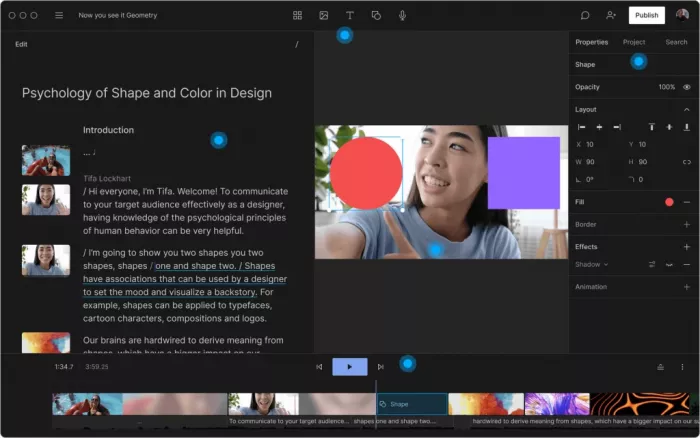
Descript works like a document editor for video. Instead of trimming clips on a traditional timeline first, you edit the transcript, and the video updates with it. That makes it especially effective for podcasts, talking‑head videos, YouTube shorts and videos, webinars, online lessons, and interview content.
Its core features include automatic transcription, text‑based editing, filler‑word removal, screen recording, AI voice cloning through Overdub, and tools for quickly turning long recordings into short clips. For creators who spend more time cleaning dialogue than crafting visual sequences, Descript can save hours every week.
Main strength : Descript is brilliant for dialogue‑heavy content because it turns video editing into a writing‑like workflow, which feels natural for podcasters, educators, and marketers.
Limitations : It is not built for advanced cinematic editing, layered motion design, or complex visual storytelling in the same way traditional timeline editors are.
Pricing : Descript has a free plan, and paid plans start at $16/month.
Best for : Best for podcasters, educators, interview channels, and creators who edit mostly spoken content.
2. CapCut : The Fastest AI Editor for Short‑Form Creators
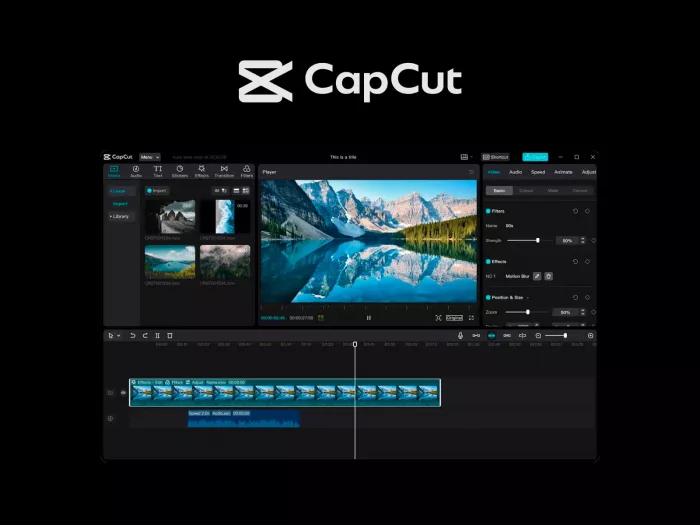
CapCut has become one of the most practical AI‑assisted editors for TikTok, Instagram Reels, and YouTube Shorts. It mixes auto captions, background removal, beat syncing, templates, and AI effects into a workflow that is clearly built for social video first.
The tool is especially strong when you want to turn raw phone footage into polished, trend‑ready content quickly. Its AI tools are less about deep editing control and more about helping creators move from idea to publishable clip as fast as possible.
Main strength : CapCut is excellent for high‑volume short‑form production because its templates, auto effects, and platform‑friendly tools remove a lot of repetitive manual work.
Limitations : It is less suited for complex long‑form editing, film‑style storytelling, or premium client work where granular control matters more.
Pricing : CapCut offers a free plan, while CapCut Pro starts at around $9.99/month in most markets.
Best for : Best for TikTok creators, Reels editors, short‑form agencies, and social media teams.
3. Runway : A Creative AI Studio for Advanced Visual Work
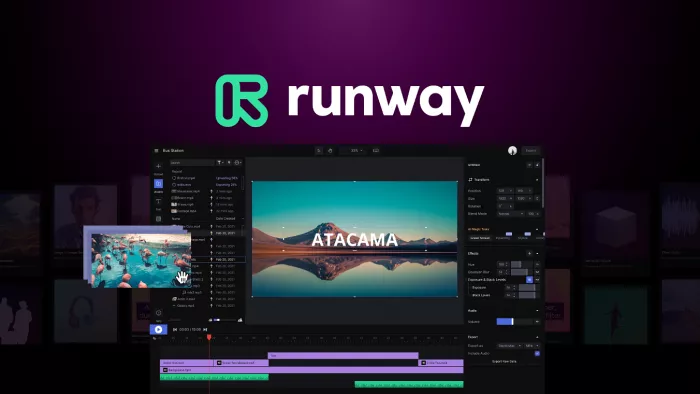
Runway stands apart from most video editors because it blends editing with generative AI. It is not just for cutting footage; it also helps in video generation, transformation, and stylization of visual content through tools like text‑to‑video, image‑to‑video, object removal, background replacement, and motion experimentation.
This makes Runway particularly attractive to creators who work on concept videos, ad creatives, branded storytelling, and experimental visual projects. It functions almost like a hybrid between a video editor and a creative lab.
Main strength : Runway is strongest when you want to create visuals that go beyond conventional editing and into AI‑generated or AI‑enhanced storytelling.
Limitations : It is not the most efficient choice for straightforward editing jobs where you mostly need cutting, syncing, simple captions, and standard exports.
Pricing : Runway has a free plan, and its paid plans start at $12/month per user when billed annually.
Best for : Best for agencies, creative directors, brand teams, and experimental video creators.
4. Adobe Premiere Pro : The Professional Editor with Practical AI Built In
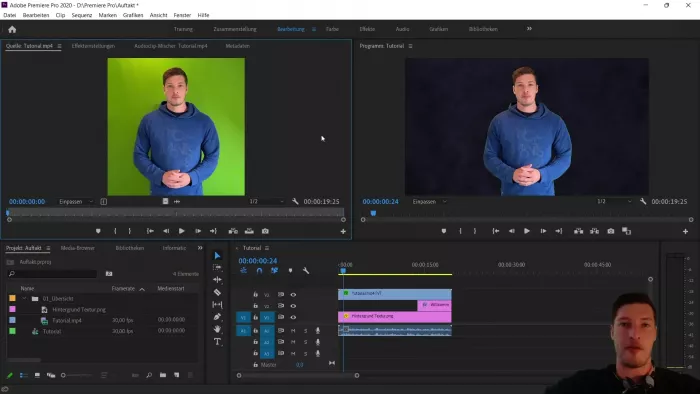
Premiere Pro remains one of the strongest options for serious editing, and its AI features are designed to improve a professional workflow rather than replace it. Features like speech‑to‑text, scene edit detection, auto reframe, color matching, and AI‑assisted audio cleanup help editors work faster inside a system they already trust.
What makes Premiere Pro powerful is that the AI layer sits inside a mature, full‑scale editing environment. That means it can handle everything from YouTube production to broadcast and commercial editing, while still reducing repetitive tasks.
Main strength : Premiere Pro combines advanced professional editing power with practical AI tools that genuinely save time in commercial and client workflows.
Limitations : It has a steeper learning curve, higher hardware demands, and ongoing subscription cost, which can feel excessive for casual or beginner creators.
Pricing : Adobe Premiere Pro does not have a free plan, and pricing starts at $20.99/month when billed annually.
Best for : Best for professional editors, agencies, freelancers, and advanced YouTubers working on serious production pipelines.
5. DaVinci Resolve : The Best Value for Serious Editing and Color Work
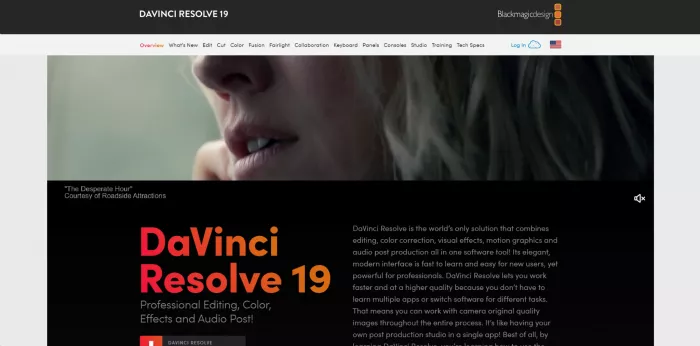
DaVinci Resolve is one of the few editors that combines editing, color grading, visual effects, and audio post in one ecosystem, and its Neural Engine adds AI to tasks like facial recognition, object tracking, smart reframing, noise reduction, and upscaling. It is especially respected by editors who care about image quality and long‑term workflow depth.
The free version is already powerful enough for a huge number of creators. The Studio version unlocks more advanced AI features and performance gains, which is why Resolve remains one of the strongest value plays in professional editing.
Main strength : DaVinci Resolve offers unusually deep editing, grading, and AI features for the price, especially for creators who want cinematic quality.
Limitations : The interface can feel intimidating for beginners, and some of its best AI capabilities sit behind the Studio upgrade.
Pricing : DaVinci Resolve has a free version, and DaVinci Resolve Studio starts at $295 as a one‑time payment.
Best for : Best for filmmakers, serious YouTubers, color‑focused editors, and creators building a long‑term professional workflow.
6. Filmora : A Simpler AI Editor That Still Feels Capable
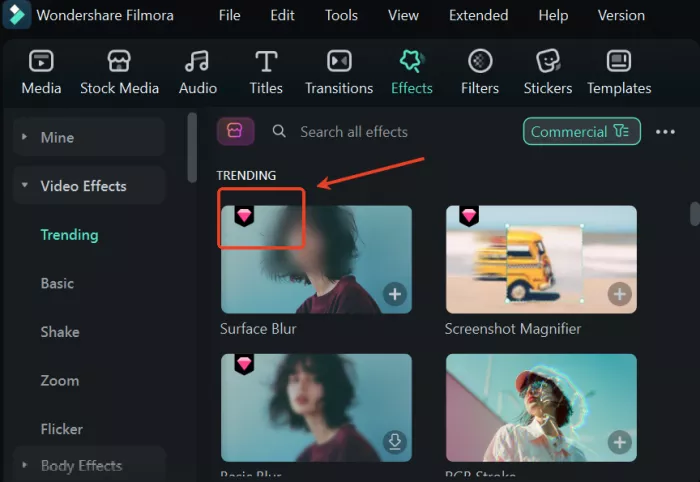
Filmora has done a good job of making AI features accessible without making the software feel intimidating. Features such as AI cutout, smart scene detection, motion tracking, audio cleanup, and auto‑driven creative effects give users a faster path to polished results.
It sits in a useful middle ground: more capable than most lightweight editors, but far easier to learn than Premiere Pro or Resolve. That balance is exactly why it remains popular with small teams, solo creators, and growing YouTube channels.
Main strength : Filmora balances ease of use with genuinely useful AI tools, making it one of the best editors for creators who want polish without steep complexity.
Limitations : It does not offer the same depth, scalability, or precision as top‑tier professional suites for advanced commercial projects.
Pricing : Filmora offers a free version with export limitations, and paid pricing starts at $19.99 for its entry‑level plan.
Best for : Best for YouTubers, course creators, small businesses, and beginners moving toward more polished edits.
7. VEED.IO : The Browser‑First AI Video Editor for Teams
VEED.IO is built for people who want to edit and publish video entirely in the browser. It offers auto subtitles, translation, background noise removal, simple editing tools, templates, AI avatars, and collaborative workflows that are particularly useful for marketing and remote teams.
Because everything happens online, VEED.IO is less about heavy post‑production and more about speed, accessibility, and teamwork. That makes it especially attractive for social teams and businesses that create training, promotional, or internal video content.
Main strength : VEED.IO is strongest as a collaborative, browser‑based editor that makes AI‑assisted captioning and marketing video production easy.
Limitations : It is still constrained by browser performance and is not the right tool for demanding, high‑resolution, deeply layered video projects.
Pricing : VEED.IO has a free plan, and paid plans start at $18/month.
Best for : Best for marketers, remote teams, agencies, and businesses creating branded or social video in collaborative workflows.
8. Opus Clip : The Best AI Tool for Turning Long Videos into Shorts
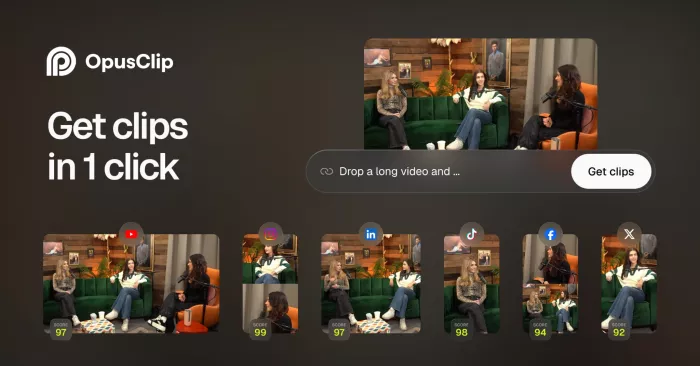
Opus Clip is not trying to replace a full video editor. Its job is narrower and very practical: it takes long videos and turns them into short, social‑ready clips using AI. It detects highlights, adds captions, reframes shots for vertical formats, and tries to isolate the moments most likely to hold viewer attention.
That focus makes it one of the most useful secondary tools in a modern video stack. If you create long podcasts, interviews, webinars, or YouTube videos, Opus Clip can multiply your output without requiring hours of manual repurposing.
Main strength : Opus Clip is extremely effective at converting long‑form content into multiple short clips with very little manual effort.
Limitations : Its clips often work best as first drafts, since AI cannot always judge nuance, pacing, or brand tone as well as a human editor can.
Pricing : Opus Clip has a free plan, and paid plans start at $15/month.
Best for : Best for podcasters, webinar creators, long‑form YouTubers, coaches, and anyone repurposing content into Shorts or Reels.
Quick Comparison
| Tool | Main strength | Pricing | Best for |
| Descript | Text‑based editing for spoken video | Free plan; starts at $16/month | Podcasters, educators, interview creators |
| CapCut | Fast short‑form AI editing | Free plan; Pro from $9.99/month | Reels, Shorts, TikTok creators |
| Runway | Generative and experimental AI visuals | Free plan; starts at $12/month | Agencies, creatives, visual storytellers |
| Premiere Pro | Professional workflow with AI assist | Starts at $20.99/month | Pro editors, freelancers, agencies |
| DaVinci Resolve | Powerful editing and color at strong value | Free version; Studio at $295 one time | Filmmakers, serious creators, colorists |
| Filmora | Simple but capable AI editing | Free version; starts at $19.99 | Small businesses, YouTubers, beginners |
| VEED.IO | Browser‑based collaborative editing | Free plan; starts at $18/month | Marketing teams, remote teams, brands |
| Opus Clip | AI repurposing for short clips | Free plan; starts at $15/month | Long‑form creators repurposing into shorts |
Final Verdict
The best AI video editing tool depends less on hype and more on workflow fit. Descript is excellent for spoken content, CapCut dominates short‑form speed, Runway leads on creative AI visuals, Premiere Pro and DaVinci Resolve remain the strongest options for serious editing, Filmora is a strong middle ground, VEED.IO works well for teams, and Opus Clip is ideal for repurposing.
In practice, many creators will get the best results from combining one main editor with one specialist AI tool. For example, a YouTuber might edit in Premiere or Filmora, then use Opus Clip for Shorts, while a podcaster could rely on Descript for the main edit and CapCut for social distribution.


Comments