What Actually Matters in Class Scheduling Software: A Studio Buyer's Field Guide

Parveen Verma
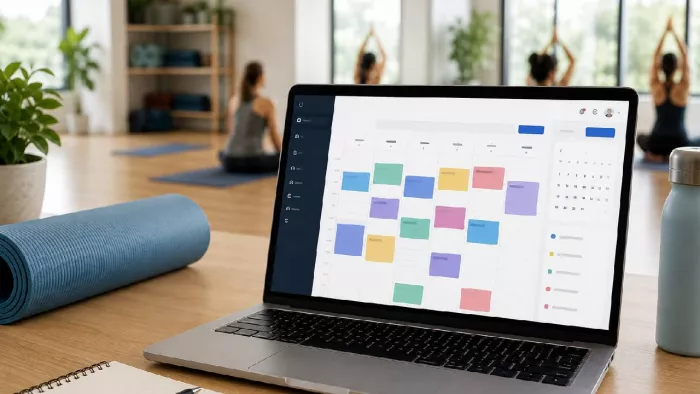
Class scheduling software is the system a studio uses to publish its timetable, take bookings, collect payment, and track who shows up. That is the plain version. The harder question, the one that separates a good purchase from an expensive regret, is which of its several dozen features a specific studio will actually touch every week, and which ones exist mainly to lengthen a feature comparison chart.
Most buyers skip the part where they decide what they need before they start looking. They open five vendor sites, get dazzled by the longest feature list, and buy the platform with the most checkmarks. That is backwards. The checkmarks are cheap to print. What matters is whether the software matches how a room full of instructors, members, and drop-ins actually behaves on a Tuesday night.
This guide sorts the field into two buckets: the features that earn their place in nearly every studio, and the ones that are genuinely useful but only for certain operations. At the end there is a method for scoring a shortlist so the decision rests on evidence rather than on whichever demo happened to be the smoothest.
Why The Selection Stage Is Where Studios Win Or Lose
The fitness sector is not short of members. Membership across US fitness facilities reached a record 77 million in 2024, according to the Health & Fitness Association (the trade body formerly known as IHRSA). The pressure has moved downstream to keeping those members booked, paid, and showing up.
Booking software sits at that exact chokepoint. A member who cannot find a class time, cannot see whether a spot is open, or cannot pay without a phone call is a member who drifts. The same HFA data set found that more than three-quarters of studio users hold at least one additional membership somewhere else, which is a polite way of saying loyalty is thin and the booking experience is part of what keeps someone loyal.
So the selection stage is not administrative housekeeping. It sets the ceiling on how smoothly the studio can run for the next several years, because switching platforms later means migrating client records, rebuilding the schedule, and retraining staff. The cost of a wrong pick is paid slowly, in friction, for a long time.
The Non-Negotiables: Features Nearly Every Studio Needs
These are the capabilities that show up on the ranking pages, the vendor demos, and the studio owner forums for a reason. If a platform is weak on any of them, it is probably not a serious contender for a class-based business.
Recurring Class Scheduling
Recurring class scheduling is the ability to set a class once, say Vinyasa at 6pm every Monday, and have the system generate every future instance automatically without re-entry. It is the backbone feature for any studio with a fixed timetable. The test is not whether a platform can do it, because most can, but how gracefully it handles the exceptions: a holiday closure, a one-off substitute instructor, a single week moved to a different room. A rigid recurrence engine that forces you to delete and rebuild the whole series to change one week will quietly eat staff hours.
Capacity Limits And Waitlists
Every class has a ceiling, whether that is 12 reformer beds or 30 spots on a studio floor. Capacity limits stop the system from overbooking that ceiling. The waitlist is the other half: when a full class has a cancellation, the software should offer the open spot to the next person in line automatically. The distinction that matters here is automatic promotion versus manual notification. A platform that simply emails staff to say "a spot opened, go call someone" has handed the work back to a human. One that texts the next member and books them if they accept has actually solved the problem.
Online Self-Booking
Online self-booking lets members view real-time availability and reserve a class themselves, on their own phone, at whatever hour they think of it. This is no longer a premium extra. When the Medical Group Management Association surveyed the shift toward patient self-scheduling, it noted that digital booking is valued precisely because it is accessible around the clock, outside the hours anyone would pick up a phone. Fitness members carry the same expectation over from every other service they use. A booking flow that requires a call during business hours is a booking flow that loses the impulse sign-up at 9 pm on a Sunday.
Automated Reminders
An automated reminder is a confirmation and a pre-class nudge sent by email or text without anyone lifting a finger. Its job is to reduce no-shows, and the evidence that reminders work is not anecdotal. A systematic review and meta-analysis in the Journal of Hospital Management and Health Policy found that reminder interventions, and telephone and SMS reminders in particular, are effective at improving attendance rates. The research base sits in healthcare, but the mechanism is identical: people forget, and a well-timed message fixes most of the forgetting. For a studio, an empty spot that was reserved is worse than an empty spot that was never booked, because it blocks someone else. Reminders shrink that loss.
Payments And Deposits
Payment handling covers taking money at the point of booking: full prepayment, a partial deposit, or a card stored on file to secure a spot. The features to check are which payment gateways connect (Stripe, Square, and PayPal are the common ones), whether the platform adds its own commission on top of the processor's fee, and whether deposits and no-show charges can be configured per class type. A studio running expensive small-group sessions has very different deposit needs than one running drop-in yoga, and the software should bend to both.
Class Check-In And Attendance
Check-in is the record of who actually walked through the door, as opposed to who booked. It matters for two reasons. First, it is how a studio enforces class-pack and membership deductions fairly, deducting a credit only when someone attends. Second, attendance data is the raw material for every retention decision the studio will make. Without a clean check-in record, a studio is guessing about which classes are full, which are dying, and which members have quietly stopped coming.
The Situational Features: Useful, But Not For Everyone
The features below are real and valuable, but their weight depends entirely on how a particular studio operates. Paying a premium for them when they do not fit the operation is how buyers overspend.
Memberships, Packages, And Drop-Ins
Here is where studios differ most. Some sell nothing but single drop-in classes. Others run entirely on monthly memberships. Many do both, plus prepaid class packs like ten sessions for the price of nine. The software needs to match whichever revenue model the studio actually uses, and ideally support more than one at once, because pricing strategy tends to evolve.
The mechanics worth examining: can memberships bill on an automatic recurring schedule, can a class pack function as digital credits that the system deducts on booking or check-in, and can members-only pricing or members-only classes be enforced without manual policing. As one worked example, the scheduling platform Bookeo pairs recurring class scheduling with membership and prepaid-package tools, so a studio can run a fixed weekly timetable while also selling class passes and recurring memberships through the same booking page. It is one option among several in this category, and the point is not that any single platform is the answer but that any class scheduling software worth shortlisting has to model memberships and packages the way the studio genuinely sells them. A drop-in-only studio can safely ignore half of this. A membership-driven one cannot compromise on it at all.
Multi-Instructor And Multi-Room Scheduling
Multi-instructor scheduling assigns a specific trainer to each class and manages each trainer's availability, days off, and eligibility to teach certain formats. Multi-room scheduling adds the physical constraint: two classes cannot occupy the same studio at the same time. A solo instructor renting one space needs neither. A studio with six teachers and three rooms cannot function without both, and this is exactly where cheaper generic booking tools tend to fall apart, because they were built to schedule one person's appointments rather than a grid of overlapping resources.
Can Automatic Room Assignment Actually Optimize A Schedule?
Some platforms advertise automatic room assignment, meaning the system places each class into an available room based on capacity and equipment rather than making a staff member do it by hand. For a large multi-room studio juggling reformer rooms, a spin studio, and a general floor, this genuinely removes a headache and prevents the double-booking of a physical space. For a studio with one or two rooms, it optimizes almost nothing, because a human can hold the entire layout in their head. The honest answer is that room-assignment automation is valuable in proportion to how many rooms and equipment constraints exist. Below a certain size, it is a feature that demos well and matters little.
Calendar Embed And Website Integration
Website integration means the booking tool lives on the studio's own site, either as an embedded widget or a branded booking page, rather than sending members off to a generic third-party domain. This matters more for studios that invest in their brand and their website traffic, and less for those that rely on foot traffic or a marketplace app for discovery. The feature to verify is whether the widget embeds cleanly without pop-ups or overlays that break the site's design, and whether the booking page can carry the studio's colors and logo.
Reporting
Reporting turns the booking data into answers: revenue by class, attendance trends, which time slots fill and which sit empty, and membership churn. A small studio may run fine on a glance at the daily schedule. A studio trying to decide whether to add a second location, drop a dead class, or hire another instructor needs the numbers, and needs them without exporting to a spreadsheet every month. The depth of reporting required scales with the ambition of the business.
How To Score A Platform Against This Checklist
A feature list is not a decision. To turn a shortlist into a choice, run each candidate through a consistent scoring pass rather than reacting to whichever demo felt slickest.
Start by weighing. Not every feature above deserves equal votes. Write down the studio's own top five must-haves first, drawn from how the business actually runs, then judge platforms mainly against those. A membership-heavy studio weighs the membership engine heavily. A single-room drop-in studio weighs self-booking and reminders and ignores room assignment entirely.
Then score each candidate on three dimensions:
Depth over presence. A checkmark means a feature exists. It says nothing about whether the feature is good. Automatic waitlist promotion and a staff email that says "a spot opened" both count as "waitlist" on a comparison chart, and they are not the same product. Insist on seeing the feature perform in a live trial, not on trusting the marketing grid.
Total cost, not sticker price. The monthly plan is rarely the real number. Add transaction fees the platform charges on top of the payment processor, the cost of any tier upgrade needed to reach a must-have feature, and the staff time to migrate existing data. A cheaper base plan that gates the membership engine behind a higher tier can end up more expensive than a pricier plan that includes it.
Migration and support reality. Ask how long setup and data import actually take, and what happens when something breaks during a busy week. Reliability and responsive support do not appear on feature charts, but they are the difference between software that fades into the background and software that becomes a second job. Talk to a studio already running the platform if at all possible.
Run every finalist through the same free trial with the studio's real classes, real prices, and a few real staff members clicking through it. A platform that survives a fortnight of actual use has told you far more than any demo could.
Frequently Asked Questions
Is it worth paying for fitness-specific software, or will a general appointment tool do?
It depends on the operation. A solo instructor booking one-to-one sessions can often run on a general appointment tool. A studio with recurring group classes, capacity limits, waitlists, multiple instructors, and shared rooms usually cannot, because generic tools are built to book one person's calendar rather than a grid of overlapping classes and resources. The break point is roughly when classes, not appointments, become the core of the schedule.
How many features does a small studio realistically need on day one?
Fewer than most vendors imply. Recurring scheduling, online self-booking, capacity limits with a waitlist, automated reminders, and a way to take payment will cover the daily reality of most small studios. Memberships, deep reporting, and room-assignment automation can matter later, but buying a heavyweight platform on day one for features the studio will not touch for two years is a common and avoidable overspend.
What is the most overlooked feature during a software comparison?
Automatic waitlist promotion tends to get lost. Buyers check that a waitlist exists and move on, without asking whether the system fills the open spot on its own or simply notifies staff to do it manually. In a studio with frequent last-minute cancellations, that single difference decides whether cancelled spots get resold or sit empty, and it rarely shows up clearly on a feature comparison chart.


Comments