Best AI Tools for Animation: 8 Platforms to Create Videos, Characters and Motion Graphics



AI animation tools have changed how creators produce videos. You no longer need a full studio setup, advanced frame-by-frame skills, or expensive motion capture hardware to create animated explainers, short clips, character scenes, music visuals, and social media videos.
The best tool depends on what you want to animate. Some platforms are better for business explainers, some are made for cinematic AI video, while others focus on character motion, social media graphics, or script-to-video production. Some AI movie generation tools are now specifically designed for filmmaking, combining animation with broader AI video generation capabilities for creating cinematic scenes, characters, and complete movie sequences. This guide breaks down the top AI animation tools by what they create, how they help creators, pricing, strengths, and limitations.
Quick Comparison of the Best AI Animation Tools
| Tool | Best For | Main Animation Style | Free Plan |
| Animaker AI | Beginner-friendly animated videos | Explainers, presentations, characters | Yes |
| Steve AI | Script-to-animation videos | Text-to-video and animated explainers | Yes |
| Vyond | Business and training animation | Corporate characters and workplace videos | Trial or paid plans |
| Adobe Express / Firefly | Social media animation | Animated graphics, posts, and short visuals | Yes |
| Pika | Quick AI video animation | Text-to-video and image-to-video clips | Yes |
| Runway | Cinematic AI animation | Generative video and motion-based scenes | Yes |
| Kaiber | Music videos and artistic animation | Music-synced AI visuals | Trial or credit-based access |
| DeepMotion | 3D character motion | AI motion capture and body tracking | Yes |
1. Animaker AI: Best for Beginner-Friendly Animation Videos

Animaker AI is one of the easiest tools for people who want to create animated videos without learning professional animation software. It is useful for explainer videos, educational content, product videos, business presentations, YouTube videos, and simple character-based stories.
The platform works well because it combines templates, animated characters, scenes, voiceover tools, subtitles, and visual assets in one place. Instead of building animation from scratch, users can start with a topic, script, or template and then customize the visuals.
What You Can Create With It
| Animation Use | Example |
| Explainer videos | Product or service explanation videos |
| Character animation | Simple animated characters for storytelling |
| Educational videos | Lessons, tutorials, and classroom content |
| Business videos | HR, onboarding, and internal communication videos |
| YouTube videos | Simple animated videos for channels |
How It Helps Creators
Animaker AI helps creators move quickly from idea to finished animated video. A beginner can use prebuilt characters, scenes, and design elements instead of designing every frame manually.
It is especially useful for creators who want animation that looks clean and understandable rather than highly cinematic. For educators, small businesses, and YouTubers, Animaker gives enough control to create structured videos without needing After Effects or professional design skills.
| Pros | Cons |
| Very beginner-friendly | Not ideal for advanced cinematic animation |
| Good for explainers and business videos | Free exports may include limitations or watermarks |
| Large asset and template library | Some premium assets require paid plans |
| Useful for YouTube and educational content | Less flexible than professional animation software |
Pricing:
Animaker offers a free plan for basic use. Paid plans start from around $15 per month on annual billing, with higher plans offering more downloads, better export quality, AI generation limits, and premium assets.
Best for:
Beginners, educators, marketers, and small businesses that want simple animated videos without learning complex animation software.
2. Steve AI: Best for Script-to-Animation Videos
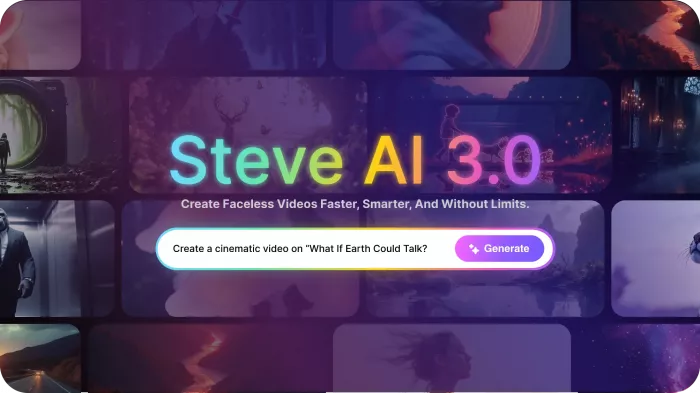
Steve AI is built for creators who want to turn text into animated videos quickly. It can take a script, blog post, prompt, or idea and convert it into a video format using AI-generated scenes, animated characters, voiceovers, and stock visuals.
The tool is useful when the main challenge is speed. Instead of manually matching every sentence with visuals, Steve AI helps automate the first version of the video. This makes it useful for explainer content, faceless YouTube short videos and long videos, training videos, and marketing clips.
What You Can Create With It
| Animation Use | Example |
| Script-to-video animation | A written script converted into animated scenes |
| Blog-to-video content | Blog articles turned into short videos |
| Explainer videos | Simple business or product explanation videos |
| Educational animation | Lesson-based animated videos |
| Social media videos | Short animated clips for LinkedIn, Instagram, or YouTube Shorts |
How It Helps Creators
Steve AI helps creators who already have written content but do not want to spend hours converting it into video. You can paste a script, choose a style, and let the platform generate a visual structure.
It is also helpful for repurposing. A blogger, coach, marketer, or YouTube creator can turn existing text into animated video drafts, then refine the scenes, voice, and visuals before publishing.
| Pros | Cons |
| Excellent for script-based videos | Visual control can feel limited |
| Good for fast content repurposing | Generated scenes may need manual editing |
| Useful for faceless YouTube content | Not designed for complex animation projects |
| Supports animated and live-action styles | Best results depend on script quality |
Pricing:
Steve AI offers a free plan with monthly credits. Paid plans start at around $19 to $20 per month, depending on billing and plan type, with higher plans offering more video minutes, better quality, more characters, and expanded generative features.
Best for:
Creators who want to turn scripts, blogs, prompts, or educational content into animated videos quickly.
3. Vyond: Best for Business and Training Animation
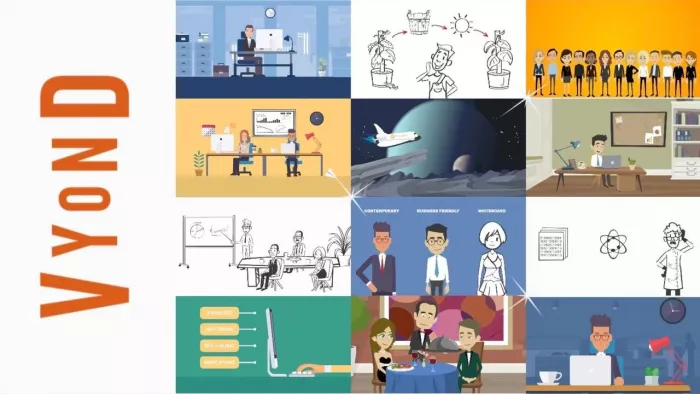
Vyond is a professional animation platform designed mainly for businesses, training teams, HR departments, educators, and enterprise users. It is best known for corporate-style animated videos, workplace training modules, compliance content, onboarding videos, and internal communication.
Unlike many newer AI video tools, Vyond is not only about generating quick clips. It gives teams a structured editor, character-based scenes, brand control, and professional templates. This makes it a strong choice for organizations that need consistent animated videos at scale.
What You Can Create With It
| Animation Use | Example |
| Training videos | Employee onboarding or compliance lessons |
| Corporate explainers | Product, process, or service explanation videos |
| HR videos | Workplace policy or culture videos |
| Sales enablement videos | Animated product pitches or demos |
| Internal communication | Company updates and team messages |
How It Helps Creators
Vyond helps teams create polished animated videos without hiring an animation studio for every project. It is especially useful when a company needs repeatable, branded content.
The platform is also practical for training because animated characters can explain sensitive or complex topics in a controlled way. For businesses, that is often more useful than experimental AI visuals.
| Pros | Cons |
| Strong for corporate and training videos | More expensive than beginner tools |
| Professional character animation style | Not ideal for cinematic AI video |
| Good for teams and enterprise workflows | Can feel too business-focused for creators |
| Useful for repeatable branded content | Advanced plans may require higher budgets |
Pricing:
Vyond is a premium business-focused tool. Public pricing commonly starts around the higher end compared with beginner animation tools, and enterprise plans may require custom pricing. Teams should check the official pricing page before subscribing.
Best for:
Businesses, HR teams, training departments, and enterprise users that need polished animated videos for internal or professional communication.
4. Adobe Express / Firefly: Best for Animated Social Media Graphics

Adobe Express, combined with Adobe Firefly features, is a strong option for creators who need quick animated visuals rather than full animated films. It is best for social media posts, short promotional clips, animated text, posters, simple video graphics, and branded content.
This tool is not a replacement for advanced animation software, but it is highly useful for everyday content creation. If your goal is to create Instagram posts, YouTube thumbnails, short animated announcements, or branded visuals with AI assistance, Adobe Express is one of the easiest options.
What You Can Create With It
| Animation Use | Example |
| Animated social posts | Moving text or graphics for Instagram |
| Promotional videos | Short brand announcements or product clips |
| AI-generated visuals | Firefly-powered images for animation assets |
| Reels and Shorts graphics | Simple animated elements for vertical videos |
| Branded content | Templates with consistent fonts, colors, and assets |
How It Helps Creators
Adobe Express helps creators produce polished visuals quickly. Instead of designing every asset from scratch, users can start with templates, add animated text, use AI-generated visuals, and resize content for different platforms.
It works best as a lightweight animation and design tool. A creator can use it for supporting assets, social campaigns, product promos, and simple moving graphics without opening heavy editing software.
| Pros | Cons |
| Easy for social media animation | Not built for full character animation |
| Good templates and brand tools | Advanced video controls are limited |
| Useful for creators and small businesses | Some AI features use generative credits |
| Works well for quick visual content | Not ideal for long animated videos |
Pricing:
Adobe Express offers a free plan with limited features and generative AI credits. Premium plans vary by region. In India, Adobe Express Premium pricing may be listed in rupees, and some Adobe plans include more Firefly credits for heavier AI use.
Best for:
Creators, marketers, and small businesses that need simple animated graphics, social posts, and branded short-form visuals.
5. Pika: Best for Quick Text-to-Video Animation

Pika is one of the most popular AI video tools for creators who want to generate short animated clips from text prompts or images. It is useful for creative experiments, short AI scenes, image-to-video animation, meme-style effects, and social media visuals.
Pika is especially attractive because it focuses on speed and creativity. Users can test ideas quickly, generate different versions, and create short clips without needing traditional animation skills.
What You Can Create With It
| Animation Use | Example |
| Text-to-video animation | A short scene created from a written prompt |
| Image-to-video animation | A still image turned into moving footage |
| Character clips | Short animated character moments |
| Social media effects | Stylized clips for TikTok, Reels, or Shorts |
| Creative experiments | Fantasy, surreal, or cinematic AI scenes |
How It Helps Creators
Pika helps creators test visual ideas quickly. Instead of planning a full animation pipeline, users can enter a prompt, generate a clip, and decide whether the concept is worth developing.
It is also useful for creators who want short, eye-catching visuals. For social media, Pika can help produce quick clips that feel more dynamic than static images.
| Pros | Cons |
| Fast and easy to use | Not suitable for long animation projects |
| Good for short AI clips | Output consistency can vary |
| Useful for social media creators | Advanced scene control is limited |
| Free plan available | Higher-quality workflows need paid credits |
Pricing:
Pika offers a free plan. Paid plans are available for creators who need more credits, faster generation, higher usage limits, and access to more advanced features.
Best for:
Creators who want quick AI-generated animated clips for social media, experiments, short videos, or visual storytelling.
6. Runway: Best for Cinematic AI Animation
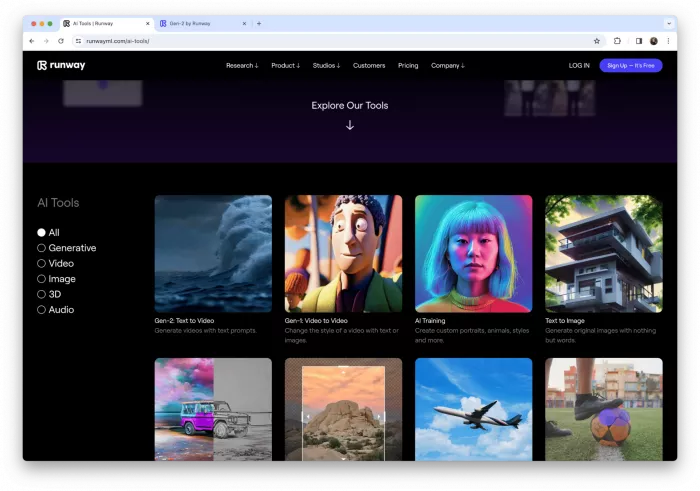
Runway is one of the strongest AI tools for creators who want cinematic motion, generative video, and image-to-video animation. It is widely used for short film concepts, music visuals, ads, social media clips, and experimental video projects.
Runway is different from beginner animation tools because it focuses more on visual generation, motion, camera movement, and AI video editing. It is best for creators who want cinematic output rather than template-based explainers.
What You Can Create With It
| Animation Use | Example |
| Text-to-video animation | Cinematic scenes created from prompts |
| Image-to-video animation | Still images turned into moving shots |
| AI film concepts | Short scenes for films, ads, or trailers |
| Music visuals | Abstract or cinematic clips for songs |
| Creative video edits | AI-assisted edits and motion effects |
How It Helps Creators
Runway helps creators generate motion-heavy visuals without building every frame manually. It is especially useful in the concept stage, where filmmakers, YouTubers, and marketers need to test scenes quickly.
It also works well as part of a larger editing workflow. A creator can generate animated clips in Runway, then refine them in a video editor, add sound, adjust pacing, and combine them with other footage.
| Pros | Cons |
| Strong cinematic output | Not ideal for simple explainer videos |
| Good for image-to-video animation | Prompt testing is often required |
| Useful for filmmakers and creators | Longer videos need careful editing |
| Includes advanced AI video tools | Paid plans are needed for serious use |
Pricing:
Runway offers a free plan with limited credits. Paid plans start around $12 to $15 per user per month depending on billing, with higher tiers for more credits, advanced access, and heavier generation needs.
Best for:
Creators, filmmakers, marketers, and YouTubers who want cinematic AI animation and short generative video clips.
7. Kaiber: Best for Music Videos and Artistic Animation
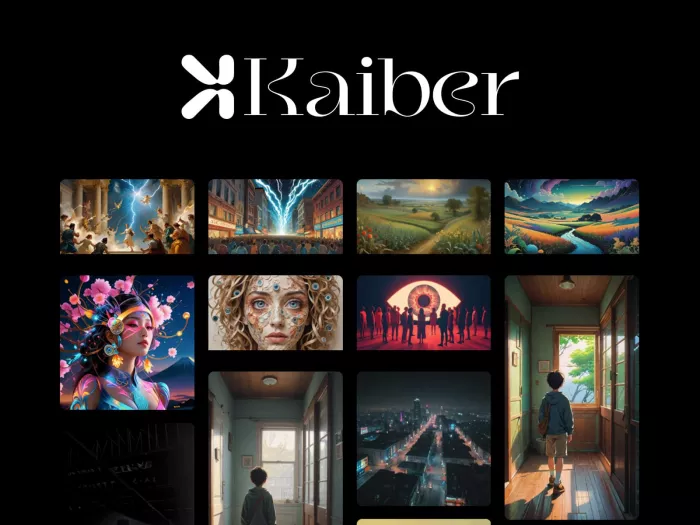
Kaiber is built for creators who want artistic AI animation, music-synced visuals, and stylized video content. It is especially useful for musicians, visual artists, content creators, and brands that want animated visuals with a strong aesthetic identity.
The platform is not only about producing random AI clips. Its strength is in turning ideas, images, and audio into expressive motion. That makes it useful for lyric videos, music videos, album visuals, social clips, and experimental animation.
What You Can Create With It
| Animation Use | Example |
| Music videos | AI visuals synced to a song |
| Artistic animation | Stylized moving scenes and abstract visuals |
| Lyric-style visuals | Background motion for music or spoken content |
| Social media clips | Short artistic videos for Reels or TikTok |
| Visual experiments | Surreal, anime-inspired, or cinematic art clips |
How It Helps Creators
Kaiber helps creators build mood-driven animation without needing a traditional animation setup. Musicians can use it to create visuals for songs, while artists can turn static ideas into moving scenes.
It is best when style matters more than strict realism. If a creator wants polished corporate animation, another tool may be better. But for artistic video, visual storytelling, and music-based motion, Kaiber has a clear place.
| Pros | Cons |
| Strong for music visuals | Less useful for business explainers |
| Good artistic animation style | Can require experimentation |
| Useful for musicians and creators | Credit limits matter for heavy use |
| Supports creative visual workflows | Not ideal for precise character animation |
Pricing:
Kaiber commonly offers trial or credit-based access. Its 5-day trial has been listed at around $5 with included credits, while paid creator plans may start around the $29 per month range depending on current availability and billing.
Best for:
Musicians, artists, and creators who want AI-powered music videos, artistic animation, and stylized motion visuals.
8. DeepMotion: Best for 3D Character Motion Capture
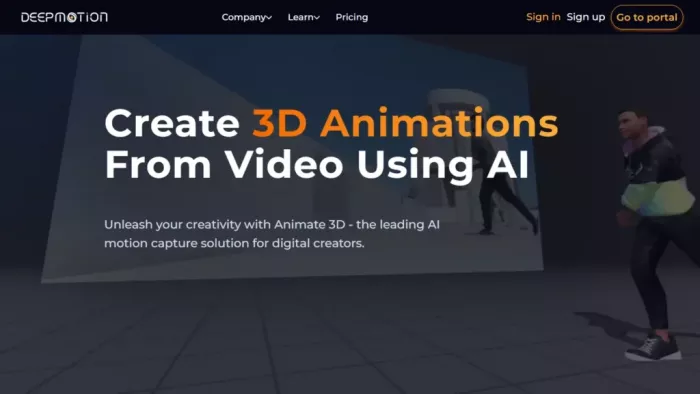
DeepMotion is different from most tools on this list because it focuses on AI motion capture. Instead of generating a complete animated video from a prompt, it helps turn human movement from video into 3D character animation.
This makes it useful for game developers, 3D artists, animators, indie studios, and creators working with digital characters. If you need realistic body motion for avatars, game characters, or 3D scenes, DeepMotion is more relevant than general AI video generators.
What You Can Create With It
| Animation Use | Example |
| 3D character animation | A digital character moving like a real person |
| AI motion capture | Body movement captured from a video |
| Game animation | Character movement for indie games |
| Avatar animation | Animated digital humans or virtual characters |
| Dance or action motion | Movement clips for 3D scenes |
How It Helps Creators
DeepMotion helps reduce the need for expensive motion capture equipment. Users can upload a video of a person moving, and the platform converts that movement into animation data.
This is useful for creators who work with 3D characters but do not have access to a motion capture studio. It can speed up character animation for games, short films, virtual production, and digital avatars.
| Pros | Cons |
| Excellent for 3D motion capture | Not for general explainer videos |
| Useful for game and avatar animation | Requires some 3D workflow knowledge |
| Reduces need for mocap hardware | Free plan has usage limits |
| Good for realistic body movement | Final cleanup may still be needed |
Pricing:
DeepMotion offers a free plan for personal and limited use. Paid plans start around $9 per month on annual billing for Animate 3D, with higher plans available for more credits, commercial use, and larger animation needs.
Best for:
3D artists, game developers, and animators who need AI motion capture for digital characters.
Which AI Animation Tool Should You Choose?
The best AI animation tool depends on the kind of animation you want to create. A beginner making explainer videos does not need the same platform as a filmmaker creating cinematic AI scenes or a game developer animating 3D characters.
| Use Case | Best Tool |
| Beginner animated videos | Animaker AI |
| Script-to-video animation | Steve AI |
| Business and training videos | Vyond |
| Social media graphics | Adobe Express / Firefly |
| Quick AI animated clips | Pika |
| Cinematic AI animation | Runway |
| Music videos and artistic motion | Kaiber |
| 3D character motion capture | DeepMotion |
Final Verdict
AI animation tools are no longer limited to one type of creator. A YouTuber can use Steve AI or Animaker to make explainer videos, a musician can use Kaiber for animated visuals, a filmmaker can use Runway for cinematic scenes, and a game developer can use DeepMotion for character movement.
For most beginners, Animaker AI is the safest starting point because it is simple, structured, and useful for common video formats. Steve AI is better if you already have scripts or blog posts and want to convert them into videos quickly. Vyond is the stronger choice for business and training teams, while Adobe Express is ideal for lightweight social media animation.
For more creative AI animation, Pika and Runway are the best options to test. Pika is better for quick short clips, while Runway is stronger for cinematic motion and more advanced visual experiments. Kaiber is the best fit for music videos and artistic visuals, and DeepMotion stands apart for anyone working with 3D characters or motion capture.
The smartest approach is not to pick the most popular tool, but to choose the one that matches your animation workflow. If you need explainers, choose a structured animation platform. If you need cinematic scenes, choose a generative video tool. If you need character movement, choose motion capture. That is how AI animation becomes useful instead of just impressive.


Comments