8 Best AI Creator Tools for Visuals, Videos, Voiceovers and Repurposing



Content creators do not need another random AI assistant. They need tools that help them produce real assets: thumbnails, reels, voiceovers, podcast clips, AI images, video scenes, shorts, carousels, and ready-to-publish edits.
The best AI tools for creators are not always the broadest tools. They are the ones that remove friction from a specific part of content production. A YouTuber may need better thumbnails and faster editing. A podcaster may need clean transcripts and clips. A short-form creator may need captions, templates, and automated cuts. A brand creator may need safe image assets and consistent visuals.
This guide breaks down eight specialized AI tools for content creators using a creator output format. Each tool is reviewed by what it helps you make, where it fits best, why creators use it, pricing, and where it may fall short.
Quick Comparison Table
| Tool | Best For | Free Plan | Starting Price |
| Canva | Social graphics, thumbnails, and carousels | Yes | Around $15/month for Pro |
| CapCut | Short-form video editing | Yes | Around $9.99/month for Pro |
| Runway | AI video generation and cinematic clips | Yes | From $12/month yearly |
| Descript | Podcast and video editing | Yes | From $16/month yearly |
| ElevenLabs | AI voiceovers and narration | Yes | From $5/month |
| OpusClip | Repurposing long videos into short clips | Yes | From $15/month |
| Adobe Firefly | Commercial-safe AI image assets | Yes | Firefly plans start around $10/month |
| InVideo AI | Prompt-to-video creation | Yes | From $17/month yearly |
1. Canva: Best for Social Graphics, Thumbnails, and Carousels
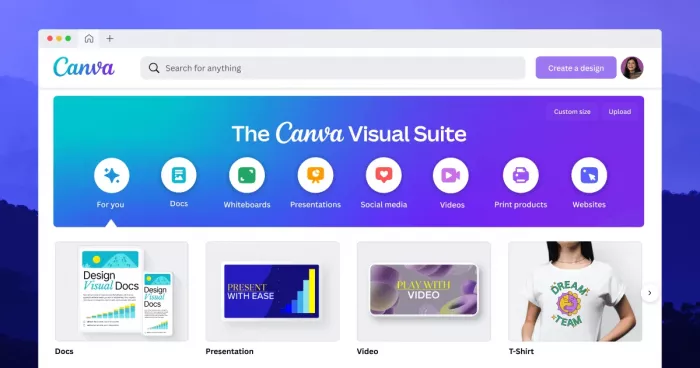
Canva is one of the most practical AI tools for creators who need polished visuals without using advanced design software. It works well for YouTubers, Instagram creators, bloggers, coaches, small businesses, and solo creators who need graphics across multiple platforms.
Its AI features support image generation, background removal, layout suggestions, writing help, brand kits, resizing, and quick design variations. For creators, the main value is speed. One idea can become a YouTube thumbnail, Instagram carousel, Pinterest pin, blog banner, LinkedIn graphic, and short video layout inside the same workspace.
| Creator Output | What You Can Make |
| Main Content | Thumbnails, carousels, social posts, banners, blog graphics, presentations |
| Repurposed Content | Pinterest pins, LinkedIn graphics, Instagram stories, short video layouts |
| Best Platform Fit | Instagram, YouTube, Pinterest, LinkedIn, blogs |
| Skill Level | Beginner to intermediate |
Why creators use it:
● Canva helps creators produce consistent visuals without designing every asset from scratch.
● Its templates, Magic Resize, background remover, and brand kits reduce repetitive design work.
● It is especially useful when one content idea needs to be adapted into several platform formats.
Pricing: Canva has a free plan with basic templates, design tools, and limited AI access. Canva Pro is commonly priced around $15/month, with annual billing available in many regions.
Best for: Creators who need fast, polished visuals for social media, blogs, YouTube, and digital products.
Not ideal for: Advanced designers who need Photoshop-level editing, complex motion graphics, or full manual control over every design element.
2. CapCut: Best for Short-Form Video Editing
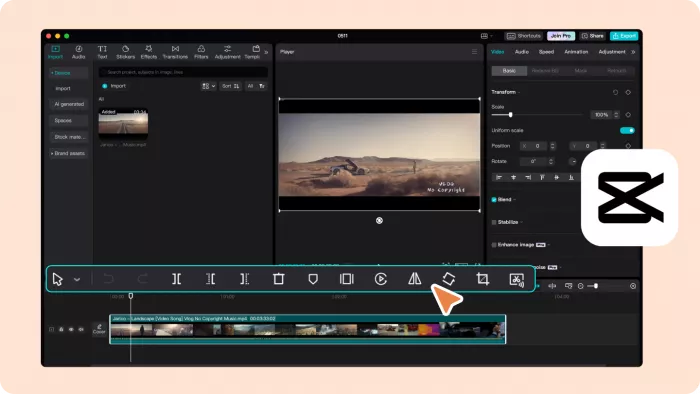
CapCut is one of the most useful AI editing tools for creators focused on TikTok, Instagram Reels, YouTube Shorts, and fast social video production. It combines mobile-friendly editing, desktop editing, captions, templates, effects, transitions, background removal, auto-cuts, and AI editing features.
The platform is popular because it makes short-form editing faster without requiring professional editing experience. Creators can cut clips, add captions, resize videos, use trending templates, clean up footage, and export platform-ready videos with less manual effort.
| Creator Output | What You Can Make |
| Main Content | TikToks, Reels, Shorts, product videos, talking-head clips |
| Repurposed Content | Captioned clips, meme edits, highlight reels, vertical snippets |
| Best Platform Fit | TikTok, Instagram, YouTube Shorts, Facebook Reels |
| Skill Level | Beginner to intermediate |
Why creators use it:
● CapCut makes short-form editing faster with auto captions, templates, effects, and platform-ready formats.
● It is useful for creators who need to publish frequently without spending hours inside professional editing software.
● Its mobile and desktop workflow helps creators edit from raw footage to final clip without switching tools.
Pricing: CapCut offers a free version with many editing tools. CapCut Pro pricing commonly starts around $9.99/month, though prices and included features can vary by region and platform.
Best for: Short-form creators who need quick editing, captions, effects, templates, and vertical video exports.
Not ideal for: Editors who need advanced color grading, complex timeline control, large team workflows, or full professional post-production features.
3. Runway: Best for AI Video Generation and Cinematic Clips
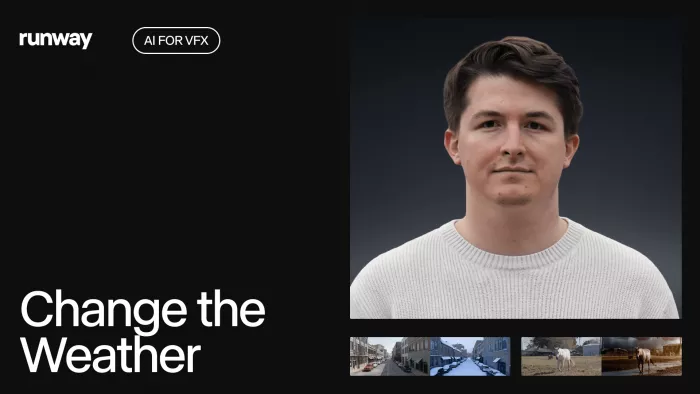
Runway is built for creators who want to generate, edit, and transform video using AI. It is especially useful for experimental video creators, filmmakers, designers, music video editors, ad creatives, and creators who want cinematic clips without filming every scene manually.
The platform supports AI video generation, image-to-video, text-to-video, generative editing, background changes, object removal, and creative video effects. Runway is not a basic editing app. It is better understood as a creative AI video lab for producing visual sequences, concept shots, motion tests, and stylized video assets.
| Creator Output | What You Can Make |
| Main Content | AI video clips, cinematic scenes, product visuals, concept footage |
| Repurposed Content | B-roll, intro scenes, background clips, social video assets |
| Best Platform Fit | YouTube, ads, music videos, Instagram, creative campaigns |
| Skill Level | Intermediate to advanced |
Why creators use it:
● Runway helps creators make video scenes that would be difficult, expensive, or time-consuming to film.
● It is strong for generating B-roll, visual experiments, transitions, and stylized clips.
● It gives creators more creative range when stock footage or raw camera footage is not enough.
Pricing: Runway offers a free plan for exploring its AI tools with limited credits. Paid plans start at $12/month per user when billed annually, with higher plans offering more credits and advanced usage.
Best for: Creators who need AI-generated video scenes, cinematic visuals, creative B-roll, and experimental motion content.
Not ideal for: Creators who only need simple video trimming, captions, and social templates. CapCut or Descript may be easier for those workflows.
4. Descript: Best for Podcast and Video Editing
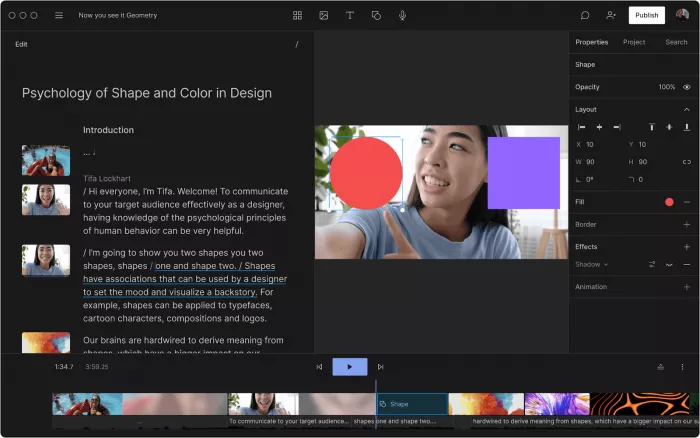
Descript is a strong AI tool for creators who work with podcasts, interviews, screen recordings, talking-head videos, tutorials, and long-form recordings. Its main advantage is text-based editing. Instead of cutting audio and video only on a timeline, creators can edit a transcript and the media changes with it.
The platform includes transcription, filler word removal, studio sound, screen recording, captions, overdub-style voice features, clip creation, and video editing tools. This makes it especially useful for podcasters, educators, YouTubers, course creators, and interview-based content teams.
| Creator Output | What You Can Make |
| Main Content | Podcasts, interviews, tutorials, screen recordings, YouTube videos |
| Repurposed Content | Clips, transcripts, captions, audiograms, social snippets |
| Best Platform Fit | YouTube, podcasts, LinkedIn, online courses, newsletters |
| Skill Level | Beginner to intermediate |
Why creators use it:
● Descript makes editing spoken content faster because creators can cut mistakes by editing text.
● It is useful for turning long recordings into cleaner videos, transcripts, captions, and short clips.
● Its audio cleanup tools help creators improve sound quality without learning advanced audio software.
Pricing: Descript offers a free plan for basic use. Paid plans start at $16/month per person when billed annually, while higher plans unlock more transcription, AI features, and publishing capacity.
Best for: Podcasters, educators, interview creators, and YouTubers who edit spoken content regularly.
Not ideal for: Creators who need cinematic video effects, advanced animation, or deep motion graphics.
5. ElevenLabs: Best for AI Voiceovers and Narration
ElevenLabs is one of the strongest AI voice generation tools for creators who need realistic voiceovers, narration, character voices, dubbing, and audio content. It is useful for YouTube creators, faceless channel owners, educators, audiobook creators, game storytellers, podcast producers, and social video teams.
The platform can turn scripts into natural-sounding speech in different voices, styles, and languages. Creators use it when they need narration but do not want to record their own voice every time or hire a voice actor for every project.
| Creator Output | What You Can Make |
| Main Content | Voiceovers, narrations, explainers, character voices, audio clips |
| Repurposed Content | Multilingual voice versions, dubbed videos, short-form narration |
| Best Platform Fit | YouTube, podcasts, courses, audiobooks, TikTok, Instagram |
| Skill Level | Beginner to intermediate |
Why creators use it:
● ElevenLabs helps creators produce professional-sounding narration without a recording setup.
● It is useful for faceless videos, explainer content, educational videos, and multilingual versions.
● Its voice quality is strong enough for creators who want a more natural sound than basic text-to-speech tools.
Pricing: ElevenLabs offers a free plan with limited usage. Paid plans start at $5/month, with higher plans adding more credits, commercial rights, voice cloning, and increased production capacity.
Best for: Creators who need realistic voiceovers, narration, dubbing, or audio versions of written content.
Not ideal for: Creators who need full podcast editing, timeline editing, or advanced sound design. Descript may be better for that.
6. OpusClip: Best for Repurposing Long Videos Into Short Clips
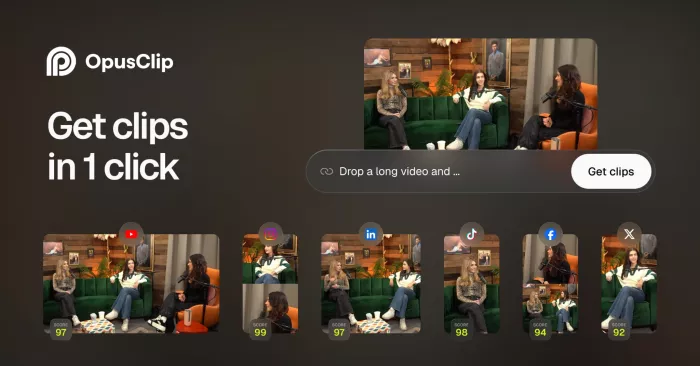
OpusClip is built for creators who already have long-form videos and want to turn them into short clips for TikTok, YouTube Shorts, Instagram Reels Creation, and LinkedIn. It is especially useful for podcasters, webinar hosts, interview creators, YouTubers, coaches, and brands with long recordings.
The platform uses AI to detect strong moments, create short clips, add captions, score clip potential, and format videos for short-form platforms. Its biggest value is repurposing. Instead of manually watching a 60-minute recording to find usable clips, creators can quickly generate multiple short-form assets.
| Creator Output | What You Can Make |
| Main Content | Short clips from podcasts, webinars, interviews, and YouTube videos |
| Repurposed Content | Reels, Shorts, TikToks, LinkedIn clips, captioned highlights |
| Best Platform Fit | YouTube Shorts, TikTok, Instagram Reels, LinkedIn |
| Skill Level | Beginner |
Why creators use it:
● OpusClip helps creators get more content from videos they have already recorded.
● Its AI clip selection, captions, and virality scoring reduce manual review time.
● It is especially useful for creators who publish long-form content but also need short-form reach.
Pricing: OpusClip has a free-forever plan with limited monthly processing time and watermarked exports. Paid plans start at $15/month for the Starter plan, which adds more credits and removes watermarks.
Best for: Podcasters, YouTubers, coaches, and webinar creators who want to turn long content into short social clips.
Not ideal for: Creators who mainly produce original short videos from scratch. CapCut may be better for manual short-form editing.
7. Adobe Firefly: Best for Commercial-Safe AI Image Assets
Adobe Firefly is a generative AI tool for creators who need images, design assets, visual ideas, text effects, and creative variations. It is especially useful for brand creators, marketers, designers, bloggers, social media teams, and businesses that care about commercial safety.
Firefly is valuable because it is connected to Adobe’s creative ecosystem and focuses heavily on usable creative assets. Creators can generate images, edit visuals, expand scenes, create effects, and use Firefly-powered tools inside apps like Photoshop, Illustrator, Adobe Express, and other Creative Cloud products.
| Creator Output | What You Can Make |
| Main Content | AI images, background assets, concept visuals, product-style graphics |
| Repurposed Content | Blog headers, social graphics, ad visuals, thumbnails, campaign assets |
| Best Platform Fit | Blogs, websites, Instagram, YouTube, ads, brand campaigns |
| Skill Level | Beginner to advanced |
Why creators use it:
● Adobe Firefly helps creators produce image assets that feel more brand-safe than many open-ended AI image tools.
● It works well for blog visuals, campaign graphics, social assets, backgrounds, and creative variations.
● Its connection to Adobe apps makes it useful for creators who already use Photoshop, Illustrator, or Adobe Express.
Pricing: Adobe Firefly offers free access with limited generative credits. Paid Firefly plans start around $10/month, while many Creative Cloud users also receive generative credits through their existing Adobe plans.
Best for: Creators and brands that need AI-generated image assets for commercial content, campaigns, and polished visual production.
Not ideal for: Users who want unlimited image experimentation without credit limits or creators who prefer highly stylized non-commercial image generators.
8. InVideo AI: Best for Prompt-to-Video Creation
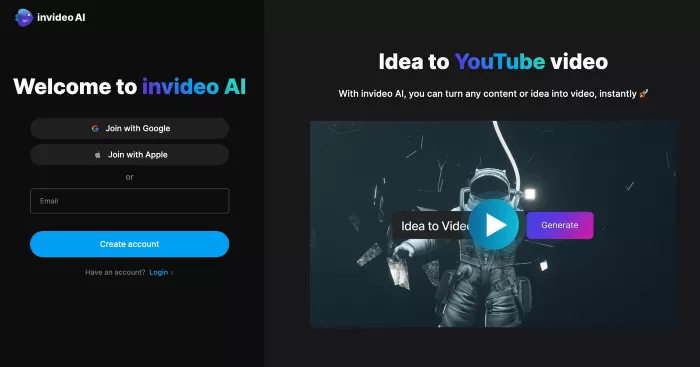
InVideo AI is designed for creators who want to turn prompts, scripts, or content ideas into videos quickly. It works well for marketers, YouTubers, educators, small businesses, and creators who need explainer videos, list videos, social ads, promotional clips, and faceless videos.
The platform can help generate video drafts with scenes, stock footage, voiceovers, subtitles, and structure. It is useful when a creator needs a quick video starting point rather than building everything manually from a blank timeline.
| Creator Output | What You Can Make |
| Main Content | Explainer videos, social ads, faceless videos, promo videos, list videos |
| Repurposed Content | Short clips, product promos, YouTube drafts, social video variations |
| Best Platform Fit | YouTube, Instagram, LinkedIn, TikTok, websites |
| Skill Level | Beginner to intermediate |
Why creators use it:
● InVideo AI helps creators move from text prompt to video draft faster than traditional editing tools.
● It is useful for creators who need structured videos with stock footage, captions, narration, and quick edits.
● It works well when speed matters more than frame-by-frame creative control.
Pricing: InVideo offers a free plan with limited credits and watermarked exports. Paid plans start at $17/month when billed annually, with higher tiers offering more AI generation minutes, storage, exports, and media access.
Best for: Creators who want to create quick AI-assisted videos from prompts, scripts, or campaign ideas.
Not ideal for: Advanced video editors who need detailed timeline control, professional color grading, or complex motion graphics.
Best Tool by Creator Need
| Creator Need | Best Tool |
| YouTube thumbnails | Canva |
| Instagram carousels | Canva |
| TikTok and Reel editing | CapCut |
| AI video scenes | Runway |
| Podcast editing | Descript |
| AI voiceovers | ElevenLabs |
| Repurposing long videos | OpusClip |
| Commercial-safe AI images | Adobe Firefly |
| Prompt-to-video drafts | InVideo AI |
Final Verdict
The best AI tools for content creators are the ones that produce specific, usable outputs.
Canva is the best starting point for creators who need thumbnails, graphics, carousels, and platform-ready visuals. CapCut is the strongest everyday choice for short-form video editing, especially for creators publishing Reels, TikToks, and Shorts. Runway is better for creators who want cinematic AI video scenes and experimental visual content.
Descript is the most practical option for podcasters, educators, and interview creators because it makes spoken content easier to edit, clean, transcribe, and repurpose. ElevenLabs is the best pick for realistic AI voiceovers and narration. OpusClip is the strongest tool for turning long videos into short clips without manually searching for highlights.
Adobe Firefly is best for creators and brands that want AI image assets with stronger commercial-use positioning. InVideo AI is a practical choice for creators who want to turn prompts and scripts into quick video drafts.
For most creators, the smartest stack is not one all-in-one AI tool. A strong setup would include Canva for visuals, CapCut for short-form editing, ElevenLabs for voiceovers, and OpusClip or Descript for repurposing. Creators who produce more advanced video or branded visuals can add Runway, Adobe Firefly, or InVideo AI based on their output needs.
The right AI creator stack should make content production faster, cleaner, and more consistent. It should not add more tools than the creator can actually use.


Comments