AI Tools for YouTube Shorts Creation: What Works for Each Workflow



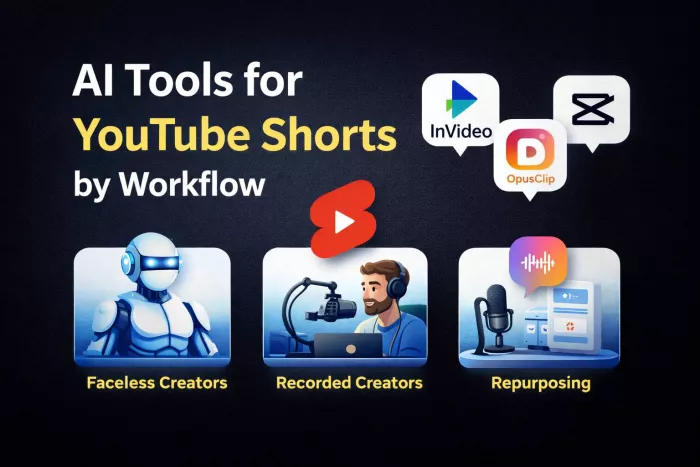
The 3 Types of Shorts Creators
Before choosing tools, the workflow matters more than features.
Faceless AI creators rely on script-to-video systems. They need tools that generate visuals, voiceovers, and captions automatically. Speed and volume matter more than precision.
Recorded content creators film themselves and need fast editing. Their bottleneck is trimming clips, adding captions, and keeping retention high.
Repurposing creators take podcasts, interviews, or long videos and convert them into Shorts. Their priority is identifying viral moments and auto-formatting.
Each group needs a different type of AI tool. That is where most mistakes happen.
Quick Comparison Table: AI Tools for YouTube Shorts
| Tool | Best Use Case | AI Capability Type | Pricing (Exact) | Ease of Use | Best For |
| InVideo | Faceless video creation | Generation | Free, $25/mo, $60/mo | Easy | Script-to-video workflows |
| Pictory | Blog/podcast to video | Generation + editing | Free, $19/mo, $39/mo | Easy | Content repurposing |
| OpusClip | Long video to Shorts | Clipping + AI detection | Free, $15/mo, $29/mo | Very easy | Viral clip extraction |
| Canva | Simple Shorts + design | Generation + editing | Free, Pro $14.99/mo | Easy | Beginner creators |
Tool-by-Tool Breakdown
InVideo
What it does best
InVideo is built for script-to-video production. It allows users to input a script and generate a complete video with stock footage, transitions, voiceovers, and captions.
This makes it highly effective for faceless YouTube Shorts channels that rely on volume. Instead of editing manually, creators can generate multiple Shorts in minutes using templates optimized for vertical formats.
Where it struggles
InVideo outputs often require manual adjustments to feel native to Shorts. The pacing, hook, and visual transitions are not always optimized for retention.
It is strong for production speed but weaker for platform-specific optimization.
Key details
● Script-to-video automation
● Large stock media library
● AI voiceover support
● Vertical templates available
Pricing: Free, $25/month, $60/month
Rating: ~4.6/5
Best for: Faceless AI Shorts creation
Pictory
What it does best
Pictory converts long-form content such as blogs, scripts, or podcasts into short videos. It automatically extracts key points and matches them with visuals and captions.
This makes it useful for creators who want to turn written or spoken content into Shorts without starting from scratch.
Where it struggles
Pictory is less effective for highly dynamic or trend-driven Shorts. The output can feel structured and less engaging compared to manually edited clips.
It works better for informational content than entertainment-driven Shorts.
Key details
● Blog-to-video and script-to-video conversion
● Automatic summarization
● Caption generation
● Stock footage integration
Pricing: Free, $19/month, $39/month
Rating: ~4.5/5
Best for: Repurposing content into Shorts
OpusClip
What it does best
OpusClip is designed for repurposing long-form content into Shorts. It uses AI to identify high-engagement segments and automatically converts them into vertical clips with captions.
This removes the need to manually search for clips, which is one of the biggest bottlenecks in scaling Shorts.
Where it struggles
OpusClip depends on existing long-form content. It does not help with original creation.
The AI selection is strong but not perfect. Manual review is still needed to ensure quality.
Key details
● AI clip detection for viral moments
● Auto captions and reframing
● Vertical formatting
● Batch processing
Pricing: Free, $15/month, $29/month
Rating: ~4.6/5
Best for: Turning long videos into Shorts
Canva
What it does best
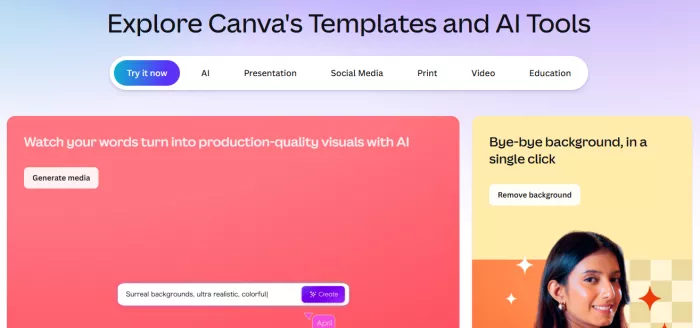
Canva provides a simple way to create Shorts using templates, animations, and basic video editing tools. It combines design and video creation in one platform.
This makes it ideal for beginners who want to create visually clean Shorts without learning complex tools.
Where it struggles
Canva lacks advanced AI video capabilities compared to InVideo or OpusClip. It is not built for high-volume production.
It works better for occasional content rather than scaling daily Shorts.
Key details
● Drag-and-drop video editing
● Pre-built vertical templates
● Text animations and captions
● Integrated design assets
Pricing: Free, Pro $14.99/month
Rating: ~4.7/5
Best for: Beginner-friendly Shorts creation
Decision Table: Which Tool Should You Use
| If your goal is | Best tool | Why |
| Create faceless Shorts fast | InVideo | Full script-to-video automation |
| Turn podcasts into Shorts | OpusClip | AI identifies key clips |
| Repurpose blogs into videos | Pictory | Converts text into video |
| Simple design + video creation | Canva | Easy templates and editing |
Final Verdict
OpusClip is the best overall tool because it directly solves the biggest bottleneck, finding and converting viral moments from long content.
CapCut is the best free tool for creators editing their own videos. It offers speed, control, and platform-specific features.
InVideo is the best option for scaling faceless Shorts production due to its automation capabilities.
The right choice depends entirely on workflow. Matching the tool to how content is created is what determines growth, not the tool itself.


Comments