
TTSMaker lets creators turn written scripts into downloadable AI voiceovers without paying for a subscription. I wanted to examine the practical side of the tool: how the voice selection works, what the editing controls change, and how much work remains before the audio is ready for a Reel or YouTube video.
The editor is easy to access, but the important decisions happen after choosing a voice. Script formatting, pronunciation, speed, and pauses all affect how natural the narration sounds.
TTSMaker at a Glance
TTSMaker is a browser-based text-to-speech generator with more than 600 advertised voices across over 100 languages. It supports free text conversion, voice customization, audio downloads, and commercial usage.
| Detail | TTSMaker |
| Free allowance | 20,000 characters weekly |
| Free conversion limit | 500 characters per conversion |
| Voice library | 600+ voices |
| Languages | 100+ |
| Downloads | MP3, WAV, OGG, AAC, OPUS |
| Commercial use | Allowed |
| Starting paid plan | $13.99/month |
The standard editor doesn't require an account. It displays the text input, language selector, voice options, and conversion button on the same page. More detailed controls sit inside More Settings.
TTSMaker is an audio-generation tool, not a complete video editor. The generated narration still needs to be synchronized with visuals, captions, and music elsewhere.
Starting With the Script
I focused on a short explanatory voiceover rather than a long article because short narration is more relevant to Reels, Shorts, and faceless videos.
The editing workflow begins with pasting the script into the main text field. TTSMaker counts the characters and displays the remaining conversion allowance, making it easy to see whether the text fits.
One detail is important: the free plan's 20,000-character weekly allowance is separate from its 500-character per-conversion limit. Longer scripts therefore need to be divided into smaller sections.
For narration, I prefer writing the script in short sentences rather than pasting paragraphs directly from an article. Text that looks natural on a page can sound crowded when read aloud.
The script should also spell out anything that the voice might interpret incorrectly, particularly abbreviations, brand names, and unfamiliar terms.
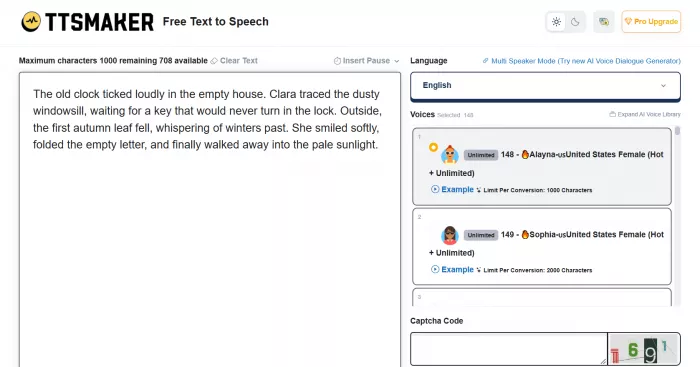
The practical workflow is:
1. Paste the narration into the text box and check its character count.
2. Select the language that matches the script.
3. Choose a suitable voice from the available library.
4. Open More Settings to adjust the delivery before conversion.
5. Generate the audio, listen to the output, and download the finished file.
TTSMaker also has a Try Listen Mode that converts only the first 50 characters. I find the idea useful for narrowing down voices because it avoids converting an entire passage just to check the opening sound.
However, a short preview cannot establish whether a voice will remain convincing across several paragraphs. Sentence endings, pacing, and difficult pronunciations need to be assessed in the complete narration.
Choosing a Voice for the Content
Voice selection is where I would spend more time than the interface initially suggests. TTSMaker allows the language to be chosen first, followed by a voice from the available options. Each voice has a particular speaking style, and the available choices vary by language.
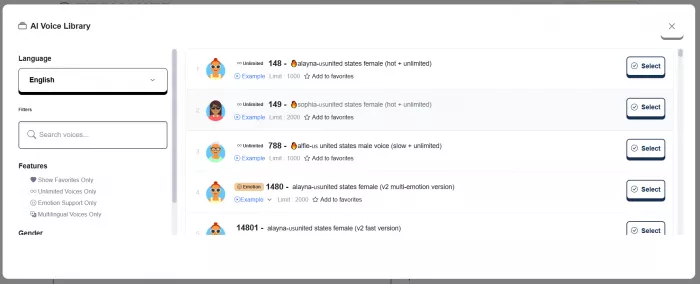
For creator content, I judge voice suitability using three criteria: clarity, consistency, and how well the delivery matches the subject.
A voice that sounds energetic in a short sample may be tiring across a longer tutorial. A slower, steadier voice can work better for educational content, although it may feel less suitable for a fast-paced social clip.
Instead of selecting a voice only by its label, I would evaluate the complete narration against the following points:
● Pronunciation: The voice needs to handle technical words, product names, numbers, and abbreviations clearly.
● Sentence endings: Questions and statements should have an appropriate rhythm rather than sounding identical.
● Pacing: The voice should allow listeners to follow the information without dragging out simple sentences.
● Consistency: The same voice should maintain a similar tone when a script is divided into multiple conversions.
TTSMaker also provides multilingual voice options, including English, Hindi, Spanish, French, and other languages.
The availability of a language doesn't guarantee identical quality across voices. Accent, pronunciation, and support for mixed-language scripts still need to be checked individually.
My main takeaway from the voice-selection process is that the script and voice need to work together. Choosing a different voice doesn't automatically correct awkwardly written narration.
Adjusting the Narration
The More Settings panel is one of the most useful parts of TTSMaker. It provides controls for speech speed, volume, pitch, paragraph pauses, output format, and audio quality. These settings matter because the default voice delivery won't suit every type of content.
Changing Speech Speed
Speed affects the duration and rhythm of the entire narration. TTSMaker includes preset speed options, including half speed and double speed. Increasing the speed shortens playback time, while lowering it makes the same text take longer to read.
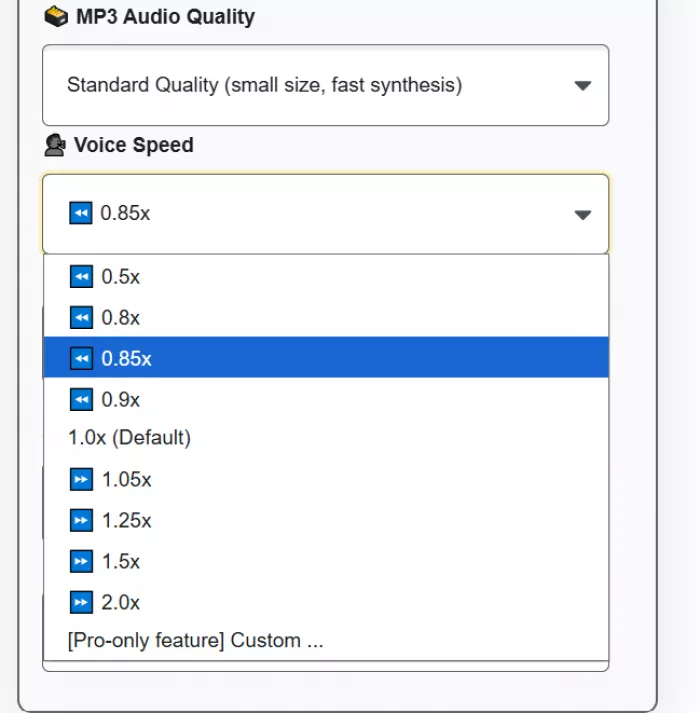
I prefer making small speed adjustments rather than immediately pushing the voice to its fastest setting. Excessively fast narration can make important details difficult to follow, particularly in technical explanations.
For short videos, another useful adjustment is shortening the script itself. Removing an unnecessary sentence often works better than speeding up every word to meet a duration target.
The relationship between speed and content is straightforward: faster narration suits concise information, while complex instructions need enough room for listeners to process each step.
Adjusting Pitch and Volume
Pitch changes the perceived height of the voice. TTSMaker provides preset adjustments, with more precise custom values available through paid plans. This changes the character of the narration but doesn't replace choosing a suitable voice model.
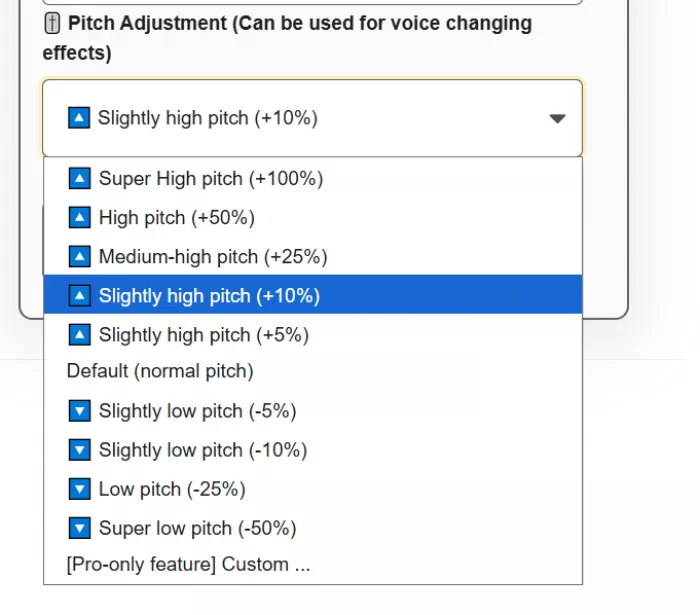
Volume is a separate control. It changes the loudness of the generated audio, which is useful when preparing a voiceover for editing.
I would leave final loudness balancing until the voiceover is combined with background music and other audio. A file that sounds loud on its own may still need adjustment inside the finished video.
Adding Pauses
Pause control is particularly relevant to instructional content. TTSMaker supports pauses between paragraphs and allows manual pauses to be inserted into the text using a specific notation.
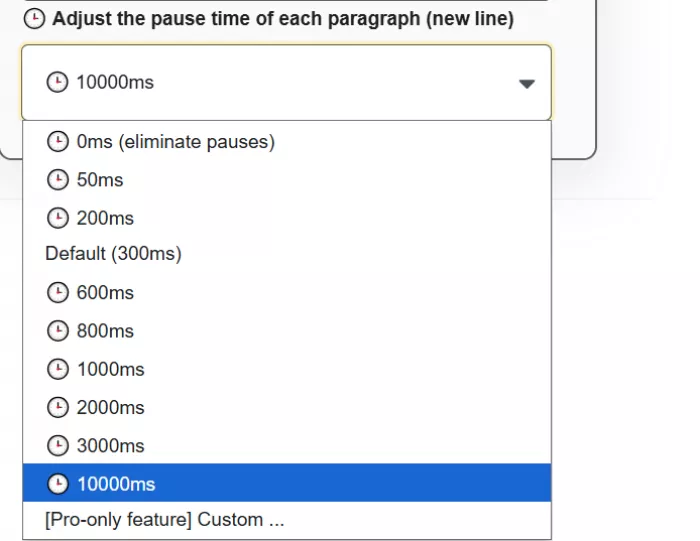
For example, ((⏱️=1000)) inserts a one-second pause. The free version supports up to 50 manual pause insertions, with an individual pause limit of 10 seconds.
This makes it possible to separate ideas without changing the speed of every sentence.
A pause before an important instruction gives the viewer time to follow what's happening on screen. A pause after an introduction can also create space for a visual transition.
I would use manual pauses selectively. Ordinary punctuation and paragraph breaks should handle most of the narration's rhythm, while manual pauses are better reserved for precise timing.
Downloading the Final Audio
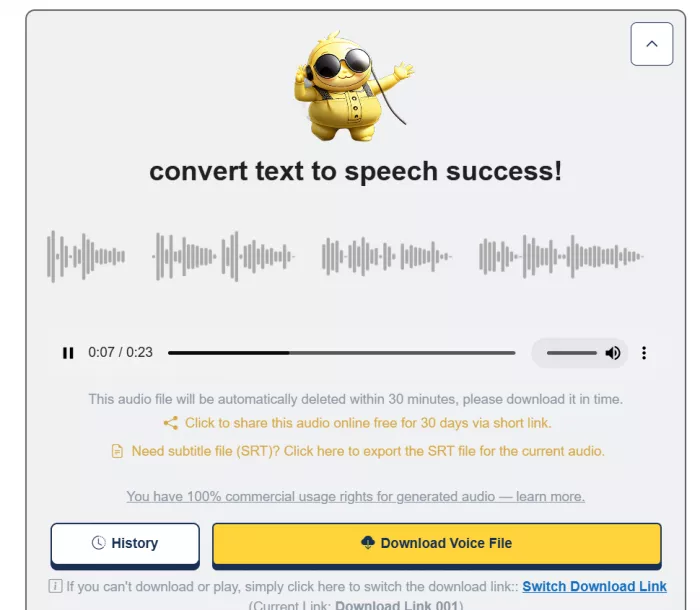
After conversion, TTSMaker displays an audio player along with options to download the generated narration. The available formats include MP3, WAV, OGG, AAC, and OPUS. The editor also provides MP3 audio-quality settings.
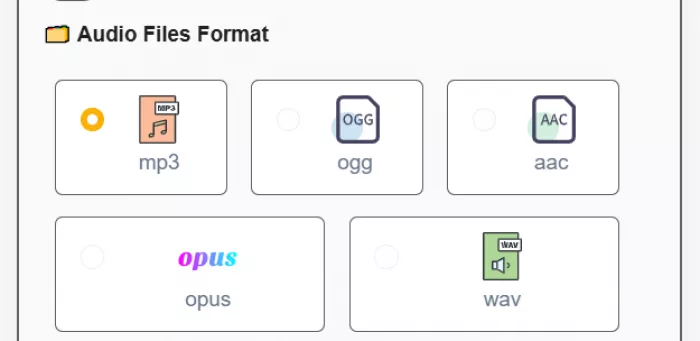
For my intended social media workflow, MP3 is the most practical starting format because it is compact and supported by common video editors.
WAV is another option for workflows that benefit from uncompressed audio, although the resulting files are generally larger. TTSMaker also provides an SRT subtitle export option. This is useful because captions are an important part of short-form video editing.
However, the exported subtitle file should be checked against the finished narration before publication. Text accuracy and caption timing still matter.
Another detail I would not overlook is temporary file storage. TTSMaker states that generated audio files are automatically deleted from its temporary storage after approximately 30 minutes.
The finished audio should therefore be downloaded rather than left in the browser as the only available copy.
The main output from TTSMaker is a standalone narration file. It does not automatically become a complete Reel or YouTube Short; the voice track must still be imported into a video editor.
Where TTSMaker Fits Into Content Creation
TTSMaker makes the most sense for creators producing narration-heavy content, particularly when the visuals already exist or are being edited separately.
Its usefulness changes depending on the content format.
| Content format | Most relevant feature | Main consideration |
| Instagram Reels | Short voice conversions | Pacing and timing |
| YouTube Shorts | Voice and speed selection | Keeping narration concise |
| Faceless videos | Downloadable voiceovers | Consistent voice delivery |
| Tutorials | Pauses and clear speech | Accurate technical terms |
| Educational content | Multiple languages | Pronunciation and clarity |
| Longer YouTube videos | Script-to-audio conversion | Free conversion length limits |
For short-form videos, I would prioritize pronunciation and pacing before exploring effects. The narration needs to communicate the information clearly within the available video duration.
For educational videos, sentence structure becomes more important. Technical explanations require predictable pacing and clearly spoken terminology.
Longer YouTube videos introduce another consideration: consistency between multiple audio files. A script divided into several conversions should use the same voice and settings throughout.
TTSMaker handles voice generation, but combining audio sections, removing gaps, adding background music, and matching the narration to visuals remain editing tasks.
That distinction is important. The service reduces the need to record spoken audio manually, but it does not eliminate audio production work.
What I Didn't Like About TTSMaker
The main limitation I see with TTSMaker is the difference between controlling speech settings and directing an actual vocal performance.
The standard editor provides speed, pitch, volume, and pause controls. These help adjust delivery, but they don't offer complete control over emotional expression or emphasis on individual words.
Several other restrictions matter for regular creator use.
● The 500-character free conversion limit is restrictive for long narration. The weekly allowance may look generous, but a longer script requires multiple conversions, followed by combining the downloaded files.
● Voice previews provide limited information. A brief sample helps identify the general sound, but it cannot demonstrate how the voice handles long passages or difficult words.
● Pronunciation correction requires attention to the script. Rewriting an unfamiliar term or changing punctuation may be necessary when the generated speech doesn't match the intended reading.
● Audio generation and video editing remain separate. TTSMaker cannot replace a full editing timeline for arranging footage, synchronizing captions, and balancing background music.
● More expressive voice controls are paid features. Multi-emotional settings and advanced dialogue editing are associated with higher Pro plans rather than the standard free editor.
The free service also includes advertising and CAPTCHA verification. These are relatively minor for occasional use but become more noticeable when processing many separate script sections.
I would treat TTSMaker as a narration generator rather than an application for producing polished, emotionally directed voice performances.
TTSMaker Pricing: Free vs Paid
TTSMaker offers a free plan and paid subscriptions with larger conversion limits and additional features.
The free plan provides 20,000 characters per week, access to its advertised voice library, and commercial usage permission. Certain voices also offer unlimited conversion without counting against the standard weekly quota.
The current monthly plans are:
| Plan | Starting price | Character allowance |
| Free | $0 | 20,000/week |
| Lite | $13.99/month | 300,000/month |
| Pro Mini | $23.99/month | 600,000/month |
| Pro Max | $32.99/month | 1.2 million/month |
| Studio | $140/month | 6 million/month |
The Lite plan increases the maximum conversion length to 10,000 characters. Pro Mini raises it to 20,000 characters and adds features such as multi-emotional controls and a dialogue editor.
For occasional short voiceovers, the free plan covers the basic production process. The main reason to upgrade is not simply access to text-to-speech, but the need for longer conversions, larger monthly allowances, or advanced voice controls.
Can I Use TTSMaker for Monetized Videos?
TTSMaker allows commercial use of generated audio, including use in YouTube videos, social media content, advertisements, and other lawful projects. Attribution to TTSMaker is not required under its stated licensing terms.
This is useful for creators who publish monetized content, although commercial permission from TTSMaker is separate from the monetization rules of YouTube or other platforms. Generated speech also does not provide rights to copyrighted scripts, background music, or other third-party material used in the finished video.
My Final Verdict
TTSMaker offers an accessible way to create AI voiceovers without recording narration manually. The editor provides direct access to voice selection, speech speed, pitch, pauses, and audio downloads, while the free plan makes the basic process available without registration.
The most useful controls for creators are speech speed and pause adjustment. These affect how the narration fits into short videos and tutorials, where timing and clarity are more important than elaborate vocal effects. Its biggest limitations are the short free conversion length and the restricted control over expressive delivery. Longer projects require additional file management, while advanced narration styles may need more capable voice tools.
For straightforward faceless videos, educational narration, and short social media scripts, TTSMaker is a practical supporting tool. I would use it for generating the voice track and complete the timing, captions, and sound balancing in a dedicated video editor.


Comments