Best Carrd Alternatives in 2026: 6 Better Options for Growing Beyond One Page

Rajat Chauhan

Carrd remains difficult to beat for a simple one-page website. It is fast, uncomplicated, and remarkably cheap: Pro Standard still costs just $19 per year and includes custom domains, forms, embeds, analytics, and up to 10 sites.
The problem begins when the website stops being simple. A second service page becomes a blog, the blog needs a CMS, someone else needs editing access, or the business suddenly wants bookings, email capture, advanced animations, or a real content structure.
That is where Carrd alternatives become interesting. The six options below are not simply builders with longer feature lists. Each solves a different problem that Carrd can eventually expose.
Carrd Alternatives at a Glance
| Tool | Best for | Main advantage over Carrd | Paid entry point |
| Typedream | Simple sites that need room to grow | Multi-page publishing, CMS and marketing tools | $15/mo annually |
| Framer | Design-heavy websites | Far greater visual control and animation | $10/mo annually |
| Unicorn Platform | SaaS and startup sites | Startup-focused blocks, AI and HTML export | $9/mo annually |
| Dorik | Blogs and content-driven sites | Strong CMS and multi-site capabilities | $49/mo, billed yearly |
| Wix | Small businesses | Commerce, bookings, CRM and marketing | $17/mo annually |
| Webflow | Professional designers and larger sites | Advanced layout, CMS and development control | $15/mo annually |
Prices were checked in August 2026. Website-builder pricing changes regularly, and some platforms vary pricing by billing cycle or region.
What Makes a Good Carrd Alternative?
Carrd sets an unusual benchmark because it does less, deliberately. A replacement therefore needs to offer something meaningful enough to justify extra cost and complexity.
For this list, the tools were considered around a few practical areas:
● Building speed matters because Carrd makes publishing extremely quick. An alternative that needs hours of configuration before a basic landing page is online should provide significantly more capability in return.
● Growth matters more than raw feature count. Multi-page architecture, blogging, CMS collections, collaboration, eCommerce, business tools, and reusable content are useful because they solve limitations that appear as a Carrd site expands.
● Design control needs to remain usable. More freedom is helpful, but an interface that overwhelms non-designers may be a poor Carrd replacement even if it is technically more powerful.
● Price has to be viewed against Carrd's unusually low baseline. Carrd Pro Lite is $9 per year, Pro Standard $19, and Pro Plus $49. Most alternatives cost more in a month than Carrd costs in a year.
● The right alternative depends on what the site is becoming. A startup landing page, design portfolio, local business website, blog, and agency project do not require the same builder.
With that in mind, here are the six alternatives that make the strongest case.
1. Typedream: Best Overall Carrd Alternative
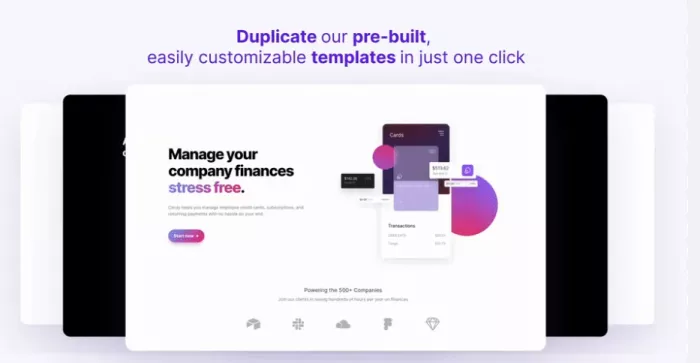
Typedream is probably the closest match for someone who likes Carrd's speed but has begun to outgrow its one-page-first approach. Its block-based editor remains approachable, yet the platform can expand into multi-page sites with blogging, forms, analytics, email capture, digital-product sales, SEO controls, and collaboration.
That middle ground is important. Moving from Carrd does not necessarily mean you need the freedom of Webflow or the business infrastructure of Wix. Sometimes you simply need a straightforward website that can become larger without being rebuilt somewhere else.
Key Features
● Block-based editing keeps site creation relatively simple, with pre-designed components that can be rearranged without learning a professional design system.
● Unlimited pages on Launch remove the one-page mindset, making About, Services, Pricing, Resources, Contact, and other sections easier to organize.
● CMS, forms, analytics, SEO controls, and code injection give a growing site more useful publishing and marketing infrastructure.
● Email marketing and digital-product selling are built into the wider platform, which can reduce the need to connect separate creator tools.
Typedream Pricing
| Plan | Price | Main use |
| Free | $0 | One published page and testing |
| Launch | $15/mo annually | Multi-page sites, CMS, analytics and custom domain |
| Grow | $42/mo annually | Larger sites, more CMS collections and collaborators |
Launch currently includes unlimited published pages, a custom domain, one CMS collection, complete site analytics, up to 1,000 form submissions, 1,000 email subscribers, and two collaborators.
Where It Beats Carrd
Typedream's strongest advantage is growth without a major increase in complexity. You can start with a landing page and later add a blog, resource library, lead forms, separate service pages, or email collection without moving into an entirely different workflow.
Its AI website tools can also help generate site structure, wireframes, and copy before you refine the result in the editor.
Limitations
Typedream costs dramatically more than Carrd once a custom domain and multi-page publishing are required. That extra expense only makes sense if you actually use its additional structure or marketing tools.
Design freedom is also more controlled than Framer or Webflow. Typedream is excellent at clean, conventional layouts but less suited to unusual interactions or highly art-directed websites.
Best For
Typedream fits freelancers, creators, consultants, indie founders, and small businesses that like Carrd's simplicity but now need a proper multi-page site, blog, forms, or basic marketing stack.
2. Framer: Best for Visual Design
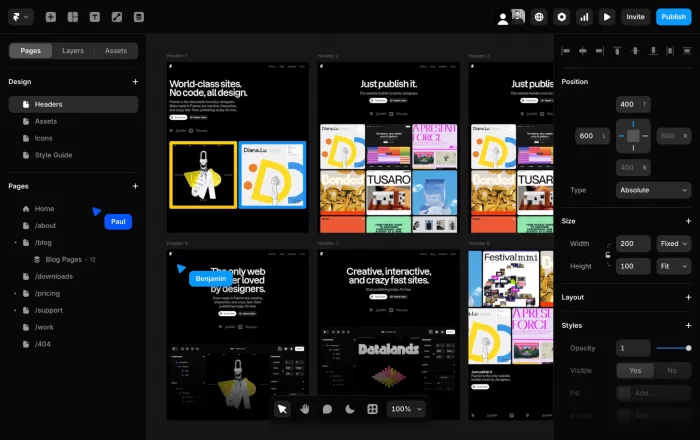
Framer is the strongest option on this list when Carrd starts feeling visually restrictive rather than structurally restrictive. It combines a free-form design canvas with responsive layouts, CMS collections, animations, components, analytics, SEO tools, collaboration, and increasingly capable AI agents.
It is particularly effective for modern portfolios, startup sites, product pages, and design-led marketing websites where visual polish is part of the product rather than decoration around it.
Key Features
● A visual canvas provides much finer control over spacing, layout, typography, breakpoints, components, and responsive behavior than Carrd's simpler editor.
● Animations and interactions are built into the design workflow, making sophisticated transitions and presentation effects possible without a separate animation tool.
● CMS functionality is available even on the Basic plan, which currently includes two collections and up to 1,000 CMS items.
● Framer Agents can assist with design, content, site audits, SEO, and site maintenance, with monthly AI credits included on paid plans.
Framer Pricing
| Plan | Price | Main use |
| Free | $0 | Designing and testing on a Framer domain |
| Basic | $10/mo annually | Personal sites and smaller professional projects |
| Pro | $30/mo annually | Larger marketing sites and teams |
Basic includes a custom domain, 30 designed pages, two CMS collections, 1,000 CMS items, 50 GB bandwidth, built-in SEO, and 1,000 monthly AI credits. Pro raises those limits and adds features such as redirects, staging, and branching.
Where It Beats Carrd
The difference is design depth. Carrd makes it easy to assemble a polished page quickly, while Framer gives you much more control over how that page behaves, moves, and adapts across screen sizes.
It is also easier to grow into a real marketing site because CMS content, multiple pages, localization options, analytics, and collaboration are part of the platform rather than extensions around a one-page builder.
Limitations
Framer's freedom comes with a steeper learning curve. Someone who can build a Carrd page in an afternoon may spend considerably longer learning responsive layout behavior, components, and design systems.
Team costs can rise too. Additional full editors are currently $20 per month and content editors $10 per month.
Best For
Framer is best for designers, creative agencies, startups, portfolio owners, and product teams that want their website to feel highly customized rather than template-driven.
3. Unicorn Platform: Best for Startups and SaaS
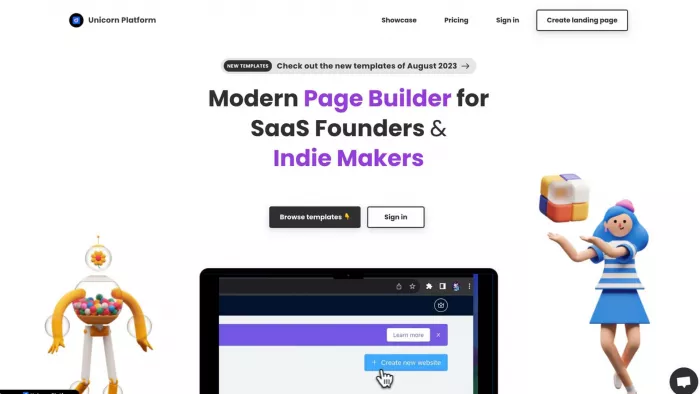
Unicorn Platform is more specialized than most Carrd alternatives, and that is precisely why it earns a place here. It is designed around founders, SaaS products, side projects, and startup landing pages rather than trying to serve every possible website category.
Its editor uses pre-built sections for common startup needs such as hero areas, feature grids, pricing, testimonials, FAQs, calls to action, and forms. AI can also generate and refine landing-page content from a product description, which makes the path from idea to published marketing page particularly short.
Key Features
● Startup-oriented blocks reduce setup work for common SaaS sections such as features, pricing, social proof, and signup CTAs.
● AI can generate page content and help refine individual blocks, making it useful when the product exists but the marketing site does not.
● Custom HTML, CSS, and JavaScript are supported, giving technical users a way to extend otherwise no-code pages.
● HTML export is available on paid plans, allowing the finished website to be moved to another hosting environment instead of remaining permanently tied to the platform.
Unicorn Platform Pricing
| Plan | Price annually | Main use |
| Lurker | Free | Building and testing; no live published site |
| Maker | $9/mo | One basic published startup site |
| Startup | $29/mo | Full blog, branding removal and collaborator |
Maker allows one published site with unlimited pages, a custom domain, HTML export, SSL/CDN, and up to 10 blog posts. Removing Unicorn branding requires the Startup tier.
Where It Beats Carrd
Unicorn Platform is better when the website has a startup-specific job to perform. Instead of starting with a blank page and assembling a marketing funnel piece by piece, founders get sections already shaped around product positioning, conversion, lead capture, and SaaS presentation.
HTML export is another meaningful advantage. Carrd Pro Plus can download site source, but Unicorn exposes export at its lower paid tiers, giving users a clearer path to self-hosting.
Limitations
The startup focus can also feel narrow. A photographer, artist, restaurant, or editorial publisher will probably find broader builders more natural.
The $9 Maker plan also retains Unicorn Platform branding, so a fully branded professional site effectively pushes you toward the more expensive Startup plan.
Best For
Unicorn Platform is strongest for SaaS founders, indie hackers, early-stage startups, product launches, waitlists, and teams that need to get a conversion-focused marketing site online quickly.
4. Dorik: Best for CMS and Multi-Site Publishing
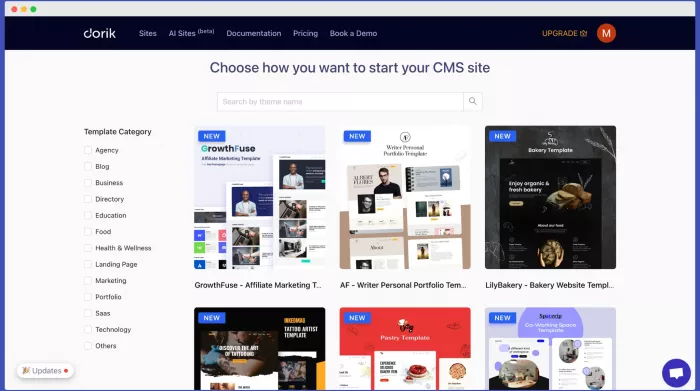
Dorik becomes interesting when the main reason for leaving Carrd is content rather than design. Its current platform includes static pages, blogging, CMS collections, forms, SEO controls, AI site generation, team collaboration, and code export within one system.
More unusually, Dorik's plans are account-oriented rather than charging for only a single simple site. Both Free and paid tiers currently allow unlimited sites and static pages, while paid plans add more professional controls.
Key Features
● A full CMS supports unlimited blog posts and collection items, making Dorik better suited to regularly published or database-driven content.
● Content can be imported from WordPress, Medium, Ghost, and Substack, which is valuable for sites moving from an existing publishing platform.
● AI site generation is built into the builder, with paid plans also adding AI text and image generation.
● Code export is available on Pro, giving developers or agencies another option when a site eventually needs to leave Dorik hosting.
Dorik Pricing
| Plan | Price | Main use |
| Free | $0 | Static sites and basic CMS experiments |
| Pro | $49/mo, billed yearly | Professional sites, custom code and collaboration |
| Agency | $99/mo, billed yearly | Agency workflows and white-label features |
Pro currently provides unlimited sites and custom domains, 10 collaborators, unlimited CMS collections, custom code, RSS feeds, advanced SEO controls, and up to 60 code exports per month.
Where It Beats Carrd
Dorik is much stronger when content becomes an operational part of the website. Blogs, collections, content imports, redirects, schema controls, and repeated publishing are much easier to manage in a real CMS than inside a one-page-focused builder.
The ability to manage multiple custom-domain sites under a paid account can also change the value calculation for someone operating several projects.
Limitations
At $49 per month billed yearly, Dorik Pro is a substantial jump from Carrd. It makes little financial sense for someone replacing a single portfolio or landing page.
Its broader feature set also means there is more interface and configuration to learn. Carrd's constraint is often its advantage: there are fewer decisions to make.
Best For
Dorik is best for bloggers, content publishers, agencies, SEO-driven sites, and users managing several websites where CMS functionality matters more than ultra-low pricing.
5. Wix: Best for Small Businesses
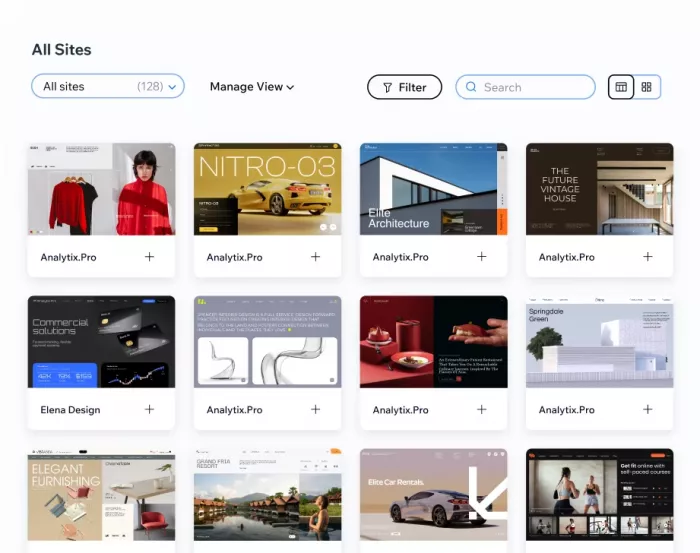
Wix is less a direct Carrd replacement and more the point you reach when the website starts becoming part of the business itself. Its platform combines site building with eCommerce, payments, bookings, CRM, forms, email marketing, SEO, analytics, memberships, and other operational tools.
Its newer Wix Harmony editor also combines AI generation with conventional drag-and-drop editing, allowing users to generate pages or layouts from prompts and then refine them manually.
Key Features
● AI-assisted website building can create initial pages and layouts from a prompt, while the editor still allows manual control afterward.
● Built-in commerce supports products, payments, discounts, and selling workflows without stitching together several external services.
● Bookings and scheduling make Wix considerably more useful for service businesses, including coaches, consultants, salons, instructors, and appointment-based companies.
● CRM, marketing, analytics, blogging, and SEO tools are integrated into the same dashboard, reducing dependence on separate platforms.
Wix Pricing
| Plan | Price annually | Main use |
| Free | $0 | Testing with Wix branding and subdomain |
| Light | $17/mo | Basic professional websites |
| Core | $29/mo | Business sites, payments and basic eCommerce |
| Business | $39/mo | Growing stores and broader marketing needs |
Wix notes that pricing varies by location, but its July 2026 US pricing lists Light at $17 per month, Core at $29, Business at $39, and Business Elite at $159 when billed annually.
Where It Beats Carrd
Wix wins when the website needs to run business processes rather than merely present information. Taking bookings, selling products, accepting payments, managing customers, publishing a blog, and running marketing activity can all happen inside the same ecosystem.
A Carrd site can connect to external services for many of these jobs, but Wix reduces the amount of integration work required.
Limitations
That convenience comes with much more platform complexity. Wix has far more menus, settings, apps, and business options than someone building a five-section landing page needs.
It is also substantially more expensive. If Carrd plus one or two external integrations already cover your workflow, migrating to Wix may create more software than you actually require.
Best For
Wix is the strongest choice for local businesses, consultants, service providers, online sellers, appointment-based businesses, and small companies that need their website connected to day-to-day operations.
6. Webflow: Best for Advanced Professional Sites
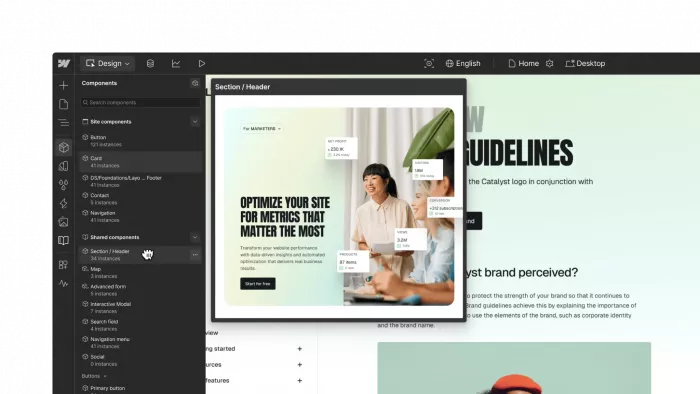
Webflow is the biggest step away from Carrd on this list. Rather than simplifying web design as much as possible, Webflow exposes many of the concepts professional front-end designers work with: box-model spacing, flexbox, grids, classes, responsive breakpoints, components, CMS structures, custom code, and sophisticated interactions.
That makes it unnecessary for many Carrd users. It also makes it one of the best upgrades when Carrd's simplicity has become the actual problem.
Key Features
● Fine-grained responsive design controls provide significantly more layout precision than simpler no-code website builders.
● Webflow CMS supports structured content, which is useful for blogs, directories, case studies, locations, resources, and other repeatable page types.
● Interactions, components, custom code, and developer-oriented controls let teams build considerably more bespoke experiences.
● Webflow has added AI capabilities and AI-native website tools, while its current plans also support Webflow Cloud app hosting and related developer workflows.
Webflow Pricing
| Plan | Price annually | Main use |
| Starter | Free | Learning and prototypes |
| Basic | $15/mo | Static sites without CMS |
| Premium | $25/mo | Content-rich sites with CMS |
Webflow changed its pricing structure in May 2026. Basic now costs $15 per month annually, while the former CMS and Business tiers are being consolidated into a $25-per-month Premium plan for new purchases. Premium expands CMS capacity to as many as 20,000 items and 40 collections.
Where It Beats Carrd
Webflow provides far more structural and design control. If a project requires a substantial CMS, custom page systems, complex responsive layouts, advanced animation, reusable components, or close designer-developer collaboration, Carrd reaches its natural limit much earlier.
It is also a platform you can grow into rather than immediately outgrow. A simple marketing site can eventually become a larger content or product experience without necessarily changing builders.
Limitations
Webflow's learning curve is easily the steepest here. Someone who wants to publish a portfolio tonight should probably not replace Carrd with Webflow simply because it is more powerful.
Pricing also becomes more layered as projects expand, with Site plans, Workspace considerations, and potentially add-ons depending on the workflow. Webflow makes the strongest sense when its additional control will actually be used.
Best For
Webflow fits professional web designers, agencies, larger marketing sites, content-heavy businesses, and teams that want detailed visual and CMS control without hand-coding the entire site.
Where Carrd Is Still Better
An alternatives article should not assume that switching is automatically an improvement. Carrd continues to make more sense for a surprising number of projects.
Its pricing remains one of its biggest advantages. Pro Lite costs $9 per year, Pro Standard $19, and Pro Plus $49, while Pro Standard already supports 10 sites, custom domains, forms, widgets, embeds, analytics, custom templates, and several other features.
Carrd is still difficult to beat when:
● The entire purpose of the website fits naturally onto one page, such as a portfolio, personal profile, speaker page, event site, product waitlist, or simple campaign.
A simple site can still work remarkably well when the structure is right. Knowing what to include on a personal website often matters more than adding extra pages or features.
● You maintain several small websites, because Carrd's multi-site pricing can be dramatically cheaper than paying a separate monthly subscription for every project.
● Third-party integrations already solve the advanced parts of the workflow. Stripe, PayPal, Gumroad, Typeform, email platforms, and custom embeds can extend Carrd without converting it into a full business suite.
Carrd also works well as a custom bio destination for creators who want more control than a basic link list. The broader link-in-bio setup can range from a simple hub to a compact personal landing page.
● Speed matters more than scalability. A builder with a CMS, advanced animation system, or dozens of business modules does not create extra value if you only need a clean page and a contact form.
The important distinction is between outgrowing Carrd and simply wanting more features. Those are not the same thing.
Which Carrd Alternative Should You Choose?
| Your main problem with Carrd | Best choice |
| “I need multiple pages, a blog and forms but still want something simple.” | Typedream |
| “My site needs stronger design, animation and visual polish.” | Framer |
| “I am launching a SaaS product or startup.” | Unicorn Platform |
| “Publishing and CMS content are becoming central to the site.” | Dorik |
| “My website needs bookings, payments, CRM or eCommerce.” | Wix |
| “I need professional design control and a serious CMS.” | Webflow |
| “I still only need one clean page.” | Stay with Carrd |
The cost difference should influence the decision more than it usually does in website-builder comparisons. Carrd Pro Standard costs $19 per year. Typedream Launch at $15 per month annually works out to $180 per year, Framer Basic to $120, and Wix Light to roughly $204 at its current US annual rate.
That does not make those alternatives overpriced. It means the additional capability should solve a problem worth paying for.
Verdict: The Best Carrd Alternative Depends on What Carrd Can No Longer Do
For most people who enjoy Carrd's simplicity but need a more complete website, Typedream is the most natural next step. It adds multi-page publishing, CMS content, analytics, forms, email capture, and collaboration without turning website building into a technical discipline.
Framer is the stronger upgrade for design. If Carrd's layouts and interaction controls are the restriction rather than its page structure, Framer provides much more room to create distinctive websites.
Unicorn Platform is the practical startup choice, especially for SaaS launches and founders who want AI-assisted page creation and familiar marketing blocks. Dorik becomes more compelling when content and CMS management dominate the workflow, while Wix is the better option once the site needs to handle real business functions such as bookings, payments, customer management, or eCommerce.
Webflow offers the highest ceiling, but it also asks the most from the user. It is worth choosing when professional-level control is a requirement, not simply because a more advanced tool sounds like an upgrade.
And for a one-page portfolio, bio site, simple landing page, or temporary campaign? Carrd may still be the better answer. The smartest alternative is not the builder with the longest feature list. It is the one that fixes a limitation you are already feeling without replacing Carrd's simplicity with complexity you never needed.


Comments