
Finding stock footage for a video sounds simple until the clips don't match, the background music feels out of place, or a promising download turns out to have licensing restrictions. I use stock media to fill visual gaps in content, so having videos, music, and sound effects in one place is appealing.
Mixkit offers all three for free, along with editable video templates. Its library is easy to browse, but finding assets that belong together in a finished video takes more thought than downloading the first attractive clip.
What exactly is Mixkit?
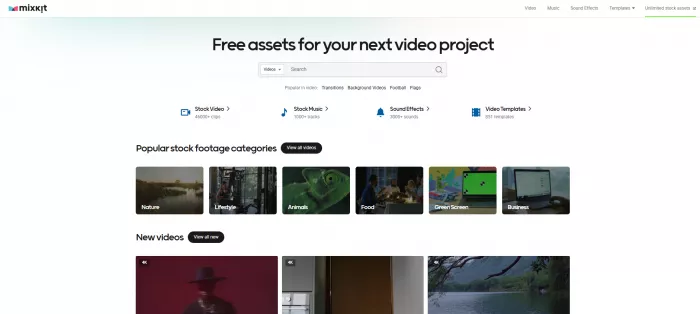
Mixkit is a free stock media platform operated by Envato. It provides downloadable stock footage, royalty-free music, sound effects, and templates for popular video editing applications.
The website doesn't require an account to access its free downloads, and assets are provided without watermarks. It also supports commercial use under the relevant licenses, although some video clips have restrictions.
| Detail | Mixkit |
| Website | mixkit.co |
| Parent company | Envato |
| Main purpose | Free stock media |
| Content | Videos, music, sound effects, templates |
| Pricing | Free |
| Registration | Not required |
| Video quality | HD and 4K available |
| Commercial use | Depends on license |
| Best for | Video editors and content creators |
Mixkit's homepage lists more than 46,000 stock video clips, 1,000 music tracks, 3,000 sound effects, and 851 video templates. Those numbers make it a substantial resource, although the actual usefulness depends on the subject and style of the content being produced.
Finding My Video Clips
I began with the visual material for a short productivity video. The idea was to combine several workplace scenes with simple text overlays and background music. I needed footage that looked natural together rather than a collection of unrelated cinematic shots.
I opened the stock video section and searched for working on laptop. This was a more useful starting point than searching for productivity, which describes a concept rather than something directly visible on screen.
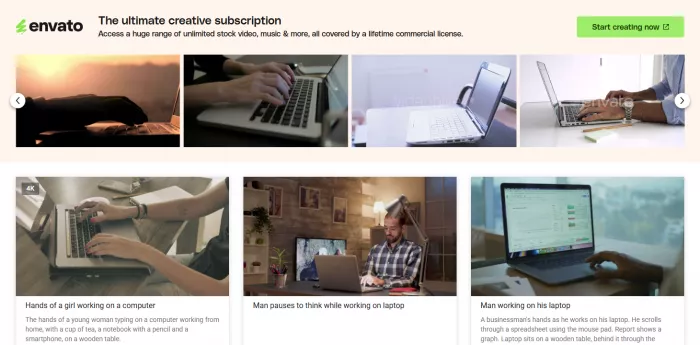
Mixkit organizes footage into recognizable categories such as business, lifestyle, nature, and backgrounds. The thumbnails help identify scenes quickly, while the individual clip previews give a better sense of movement and composition.
I narrowed the visual direction to three types of scenes: someone working at a desk, a close-up of typing, and a wider office-style shot. These offered enough variation to build a short sequence without changing the subject completely.
What matters here is the difference between a visually impressive clip and one that serves the video. A dramatic camera movement might look attractive in the search results but distract from an informational text overlay. I favored cleaner compositions with space for captions and natural movement.
The library makes broad visual searches relatively straightforward. More specialized subjects are harder because the right action, location, camera angle, and overall appearance need to align.
Downloading Stock Footage
After narrowing down the footage, the next step was checking the individual asset pages. Mixkit provides free HD and 4K stock footage, although availability and download options depend on the selected clip.
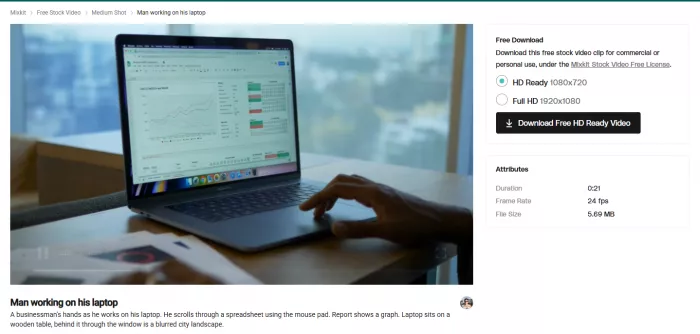
For a vertical productivity video, the original framing matters as much as resolution. A horizontal shot with its subject near the edge can become difficult to crop into a 9:16 frame. A centered subject generally leaves more room to reframe the scene without cutting off important details.
I approached the clips with that final aspect ratio in mind rather than choosing entirely on the strength of their previews.
One of Mixkit's practical advantages is that its free downloads do not require mandatory registration. The clips also have no embedded Mixkit watermark, which avoids having to work around branding in the finished edit.
The part that still requires attention is consistency. Different stock clips can have noticeably different lighting, color temperature, and camera movement. A warm indoor scene followed by a bright, cool-toned office clip can make the edit feel disconnected.
The footage therefore needs to be assessed as a sequence, not simply as individual files. Cropping, exposure adjustments, and careful trimming can help create a more consistent result, but they cannot make every stock clip suitable for every project.
Choosing Background Music
With the visual direction established, I moved to Mixkit's music section. The aim was to find something that supported a focused, slightly upbeat video without making it feel like a promotional advertisement.
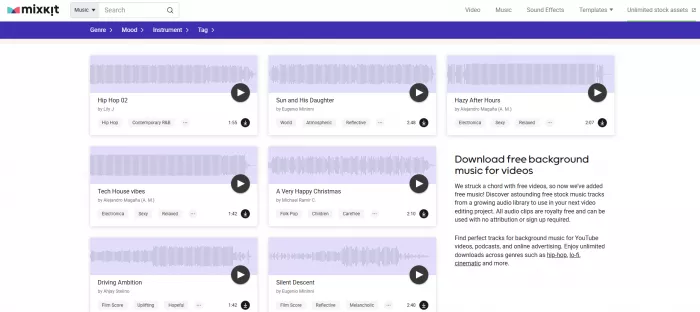
Mixkit provides music categories organized by genre, mood, instruments, and descriptive tags. Instead of browsing randomly, I focused on ambient and relaxed music, which suited the quieter working scenes better than dramatic cinematic tracks.
The music section gives useful information such as track titles, artist names, durations, and tags. These details make it easier to shortlist audio before deciding how it fits a particular edit.
I looked for a steady instrumental rhythm that could sit underneath short captions and natural scene transitions. Music with sudden volume changes or heavy percussion would have competed with the visuals rather than supporting them.
There are several things I pay attention to when choosing music for this type of content:
● The opening should fit the first scene. A track with a long, quiet introduction can make a short video feel slow before the viewer has seen enough content.
● The rhythm should support the editing pace. A moderate rhythm is generally easier to use with workplace footage than music built around sudden dramatic changes.
● The track needs a suitable ending. Even a good background track can feel unfinished if the audio cuts abruptly when the final caption disappears.
● The music should leave room for other audio. Heavy melodies and dense percussion can interfere with dialogue, narration, and small sound effects.
Mixkit offers plenty of music styles, but selecting the right one remains a creative decision. A royalty-free track is useful only when its mood fits the project.
Adding Sound Effects
I then explored the sound effects section for short interface-style sounds and transitions. Mixkit's sound library is organized into categories such as technology, nature, notifications, human sounds, and cinematic transitions. Its selection includes clicks, beeps, whooshes, sweeps, impacts, and environmental recordings.
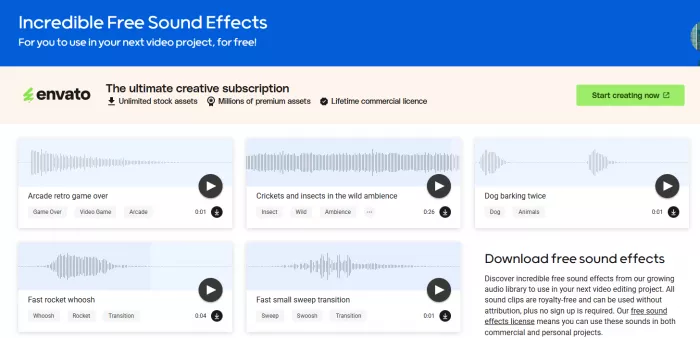
For a productivity video with text overlays, small interface effects are more appropriate than heavy cinematic impacts. A gentle click can accompany a text change, while a brief whoosh can emphasize a transition between two distinct scenes.
The challenge is using them selectively. A sound effect after every cut quickly becomes repetitive, especially in a short video with background music.
The website makes it possible to browse and preview different types of sounds, but previewing an effect alone does not establish whether it belongs in an edit. Volume, timing, and how the effect interacts with music are equally important.
My approach is to use sound effects only where they reinforce something visible. A transition sound should match a clear movement or scene change, not exist simply to make the video louder.
This is one area where Mixkit is particularly convenient. The sound effects library is separate from the music collection, so finding a brief interface effect doesn't involve sorting through full-length background tracks.
Exploring Video Templates
After looking through the media libraries, I opened Mixkit's video templates section. The platform provides templates for Adobe Premiere Pro, After Effects, Final Cut Pro, and DaVinci Resolve. Available categories include titles, transitions, openers, logo animations, and other motion graphics.
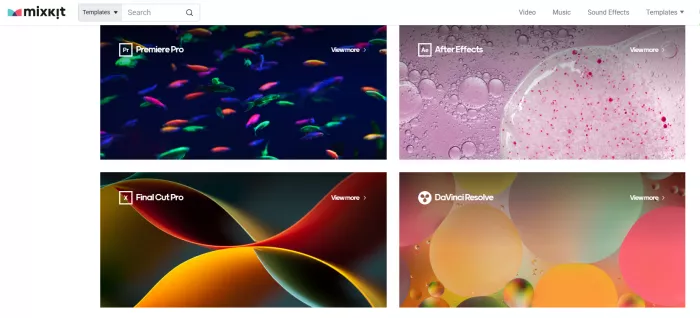
I focused on title animations because they are more relevant to short informational videos than elaborate introductions. A subtle animated heading can provide structure without consuming too much screen time.
The templates are organized by editing application, which is important because a template's visual appearance doesn't tell you whether it will work in your software.
Unlike a normal stock video, a template contains editable elements. Depending on the file and application, these can include text layers, animation settings, colors, and other components.
A template can save time when a creator needs a recurring visual style, but it doesn't eliminate editing work. Replacing short sample text with a longer heading may affect spacing or timing. Fonts and graphics may also need adjustment to match the rest of the video.
For my productivity-video layout, a simple title treatment made more sense than an elaborate intro animation. Short videos benefit from getting to the subject quickly, and a long opening can consume time without adding information.
Mixkit's template collection is worth browsing, particularly for creators working in supported editing applications. However, compatibility and customization requirements should be checked before choosing a template for a project.
Putting the Video Together
The footage, music, and sound effects each had a different purpose in the productivity-video concept.
The workplace clips provided the visual structure. The background music established the atmosphere, while the transition effects were intended to emphasize selected changes between scenes.
I planned the sequence around the message rather than around the available stock footage. The opening needed an immediate visual connection to work or productivity, followed by close-up activity and a wider scene to create variation.
Text overlays were kept brief so that they could be read without competing with the footage. I also considered where each caption would appear, since placing text over a person's face or active hands can make the composition uncomfortable.
The next concern was pacing. Short-form content can feel rushed when every clip lasts only a moment, but it can also lose momentum when ordinary workplace footage remains on screen too long.
These are the production decisions that determine whether stock media works. Mixkit supplies visual and audio material, but the editor still controls how those files become a coherent story.
For a creator, this is the distinction that matters. A large media library can reduce the need to source footage and sounds separately, but it doesn't automatically produce a finished video with consistent pacing and style.
What Worked Well
Several parts of Mixkit stand out from a creator's perspective.
● The library brings multiple asset types together. Footage, music, sound effects, and templates are accessible from the same platform, reducing the need to search several websites for a simple production.
● Downloads don't require an account. There is no mandatory sign-up barrier before accessing the free assets, making the process convenient for occasional and regular users.
● The video categories are easy to understand. Collections such as business, lifestyle, backgrounds, and vertical videos provide useful starting points for common content formats.
● Music can be explored by mood and genre. This is more practical than relying only on broad search terms, especially when trying to match audio with a particular visual style.
● Templates support popular editing software. The availability of Premiere Pro, After Effects, Final Cut Pro, and DaVinci Resolve templates makes the collection relevant to different editing workflows.
The strongest benefit is convenience. Mixkit puts enough complementary resources in one place to make it a useful starting point for everyday video production.
Where Mixkit Falls Short
Mixkit is useful, but its free library doesn't solve every problem that comes with working with stock media.
The first limitation is originality. Since other creators can download the same assets, a recognizable clip or soundtrack may appear across unrelated videos. This is less concerning for supplementary footage, but it matters for brands trying to develop a distinctive visual identity.
Search specificity is another issue. A broad category can provide plenty of attractive clips without necessarily offering the exact action or camera angle needed.
The main limitations are:
● Highly specific footage is harder to source. Unusual locations, specialized occupations, and exact technical procedures may not have adequate coverage.
● Visual consistency requires editing. Stock footage from different creators can vary in color, lighting, composition, and movement.
● Templates require compatible software. Mixkit provides the template files, not the editing application needed to customize them.
● Some stock videos have restricted licenses. An asset being available for free does not always mean it can be used in a monetized or commercial project.
● Assets are not exclusive. Other creators remain free to use the same material under the relevant licensing terms.
These limitations are not unique to Mixkit, but they become more important as video projects become more specialized or brand-focused.
Is Mixkit Really Free?
Mixkit's core offering is genuinely free. Its website advertises unlimited free downloads without mandatory registration or attribution, and its downloadable footage is provided without watermarks.
However, the licensing details deserve more attention than the price.
Mixkit has different licenses for stock videos, music, sound effects, and video templates. Stock footage can also fall under a Restricted License, which does not permit commercial use.
| Asset type | Free to download | Commercial use |
| Stock videos: Free License | Yes | Allowed |
| Stock videos: Restricted License | Yes | Not allowed |
| Stock music | Yes | Allowed for specified uses |
| Sound effects | Yes | Allowed under license terms |
| Video templates | Yes | Allowed under license terms |
Mixkit music can be used in eligible YouTube videos, social media content, podcasts, and online advertising. Its license does not permit certain other uses, including video games, television or radio broadcasts, and CDs or DVDs.
The sound effects license differs and permits some uses that the music license does not. It is also important to remember that a stock asset may contain trademarks or other third-party material. Downloading a clip doesn't necessarily grant additional rights to everything visible or audible within it.
For commercial projects, I would check the relevant Mixkit license and retain a record of the asset page and applicable permissions. Mixkit also displays promotions for Envato Elements, but that is a separate paid subscription service. A subscription is not required to access Mixkit's free library.
Who Should Use Mixkit?
Mixkit is especially useful for creators who regularly need supplementary footage, background music, or small production elements.
YouTubers producing tutorials, documentaries, educational videos, and commentary can use the footage library for B-roll. Social media creators can explore vertical clips and sound effects for short-form projects, while freelance editors can source templates and reusable production assets.
Small businesses may also benefit when producing simple promotional content without the budget for dedicated filming or licensed stock subscriptions.
However, Mixkit is less suitable as the sole content source for productions that require exclusive imagery or precise documentation of real-world events. It also isn't a replacement for video editing software.
The platform makes the most sense when combined with original recordings, thoughtful editing, and a clear understanding of where stock media can support the finished work.
My Final Take
Mixkit brings free stock footage, music, sound effects, and editing templates into one accessible library. Its simple interface and no-registration downloads make it convenient for creators working on different video projects.
For my productivity video, the workplace footage, background music, and sound effects were particularly useful, although matching the assets required careful selection. The main limitations are non-exclusive content, limited niche footage, and varying licensing terms.
Mixkit is a practical free resource for YouTubers, social media creators, and video editors. It doesn't replace original footage or editing software, but it makes sourcing creative assets easier and more affordable.


Comments