
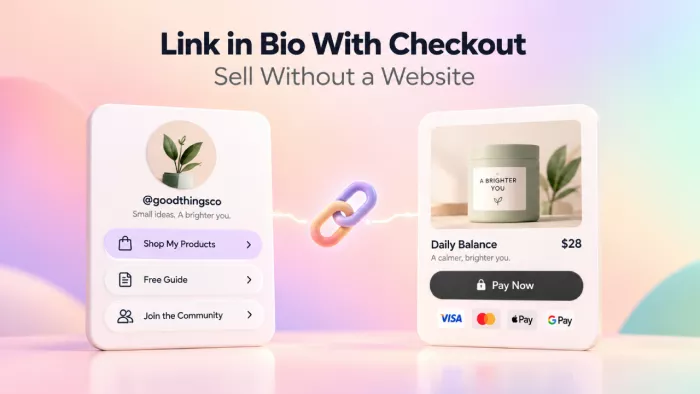
For most of Instagram’s life, the link in your bio was a doorway to somewhere else. You made the content here, and the actual selling happened over there, on a website, an Etsy shop, a Gumroad page.
That has changed. The bio link is now the store. A follower can watch your reel, tap your profile, and buy the thing in about the time it takes to screenshot it, and they never leave for a website you may not even have.
This guide is about doing that well: what you can sell, which tool to trust with your money, how to make the page actually convert, and where the whole setup quietly falls apart if you aren’t paying attention.
PART I : Why this works now
The death of the “just a link list” bio
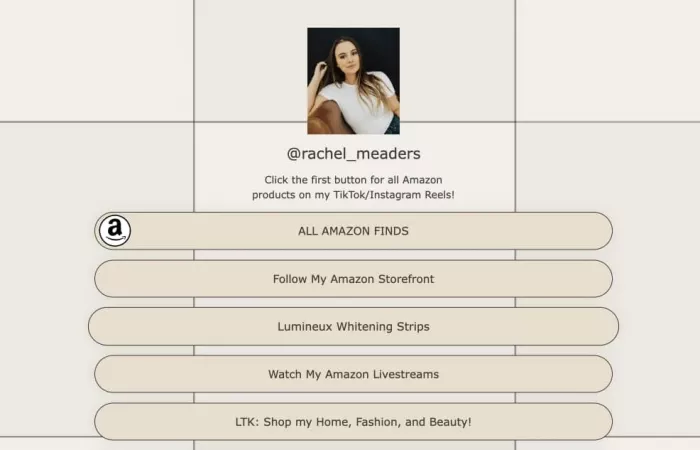
When link-in-bio tools first showed up, they solved a boring problem. Instagram gives you one clickable link, and you have five things to point people at. So you got a page of stacked buttons, and everyone tapped through to somewhere else to actually do anything.
The tools didn’t stay there. Over the last couple of years they quietly swallowed the job a small online store used to do. Checkout, digital delivery, booking calendars, email capture, upsells, the page in your bio can now run the whole transaction without handing your buyer off to anyone.
It’s not a menu anymore. It’s a till.
That’s the real shift, and it’s easy to miss if you still think of your bio link as a list of places to send people. The good ones aren’t pointing at your business. They are your business.
Website vs. checkout : what you actually need to sell
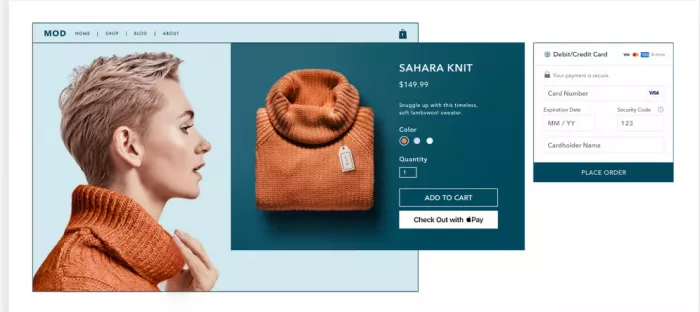
There’s a belief that still trips up a lot of creators: that you need a website before you can sell anything. You don’t. You need a way to take money.
Those are two different things, and it’s worth pulling them apart. A website is a place to be found. It lives at your own domain, it can rank in search, it holds your whole brand. A checkout is a place to get paid. One is a destination; the other is a transaction.
Here’s the uncomfortable part. A website with no traffic is just an expensive business card. If your audience already lives on Instagram or TikTok, the traffic problem is solved, you have attention. What you’re missing isn’t a site. It’s the checkout at the end of the attention.
The funnel math : why fewer taps mean more sales
Every extra step between “I want this” and “I paid” costs you buyers. That’s not a slogan, it’s just how attention works on a phone. People are half-watching, one thumb, mildly distracted, and every tap is a chance for them to remember they were doing something else.
A redirect to an external cart is one of those steps. Your follower taps your product, then gets bounced to a different site that looks different, loads separately, and asks them to trust it all over again. Some make it. Plenty don’t.
Native checkout, where the payment happens on the same page, collapses that. Watch the reel, tap the profile, tap the product, pay. You’ll see big multiplier claims thrown around for this, often something like “4.2× more sales,” usually from the tools selling you the feature, so take the exact figure with a pinch of salt. The underlying point holds anyway: you’re not creating new demand, you’re keeping the demand you already earned from leaking out.
PART II : What you’re selling, and to whom
What actually sells from a bio link
Not everything sells well from a bio link, and knowing the difference saves you months. The setup rewards things that are high-margin, easy to explain in a sentence, and bought on impulse or intent rather than long deliberation.
What tends to work, roughly in order of how naturally it fits:
• Digital products like ebooks, templates, presets, Notion systems, and short courses, because they cost nothing to duplicate and deliver the moment someone pays.
• Services and bookings such as coaching, consulting calls, and audits, where the bio link doubles as your calendar and takes the deposit up front.
• Memberships and subscriptions, from a private community to a monthly content drop, which turn a single sale into recurring income you can count on.
• Tips, event tickets, paid webinars, and print-on-demand merch, which round out the mix for creators with an engaged audience and something to say.
One detail people don’t realize until they try: Instagram won’t let you upload and sell a digital file directly. There’s no “attach the PDF, charge $19” button inside the app. The bio-link store is how that actually happens. It’s the mechanism, not a workaround, and the same is true for most of the list above.
Who this is (and isn’t) for
This works best if you’re a creator, coach, solo seller, or service provider with a handful of offers and an audience that already pays attention to you. If you’re testing whether people will actually pay for something before you build anything serious, it’s close to ideal, you can be live and taking money this afternoon.
It’s a poor fit in a few specific cases, and it’s worth being honest about them:
• If you sell a large catalog with lots of variants, sizes, and inventory to track, you’ll fight the tool constantly instead of using it.
• If your product needs a long, considered sales process, B2B deals or high-ticket work with several people signing off, a single tap-to-buy page isn’t where that closes.
• If discovery matters more than conversion, meaning you need strangers to find you through search, a bio store won’t do that job (more on that near the end).
None of this means “go build a website instead.” It means match the tool to what you’re actually selling, and don’t force a storefront to be something it’s not.
PART III : The stack and the money
Choosing your link-in-bio checkout tool
There are dozens of these tools now, and the marketing makes them sound more different than they are. Instead of chasing a brand, judge any tool on the four things that actually move your revenue.
• Is the checkout native or a redirect? On-page checkout keeps buyers in flow; a bounce to a third-party cart is where sales quietly die.
• What does the free plan really include? “Free” often means the storefront works but checkout, email capture, or removing the tool’s branding sit behind a paid tier.
• Do you keep the customer’s email and data? Some tools hand you the buyer’s details; others keep the relationship for themselves and leave you with only a payout.
• How much does the platform take? On top of payment processing, some tools skim a percentage of every sale, and that compounds fast as you grow.
The tools sort roughly into categories, and it’s far easier to pick a category that fits how you sell than to compare logos feature by feature.
Pick the category first, then the tool inside it
| Category | Good for | The trade-off |
| Creator storefronts | Selling courses, coaching, and digital products through a guided funnel | Usually a monthly subscription; less freeform page control |
| All-in-one suites | Store, media kit, and email in one mostly-free toolkit | Jack-of-all-trades; the deeper features cost extra |
| Minimalist bio pages | Mostly link routing with light commerce bolted on | Checkout is often secondary or a redirect |
| Ecommerce front-ends | Sellers who already run a real store | Overkill if you don’t have that store yet |
| Standalone checkout pages | One-product sellers who want a clean paid link | You assemble the rest of the stack yourself |
Prices and features in this category change constantly, and new tools appear every few months. Treat any specific number you read, here included, as a starting point to verify on the tool’s own pricing page, not gospel.
Native checkout vs. redirect : the difference that costs you money
Of the four questions above, one matters more than the rest, so it gets its own section. Does the sale happen on your page, or does your buyer get shipped off to a separate checkout to finish?
A redirect quietly stacks three problems at the worst possible moment. The new page takes a beat to load. It looks different from the page they were just on, which triggers a small “wait, where am I?” hesitation. And it’s a fresh browser context, which is exactly where a phone’s autofill and saved cards tend to stop cooperating.
On-page checkout removes all three. The buyer never context-switches, never re-decides whether to trust a new site, and stays in the same session that already knows their details. If you’re weighing two otherwise-identical tools and one keeps checkout on the page, that’s usually the one to pick, even if it costs a little more.
The money mechanics : fees, processors and payouts
Selling without a website doesn’t mean selling without fees. There are two layers stacked on every sale, and creators routinely notice only the first one.
The first layer is payment processing. Whoever moves the money, usually Stripe or PayPal, takes a cut of every transaction, in the ballpark of 2.9% plus 30 cents per sale in the US. That’s mostly unavoidable and roughly the same wherever you sell.
The second layer is the platform itself, and this is where the models diverge hard.
How the platform layer charges you, on top of processing
| Pricing model | What you pay | Makes sense when |
| Flat subscription | A fixed monthly fee (roughly $10–$30), no per-sale cut | You sell enough that a percentage would cost more |
| Transaction fee | A percentage of each sale, up to around 10% | You sell occasionally and don’t want a monthly bill |
| “0% platform fee” | Only payment processing; buyer or Stripe-only covers it | You want to keep the most per sale and set it up yourself |
WATCH THE HIDDEN STACK A common creator setup, one tool for the link, another for the product, a third for email, a fourth for booking calls, stitches together several subscriptions and a per-sale cut, and nobody keeps a running total. Before you commit, add up what a single sale actually costs you across every tool in the chain. The real number is usually higher than any one pricing page suggests. |
One more thing worth checking before you sign up: payout timing. Some tools pay out instantly through Stripe, others hold funds for a few days or batch payouts weekly. If cash flow matters to you, that delay is not a footnote.
The tax question nobody warns you about
Here’s the part the setup tutorials skip. The moment you sell to someone in another country, and on the internet you will, you may owe tax there. VAT in Europe, GST in Australia, sales tax across US states, each with its own rules about who has to collect it and hand it over.
You’ve basically got two ways to deal with it, and it’s a genuine fork in the road:
• Handle it yourself. Tools like Stripe Tax will work out the right rate at checkout, but you’re still the one who has to register in the relevant places and actually remit the tax. That’s real admin, and it grows with your reach.
• Use a merchant of record. Platforms such as Paddle or Lemon Squeezy legally become the seller, so they collect and remit tax everywhere on your behalf. They charge more for it, think roughly 5% plus 50 cents instead of Stripe’s 2.9%, but that premium buys away the whole tax headache and the liability that rides along with it.
For a creator selling a $20 template to buyers in thirty countries, a merchant of record is often worth every cent of the higher fee. For someone selling mostly at home, doing it yourself may be perfectly fine. The one thing you don’t want is to discover any of this the hard way at tax time.
PART IV : Making it convert
Building trust without a website
When someone buys from your bio link, they’re typing card details into a page that isn’t obviously “yours” the way a real website is. That’s a small leap of faith, and part of your job is making it feel safe.
A few things carry most of that weight:
• Reviews and social proof, even a handful of screenshotted testimonials, tell a nervous buyer that real people paid and didn’t regret it.
• A visible, plain-English refund policy lowers the stakes of clicking buy, because the buyer knows there’s a way back.
• A custom domain instead of a shared “tool.com/yourname” address makes the whole thing read as a real business rather than a hobby page.
• Clean design and recognizable payment marks, Stripe, Apple Pay, the little padlock, quietly signal that the money side is handled properly.
None of these are cosmetic. On a page with no brand history behind it, trust signals are doing the work that a real website’s reputation would normally do for you.
Designing the bio store to convert
Your bio store has one thing going for it and one thing working against it. All of your traffic is on a phone, and all of your traffic is distracted. Design for both.
Lead with your highest-intent offer instead of burying it under a wall of links. If most people are clicking through to buy your presets, the presets go at the top, not beneath your podcast, your newsletter, and three affiliate links. Every extra thing you list is another chance for someone to tap the wrong one and drift off.
Keep one clear primary action per screen, show prices plainly rather than making people tap to find out, and put the buy button where a thumb naturally rests. And switch on the easy money most creators leave sitting there: order bumps (“add the companion workbook for $7?”) and one-click upsells after purchase are about the closest thing to free revenue this format offers.
The in-app browser problem (and why it quietly eats bio-link sales)
This one is technical, it’s largely invisible, and it may be costing you sales right now. When someone taps your bio link, it usually doesn’t open in Safari or Chrome. It opens inside Instagram’s or TikTok’s own built-in browser.
That in-app browser is a stripped-down environment, and it tends to break exactly the things that make checkout easy. Saved passwords don’t autofill, Apple Pay and Google Pay misfire, and the card details a buyer’s phone would normally remember simply don’t appear. So a sale that would’ve been two taps in a real browser turns into a manual chore, right at the moment of payment.
A NUDGE THAT RECOVERS SALES You can’t force the link to open elsewhere, but you can point people to the exit. A small line near your checkout, telling buyers they can tap the “…” menu and choose “Open in Browser” for a smoother payment, rescues the ones who’d otherwise fumble the card entry and give up. For a bio link whose entire point is checkout, this matters far more than it does for a plain list of links. |
Owning the customer, not just the sale
The most valuable thing to walk away from any sale isn’t the money. It’s the customer.
Social platforms rent you your audience. Your followers aren’t really yours, they’re Instagram’s, and a shift in the algorithm or a problem with your account can cut you off from them overnight. An email address, by contrast, is yours. You can reach it any time, on any platform, for as long as you keep it. That is also why email capture matters even before a full website exists. The sale may happen once, but the contact gives you a direct way to reach the buyer again without relying on the platform.
So every checkout is a quiet opportunity. Capture the buyer’s email as part of the sale and you’ve turned a borrowed follower into an owned contact. This is also why “do I keep the customer data?” earned a spot on the tool checklist earlier. A store that keeps that relationship for itself is handing you the cash while quietly keeping the asset. Pick tools that give you the customer, not just the payout.
PART V : The risks and the ceiling
The platform risk you’re signing up for
Everything in this guide comes with the same catch: you’re building on land you rent. The store in your bio lives on someone else’s platform, under someone else’s terms, and those can change without asking you first.
The risks are real and worth naming plainly:
• Your account can be suspended, sometimes through no fault of your own, especially on platforms where many creators share one domain and one bad actor draws scrutiny onto everyone.
• Pricing and terms can shift under you, a free feature becomes paid, a fee ticks up, and you either swallow it or migrate mid-flight.
• The platform can simply shut down or pivot to a different business, taking your storefront with it.
You can’t remove this risk, but you can blunt it. Use a custom domain so you can move your store without losing the link people have saved. Export your customer and sales data regularly. And keep an email list somewhere you control, so that if the platform vanishes, your business doesn’t go with it.
Discoverability limits : bio-link stores don’t get found
Here’s the honest limit the sales pages won’t lead with: a bio-link store is a great place to convert traffic and a terrible place to get it.
These pages generally don’t rank in search. They’re built to take a follower who already found you and turn them into a buyer, not to pull in strangers googling what you sell. Your reach is capped at the traffic you personally drive to the link, which mostly means your own posts.
A real website earns visitors over time through search; a bio store only ever converts the ones you send. That’s not a dealbreaker, plenty of creators have all the traffic they need from social alone, but walk in knowing that growth here depends entirely on you feeding the top of the funnel.
When to graduate to a real website or store
A bio-link store is a starting line, not a finish line. It’s the fastest way to prove people will pay and to start collecting money while you figure the rest out. At some point, though, you may outgrow it.
The signals are usually clear when they arrive:
• Your catalog is growing past what a single stacked page can hold without feeling cluttered.
• You need SEO and organic discovery because you’ve tapped out the reach of your own audience.
• You want full control over branding, checkout, and the customer experience, not a template’s version of it.
• The math flips, at higher volume a percentage-fee tool starts costing more than a flat-fee store or your own site would.
When two or three of these are true at once, it’s time to look at a proper store, whether that’s Shopify or your own site. Moving up isn’t a failure of the bio link. It’s a sign it did its job, which was to carry you to the point where a bigger setup is finally worth the effort.
FAQs
Q Can I sell on Instagram without a website?
Yes, and a link-in-bio store with checkout is exactly how. Instagram itself won’t process the payment or deliver a digital file for you, so the bio-link tool quietly handles both.
Q Do I need a registered business to sell from a bio link?
You can usually start as an individual, and most tools only need a connected Stripe or PayPal account to get going. Whether and when to register a business, and how tax applies, depends on your country and your income, so it’s worth a quick word with a local accountant once sales pick up.
Q How do I actually get paid?
Almost all of these tools pay you through Stripe or PayPal. You connect your account once, and the money lands there, instantly on some tools and on a short delay with others.
Q Is it safe for buyers to enter card details?
The payment runs through Stripe or PayPal, the same processors large stores use, so the card security itself isn’t the worry. What you add on top is trust: reviews, a refund policy, and a page that looks like it means business.
Q Bio-link store or Shopify — which is cheaper?
For a few products at modest volume, a bio-link store almost always wins on both cost and setup time. As your volume and catalog grow, Shopify’s flat pricing can pull ahead. It’s a volume question, not a one-size answer.
A checkout for the attention you already have
A link-in-bio store with checkout isn’t a budget version of a website. It’s a different tool for a different job, turning the attention you’ve already earned into money with the least friction possible. Judged as a mini-website, it looks limited. Judged as a checkout for an audience you already have, it’s close to perfect.
So use it for what it’s good at. Start here to prove people will pay and to get money moving this week, not this quarter. Pick a tool with native checkout that hands you the customer’s email, add up the real fees before you commit, and don’t skip past the tax and platform-risk fine print. Then graduate to something bigger only when the ceiling is genuinely in your way, not a moment before.
If you take one action after reading this, make it this: open your own bio link on your phone right now and try to buy your own product. However many taps and stumbles it takes you is exactly what it’s costing everyone else.


Comments