AI Tools for Instagram Reels Creation: A Workflow- Based Stack for Faster Content Production




The Reel Creation Pipeline
Reels creation follows a structured system:
1. Idea and script generation
2. Video creation or sourcing
3. Editing and optimization
4. Publishing and scaling
Each stage is dominated by specific tools that solve a distinct production problem. The effectiveness comes from how deeply each tool is used, not just which one is selected.
Pipeline Overview Table
| Stage of Pipeline | Core Function | Tool | Ease of Use | Best For |
| Idea + Script | Hook generation, captions, scripts | ChatGPT | Very High | Fast content ideation |
| Video Creation | AI video generation, templates | InVideo | High | Faceless Reels |
| Editing | Cutting, captions, effects | CapCut | Very High | High-retention edits |
| Editing + Design | Thumbnails, overlays | Canva | Very High | Visual polish |
| Repurposing | Auto-clipping long videos | OpusClip | High | Scaling content |
Stage 1: Idea and Script Generation
ChatGPT
ChatGPT functions as the scripting engine behind most high-volume Reels workflows. Its value is not just in generating captions, but in structuring short-form content around proven engagement frameworks. (chatgpt.com)
It allows creators to generate multiple variations of hooks in seconds, which is critical because Reels performance is highly sensitive to the first line. Instead of manually brainstorming, users can prompt for formats such as “controversial hooks,” “curiosity-driven openings,” or “problem-solution scripts.” This dramatically increases iteration speed.
Beyond hooks, ChatGPT can generate full 15–30 second scripts optimized for pacing. It can break content into lines that match subtitle timing, suggest pauses, and even adapt tone depending on a niche such as fitness, finance, or storytelling. This reduces the cognitive load of scripting daily content.
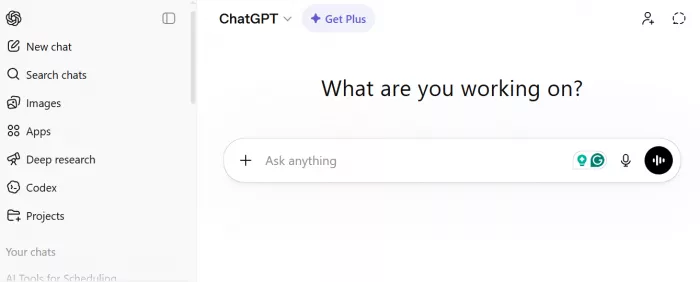
Another practical use is caption and hashtag generation. Instead of generic captions, it can produce structured captions aligned with the Reel’s message, including CTAs that improve engagement rates. For scaling creators, this eliminates one of the most repetitive tasks.
● Pricing: Free tier available, Plus at $20/month
● Best for: Hook generation, scripting at scale, caption writing
● Limitations: Does not validate real-time trends, output quality depends on prompt quality
Stage 2: Video Creation
InVideo
InVideo is designed to convert text into video, making it a core tool for creators who produce faceless Reels or need rapid content output. (invideo.io)
The platform works by mapping scripts to visual sequences using stock footage, transitions, and AI-generated voiceovers. A user inputs a script, and the system automatically generates a video timeline with scenes, clips, and text overlays. This removes the need for manual clip sourcing, which is one of the biggest time bottlenecks in content creation.
InVideo also includes a large library of templates optimized for social media formats. These templates are structured around high-retention layouts, including bold text overlays, fast cuts, and vertical framing. This ensures that even non-editors can produce visually structured content quickly.
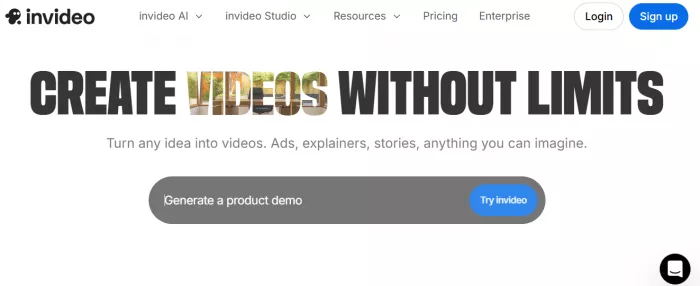
Voiceover generation is another key capability. Users can convert scripts into natural-sounding narration without recording audio. This is particularly useful for educational or storytelling Reels where consistency matters more than personality-driven delivery.
However, the main trade-off is originality. Since many users rely on similar templates and stock assets, content can feel repetitive unless customized with unique clips or branding elements.
● Pricing: Free plan with watermark, paid plans from $15 to $30/month
● Best for: Faceless videos, script-to-video workflows, rapid production
● Limitations: Template dependency, limited uniqueness without customization
Stage 3: Editing and Optimization
CapCut
CapCut has become one of the most dominant tools for short-form editing, particularly because it is built around speed and mobile-first workflows. (capcut.com)
Its strongest feature is automated caption generation. Since a large portion of Reel viewers watch without sound, captions directly impact retention. CapCut generates subtitles quickly and allows customization of font, color, and animation, which helps emphasize key points in the video.
The platform also supports advanced editing features such as jump cuts, speed ramping, zoom effects, and transitions that are commonly seen in high-performing Reels. These features are simplified into one-click actions, reducing the need for technical editing skills.
Another important aspect is its template ecosystem. Users can apply trending editing styles instantly, which helps align content with current platform aesthetics. This is especially useful for creators trying to match viral formats.
● Pricing: Free, Pro features around $7 to $10/month
● Best for: Captioning, fast editing, retention optimization
● Limitations: Limited control for complex edits compared to professional software
Canva
Canva complements video editing by focusing on visual presentation and branding.
While not a full video editor, Canva is widely used for creating overlays, thumbnails, intro frames, and branded elements that improve visual consistency across Reels. It allows creators to maintain a recognizable style, which is important for audience recall. (canva.com)
Its drag-and-drop interface makes it easy to add text layers, animations, and graphics without design experience. For example, creators often design hook screens, call-to-action slides, or highlight frames in Canva and then integrate them into their videos.
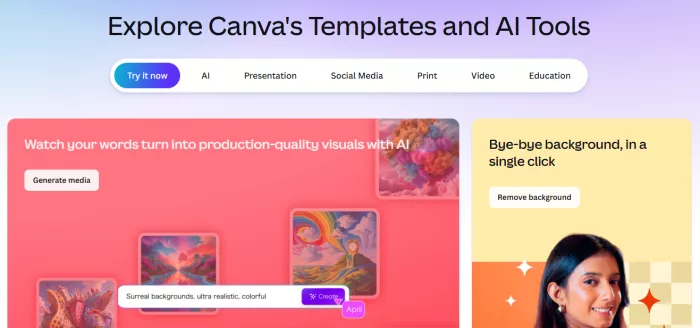
Canva also provides access to stock images, icons, and typography options, which enhances the overall visual quality of content. This becomes important when competing in saturated niches where presentation influences engagement.
● Pricing: Free, Pro at $14.99/month
● Best for: Branding, overlays, visual consistency
● Limitations: Not suitable for detailed video editing
Stage 4: Repurposing and Scaling
OpusClip
OpusClip is built specifically for scaling content production by turning long-form videos into multiple short clips. (opus.pro)
It uses AI to analyze long videos and identify segments that are likely to perform well based on speech patterns, engagement cues, and topic density. These segments are then converted into short-form clips with captions, reframing, and formatting suitable for Reels.
This significantly reduces the effort required to produce content at scale. Instead of creating every Reel from scratch, creators can extract multiple pieces of content from a single source, such as a podcast or YouTube video.
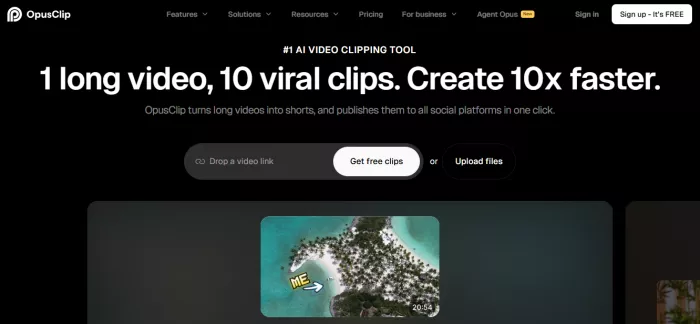
OpusClip also includes features like automatic reframing, which ensures that the subject stays centered in vertical format, and caption styling that aligns with short-form content standards. This reduces post-processing time.
The limitation lies in precision. While the tool identifies strong segments, manual review is often needed to ensure the clips align with content goals and brand tone.
● Pricing: Free trial, paid plans from $19 to $29/month
● Best for: Repurposing long-form content, scaling output
● Limitations: Requires manual refinement for best results
Decision Table
| If your goal is | Tool to use | Stage it fits | What the tool actually does | Why it works | Key limitation |
| Generate high-performing hooks quickly | ChatGPT | Idea stage | Generates multiple hook variations, short scripts, captions, and content angles based on prompts. Can structure content into 15–30 second Reel formats with clear pacing. | Increases content velocity by turning one idea into 10–20 variations, improving chances of finding a high-performing hook. | Does not validate trends or platform-specific performance. Output depends heavily on prompt quality. |
| Create faceless reels at scale | InVideo | Creation stage | Converts text scripts into full videos using stock footage, AI voiceovers, transitions, and pre-built templates optimized for vertical formats. | Eliminates the need for filming and manual clip sourcing, allowing fast production of multiple Reels per day. | Heavy reliance on templates can reduce originality if not customized properly. |
| Improve retention through editing | CapCut | Editing stage | Provides auto captions, jump cuts, transitions, zoom effects, and timing tools that align with short-form content behavior. Supports fast mobile editing workflows. | Directly improves watch time through better pacing, subtitles, and visual rhythm, which are key ranking factors on Instagram. | Limited advanced editing control compared to professional desktop software. |
| Maintain consistent visual identity | Canva | Editing stage | Creates branded overlays, intro slides, text graphics, and visual elements that can be reused across Reels for consistency. | Helps build recognizable content style, which improves brand recall and audience familiarity over time. | Not designed for full video editing or complex timeline-based workflows. |
| Scale output using existing content | OpusClip | Scaling stage | Analyzes long videos and extracts multiple short clips with captions, reframing, and formatting for Reels automatically. | Multiplies content output by turning one long video into several Reels, reducing effort per post. | AI-selected clips may need manual review to ensure relevance and quality. |
Pricing Reality
ChatGPT
● Free tier available
● Plus plan: $20/month
InVideo
● Free plan available
● Paid plans start at $28/month, scaling up to higher tiers depending on usage
CapCut
● Free plan available
● Pro plan: typically $7.99–$9.99/month
Canva
● Free plan available
● Pro plan: $14.99/month
OpusClip
● Free plan available
● Paid plans: $15–$29/month depending on tier
Final Verdict
For beginners, ChatGPT combined with InVideo and CapCut provides a complete production system with minimal learning curve.
For scaling creators, adding OpusClip and Canva creates a more efficient pipeline where content volume and visual consistency improve together.
AI tools do not replace creative judgment. They compress production time. The advantage comes from using each tool deeply for what it is designed to do.


Comments