Best AI Image Generators for Social Media: Top Tools for Creators and Brands



Social media has become a visual competition.
Whether you are posting on Instagram, LinkedIn, X, Pinterest, Facebook, YouTube, or TikTok, people often decide in seconds whether your content is worth their attention. A strong visual can make someone stop scrolling. A weak one can make even a good idea disappear.
The difficult part is consistency.
Creators need fresh posts. Small businesses need product images, ads, banners, launch graphics, and seasonal campaigns. Marketers need variations, formats, thumbnails, carousels, and visuals that match the brand. And most people do not have the time, budget, or design team to create everything from scratch every day.
AI image generators have changed that. A single prompt can now turn into an ad concept, a product mockup, a lifestyle photo, a quote graphic, a poster, a thumbnail, or a campaign visual in minutes. But the best tool is not always the one that creates the prettiest image. For social media, the better question is: which tool helps you create visuals that actually fit the platform, the message, and the audience?
That is what this guide is about.
How AI Image Generators Actually Work
AI image generators can feel magical, but the basic idea is easier to understand than it seems.
You type something like:
“Create a clean Instagram ad for a handmade candle brand, warm beige background, soft shadows, premium but cozy mood, space for headline text.”
The AI does not “see” the image in its mind the way a human designer would. Instead, it breaks your prompt into patterns: objects, style, lighting, composition, colors, camera angle, mood, and format. Then it generates an image that statistically matches those instructions based on what it learned during training.
Most modern image generators are trained on huge collections of images and text descriptions. During training, the model learns relationships: what a coffee cup usually looks like, how studio lighting affects a product photo, what “minimalist” tends to mean visually, how a poster is structured, or what makes an image feel cinematic.
After you enter a prompt, the model starts building an image from a noisy or abstract starting point and gradually refines it into something recognizable. Some tools are better at realism. Some are better at graphic design. Some understand text placement better. Some are excellent at mood and atmosphere but less reliable with exact instructions.
That is why the same prompt can look completely different in ChatGPT Images, Midjourney, Firefly, Ideogram, Recraft, Flux, or Stable Diffusion.
Prompt quality matters because AI image tools are sensitive to detail. “Make a nice poster” gives the model too much room to guess. “Create a vertical Pinterest graphic for a vegan meal plan, soft green background, bold title at the top, three illustrated lunch boxes, clean editorial layout” gives it a clearer creative direction.
AI also misunderstands instructions because it is not truly reasoning like a designer with full business context. It may mix up left and right, ignore small layout details, invent strange product labels, distort hands, place text incorrectly, or combine ideas that should stay separate. The better your prompt, reference image, and editing workflow, the more usable the result becomes.
What Makes a Good AI Image Generator for Social Media?
A good AI image generator for social media is not just a tool that makes impressive artwork. Social media visuals have specific demands. They need to be fast, clear, platform-friendly, brand-aware, and easy to adapt.
Image quality matters first. A blurry or awkward image will not help your brand, even if the idea is good. For social media, quality means clean details, good lighting, believable objects, and visuals that still look strong when cropped or compressed.
Prompt understanding is just as important. Creators often need specific outputs: a square post, a vertical story, a product on a neutral background, a carousel cover, a LinkedIn-style illustration, or a thumbnail with dramatic contrast. The tool should follow instructions without forcing endless retries.
Brand consistency matters when you post regularly. A business does not need 50 beautiful images that all look like different brands. It needs a recognizable color palette, mood, type style, product presentation, and visual personality.
Editing features make the difference between “cool image” and “usable asset.” The ability to change a background, remove an object, expand a canvas, adjust text, or create variations saves a lot of time.
Speed matters because social content moves quickly. A tool that helps you test five hooks, three layouts, and two visual directions in one sitting is often more useful than a tool that only produces one perfect-looking image after too much setup.
Text rendering has become a major factor. Social media visuals often need words: sale banners, poster titles, quote cards, YouTube thumbnails, carousel covers, event announcements, product claims, or meme captions. Some AI tools still struggle with spelling and layout, while others are much better at typography.
Design flexibility matters for creators who work across platforms. A visual may need to become a square Instagram post, a vertical Reel cover, a horizontal YouTube thumbnail, and a Pinterest pin. Tools that support different aspect ratios, editable layers, or clean export workflows are easier to use in real campaigns.
Ease of use may be the most underrated factor. A technically powerful tool is not always the best choice for a busy creator. Sometimes the best AI image generator is the one you will actually use every week.
Quick Comparison Table
| Tool | Best for | Strength | Limitation |
| ChatGPT Images | Marketing concepts, social graphics, product ideas | Easy prompting; strong context understanding; great for quick creative direction | May need editing for exact layout, typography, or brand polish |
| Midjourney | Artistic, cinematic, lifestyle, luxury visuals | Beautiful visual style and strong atmosphere | Less practical for precise design layouts or text-heavy assets |
| Adobe Firefly | Commercial content, branded marketing, design workflows | Business-safe outputs; integrates well with Adobe ecosystem | Best value when used inside Adobe apps; subscription cost |
| Ideogram | Posters, quote graphics, ads with text | Strong focus on typography and handling text inside images | Some outputs may need refinement for polished brand systems |
| Recraft | Brand assets, icons, logos, vectors, design systems | Vector generation, mockups, style control; design-oriented workflow | Less ideal for purely cinematic or emotional art direction |
| Flux | Realistic photography, detailed prompts, high-quality outputs | Strong prompt following; photorealistic rendering | Advanced users get the most out of it; learning curve |
| Stable Diffusion | Custom styles, fine-tuning, open-source workflows | Highly flexible and customizable; strong community resources | Requires more setup and technical knowledge |
1. ChatGPT Images
ChatGPT Images is especially useful for creators who want to describe what they need in normal language and quickly move from idea to visual. It works well when you are not just asking for “an image,” but explaining the purpose behind it: a campaign, a product launch, a carousel cover, a social ad, a thumbnail concept, or a brand mood.
OpenAI describes ChatGPT Images as a way to create and edit images inside ChatGPT, and its newer image generation work emphasizes prompt following, text rendering, and use of conversation context. That matters for social media because creators often need the image to fit a message, not just look impressive.
What it does best
ChatGPT Images is strong at turning rough marketing ideas into visual directions. You can say, “I sell handmade ceramic mugs. Give me three Instagram ad concepts for a cozy winter campaign,” then ask it to generate one, revise the headline, change the background, or make it more premium.
It is also helpful for people who are not confident prompt writers. Because it sits inside a conversational interface, you can build the prompt gradually. You do not need to know perfect camera terms or design language before you start.
Ideal social media use cases
ChatGPT Images works well for Instagram posts, product concept visuals, social media ad drafts, educational graphics, carousel cover ideas, LinkedIn illustrations, promotional banners, event posters, and campaign mood boards.
For small businesses, it can help create quick product mockups before investing in a full shoot. For marketers, it can generate variations of a creative idea. For creators, it can turn a content concept into a visual starting point without opening a design app first.
Type of content it creates well
It is good at clean marketing visuals, approachable illustrations, product scenes, stylized social graphics, visual metaphors, editorial-style images, and concept-driven campaign assets.
For example, a fitness coach could use it to create a “7-day mobility challenge” cover image. A skincare brand could generate soft product visuals with neutral backgrounds. A business coach could create LinkedIn post illustrations around productivity, leadership, or decision-making.
Who should use it
ChatGPT Images is a strong choice for creators, marketers, founders, coaches, freelancers, and small business owners who want an easy creative partner rather than a complicated production tool.
It is especially useful for people who think in words first.
Biggest advantage
The biggest advantage is context. You can explain your audience, product, tone, campaign goal, and platform, then refine the result conversationally.
Biggest limitation
The biggest limitation is that it may not always produce a finished, publication-ready design on the first try. For precise brand layouts, exact typography, or strict design systems, you may still want to polish the image in Canva, Photoshop, Illustrator, Figma, or another editor.
2. Midjourney
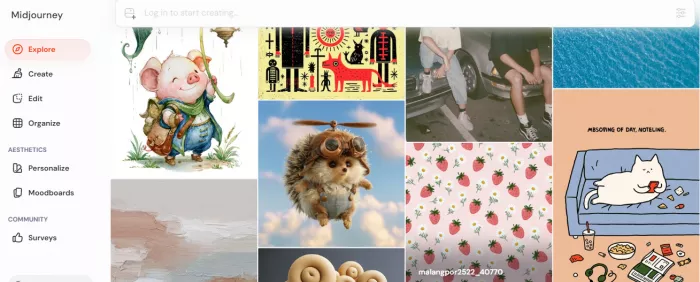
Midjourney is the tool many creators associate with “beautiful AI images.” It has built a reputation for visuals that feel cinematic, artistic, atmospheric, and highly stylized. Midjourney describes itself as an independent research lab exploring new mediums of thought and expanding imaginative powers, which fits the way many artists and creators use it: not just to make assets, but to discover visual directions.
What it does best
Midjourney is excellent when the goal is mood.
If you need a luxury perfume campaign, a cinematic coffee shop scene, a futuristic fashion editorial, a moody album cover, or a lifestyle image that feels like it belongs in a magazine, Midjourney is often one of the strongest options.
Creators love it because the outputs often have a strong visual identity even from relatively short prompts. It tends to make images feel designed, polished, and emotionally rich.
Ideal social media use cases
Midjourney works well for Instagram lifestyle posts, cinematic brand campaigns, fashion visuals, music artwork, luxury product concepts, travel-inspired imagery, mood boards, creative direction, and visually striking X or LinkedIn posts.
It is especially useful when a creator wants to stand out with an aesthetic rather than simply communicate information.
Type of content it creates well
Midjourney is strong at cinematic portraits, stylized environments, editorial photography, fantasy visuals, concept art, luxury brand imagery, dramatic lighting, surreal scenes, and lifestyle compositions.
A boutique hotel could use it to explore dreamlike travel visuals. A fashion creator could generate editorial shoot concepts. A musician could develop cover-art directions before hiring a designer or photographer.
Biggest advantage
The biggest advantage is visual style. Midjourney can make ordinary ideas feel premium, cinematic, or emotionally charged.
Biggest limitation
The biggest limitation is practical control. It can be less convenient when you need exact layouts, accurate text, repeatable branded templates, or very specific ad formats. Many creators use Midjourney for the hero image, then finish the design elsewhere.
3. Adobe Firefly
Adobe Firefly is built for creators and businesses that care about commercial use, brand workflows, and integration with professional design tools. Adobe positions Firefly as available inside Creative Cloud tools, with APIs and custom models for creating on-brand content at scale. Adobe also emphasizes that Firefly is developed with commercial safety in mind, and qualifying plans may include IP indemnification for generated content.
What it does best
Firefly is strongest when AI image generation is part of a larger design workflow.
A marketer may generate a campaign image, bring it into Photoshop, extend the background, remove unwanted objects, adjust the layout, and then resize it for multiple social platforms. A design team may use Firefly with Adobe Express or Creative Cloud assets to create branded content faster.
It is less about “make me a random cool image” and more about “help me produce usable creative work safely and efficiently.”
Ideal social media use cases
Firefly is useful for marketing materials, social media ads, campaign banners, product backgrounds, branded graphics, content repurposing, seasonal promotions, and assets that need to move into Photoshop, Illustrator, Express, or other Adobe tools.
Type of content it creates well
Firefly works well for commercial-style images, product backgrounds, promotional graphics, clean marketing visuals, edited photos, and brand-friendly content variations.
A café could use it to generate seasonal drink campaign backgrounds. A retail brand could create product scenes for different holidays. A marketing team could produce multiple ad concepts while keeping the workflow inside Adobe.
Biggest advantage
The biggest advantage is commercial workflow compatibility. Firefly fits naturally into the tools many designers already use.
Biggest limitation
The biggest limitation is that its full value often depends on being in the Adobe ecosystem. If you do not use Adobe tools, some of its workflow advantages may matter less.
4. Ideogram
Ideogram became popular because it focused on one of the hardest problems in AI images: text inside images. Social media often needs words, and words have to be correct. A beautiful poster is not useful if the headline is misspelled.
Ideogram’s current platform highlights features such as editable text layers, character consistency, styles, background removal, and custom image models, which makes it especially relevant for social graphics and typography-heavy creative work.
What it does best
Ideogram is particularly useful for posters, quote cards, social ads, event announcements, typography-led graphics, and images where text is part of the visual rather than something added later.
Text rendering matters because social media is full of image-based messages: “New Collection,” “50% Off,” “Workshop This Friday,” “5 Lessons I Learned,” “Save This,” or “YouTube Growth Checklist.” If the text is wrong, the post fails.
Ideal social media use cases
Ideogram is strong for Instagram quote graphics, Pinterest pins, event posters, sale announcements, YouTube thumbnail concepts, LinkedIn statement graphics, meme-style layouts, and typography-heavy ads.
Type of content it creates well
It creates bold posters, graphic layouts, slogan visuals, word-focused images, quote cards, stylized ads, and editorial compositions.
A public speaker could create quote graphics. A local business could design a weekend sale poster. A creator could make punchy “hot take” visuals for LinkedIn or X.
Biggest advantage
The biggest advantage is text handling. When words are central to the image, Ideogram is often easier to work with than more art-focused tools.
Biggest limitation
The biggest limitation is that text-focused outputs may still need design judgment. Just because the words are readable does not automatically mean the hierarchy, spacing, and brand fit are perfect.
5. Recraft
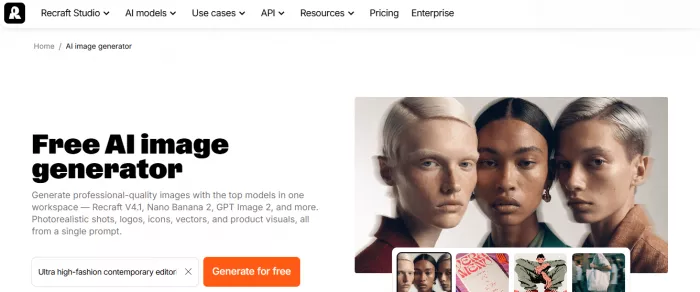
Recraft is more design-oriented than many general AI image generators. It is useful for creators who need assets, not just images: icons, logos, vector graphics, mockups, brand visuals, and repeatable styles.
Recraft describes itself as a platform for generating and editing images, vectors, and mockups, with features including an AI vector generator, image vectorizer, photo editor, mockup generator, upscaler, background remover, and eraser.
What it does best
Recraft is strong when you need visual systems.
A creator building a brand might need profile icons, highlight covers, simple illustrations, badges, product mockups, logo explorations, and repeatable graphic elements. Recraft fits that kind of workflow better than tools focused mainly on cinematic images.
Its vector capability is especially valuable because social media design often needs clean, scalable assets. Icons, stickers, simple illustrations, and logo-like graphics need to stay sharp across different sizes.
Ideal social media use cases
Recraft is useful for Instagram highlight covers, brand icons, sticker packs, product mockups, logo concepts, YouTube channel assets, carousel illustrations, simple infographics, and consistent visual elements for a content series.
Type of content it creates well
It creates icons, logos, vector illustrations, mockups, brand graphics, character assets, clean product visuals, and design elements that can be reused across posts.
A podcast could use Recraft to create a set of episode icons. A bakery could generate illustrated packaging concepts. A creator could build a consistent icon style for educational carousels.
Biggest advantage
The biggest advantage is design-system thinking. Recraft is not just for one-off visuals; it helps create assets that can support a consistent brand.
Biggest limitation
The biggest limitation is that it may not be the first tool you reach for when you want cinematic storytelling, luxury atmosphere, or highly emotional lifestyle photography.
6. Flux
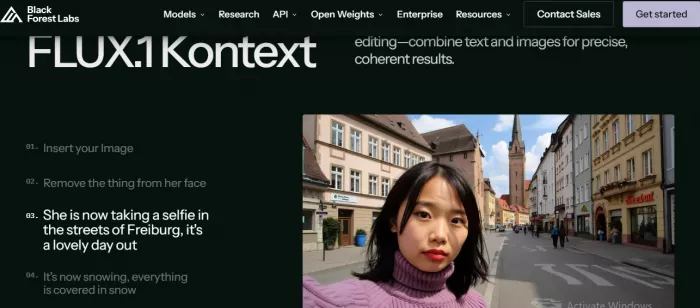
Flux, developed by Black Forest Labs, has become a favorite among advanced image-generation users who care about realism, detail, and prompt accuracy. Black Forest Labs describes FLUX.1 Kontext as supporting in-context image generation with both text and images, allowing users to extract and modify visual concepts into coherent renderings. The company has also emphasized strong prompt following, photorealistic rendering, and competitive typography for its Kontext models.
What it does best
Flux is strong at realistic photography and detailed image generation. When a prompt includes specific lighting, product placement, camera style, setting, or subject details, Flux can be very capable.
This makes it useful for creators who want images that feel less like “AI art” and more like plausible campaign photography.
Ideal social media use cases
Flux works well for realistic product photography, lifestyle scenes, fashion concepts, food visuals, personal branding portraits, ad creatives, and high-quality post images where realism matters.
Type of content it creates well
It creates photorealistic images, product scenes, detailed portraits, editorial visuals, realistic environments, and polished campaign-style images.
A supplement brand could create clean studio-style product visuals. A personal brand could generate lifestyle portrait concepts. A restaurant could test food photography styles before a real shoot.
Biggest advantage
The biggest advantage is realism with control. It can produce high-quality outputs that follow detailed prompts closely.
Biggest limitation
The biggest limitation is accessibility. Depending on how you use it, Flux may feel more technical than beginner-friendly tools. Some creators will prefer using it through platforms that simplify the interface.
7. Stable Diffusion
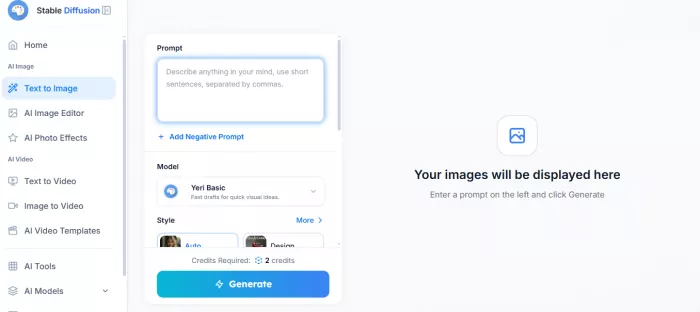
Stable Diffusion remains important because it represents a different philosophy: flexibility, customization, and open-source creativity.
Stability AI describes its work as building models that are accessible, adaptable, and designed to empower creators, developers, and enterprises. That adaptability is why Stable Diffusion still matters even as easier tools have become popular.
What it does best
Stable Diffusion is powerful when you want control over the model, style, workflow, or output. Creators can use custom checkpoints, LoRAs, ControlNet-style workflows, fine-tuning, inpainting, upscaling, and local or cloud-based setups.
For casual users, that may sound overwhelming. For advanced creators, it is the point.
Ideal social media use cases
Stable Diffusion is useful for specialized art styles, consistent character content, niche brand aesthetics, AI influencer visuals, custom product scenes, stylized campaigns, and workflows that need repeatability.
Type of content it creates well
It can create almost any style depending on the model and setup: anime, realism, fashion, fantasy, product photography, illustrations, game art, portraits, posters, and highly specific visual identities.
A gaming creator could build a consistent fantasy character style. A fashion brand could fine-tune a workflow around a specific editorial look. A niche educator could create recurring illustrated characters for carousel posts.
Biggest advantage
The biggest advantage is customization. You can shape the tool around your needs instead of accepting only what a closed platform gives you.
Biggest limitation
The biggest limitation is the learning curve. Stable Diffusion can be incredibly powerful, but it often requires more setup, experimentation, and technical confidence than the other tools in this guide.
Which AI Image Generator Is Best for Different Social Media Tasks?
Different platforms reward different visuals. A tool that is perfect for a cinematic Instagram post may not be the best choice for a quote graphic or Facebook ad.
| Social Media Task | Best Tool Choices | Why |
| Instagram posts | ChatGPT Images, Midjourney, Flux | ChatGPT for concept-to-post workflows; Midjourney for aesthetics; Flux for realism |
| Instagram carousels | ChatGPT Images, Firefly, Recraft | ChatGPT for concepts; Firefly for polishing; Recraft for consistent visual elements |
| Reels thumbnails | Ideogram, ChatGPT Images, Midjourney | Ideogram for readable text; ChatGPT for layout ideas; Midjourney for visual drama |
| Pinterest graphics | Ideogram, Recraft, Firefly | Pinterest needs vertical, text-forward, clean graphics |
| LinkedIn content | ChatGPT Images, Firefly, Recraft | Professional visuals, diagrams, clean illustrations, and branded post concepts |
| Facebook ads | Firefly, ChatGPT Images, Flux | Firefly fits marketing workflows; ChatGPT helps test creative angles; Flux for realistic product visuals |
| Product photography | Flux, Firefly, ChatGPT Images | Flux for realism; Firefly for editing workflows; ChatGPT for quick concept generation |
| Personal branding | Flux, Midjourney, ChatGPT Images | Flux for realistic portraits; Midjourney for stylized identity; ChatGPT for campaign ideas |
| Meme content | ChatGPT Images, Ideogram | ChatGPT develops the joke and visual; Ideogram for text-based meme layouts |
| Quote graphics | Ideogram, Recraft, ChatGPT Images | Ideogram strong for text; Recraft for branded templates; ChatGPT for quote-to-concept ideas |
| YouTube thumbnails | Ideogram, ChatGPT Images, Midjourney | Ideogram for readable words; ChatGPT for thumbnail concepts; Midjourney for high-impact visuals |
For Instagram, Midjourney is often the most visually exciting. For LinkedIn, ChatGPT Images or Firefly may be more practical because clarity matters more than fantasy. For Pinterest, Ideogram and Recraft are useful because vertical text-based graphics perform well there. For product photography, Flux and Firefly are strong choices because realism and editing control matter.
Conclusion
AI image generators have become powerful tools for creators, marketers, small businesses, and brands that need strong visuals without starting from zero every time. They can help turn a simple idea into a social post, ad concept, product mockup, carousel cover, poster, thumbnail, or campaign visual in minutes. But the best results do not come from using AI blindly. They come from choosing the right tool for the right job.
ChatGPT Images is useful when you want easy prompting and campaign ideas. Midjourney is best when visual style, mood, and cinematic quality matter. Adobe Firefly is a strong choice for commercial marketing workflows, especially for people already using Adobe tools. Ideogram is valuable for text-heavy social graphics, posters, and quote images. Recraft works well for brand assets, icons, vectors, and reusable design elements. Flux is a strong option for realistic product and lifestyle images, while Stable Diffusion gives advanced users the most control and customization.
The most important thing to remember is that AI should support your creative direction, not replace it. A good social media visual still needs a clear message, the right format, strong composition, readable text, and a style that fits your audience. AI can create the raw material quickly, but the creator still decides what is worth posting.
For the best results, use AI image generators as part of a workflow. Start with a strong idea, generate the visual in the tool that fits your goal, refine the image, add text or branding carefully, and adapt the final design for each platform. That is how AI becomes more than a shortcut. It becomes a creative assistant that helps you produce better visuals, test ideas faster, and stay consistent across social media.


Comments