Best AI Tools for Video Dubbing in 2026: 7 Picks for Faster, Better Localization



AI dubbing has made video localization faster, cheaper, and easier than ever. In 2026, creators and teams can translate, dub, lip-sync, clone voices, and export subtitles in one workflow. But every tool serves a different need. Some are best for YouTube creators, while others fit courses, agencies, or large content libraries. So the real question is: which AI dubbing tool fits the way you publish?
Below are the seven tools that you should try to get better results in 2026.
1. ElevenLabs

ElevenLabs is one of the most recognizable names in AI voice generation, and that reputation carries into dubbing. It is especially appealing for creators who care about voice realism and want dubbed videos that sound less robotic than older text-to-speech systems.
How it works for dubbing
The workflow is fairly creator-friendly. Users upload a video or audio file, choose the output language, and let the system transcribe, translate, and generate a new voice track. The platform is particularly attractive when the goal is to preserve vocal personality rather than just replace words. That makes it well suited to YouTubers, educators, and voice-led creators who want localized content without losing too much of the original tone.
Key specs
| Feature | Details |
| Voice quality | Highly natural and expressive; among the strongest in realism-focused dubbing |
| Lip sync | Available in some workflows, though strength varies by video type |
| Languages | Broad multilingual support, often positioned as creator-friendly global dubbing |
| Human QA | Primarily self-serve; users should review outputs themselves |
| Turnaround | Fast enough for creator and team workflows |
| Pricing | Creator-style plans commonly start in the ~20–25 USD/month band for light use; higher tiers scale with hours and features |
| Extras | Strong voice cloning reputation and broad voice customization |
Where ElevenLabs helps
ElevenLabs is best when the speaker’s identity matters. Educational channels, thought-leadership videos, faceless explainers, and creator-led videos all benefit when the dubbed version sounds like a real voice rather than a generic narration layer. It is less about enterprise workflow and more about high-quality voice presentation.
Pros and cons
| Pros | Cons |
| Excellent voice realism and expressive delivery | Pricing depends heavily on usage and can scale up |
| Good fit for creator-led and voice-centric content | Requires careful review because QA is mostly self-managed |
| Strong reputation in voice cloning and multilingual output | Not every workflow is equally strong on lip sync |
2. Papercup
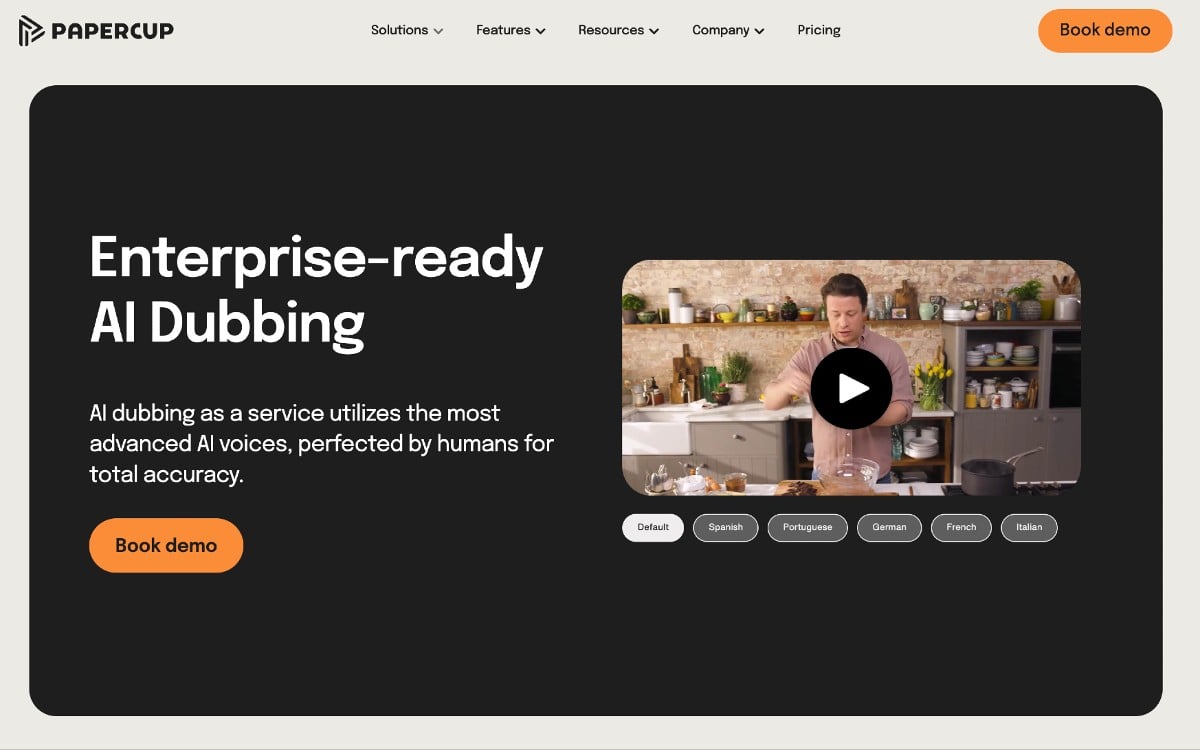
Papercup is one of the better-known names in AI dubbing for larger, more structured projects. It is often recommended for businesses, agencies, and organizations that need to localize many videos with a more managed workflow and stronger quality control.
How it works for dubbing
Users upload videos or connect existing content sources, Papercup transcribes and translates the material, and then AI voices generate dubbed versions across supported languages. A major difference here is that Papercup includes human QA on many paid plans, which improves reliability and makes it more suitable for business-grade output. It also supports subtitle and export workflows that make it easier to fit into real publishing pipelines.
Key specs
| Feature | Details |
| Voice quality | Clear and professional, especially for informational or corporate material |
| Lip sync | Good for standard video dubbing workflows |
| Languages | 70+ languages and dialects |
| Human QA | Yes, included on many paid plans |
| Turnaround | Built for scalable project workflows rather than just one-off creator clips |
| Pricing | Starts around $25/month, with higher-volume or custom plans available |
| Extras | Supports subtitle exports like SRT and VTT, plus multiple delivery formats |
Where Papercup helps
Papercup works best when dubbing is not a one-video experiment but a real operational need. It is well suited to e-learning companies, agencies, product marketing teams, training libraries, and YouTube channels with large back catalogs. In those cases, the human QA layer matters more than raw speed.
Pros and cons
| Pros | Cons |
| Strong for large-scale video localization | Less emotionally expressive than the best voice-first tools |
| Human QA improves translation and output reliability | Better fit for businesses than casual hobby creators |
| Good file export and publishing support | Costs can rise with scale and managed workflows |
3. Rask AI
Rask AI has built a name around multilingual video translation and dubbing at scale, especially for creators and teams trying to localize a lot of video quickly. It appears frequently in current dubbing comparisons because of its broad language coverage and creator-facing appeal.
How it works for dubbing
The usual workflow is straightforward: upload a video, select the target languages, let the platform transcribe and translate, and then generate dubbed output with optional subtitles. It is designed to make multilingual video publishing accessible, particularly for content creators working across social video, YouTube creators, and training content.
Key specs
| Feature | Details |
| Voice quality | Good for broad creator use, though not always the most expressive |
| Lip sync | Available, but may increase usage costs significantly |
| Languages | 130+ languages |
| Human QA | No built-in managed QA in the way Papercup offers |
| Turnaround | Fast self-serve workflow for multilingual publishing |
| Pricing | around 30–40 USD/month for modest monthly minutes; higher tiers for teams |
| Extras | Subtitle output, creator-friendly workflow, strong language breadth |
Where Rask AI helps
Rask AI is a strong fit for creators and teams who need range. If the goal is to push content across many languages quickly rather than obsess over studio-level dubbing nuance, Rask AI offers one of the most attractive language spreads in the category. It works particularly well for educational content, creator channels, and international-facing media teams.
Pros and cons
| Pros | Cons |
| Excellent language coverage | Lip sync can raise costs substantially |
| Fast and accessible workflow for self-serve users | No strong human-QA layer compared with more managed platforms |
| Good fit for scaling multilingual distribution | Voice quality can feel less expressive than premium voice-first tools |
4. Speechify
Speechify is better known for text-to-speech, but it has also entered the dubbing conversation because of its clean voice output and broad creator appeal. It is not always the most advanced dubbing platform, but it can be very effective for educational, informational, and accessibility-focused content.
How it works for dubbing
The platform handles transcription, translation, and voice generation in a comparatively simple pipeline, which helps keep the workflow intuitive. It is not trying to be the most cinema-grade dubbing platform on the market. Instead, it emphasizes clarity, speed, and ease of use, making it useful for creators who want multilingual versions of explainers or instructional content without a steep learning curve.
Key specs
| Feature | Details |
| Voice quality | Clear and easy to understand, though sometimes flatter than premium expressive voices |
| Lip sync | More limited than specialist lip-sync-first dubbing tools |
| Languages | Broad enough for common creator and educational localization use cases |
| Human QA | Primarily self-serve workflow |
| Turnaround | Fast, simple creator-friendly process |
| Pricing | Paid plans for video/voiceover commonly start in the ~30 USD/month range in current tool roundups |
| Extras | Good fit for explainer-style output and accessibility use cases |
Where Speechify helps
Speechify is a practical choice for course creators, explainer channels, accessibility-minded publishers, and any team where clarity matters more than emotional vocal performance. It is especially attractive when the content itself is information-heavy and the voice simply needs to sound clean and understandable.
Pros and cons
| Pros | Cons |
| Clear, intelligible voice output | Less emotionally nuanced than top-tier voice platforms |
| Straightforward workflow that suits creators | More limited lip-sync sophistication |
| Good fit for educational and explanatory video | Not the strongest tool for highly expressive, personality-led video |
5. Dubverse
Dubverse is one of the more creator-friendly platforms in the dubbing space, particularly for users who want an accessible interface and multilingual publishing without a heavy enterprise feel. It is often mentioned in AI dubbing comparisons aimed at fast-moving creators and teams.
How it works for dubbing
Users upload their video, the platform transcribes and translates it, and dubbed voices are generated in the target language. The value here is in the editing workflow: Dubverse allows users to review and edit scripts before export, which gives more control over the final result than some more automated tools.
Key specs
| Feature | Details |
| Voice quality | Solid and creator-friendly, suitable for online video and brand content |
| Lip sync | Available to varying degrees depending on workflow |
| Languages | Broad multilingual support for creator and business use |
| Human QA | User-led review rather than fully managed QA |
| Turnaround | Fast enough for practical creator publishing cycles |
| Pricing | International Pro around 18 USD/month, Supreme around 30 USD/month; annual Pro from about 9 USD/month when billed yearly |
| Extras | Script editing and practical creator-focused workflow |
Where Dubverse helps
Dubverse works well for creators who want more control than a one-click black box but less complexity than an enterprise localization suite. It suits agencies, course creators, brand teams, and video marketers who need multilingual versions but still want to manually correct wording or pacing before export.
Pros and cons
| Pros | Cons |
| Good balance of automation and editing control | Less managed than enterprise-heavy dubbing services |
| Creator-friendly interface and workflow | Exact pricing and scaling can vary by use case |
| Useful for reviewed multilingual publishing | QA burden is more user-side than human-managed platforms |
6. Checksub

Checksub is one of the stronger tools for users who care about localization workflow more broadly, not just dubbing in isolation. It tends to appeal to teams that want subtitles, dubbing, and multilingual delivery working together in one platform.
How it works for dubbing
The platform combines transcription, subtitle handling, translation, and dubbing into a workflow that is built for production teams rather than just solo experimentation. Users can review text and timing before finalizing output, which makes Checksub attractive when subtitle accuracy and multi-format localization matter as much as the dubbed audio itself.
Key specs
| Feature | Details |
| Voice quality | Good enough for practical localization, especially combined with subtitle workflows |
| Lip sync | Available in some workflows, but not the primary selling point |
| Languages | Broad multilingual coverage |
| Human QA | Review-oriented workflow, though not necessarily managed QA by default |
| Turnaround | Efficient for teams handling recurring localization work |
| Pricing | ~20–30 USD/month band for creators; larger plans and teams go higher |
| Extras | Strong subtitle integration and localization workflow support |
Where Checksub helps
Checksub is especially useful for teams that do not think of dubbing as a standalone task. Media teams, e-learning companies, and international video publishers often need subtitles, translations, and dubbed versions all managed together. That is where Checksub has a practical edge.
Pros and cons
| Pros | Cons |
| Strong subtitle + dubbing workflow integration | Less “voice quality first” than some specialist competitors |
| Useful for recurring localization workflows | Best value appears when localization is a regular need, not a one-off task |
| Better production control than one-click-only tools | Pricing needs live verification before quoting precisely |
7. Dubformer
Dubformer is one of the more interesting AI dubbing platforms because it emphasizes emotion transfer alongside broad language support. That focus makes it worth considering for creators and teams who want dubbed output to feel less flat and more like a real performance.
How it works for dubbing
Like other tools in the category, Dubformer handles the transcription, translation, and audio generation pipeline, but it distinguishes itself by promoting more emotionally aligned voice generation. It also supports optional human QA, which places it somewhere between creator self-serve tools and more managed business platforms.
Key specs
| Feature | Details |
| Voice quality | Strong emotional positioning through “Emotion Transfer” focus |
| Lip sync | Available in broader dubbing workflow, depending on plan/use case |
| Languages | 130+ languages |
| Human QA | Optional human QA available |
| Turnaround | Faster than traditional dubbing while supporting more refined output than simpler tools |
| Pricing | entry-level pricing broadly in the 20–40 USD/month range for light use |
| Extras | Emotion transfer and optional human support |
Where Dubformer helps
Dubformer is a strong fit for creators and companies that need broader language support but do not want voice output to become emotionally flat. It suits marketing videos, branded storytelling, creator channels with a stronger on-camera presence, and business content where tone matters almost as much as clarity.
Pros and cons
| Pros | Cons |
| Strong language support with more expressive positioning | Exact pricing is not clearly surfaced in the comparison sources |
| Optional human QA adds flexibility | Less universally known than some major competitors |
| Better suited to tone-sensitive content than purely functional voice tools | May require more evaluation before high-scale rollout |
Comparison table
A side-by-side view makes the differences clearer. Some tools are better for creator speed, some for language scale, and some for managed business-grade output.
| Tool | Voice style | Lip sync | Languages | Human QA | Best for |
| ElevenLabs | Highly natural, expressive | Partial / workflow dependent | Broad multilingual support | Self-serve | Creator-led videos, narration-heavy content |
| Papercup | Clear, professional | Yes | 70+ | Yes | Agencies, training, enterprise video |
| Rask AI | Good, scalable | Yes, can cost extra | 130+ | No managed QA | Multilingual creator distribution |
| Speechify | Clear, functional | Limited | Broad creator-use range | Self-serve | Educational and explanatory content |
| Dubverse | Creator-friendly | Partial / workflow dependent | Broad support | User-led review | Agencies, marketers, controlled self-serve dubbing |
| Checksub | Practical, localization-first | Partial | Broad support | Review-oriented | Subtitle + dubbing workflows |
| Dubformer | More expressive, emotion-focused | Available by workflow | 130+ | Optional | Tone-sensitive branded or creator content |
Which tool fits which use case?
If the priority is voice realism, ElevenLabs is one of the strongest picks because it makes dubbed output sound more alive and less like generic synthetic speech. If the need is enterprise-ready localization with human oversight, Papercup is more reliable because the workflow is built for managed output rather than pure self-serve speed.
If the goal is wide language coverage for creators, Rask AI and Dubformer stand out, especially when international distribution matters more than studio-like finish. If the need is clarity-first educational or explainer dubbing, Speechify makes more sense because it favors accessibility and simplicity over emotional performance. And if your workflow depends heavily on subtitles plus dubbing plus review control, Dubverse and Checksub are often better fits because they give creators and teams more text-level control before export.
Verdict
The best AI dubbing tool in 2026 depends on what you are actually optimizing for. ElevenLabs is strongest when voice realism matters most. Papercup is better when scale and QA matter more than personality. Rask AI is a practical choice for broad multilingual distribution. Speechify works well for information-heavy content that needs to be understood clearly. Dubverse and Checksub are more workflow-oriented and useful for creators or teams that want review control and subtitle integration. Dubformer is the most interesting option when emotional delivery matters more than bare-bones translation.
The bigger point is this: AI dubbing is no longer a novelty layer. It is now a real distribution tool. The smartest choice is not the platform with the longest feature list, but the one that matches your publishing model whether that is fast YouTube localization, multilingual course delivery, global social content, or enterprise-grade video translation.


Comments