IGsty Review: Is This Instagram Downloader Really Worth Your Time?



What Is IGsty ?
IGsty is a free online tool built to download Instagram videos, photos, reels, stories, and IGTV content — no app, no sign-up. It promises quick, watermark-free saves in original HD quality with no registration required. Bold claims for a free web tool. This review puts each of them under real use to see whether IGsty is the Instagram downloader worth bookmarking, or just another link-in-paste-out page that overpromises..
Key Features at a Glance
- Downloads Instagram videos, reels, stories, IGTV and photos
- Completely free with no usage caps
- No watermark on downloaded content
- Works on all devices (mobile, desktop, tablets)
- No need to log into Instagram account
- Simple 3-step process: copy link, paste link on IGsty, download
- Saves content in original HD resolution
- Anonymous usage, no trace of download activity
- Pricing: Free to use
How to Use IGsty.com (Step-by-Step)
Step 1: Open InstagramOpen Instagram in your mobile app or browser and find the post, Reel, video, or photo you want to download.
Step 2: Copy the Post Link
Tap or click the Share button (paper airplane icon) and choose Copy Link.
Step 3: Go to IGsty.com
Open a web browser and visit igsty.com.
Step 4: Paste the Link
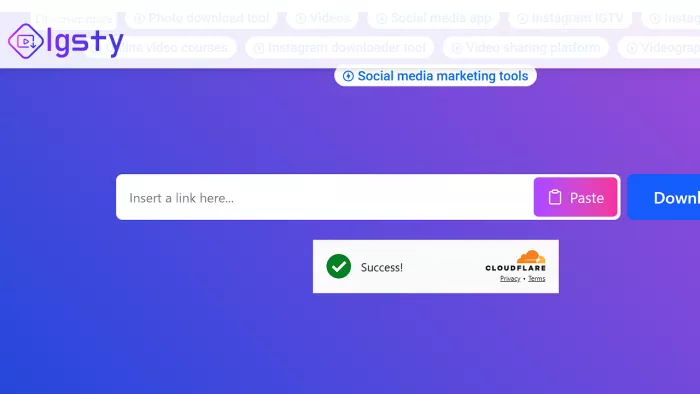
On the IGsty homepage, paste the copied Instagram link into the search/download box.
Step 5: Click Download
Press the Download button. IGsty will process the link.
Step 6: Save the File
The media will appear with a download option. Click Download again to save it to your phone or computer.
What I Wanted from an Insta Downloader
The goal was straightforward an easy-to-use, reliable tool to save Instagram media for offline viewing or backup, without fuss or hidden costs. Since Instagram lacks a native download feature, a convenient workaround was necessary. I needed something fast, doesn’t require signing in, and retains original quality. IGsty caught my eye with these promises, so I put it through real-world use.
Here’s What Happened
Simplicity and Speed
Copy-pasting Instagram URLs into the site was intuitive and genuinely quick — most downloads kicked off within two or three seconds. The interface is clean, with no distracting ads, redirects, or hidden “download” traps dressed up as buttons.
Quality Check
Videos and photos came down in surprisingly high quality, matching exactly what Instagram displayed. A standard reel saved as a clean MP4 with no compression artifacts, no visible quality loss, and — true to the claim — no watermark. On this front, IGsty delivers.
Variety of Content
I tested regular posts, reels, and stories, and every one was downloadable. Even IGTV videos, which run long, saved smoothly without timing out. That breadth of supported content is a real strength, not every free downloader handles the longer formats.
Stories and Highlights Get Their Own Tool
IGsty includes a separate Story Saver rather than treating Stories as an afterthought. You paste a direct Story link and save the available image or video, no IGsty account needed. Highlights are supported too, which is easy to overlook when you’re testing a basic downloader. The same public-content rule applies, but covering Stories and Highlights makes IGsty feel more complete than a reel-only tool.
What Could Be Better?
- Downloads only public account content; private profiles are a no-go.
- No browser extension or app, strictly web-based.
- Occasional timeout if a high volume of downloads.
- Lack of batch download functionality; must download one link at a time.
The Ups and Downs: Where it Shines and Where It Stumbles
Perks
- Totally free and unrestricted downloads
- Zero watermark hassle
- No login, no personal data collection
- High-resolution output, no quality loss
- Works equally well on desktop and mobile
Drawbacks
- Can’t access private Instagram accounts
- No bulk download option
- Website design is basic, no fancy extras
- Some timeout issues during peak usage
What IGsty Actually Collects
IGsty doesn’t ask for an Instagram login, which keeps the process simple and your account out of it. But the “no personal data collection” line needs some context.
Its privacy policy notes that the site may collect usage information such as your IP address, browser type, and browsing history, and that it uses cookies. None of that changes the no-login experience, but it’s worth knowing if privacy is the main reason you’re reaching for IGsty rather than a built-in option.
One more important thing : what you download is still Instagram content. Saving public posts for personal, offline use is low-risk, but re-uploading, redistributing, or using someone else’s media commercially can run into Instagram’s terms of service and copyright rules. IGsty handles the saving, the responsibility for how you use the file stays with you.
Pricing and Worthiness: Free, But Is It Valuable?
This tool is free, which is compelling. For casual users who want a straightforward download tool without bells and whistles, it’s a winner. The lack of cost combined with good quality video/photo downloads makes it very appealing. Power users needing batch downloads or private content support will be disappointed though.
User Buzz and Expert Opinions
Users mostly praise it as a reliable and fast downloader that “gets the job done” without complications or hidden fees. Reviewers highlight its "no watermark" policy and ease of use on all devices as standout features. Complaints mainly revolve around download limits and private content restrictions. Overall, the user vibe is positive, especially for light to moderate use.
IGsty.com Alternatives
| Tool | What It Downloads | Quality Options | No Login Needed | Ads / UI Experience |
| iGram | Videos, Reels, Stories | Up to HD/4K | ✔️ | Clean interface, fast |
| Toolzu | Photos, Videos, Reels, Stories | Good | ✔️ | Simple but more ads |
| SaveInsta (SaveClip.app) | All IG content (Photo, Video, Story, Reels, IGTV) | High | ✔️ | Friendly UI |
| FastDl.app | Videos, Reels, Photos, IGTV, Albums | Good | ✔️ | Quick interface |
| SSSGram | Videos, Photos, Reels, Stories, Profiles | Good | ✔️ | Basic UI |
| SnapInsta | Videos, Photos, Reels, Stories | Standard | ✔️ | Browser-based ease |
| SaveGram.info | Photos, Videos, Reels, Stories, Highlights | Standard | ✔️ | Very straightforward |
| InDown.io | Videos & Reels (incl. watermark-free) | Good | ✔️ | Very fast |
Who Should Use it and When to Skip It
If you want a free, no-login, no-watermark Instagram downloader that handles every public content type well, IGsty is one of the easiest picks out there. It’s ideal for casual users who just want quick access to Instagram videos, photos, reels, stories, and IGTV without accounts, fees, or friction.
Skip it if you need two things it simply doesn’t do: bulk downloads and access to private accounts. Power users batching dozens of files, or anyone trying to save content from a private profile, will hit a wall fast.
The bottom line: IGsty is simple, effective, and free. It won’t win on advanced features, but for everyday Instagram saving, it does exactly what it says and gets out of the way.
Comments

Peggy Witherspoon
Sep 21, 2026Most of the links processed pretty quickly but one Reel stayed loading long enough that I thought the site had stopped working. It eventually downloaded and the video quality was completely fine. So the results were good for me but the speed wasn’t always consistent.
Login To Reply ↪
Adam Wilson
Sep 19, 2026The Reel downloads were surprisingly clean and the quality stayed sharp. I also liked not having to log in with Instagram. For saving the occasional public Reel, it does the job without making things complicated.
Login To Reply ↪

Mathew Anderson
Sep 24, 2026The public-account limitation bothered me more than I expected. I wanted to save something from a private account I already follow but IGsty couldn’t do anything with the link. If most of the content we want to save comes from public profiles it’s fine otherwise it feels pretty limited.
Login To Reply ↪