
Building a personal brand requires more than publishing content regularly. A recognizable identity depends on consistent messaging, professional visuals, relevant industry knowledge, and meaningful audience engagement. AI tools can help manage these activities, but choosing the right ones depends on where a creator or professional wants to grow.
Here are eight AI tools that support different aspects of personal branding, including their capabilities, limitations, and starting prices.
1. Taplio: Best for LinkedIn Personal Branding
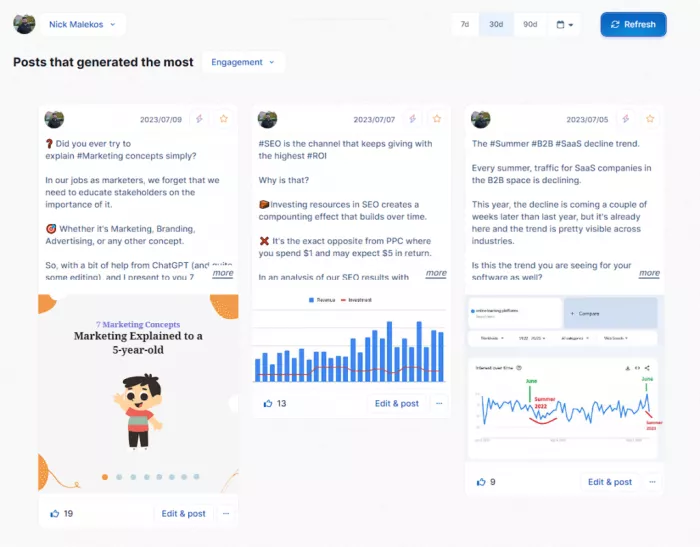
Taplio is an AI-powered LinkedIn platform designed for professionals who want to build authority through industry-focused content. It combines post research, AI writing, scheduling, and analytics in one workspace.
Its content discovery system helps identify popular discussions and successful posts within specific industries. Users can develop their own perspectives around these topics, prepare posts with AI assistance, and examine how their content performs.
Where Taplio Adds Value
● Content research: Explore industry discussions and identify subjects that align with professional expertise.
● AI writing: Develop LinkedIn posts, improve opening lines, and prepare structured content from rough ideas.
● Performance tracking: Monitor engagement, follower growth, and audience response to different subjects.
Taplio works particularly well for consultants, founders, and professionals who rely on LinkedIn for networking and business opportunities. However, its single-platform focus limits its usefulness for managing a broader social media presence.
| Quick Assessment | Details |
| Best for | LinkedIn professionals and consultants |
| Main limitation | Limited to LinkedIn |
| Pricing | 7-day free trial; Starter from $39/month; AI-focused Growth from $69/month |
2. Canva Magic Studio: Best for Visual Brand Identity
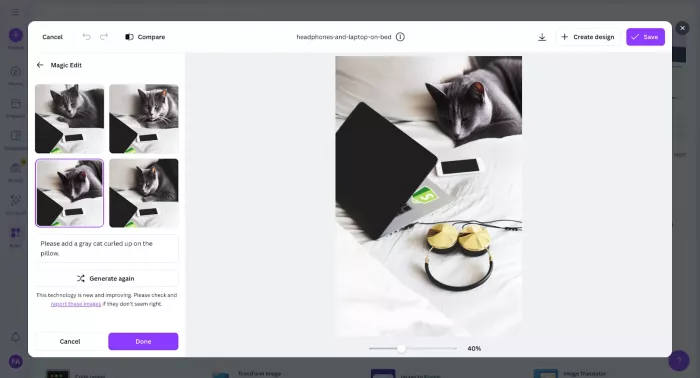
Canva Magic Studio helps create branded visuals without requiring advanced design skills. Its AI features support graphic generation, layout creation, background editing, and resizing, making it practical for creators publishing across several platforms.
The Brand Kit allows users to save colors, typography, and visual assets. This is particularly useful for maintaining consistency between profile banners, Instagram carousels, LinkedIn graphics, and other branded materials.
Most Useful Features
| Feature | Branding Application |
| Brand Kit | Maintains consistent colors and typography |
| Magic Design | Creates editable social media layouts |
| Magic Resize | Adapts designs for different platforms |
| Background Remover | Improves profile images and promotional graphics |
Canva provides considerable design flexibility, but frequently used templates can make content appear repetitive. Customizing layouts and developing a recognizable visual style remain important.
Pricing: Free plan available. Canva Pro starts at approximately $12/month with annual billing, with regional differences.
3. Jasper AI: Best for Consistent Brand Messaging
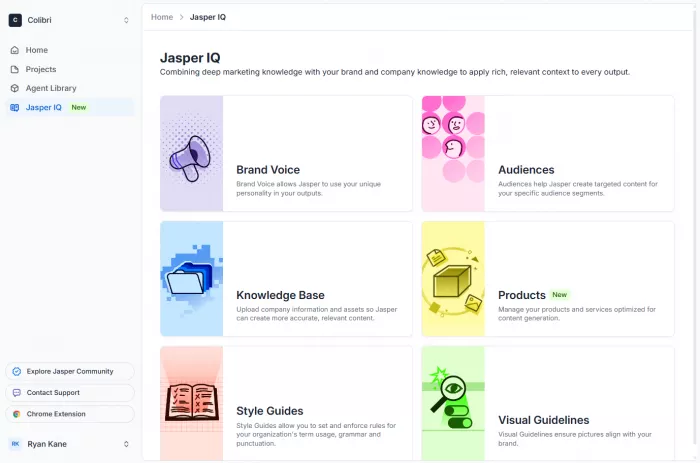
Jasper is an AI writing platform focused on maintaining brand-specific communication. Its Brand Voice features help users establish tone, terminology, and messaging guidelines for different content formats.
This becomes useful when professionals publish newsletters, articles, service descriptions, and social media posts that need to reflect the same identity.
Key Branding Capabilities
● Brand Voice: Maintains writing preferences and consistent language across different materials.
● Content adaptation: Converts existing ideas into newsletters, articles, and platform-specific copy.
● Brand knowledge: Uses supplied business information to support more consistent messaging.
Jasper is better suited to professionals producing content frequently than occasional social media users. Its higher subscription cost and the need to edit AI-generated writing are important considerations.
Pricing: 7-day free trial. Pro starts at $59/month with annual billing, or $69/month with monthly billing.
4. Descript: Best for Personal-Brand Videos
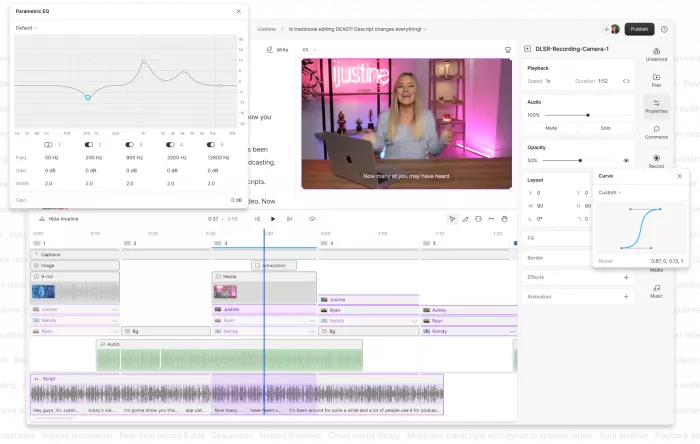
Descript simplifies video and podcast editing through a transcript-based interface. Users can edit recordings by modifying the associated text, making it easier to remove repeated explanations, unnecessary pauses, and unwanted sections.
Its AI features also include audio enhancement, filler-word removal, and automatic captions. These capabilities are particularly relevant for educators, consultants, and professionals producing interviews or instructional videos.
A Typical Editing Workflow
1. Import a recording: Upload a video or podcast and generate its transcript.
2. Edit through text: Remove mistakes and unnecessary dialogue without extensive timeline editing.
3. Improve presentation: Enhance audio, add captions, and adjust the final recording.
4. Export the video: Prepare finished content for YouTube, LinkedIn, or other platforms.
Descript reduces technical editing work, although automated transcription and audio adjustments still require review. Removing too much dialogue can also affect the natural flow of a conversation.
Pricing: Free plan available. Hobbyist starts at $16/month with annual billing, or $24/month with monthly billing.
5. Buffer: Best for Multi-Platform Social Media Growth
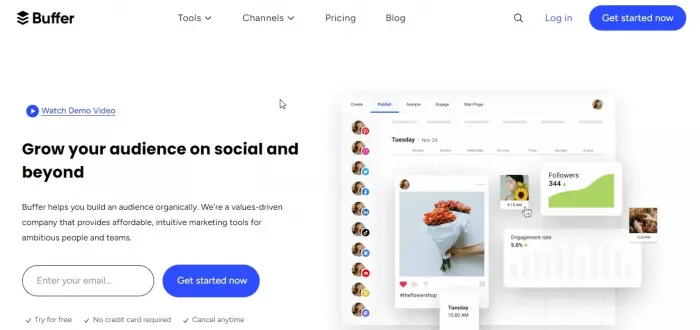
Buffer provides a centralized workspace for planning, scheduling, and analyzing social media content. Its AI Assistant helps generate ideas and adapt drafts, while its publishing calendar supports consistent activity across connected channels.
The platform is particularly useful for freelancers and independent creators managing multiple accounts without a dedicated social media team.
How Buffer Supports Growth
| Activity | Practical Application |
| Content planning | Organizes ideas and upcoming posts |
| AI assistance | Refines captions and adapts content |
| Scheduling | Manages publishing across connected channels |
| Analytics | Tracks supported engagement and performance metrics |
Buffer is straightforward to use, but it does not replace dedicated graphic design or video editing software. Its per-channel pricing also means subscription costs increase as more accounts are connected.
Pricing: Free plan supports up to three channels. Essentials starts at $5/month per channel with annual billing.
6. OpusClip: Best for Repurposing Video Content
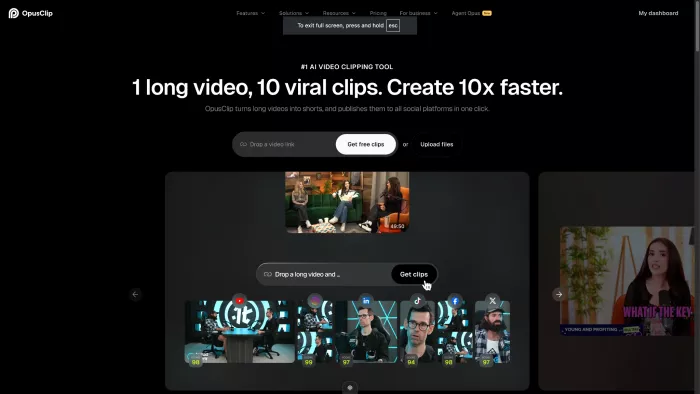
OpusClip uses AI to turn long-form recordings into shorter videos suitable for Instagram Reels, TikTok, and YouTube Shorts. It analyzes source footage, identifies potential highlights, generates captions, and adjusts framing for vertical formats.
This makes it particularly useful for podcast hosts, educators, and creators who regularly produce interviews, webinars, or detailed videos.
What OpusClip Handles
● Automated clipping: Identifies sections of longer recordings that could work as independent short videos.
● Smart reframing: Adjusts horizontal footage for mobile viewing while keeping important subjects visible.
● AI captions: Generates editable subtitles that improve accessibility and viewing without sound.
OpusClip also provides virality scores, although these are estimates rather than dependable predictions of audience engagement. Automated clips may require editing to preserve context, especially for technical or detailed discussions.
Pricing: Free plan available with restrictions. Starter begins at $15/month, while Pro starts at $14.50/month with annual billing.
7. Brand24: Best for Online Reputation Monitoring
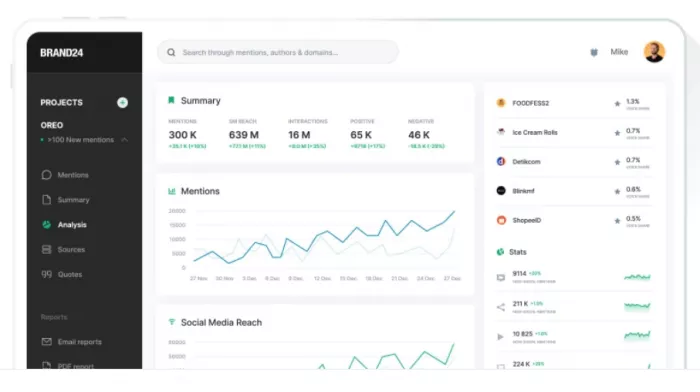
Brand24 helps professionals understand how their names, businesses, and work are discussed across supported online sources. Unlike traditional social media analytics, it focuses on conversations occurring beyond accounts directly managed by the user.
Its monitoring features collect relevant mentions and provide insights into discussion volume, sentiment, and estimated reach.
Important Reputation Metrics
| Metric | Why It Matters |
| Brand mentions | Identifies where a name or brand is discussed |
| Sentiment | Highlights positive, negative, and neutral reactions |
| Discussion trends | Reveals topics associated with a personal brand |
| Estimated reach | Indicates potential exposure of online mentions |
Brand24 is more relevant for established creators, public-facing professionals, and businesses with substantial online visibility. Automated sentiment analysis can misinterpret context, and the platform cannot monitor every private or inaccessible conversation.
Its pricing also makes it less suitable for beginners who do not yet require extensive reputation monitoring.
Pricing: 14-day free trial. Individual starts at $199/month with annual billing, or $249/month with monthly billing.
8. Predis.ai: Best for AI Social Media Content Creation
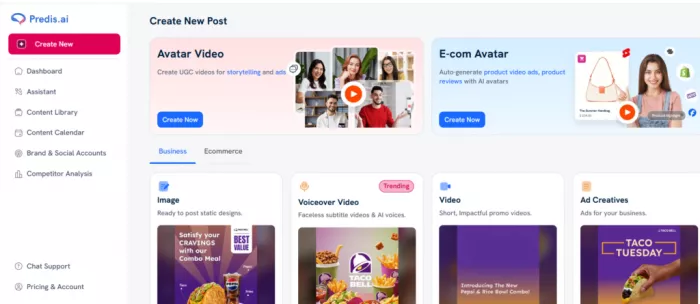
Predis.ai combines AI-generated social media graphics, carousels, captions, videos, and content planning features. Users can provide a topic or instruction and produce editable social content without preparing every element separately.
Its competitor analysis capabilities also help examine posting patterns and content performance within a particular market.
Key Capabilities
● AI creative generation: Produces social graphics, carousels, and video content from written instructions.
● Content customization: Allows adjustments to generated visuals, captions, and branding elements.
● Competitor insights: Helps identify content patterns and subjects used by competing accounts.
Predis.ai is useful for creators and small businesses that need frequent social media content. However, generated creatives can resemble common templates, and credit-based limits may affect users producing large amounts of material.
Pricing: 3-day free trial requiring a payment card. Core starts at approximately $19/month with annual billing, with pricing subject to change.
Which AI Tools Work Best Together?
Using several AI platforms only makes sense when they perform distinct tasks. Tools with overlapping capabilities can increase expenses without meaningfully improving content quality.
For LinkedIn-focused professionals, Taplio and Canva provide a practical combination for content development and visual presentation. Video creators may benefit more from Descript and OpusClip, while Buffer can organize distribution across multiple channels.
A few combinations worth considering include:
● LinkedIn professionals: Taplio for content research and publishing, paired with Canva for branded visuals.
● Video creators: Descript for editing original recordings and OpusClip for creating shorter clips.
● Freelancers and small businesses: Canva or Predis.ai for content production, supported by Buffer for scheduling.
● Established professionals: Brand24 for monitoring online conversations alongside their existing publishing tools.
Before combining subscriptions, it is worth checking whether the tools already in use cover the same activities. For instance, Canva and Predis.ai overlap in creative generation, while Taplio and Buffer both offer publishing features for different requirements.
Final Verdict
Canva Magic Studio and Buffer are practical starting points for professionals managing visual content and social publishing on a limited budget. Taplio offers more specialized support for LinkedIn, while Jasper is relevant for those producing substantial amounts of branded written content.
Descript and OpusClip address different stages of video production, making them useful for creators working with regular recordings. Predis.ai provides an alternative for AI-generated social creatives, while Brand24 serves professionals who need deeper insight into online reputation.
The strongest setup is usually a small combination of tools that handles content creation, publishing, and performance measurement without duplicating unnecessary features. AI can reduce production work, but professional knowledge, original perspectives, and consistent positioning remain the elements that make a personal brand recognizable.


Comments