The 7 Best Linktree Alternatives for Better Bio Links in 2026 (Free & Paid)

Bharat Sharma
Linktree is still one of the easiest ways to turn a social bio into a useful landing page, but it is no longer the obvious choice for every creator or business.
Some alternatives give you considerably more control over design. Others are better for selling products, collecting leads, managing multiple profiles or simply keeping recurring costs low. Linktree's own paid plans now range from $8 per month for Starter to $35 per month for Premium on monthly billing, which also makes pricing a bigger part of the decision than it used to be.
The seven alternatives below take different approaches. I compared them around the features that actually affect a bio page after it goes live: customization, monetization, analytics, page-building workflow, free-plan restrictions and the point at which paying becomes worthwhile.
Quick Comparison
| Tool | Best For | Free Plan | Paid From | Main Strength |
| Beacons | Creator businesses | Yes | $10/month | Monetization and creator tools |
| Carrd | Custom mini-sites | Yes | $9/year | Design flexibility |
| Lnk.Bio | Budget-conscious users | Yes | $0.99/month | Low-cost lifetime options |
| Taplink | Service businesses | Yes | $4/month* | Forms and landing-page tools |
| Campsite.bio | Organized social link hubs | Yes | $7/month | Link management and analytics |
| Stan Store | Selling digital products | No | $29/month | Creator commerce |
| Milkshake | Visual mobile-first pages | Yes | $2.99/month | Card-based website design |
*Pricing for the platforms varies according to billing cycle, region or app-store pricing. The pricing mentioned above is as per 7 August 2026.
1. Beacons: Best for Creator Businesses
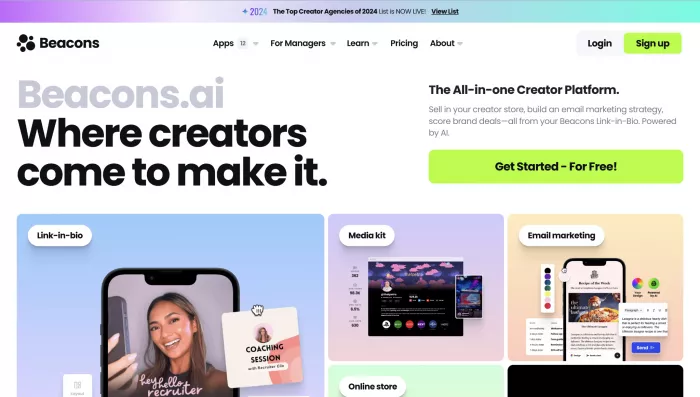
Beacons is one of the strongest alternatives for someone who has outgrown a simple list of links. The page builder sits inside a broader creator platform containing selling, email, media-kit and audience tools.
For a personal profile with five links, that can be more functionality than necessary. For a creator treating social traffic as part of a business, however, the extra tools are the main reason to choose it.
Beacons Snapshot
| Best for | Creators selling products or building an audience |
| Free plan | Yes |
| Paid from | $10/month |
| Biggest strength | Combines bio page and creator-business tools |
| Main limitation | Seller fees on lower tiers |
Key Features
● The customizable bio page supports different layouts, backgrounds, fonts, colors and branded sections.
● Creators can sell unlimited digital products and create affiliate links from within the platform.
● Email collection and sending tools reduce the need for a separate email platform at smaller scales.
● Beacons also includes a media-kit builder, real-time analytics and AI-assisted content tools.
Workflow
The basic process is create your profile → add links or products → customize the page → connect creator tools → publish.
Where Beacons becomes different from Linktree is what happens afterward. The same dashboard can be used for products, email, affiliate links and brand-deal materials, so the page can gradually become a small creator-business hub.
Advantages and Limitations
| Advantages | Limitations |
| A creator can manage bio links, email capture, product sales and brand-deal tools from one platform instead of relying on several separate services. | The dashboard can feel unnecessarily busy if you only need a simple page with a few links. |
| The free tier is useful enough to test monetization before committing to a paid plan. | The 9% seller fee on lower plans can become expensive as digital-product revenue grows. |
| Its store, media kit and audience tools are especially useful for creators treating their profile as part of a business. | Many of its strongest features have little value for users who do not sell products, collect emails or work with brands. |
Pricing
Beacons has a Free plan at $0. Creator costs $10/month, Creator Plus $30/month, and Creator Max $90/month when paying monthly. Annual billing reduces those effective monthly costs. Creator Plus is particularly important for active sellers because it removes Beacons' 9% seller fee and adds unlimited email sends, courses and memberships.
Best For
Choose Beacons if your bio link needs to do more than route traffic. It makes the most sense for creators who want to collect subscribers, sell digital products and manage commercial activity around the same profile.
2. Carrd: Best for Design Control
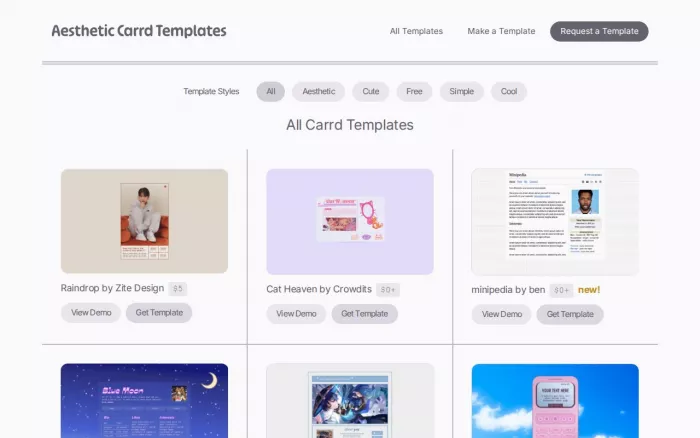
Carrd is not a traditional link-in-bio platform, and that is exactly why it works so well as a Linktree alternative.
Instead of giving you a predefined bio-link structure, Carrd lets you build a lightweight one-page website. You can create a conventional list of social links, but you can also add introductions, portfolios, calls to action, signup forms and completely custom sections.
Carrd Snapshot
| Best for | Freelancers, portfolios and branded mini-sites |
| Free plan | Yes |
| Paid from | $9/year |
| Biggest strength | Far greater control over page structure |
| Main limitation | Not purpose-built for link-in-bio management |
Key Features
● Flexible one-page layouts with a large selection of templates and customizable elements.
● Pro plans remove Carrd branding and unlock premium templates.
● Pro Standard supports custom domains, forms, third-party widgets, embeds and analytics integrations.
● Integrations can bring services such as Stripe, PayPal, Gumroad, Typeform and email platforms into the page.
Workflow
You start with a template or blank page, build the sections you need, add buttons or embedded content and then publish to a Carrd URL or, on eligible plans, your own domain.
It takes slightly more design work than Linktree, but the result can look much less like a standard link-in-bio profile.
Advantages and Limitations
| Advantages | Limitations |
| Carrd gives much more control over page layout, spacing and structure, so the finished page can look less like a standard link-in-bio template. | Because it is a general one-page website builder, some bio-link functions have to be created manually. |
| Its paid plans are inexpensive for users who want a custom domain and a polished personal landing page. | Managing a large number of frequently changing links is less convenient than on dedicated bio-link platforms. |
| Forms, embeds and third-party widgets make it useful for portfolios, lead generation and lightweight business pages. | Built-in creator commerce and social-focused analytics are more limited than on Beacons or Stan Store. |
Pricing
Carrd's Basic experience is free. Pro Lite costs $9 per year, Pro Standard $19 per year, and Pro Plus $49 per year. Pro Lite does not include custom domains, so Pro Standard is likely the more relevant tier for someone building a professional Linktree replacement.
Best For
Carrd is the better choice when you want the bio page to feel like your own compact website, rather than a customized profile hosted inside another creator platform.
3. Lnk.Bio: Best Low-Cost Alternative
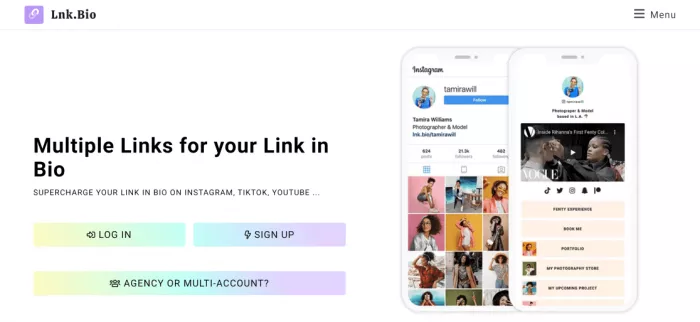
Lnk.Bio takes a much more conventional approach. It is clearly a link-in-bio product, but its pricing is unusually aggressive.
The free version already allows unlimited links. More importantly, paid users can choose lifetime tiers instead of being locked into another recurring software subscription.
Lnk.Bio Snapshot
| Best for | Users who want a low-cost Linktree replacement |
| Free plan | Yes |
| Paid from | $0.99/month |
| Biggest strength | One-time lifetime pricing |
| Main limitation | Advanced branding requires higher tiers |
Key Features
● Unlimited links are available even on the free tier.
● The platform supports large numbers of templates, media embeds, icons and external integrations.
● Paid features include link scheduling, groups, advanced analytics and password-protected links.
● For users managing multiple protected links and accounts, a password manager can help securely store and organize the passwords used to access them.demanding login credentials is doing something beyond public-data tracking, and that additional access creates unnecessary security risks.
Workflow
The workflow stays close to what Linktree users already know: claim a profile URL → add links → arrange them → select a template → customize → publish.
That familiarity is useful for someone switching platforms who does not want to redesign their entire online presence.
Advantages and Limitations
| Advantages | Limitations |
| Unlimited links on the free plan make it practical for users with large content libraries without forcing an early upgrade. | The platform remains mainly focused on link management rather than broader creator-business tools. |
| Lifetime pricing is attractive for users who want to avoid adding another recurring subscription. | Some professional branding and custom-domain features require higher plans or additional purchases. |
| The workflow feels familiar to Linktree users, so switching platforms requires very little adjustment. | Design flexibility is more limited than Carrd if you want the page to resemble a custom website. |
Pricing
The Free plan costs $0. Mini is available for $0.99/month or $9.99 as a one-time purchase, while Unique costs $24.99 as a one-time payment. Lnk.Bio also offers higher-level options and separate add-ons for features such as custom domains and booking.
Best For
Lnk.Bio stands out for someone who likes Linktree's basic concept but dislikes paying a sizeable subscription for it. The lifetime tiers make it particularly attractive for profiles that do not require a full commerce platform.
4. Taplink: Best for Service Businesses
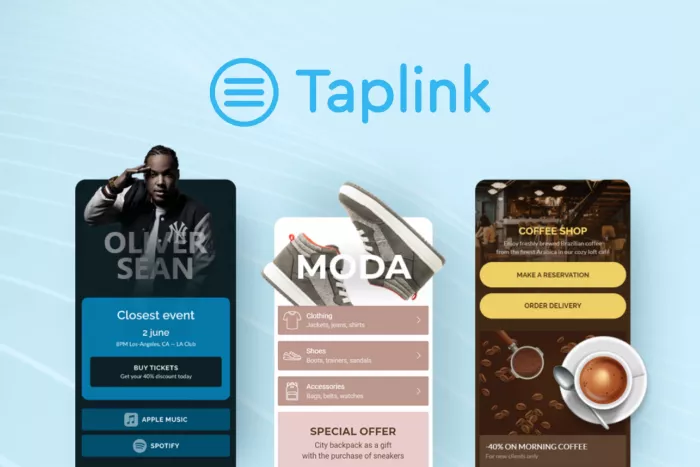
Taplink starts as a bio-link builder but can expand into something closer to a compact sales landing page.
That makes it particularly useful for consultants, salons, photographers, coaches and other businesses where visitors need more than a list of destinations. A Taplink page can explain services, display pricing, collect inquiries and accept payments.
Taplink Snapshot
| Best for | Freelancers and service businesses |
| Free plan | Yes |
| Paid from | $4/month* |
| Biggest strength | Conversion-focused page tools |
| Main limitation | Better features sit behind Business |
Key Features
● Users can build from templates, start from scratch or generate a page through Taplink's AI builder.
● Pages can include social links, maps, multimedia, pricing information and other content blocks.
● Business users gain forms, payment collection, digital products, CRM functionality and custom domains.
● Taplink supports external payment providers rather than requiring every transaction to flow through its own checkout system.
Workflow
You choose a template, use the AI builder or begin from an empty page. Content blocks are then added and rearranged before the page is customized and published.
This block-based approach makes Taplink more flexible than a basic vertical stack of buttons without requiring a full website builder.
Advantages and Limitations
| Advantages | Limitations |
| Forms, service blocks, maps and payment tools let the page work more like a compact sales landing page than a simple list of links. | Many of the features that make Taplink distinctive are reserved for the Business plan. |
| It works particularly well for businesses that want visitors to inquire, book or pay directly from the bio page. | Creating a conversion-focused page requires more setup than building a basic Linktree-style profile. |
| The block-based editor gives service businesses better control over how offers, pricing and contact options are presented. | Its business-focused tools may feel excessive for creators who mainly want to share content links. |
Pricing
Taplink offers Basic for free. For U.S. customers paying annually, Pro works out to $4/month and Business to $8/month. Business adds features such as forms, digital-product selling, internal pages, CRM tools, branding removal and custom-domain support.
Best For
Taplink is strongest when your bio traffic needs to become an inquiry, booking or purchase. For a service business, those conversion tools can matter more than having the largest collection of themes.
5. Campsite.bio: Best for Organized Link Hubs
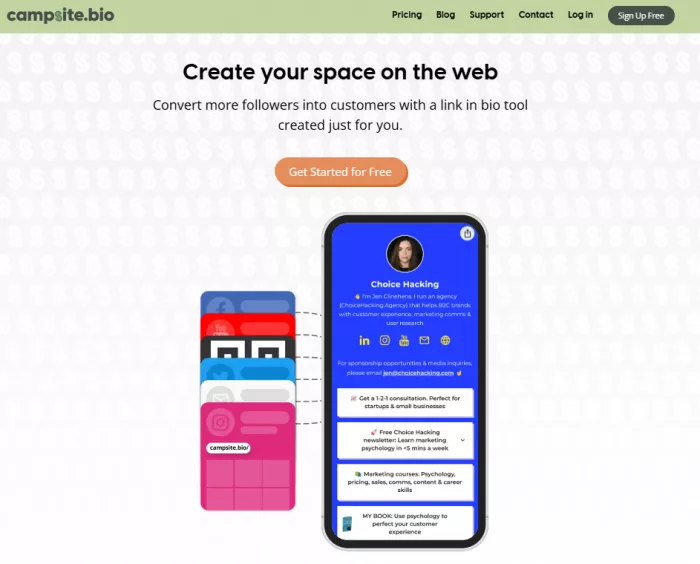
Campsite.bio sits closer to Linktree than Carrd or Stan Store, but gives users more tools for organizing and controlling a growing collection of content.
Instead of treating every item as another identical button, you can work with groups, embeds, carousels, feeds, forms and other link types.
Campsite.bio Snapshot
| Best for | Creators managing lots of links and campaigns |
| Free plan | Yes |
| Paid from | $7/month |
| Biggest strength | Link organization and tracking |
| Main limitation | Advanced analytics require higher plans |
Key Features
● Free accounts support unlimited links, themes, social accounts, QR codes and basic analytics.
● Pro adds scheduled links, highlighted links, custom domains and removal of Campsite branding.
● More specialized link types include forms, opt-in forms, feeds, groups and carousels.
● Marketing integrations include Google Analytics, Google Tag Manager and advertising pixels from major social platforms.
Workflow
After creating the profile, you add individual links or choose specialized blocks, arrange them in the desired order and customize the theme. Pro users can then layer in scheduling, tracking and lead-capture features.
The workflow remains recognizable to Linktree users, so there is little adjustment involved.
Advantages and Limitations
| Advantages | Limitations |
| Groups, carousels, feeds and scheduled links make it easier to manage a large or frequently changing collection of links. | Several of its stronger organization and tracking tools require a paid Pro plan. |
| Marketing integrations and link-level tracking are useful for creators or teams running campaigns. | It has fewer native selling tools than platforms built around digital products and creator commerce. |
| The interface remains familiar to Linktree users while offering more ways to organize different types of content. | The higher Pro+ tier may be difficult to justify for solo users who do not need multiple profiles or collaboration features. |
Pricing
Campsite.bio offers a Free tier. Pro costs $7/month or $70/year, while Pro+ costs $24/month or $240/year. Pro+ is designed more for users who need multiple profiles, collaborators and deeper analytics.
Best For
Campsite.bio makes sense for creators and social teams whose biggest problem is organizing, rotating and measuring links, rather than building a digital-product business around them.
6. Stan Store: Best for Selling Products
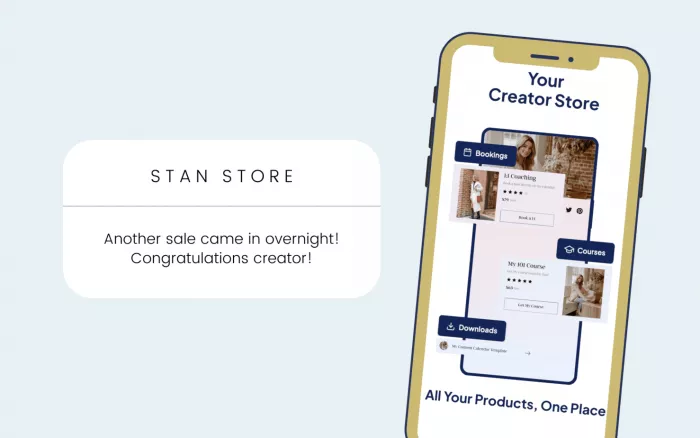
Stan Store is the least direct Linktree replacement on this list. Its real purpose is selling.
The bio page behaves more like a storefront where creators can offer digital products, courses, subscriptions, coaching sessions and other paid offers. If revenue is the main objective, that specialization can be valuable. If you simply need links to YouTube and Instagram, it is hard to justify the price.
Stan Store Snapshot
| Best for | Creators selling digital products or services |
| Free plan | No |
| Paid from | $29/month |
| Biggest strength | Built around creator commerce |
| Main limitation | Expensive for a simple link page |
Key Features
● The Creator plan includes a mobile-friendly storefront, product analytics and booking tools.
● Users can build unlimited courses, recurring subscriptions and lead magnets.
● Stan AutoDM can automate Instagram responses.
● Creator Pro adds email marketing, funnels, order bumps, affiliate management, payment plans and advertising pixel tracking.
Workflow
Instead of adding links first, Stan encourages you to create offers. You set up a storefront, connect payments, add products or booking options and then place the Stan URL in your social bio.
That commerce-first workflow is the clearest difference between Stan and Linktree.
Advantages and Limitations
| Advantages | Limitations |
| Products, courses, subscriptions and bookings can all be managed from the same storefront, reducing the need for separate selling tools. | The $29 monthly starting price is difficult to justify if you only need a page for social and website links. |
| Stan does not add its own percentage-based platform fee to sales, which becomes more valuable as revenue grows. | There is no permanent free plan, so users must move to a paid subscription after the trial. |
| The storefront is designed to move social-media visitors toward a purchase with relatively few steps. | The commerce-first structure offers less design freedom for users who mainly want a flexible personal website. |
Payment processors still charge their own processing fees even though Stan itself takes a 0% platform transaction fee.
Pricing
Stan has two plans: Creator at $29/month or $300/year, and Creator Pro at $99/month or $948/year. There is currently no permanent free plan, although Stan provides a 14-day trial.
Best For
Stan is worth considering when selling is already central to your creator business. Paying $29 per month simply to display links makes little sense, but the calculation changes once the page replaces separate course, booking and storefront tools.
7. Milkshake: Best for Mobile-First Design

Milkshake takes a noticeably different visual approach in the Milkshake vs Linktree comparison. Instead of building one long list of buttons, users create a small website using individual Cards.
These cards can feature links, introductions, recommendations, videos, contact information, and increasingly, commerce tools. The result feels more like a swipeable mini-site than a traditional link-in-bio page, giving users greater freedom to create a visually engaging and personalized experience.
Milkshake Snapshot
| Best for | Creators wanting a visual mobile-first site |
| Free plan | Yes |
| Paid from | $2.99/month |
| Biggest strength | Simple card-based design |
| Main limitation | Custom domains require Pro+ |
Key Features
● Free accounts include unlimited links and Cards, templates, customization, social icons and 30 days of Insights analytics.
● Sites are designed primarily from a phone and remain usable on desktop.
● Contact forms, mailing-list tools, advanced analytics and marketing features are available on higher tiers.
● Milkshake now supports selling digital files through Stripe, including on the free plan.
Workflow
Choose a Card, add the relevant content, select a visual Look and continue adding Cards until the site feels complete. You then publish it using a Milkshake URL and place that link in your social profiles.
It is one of the easiest options here for someone who prefers designing directly from a phone.
Advantages and Limitations
| Advantages | Limitations |
| The Card-based layout creates a more visual browsing experience than a conventional stack of identical link buttons. | The card structure can feel restrictive when a page needs more complex navigation or detailed information. |
| Its mobile-first editor works well for creators who manage most of their social presence from a phone. | Custom domains and other professional features require higher paid tiers. |
| The free plan provides enough design flexibility for creators who want a more visual profile without paying immediately. | Platform fees on digital sales make it less attractive for creators generating higher sales volumes. |
Pricing
Milkshake's Free plan costs $0. Lite costs $2.99/month, while Pro costs $5/month when billed annually at $59.99. Pro+ costs $8.33/month when billed annually at $99.99 and adds custom domains and Google Analytics.
Selling carries a Milkshake fee of 12% on Free and Lite, 9% on Pro and 7% on Pro+, in addition to Stripe processing fees.
Best For
Milkshake works particularly well for creators who care more about presentation than advanced business infrastructure. It gives a social profile a visual mini-website without requiring the design work involved in building one with Carrd.
Choosing the Right Alternative
The biggest mistake is comparing these platforms only by counting features. A digital-product store, advanced pixel tracking or course builder has no value if your page exists only to send visitors to three social accounts.
A more useful comparison starts with what you expect a visitor to do.
| Your Main Goal | Best Choice |
| Build a broader creator business | Beacons |
| Create a highly customized mini-site | Carrd |
| Spend as little as possible | Lnk.Bio |
| Generate inquiries or service leads | Taplink |
| Organize and track many links | Campsite.bio |
| Sell digital products and courses | Stan Store |
| Build visually from your phone | Milkshake |
There is also a meaningful difference between routing traffic and converting traffic. If your Instagram bio mainly needs to send people to YouTube, a newsletter and a portfolio, Carrd or Lnk.Bio can handle the job without a large monthly bill.
If the page itself needs to collect leads, Taplink becomes more interesting. If products are the priority, Beacons or Stan Store start to justify their additional complexity. That distinction matters more than whether one platform has 50 features while another has 40.
Free Plans Worth Using
A free link-in-bio plan should be usable, not simply a preview of the paid product.
Lnk.Bio is particularly competitive here because unlimited links are included without payment. Beacons is stronger when monetization and creator tools matter, while Milkshake offers a surprisingly capable visual site builder at no cost. Taplink and Campsite.bio also let you build functional pages before upgrading.
Carrd's free version works well for experimenting with layouts, although the stronger case for Carrd appears once you reach Pro Standard and can use your own domain, forms and embeds.
Stan Store sits in a different category. There is no permanent free tier, so it should be treated as a business expense rather than a casual bio-page upgrade.
When Paying Makes Sense
Paying for a link-in-bio tool becomes easier to justify when the upgrade removes an actual business constraint.
A custom domain, for example, can matter to a freelancer using the page as a portfolio. Advanced analytics become useful when campaigns are driving meaningful traffic. Lower transaction fees can matter far more than the subscription cost once digital-product revenue increases.
The same logic can prevent unnecessary upgrades. Someone with 500 monthly profile visitors does not automatically need enterprise-style tracking because it appears on a feature comparison table.
Look at the bottleneck first. If design is the problem, Carrd solves a different problem from Stan. If seller fees are eating into revenue, subscription pricing deserves closer attention. If visitors are leaving without contacting you, Taplink's forms may be more useful than another hundred templates.
The Best Linktree Alternative Depends on the Job
There is no single platform here that beats Linktree in every category. Beacons is the strongest all-round option for a creator building a business around an audience. Carrd offers the most freedom for someone who wants a genuinely distinctive page. Lnk.Bio is difficult to ignore if price is the priority, particularly because of its lifetime plans.
Taplink is more suitable when the page needs to function as a small business landing page, while Campsite.bio remains a strong choice for traditional link management. Stan Store is the specialist option for serious creator commerce. Milkshake is the easiest recommendation for someone who wants a more visual, mobile-first presence.
The best switch, then, is not necessarily the platform with the longest feature list. It is the one that removes the limitation that made you start looking beyond Linktree in the first place.


Comments