

Where you sell your digital products shapes how much of each sale you keep, how professional your storefront looks, whether you can grow into courses or memberships later, and how much time you lose fighting your tools. Switching platforms after you've built an audience and a catalog is painful, so the choice is worth getting right early.
Stan Store has become one of the most popular ways to sell straight from a social media bio. The storefront is clean and mobile-first, and setup is fast. But it doesn't fit everyone. Its flat monthly pricing can feel steep before sales are consistent, there's no free plan, and creators who need advanced courses, deep email marketing, a full website, or real physical-product support often hit its limits.
This guide compares the best Stan Store alternatives available in 2026. All prices and fees were checked against each platform's official pricing page (linked at the end). Throughout, we separate two different costs that creators routinely confuse: the platform fee (the cut the platform itself takes on a sale) and payment processing, the separate charge from Stripe or PayPal (or from the platform's own payments product) to move the money.
How We Compared These Platforms
None of these tools is "best" in the abstract; each wins for a specific kind of creator. We weighed seven factors, and the right pick depends on which ones matter most to you:
- Total cost: monthly price and the fee taken on each sale, since a cheap subscription with a high sales fee can cost more than a pricier one with none.
- Free-plan availability: whether you can start earning before you pay anything.
- Ease of use: how fast you can launch and sell, especially from a phone.
- Course tools: video hosting, drip content, quizzes, certificates, student management.
- Marketing depth: email, funnels, upsells, affiliates, automations.
- Physical products: shipping and inventory handling, plus variants, which most creator tools do poorly.
- Scalability: team seats and higher limits, plus infrastructure for a growing business.
A note on processing fees: these are not a flat "2.9% + $0.30 everywhere." They vary by processor and country, and by how the customer pays. Three of these platforms route payments through their own systems (Kajabi, Gumroad, Teachable); the others connect your Stripe or PayPal account. In the tables and sections below, the fee we quote is the platform's own cut. Processing is charged separately on top unless noted.
What Is Stan Store?
Stan Store turns the single link in your Instagram, TikTok, or YouTube bio into a mobile-optimized storefront, so followers browse and buy without leaving social media.
Who it's for: coaches and digital-product sellers, and any social-first creator who wants a simple, attractive store they can run from a phone.
Main features: digital products, mini-courses, 1:1 bookings and calls, subscriptions, a lightweight community, and Instagram auto-DM. The higher tier adds email, funnels, upsells, discount codes, affiliate management, and ad-pixel tracking.
2026 pricing: Creator at $29/month ($25/month billed annually) and Creator Pro at $99/month ($79/month billed annually). No free plan, but a 14-day free trial.
Fees: Stan takes 0% platform fee on both plans. You still pay standard card processing through Stripe or PayPal, as you would anywhere.
Strengths: genuinely simple, polished mobile checkout, no platform cut on sales, and a workflow built for a social audience.
Limitations: no free plan, pricing that starts before your first sale, basic course and website tools, thin physical-product support, and most marketing features locked to the $99 Pro plan.
Stan Store is our baseline, so we'll keep this short and spend the rest of the guide on the alternatives.
Why Look for a Stan Store Alternative?
Stan Store is a strong choice for creators who want a simple, mobile-first storefront, but it may not suit everyone. With no permanent free plan, the monthly cost can feel expensive when sales are inconsistent. Creators may also outgrow its basic course, website, email marketing, and physical-product features as their business becomes more complex.
A Stan Store alternative can make more sense if you want lower upfront costs, advanced course tools, deeper marketing automation, a full branded website, stronger memberships and communities, or better support for physical products. The best option depends on your budget, what you sell, and how much room you need to grow..
Stan Store Alternatives at a Glance
| Platform | Monthly Price | Platform Fee on Sales | Free Plan | Best For |
| Stan Store | $29 ($25 annual) | 0% | No - 14-day trial | Social-first mobile storefronts |
| Beacons | $0 / $10 / $30 / $90 | 9% free & entry tiers, 0% from $30 tier | Yes | All-in-one link-in-bio with brand-deal tools |
| Kajabi | $179 / $249 / $499 (~20% off annual) | 0% revenue share (own-processor surcharge) | No - trial only | Established course & knowledge businesses |
| Podia | $49 / $99 / $179 (~15% off annual) | 5% on entry plan, 0% above | No - 30-day trial | Courses, community & email in one |
| Teachable | $39 / $89 / $189 / Custom (~25% off annual) | 7.5% on entry plan, 0% above | No - 7-day trial | Structured course creators |
| Gumroad | $0 | 10% + $0.50 per direct sale (30% via Discover) | Yes | Simple digital downloads, zero commitment |
| Linktree | $0 / $8 / $15 / $35 (~20% off annual) | 12% free, 9% mid, 0% top tier | Yes | Link-in-bio pages, light selling |
| Payhip | $0 / $29 / $99 | 5% free, 2% mid, 0% top tier | Yes | Digital and physical products |
Prices and fees can vary by plan, billing cycle, country, taxes, and payment method. Check the official pricing page before signing up.
7 Best Stan Store Alternatives in 2026
1. Beacons: Best All-in-One Free Alternative
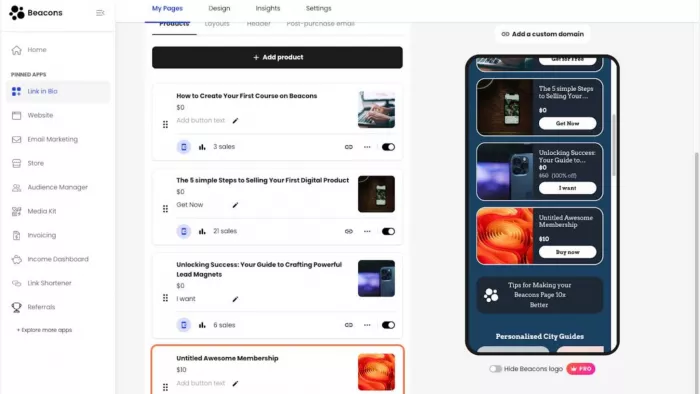
Beacons is the closest cousin to Stan Store: an AI-powered link-in-bio platform bundling a storefront, email, a media kit for brand deals, and Instagram DM automation into one page. The difference that matters is a genuinely free tier, which Stan lacks.
Key features:
- Storefront and link-in-bio share the same page, so you sell digital products without sending Instagram or TikTok visitors to a separate shop.
- A media kit that stays connected to your creator profile. Useful for pitching sponsorships and managing brand-deal opportunities alongside product sales.
- Instagram Smart Reply automation, which responds to comments or engagement automatically and moves followers toward your links or offers.
- Courses and memberships on Creator Plus, including video hosting, so you can move beyond one-off downloads without adding a separate course platform.
- Built-in email alongside your storefront: capture contacts and market to the same audience you're already directing through your Beacons page.
Beacons pricing:
Beacons has four tiers: Free, then Creator at $10/month, Creator Plus at $30/month, and Creator Max at $90/month. The Free and Creator plans charge a 9% seller fee, while Creator Plus and Creator Max drop that platform fee to 0%. The $30 Creator Plus tier is the important crossover point for creators who are already making regular sales because the higher subscription removes the seller fee.
Card-processing charges still apply separately.
Beacons: Pros & Cons
| Pros | Cons |
| Free plan lets creators test product sales before taking on a monthly subscription. | The 9% seller fee on Free and Creator can become expensive once sales reach a few hundred dollars a month. |
| Combines a link-in-bio page, storefront, media kit and creator marketing tools in one profile. | The mobile block editor can feel restrictive when building more complicated page layouts. |
| Creator Plus removes the seller fee while adding video courses and memberships, plus unlimited emails. | Video-hosted courses and memberships require the $30/month Creator Plus tier. |
| Instagram Smart Reply gives creators a direct way to turn social engagement into product traffic. | Creators who only need a simple storefront may end up paying for features they don't use. |
Best for: the social-first creator who wants Stan's style of selling plus brand-deal tooling, and who'd rather launch free and only pay once sales justify it. If you're chasing sponsorships alongside product sales, Beacons' media kit is the deciding feature.
Stan Store vs. Beacons: Beacons wins on the free entry point and brand-deal tools. But its 0% tier costs $30/month versus Stan's fee-free $29 Creator plan, so once you sell steadily the price gap nearly closes and the choice comes down to whether you value Beacons' media kit and AI or Stan's cleaner checkout.
2. Kajabi: Best for Established Course & Knowledge Businesses
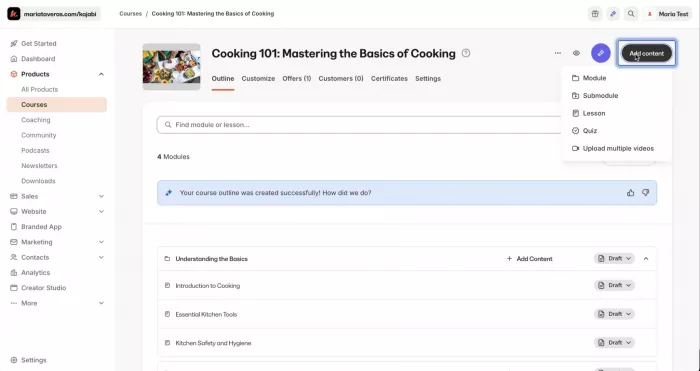
Kajabi is a premium, true all-in-one platform for serious course creators. Where Stan is a lightweight storefront, Kajabi aims to replace your course host, email tool, funnel builder, website, and community at once.
Key features:
- A course business without a pile of separate tools: courses, website, email, funnels, checkout and community all operate from the same account.
- Marketing automation goes beyond newsletters. Segmentation and automated campaigns let creators build follow-up sequences around what subscribers actually do.
- Funnels are part of the selling workflow, with landing pages and checkout connected instead of forcing you to stitch together a separate funnel builder.
- Full video course delivery, built for businesses where the course itself is the main product rather than an add-on to a bio page.
- No platform revenue share. Kajabi doesn't take a percentage of sales, although its payment setup has its own costs and conditions.
Pricing:
Kajabi starts at $179/month for Basic, followed by $249/month for Growth and $499/month for Pro when billed monthly. Basic drops to about $143 a month on annual billing, Growth to roughly $199, Pro to roughly $399. There is no permanent free plan, although Kajabi offers a 14-day trial. Kajabi doesn't take a traditional revenue share on sales, but payment costs or surcharges can apply depending on how you process payments.
Kajabi: Pros & Cons
| Pros | Cons |
| Combines courses, email automation, funnels, website, checkout and community instead of requiring several separate subscriptions. | $179/month starting price makes it difficult to justify for a creator with only a few products or occasional sales. |
| Advanced segmentation and automation are useful when email marketing is a major part of the sales process. | The platform is overbuilt for someone who mainly wants a social-bio storefront. |
| Full video-course delivery makes it suitable for businesses where education is the primary product. | Using an external Stripe or PayPal account can trigger an additional Kajabi surcharge. |
| No traditional platform revenue share on sales. | Some of the more advanced capabilities require the higher Growth or Pro tiers. |
Best for: the creator already earning consistently (think five- or six-figure course businesses) who will use the full stack and save by consolidating three or four tools into one. At low volume, its price is impossible to justify; at scale, the all-in-one math starts working in its favor.
Stan Store vs. Kajabi: Different stages entirely. Choose Kajabi once you're doing real volume and need advanced courses plus funnels and email under one roof. Stay with Stan if you want a mobile store without a $179+ commitment.
3. Podia: Best for Courses, Community & Email in One
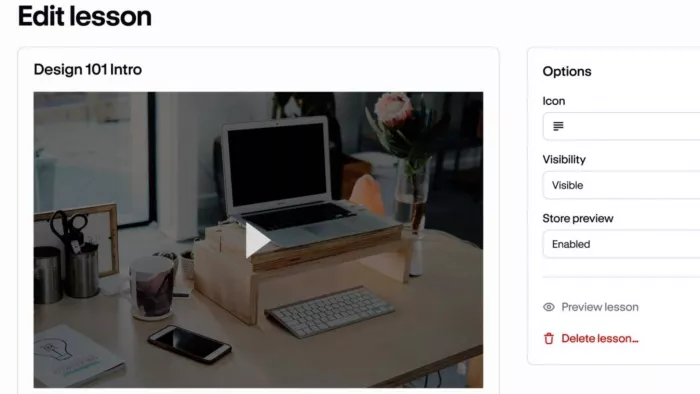
Podia folds digital products, courses, memberships, community, email, and a website into one flat-priced tool. It's less bio-focused than Stan and more of a home base for a growing creator business.
Key features:
- Your courses and community share a home with your email list. Podia is designed more like a creator business hub than a simple storefront.
- Community spaces are part of the product, useful when the value of your offer continues after the initial purchase.
- Website included: you can build a branded site around your products instead of relying primarily on a social-media bio.
- Tax handling across 230 countries. Particularly useful if you sell internationally and don't want to manage every sales-tax calculation by hand.
- Affiliate and upsell tools appear as you move up; the higher tiers are aimed at creators actively building a sales engine around their products.
Pricing:
Podia's monthly plans run $49 for Mover and $99 for Shaker, with Earthquaker at $179. Mover takes a 5% platform fee, while Shaker and Earthquaker have 0% platform fees. Annual billing shaves those to $42, $84 and $150. Podia no longer has a permanent free plan, but the platform provides a 30-day trial, giving creators time to test the store before paying.
Podia: Pros & Cons
| Pros | Cons |
| Puts courses, memberships, community, email and a website under one subscription. | There is no longer a permanent free plan, so creators must move to a paid subscription after the trial. |
| Community spaces make it practical to build an ongoing membership rather than selling only one-off downloads. | The 5% Mover fee can make the $49 plan less attractive once sales become consistent. |
| Built-in tax and multi-currency handling is useful for creators selling internationally. | Email subscribers are capped according to the plan, which can create another cost as the audience grows. |
| The 30-day trial gives creators more time to test the platform than most alternatives. | Website customization and analytics aren't as deep as what larger all-in-one platforms offer. |
Best for: the creator whose core product is courses or memberships and who wants email and a website bundled in rather than stitched together from separate tools. If community is central to your offer, Podia's spaces make it the natural pick over Stan.
Stan Store vs. Podia: Podia if you want depth, with community and email living alongside your courses. Stan for social-first simplicity and the cleanest mobile checkout.
4. Teachable: Best for Structured Course Creators
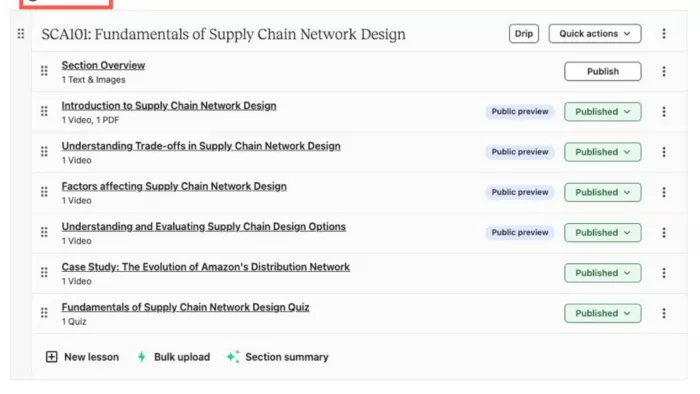
Teachable is one of the longest-running course platforms, built for well-organized courses with real student management; it moved to a four-tier lineup in 2025.
Key features:
- Built around structured learning, not just selling files. Its course builder is designed for lessons and organized curriculum, and treats buyers as students.
- Certificates on every plan. Even the entry tier can issue course completion certificates, which makes Teachable more suitable for education-focused offers.
- Student management is a core feature, so higher-volume course businesses can manage larger student groups rather than treating every buyer simply as a customer.
- Handles tax and VAT for you, which is useful for creators selling courses internationally.
Coaching and downloads sit alongside courses; you aren't restricted to one type of educational product.
Pricing:
Teachable currently has three publicly priced plans. Starter runs $39/month and Builder $89/month, with Growth at $189/month. Pay annually and those drop to $29, $69 and $139. Starter charges a 7.5% platform fee, while Builder and Growth have 0% platform fees. There is no permanent free plan; Teachable provides a 7-day trial, while higher-volume businesses can use its custom-priced option.
Teachable: Pros & Cons
| Pros | Cons |
| Its course system is built around structured lessons and curriculum for real students, rather than treating courses as a secondary feature. | The 7.5% Starter fee takes a noticeable share from course revenue. |
| Certificates are available even on the entry plan, which is useful for education-focused products. | Starter's one-product limit can become restrictive quickly for a creator building a course catalog. |
| Tax and VAT handling reduces the work involved in selling courses internationally. | No permanent free plan and only a 7-day trial. |
| Higher plans provide much larger student and product limits for established course businesses. | It is less suited to creators whose main sales channel is an Instagram or TikTok bio. |
Best for: the creator whose product is the course, who cares more about structured curriculum and student management (plus certificates) than about a bio storefront. If you plan to run more than a single course, jump straight to Builder for the 0% fee; Starter's 7.5% cut makes it a false economy above modest sales.
Stan Store vs. Teachable: Teachable is the stronger course engine; Stan is the stronger social-selling front end. Pick Teachable if courses are the business; pick Stan if you're selling a mix of products and coaching from Instagram.
5. Gumroad: Best for Simple Digital Downloads, Zero Commitment
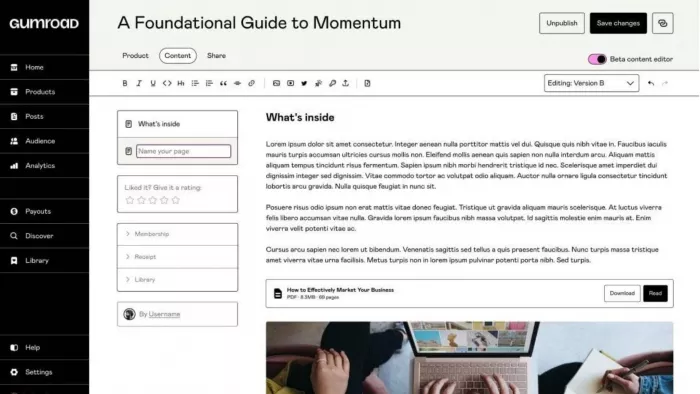
Gumroad is the no-commitment option: no subscription, no plans. Sign up free, list a product, pay only when you sell. That simplicity made it a default for indie sellers of ebooks, templates and presets.
Key features:
- No subscription decision before your first sale. There's no monthly plan to justify; you list a product and pay when revenue arrives.
- Merchant of Record handling for global sales tax and VAT, one of Gumroad's biggest practical advantages for creators selling internationally.
- Discover can bring buyers you didn't acquire yourself. Gumroad has a marketplace layer rather than functioning only as your personal checkout page.
- Pay-what-you-want pricing, useful for templates, resources, donations or any product where you want buyers to choose the amount.
- The path from product idea to checkout is short, particularly suited to a creator selling one ebook, template, preset or similar download rather than building a large course business.
Pricing:
Gumroad has no monthly subscription, so you can open a store without paying an ongoing fee. Instead, it takes 10% + $0.50 on direct sales, while sales generated through Gumroad Discover carry a much higher 30% fee. Direct-sale payment processing can also add a separate charge. The model works best when sales are irregular because you don't have a monthly bill, but the percentage taken from every sale becomes significant as revenue grows.
Gumroad: Pros & Cons
| Pros | Cons |
| No monthly subscription means you can launch a product without committing to recurring software costs. | The 10% + $0.50 direct-sale fee remains in place regardless of how much you sell. |
| Merchant of Record handling takes much of the worldwide sales-tax and VAT burden away from the creator. | Discover sales carry a steep 30% fee, which can significantly reduce the value of marketplace exposure. |
| Extremely short setup path works well for an ebook, template, preset or other single digital product. | There is no lower-fee subscription tier for creators whose sales volume grows substantially. |
| Gumroad Discover can expose products to buyers outside your existing audience. | The fee structure is particularly painful for low-priced products because of the additional $0.50 per transaction. |
Best for: the creator who wants to sell a digital download today with no monthly cost and no tax setup. A first ebook, a template pack, a preset. It's the lowest-friction way to start, and the merchant-of-record tax handling is worth real money to anyone selling internationally.
Stan Store vs. Gumroad: This comes down to volume. Gumroad wins when sales are low or unpredictable, since you pay nothing until money comes in. Stan's flat $29 with 0% platform fee starts winning once you're selling consistently: because Gumroad's cut is 10% plus $0.50 per sale, its fees pass Stan's $29 subscription somewhere in the low-hundreds-of-dollars per month, and sooner if you make many small transactions. Gumroad is also the better pick if you want hands-off tax handling; Stan is better for a branded, social-first store.
6. Linktree: Best for Link-in-Bio Pages with Light Selling
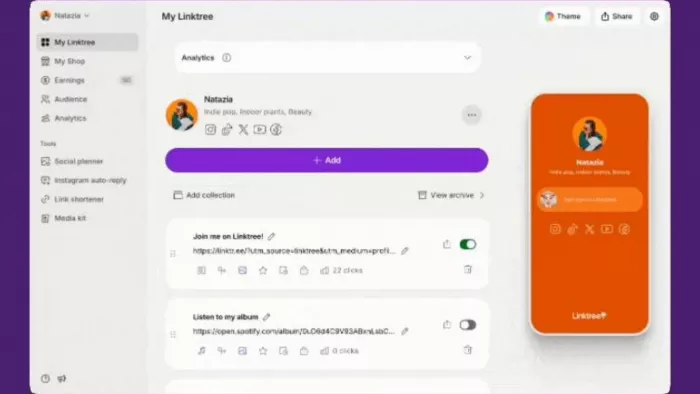
Linktree popularized the link-in-bio and remains the most recognizable name in it. As a pure link hub it's excellent. It added commerce features, but selling is where its economics get expensive.
Key features:
- Its strength is still the link hub. Linktree is primarily built to organize everything a creator wants followers to visit, not to replace a full creator-commerce platform.
- Commerce is an add-on to the link page, so products and tips (and even memberships) can live alongside the links instead of requiring a separate shop.
- QR codes turn the online profile into an offline entry point, useful for creators putting their Linktree on physical materials like cards and posters.
- Click analytics show what followers actually use, which helps when the main purpose of the page is directing traffic to multiple destinations.
- Large integration ecosystem. Its value increases when your workflow already depends on several external creator and marketing services.
Pricing:
Linktree's public monthly plans are Free, Starter at $8/month, Pro at $15/month, and Premium at $35/month. Annual billing lowers the effective monthly prices on the paid plans to roughly $6, $12 and $30. The important pricing difference for sellers is that commerce fees remain on the lower tiers, while Premium removes the platform's commerce fee. If you mainly use Linktree to organize links rather than process sales, the free plan avoids a subscription altogether.
Linktree: Pros & Cons
| Pros | Cons |
| Excellent fit when the primary job is sending followers to several destinations from one bio link. | Commerce fees make it less attractive when selling products is a major part of the business. |
| Free plan works well for creators who mainly need links and analytics with basic profile functionality. | It doesn't offer the same depth of course and storefront tools as Teachable or Podia, let alone Kajabi. |
| QR codes make the same profile useful in offline promotions and printed materials. | 0% commerce fees require the $35/month Premium tier, making the upgrade expensive for occasional sellers. |
| Large integration ecosystem makes it easy to connect a creator's existing tools and channels. | Creators looking for a full digital-product business platform may outgrow its commerce features. |
Best for: the creator whose main job is organizing links into a clean bio hub, who sells only occasionally, if at all. If selling is a real income stream, the 9–12% fee makes Linktree the wrong tool; if it's an afterthought, its free plan is unbeatable.
Stan Store vs. Linktree: A link hub that can sell a little versus a storefront that lives in your bio. If selling matters, Stan's 0% platform fee crushes Linktree's 9–12% cut. If you mostly share links, Linktree's free plan is hard to beat.
7. Payhip: Best for Digital and Physical Products
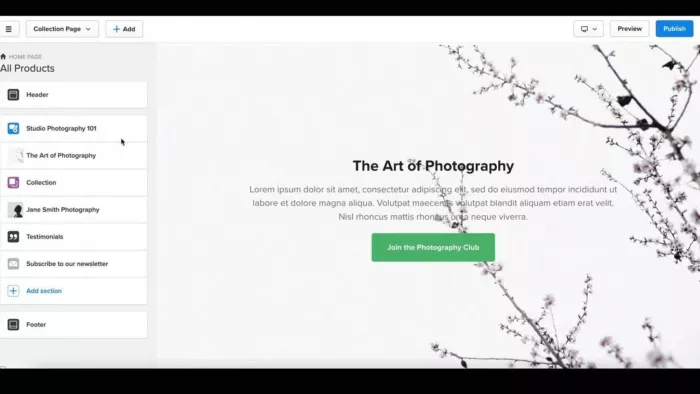
Payhip sells digital products, courses, memberships, coaching, and physical products, with an unusually clean structure: every plan includes every feature, and the only thing that changes between tiers is the fee. That makes matching your plan to your volume simple.
Key features:
- Physical products aren't an afterthought. Unlike most platforms in this comparison, Payhip supports shipping physical goods alongside digital products.
- Every plan includes the same core features. Upgrading doesn't unlock a completely different product; you're mainly paying to reduce the transaction fee.
- One store can mix digital and physical offers, selling ebooks, courses, memberships and shipped products without splitting the business across platforms.
- Built-in affiliate management lets other people promote your products without a separate affiliate system.
- Automatic EU/UK VAT handling, useful for international digital sales where tax compliance can otherwise become a headache.
- Your own Stripe or PayPal account gets paid instantly; Payhip doesn't force creators into a proprietary payout system.
Pricing:
Payhip keeps its pricing simple. Free Forever costs $0/month, and the paid tiers are Plus at $29/month and Pro at $99/month. The platform fee falls from 5% on Free to 2% on Plus and 0% on Pro. Unlike many competitors, the feature set isn't heavily split between plans, so upgrading is primarily about reducing the percentage Payhip takes from each sale. Stripe or PayPal processing fees still apply separately to transactions.
Payhip: Pros & Cons
| Pros | Cons |
| One of the few alternatives here that treats physical products and digital products as equally important. | The storefront design is more functional than highly customized or visually polished. |
| Every plan includes the core feature set, so upgrading isn't required just to unlock major selling tools. | The 5% Free plan fee can become expensive as monthly sales increase. |
| Free Forever gives creators a way to start without a monthly subscription. | Payhip's tax handling is strongest for EU/UK VAT; creators selling elsewhere still have compliance responsibilities. |
| Supports courses, memberships, coaching, affiliates and physical products from the same store. | It is less naturally integrated with social-bio selling than Stan Store or Beacons. |
Best for: the creator selling a mix of digital and physical goods, or anyone who wants a free start with a clear, fee-only upgrade path. Payhip is the one tool here that treats physical products as first-class, so if you ship anything, it's the obvious choice over Stan.
Stan Store vs. Payhip: Payhip wins on flexibility and physical products, plus a free entry point; Stan wins on social-first checkout and mobile polish. Ship physical goods or want to start free? Payhip. Run everything through a social bio? Stan.
Best Stan Store Alternatives by Use Case
- Best overall alternative: Beacons. It mirrors Stan's social-first, all-in-one approach but adds a free plan and brand-deal tools, so it fits the widest range of creators leaving Stan.
- Best free alternative: Payhip. A true free-forever plan with every feature and only a 5% fee, and the only one here that handles physical products well.
- Best for beginners: Gumroad. Nothing to configure, no monthly cost, tax handled for you. List a product and sell today.
- Best for courses: Teachable. Structured curriculum and student management, plus certificates on every plan, make it the pick when the course is the product.
- Best for social media creators: Beacons. Built, like Stan, for selling and landing sponsorships straight from Instagram and TikTok.
- Best for digital downloads: Gumroad. The simplest way to sell an ebook or template with zero commitment.
- Best with no monthly budget: Payhip or Gumroad. Both let you sell for $0 upfront and pay only when you earn.
- Best for established businesses: Kajabi. Premium all-in-one tooling that pays off once you're consolidating several subscriptions.
- Best for memberships and communities: Podia. Community spaces and email live alongside courses in one flat-priced platform.
- Best for simple link-in-bio pages: Linktree. The category default, unbeatable if you mostly organize links.
Stan Store vs. Alternatives: Which Should You Choose?
Choose Stan Store if you sell primarily through a social bio, want a simple mobile-first storefront, prefer flat pricing with a 0% platform fee, and don't need advanced website and course tools or physical-product features.
Consider an alternative if you need a free plan (Beacons, Payhip, Gumroad, Linktree), want advanced courses (Teachable, Kajabi, Podia), need deeper email and automations (Kajabi, Podia), want a full website (Kajabi, Podia), sell physical products (Payhip), want brand-deal tooling (Beacons, Kajabi), or prefer pay-as-you-earn over a flat subscription (Gumroad, Payhip).
The single most useful step is to estimate your monthly sales and run the fee math for your own numbers. A free plan with a per-sale fee is cheaper at low volume; a flat subscription with a 0% platform fee wins as you scale. The crossover differs for every platform, and it depends on your prices and how many transactions make up your revenue, so don't rely on a single headline break-even figure.
Final Verdict
There's no universal best Stan Store alternative. The right choice follows from your products, budget, audience, and stage.
Want the closest all-in-one match to Stan with a free entry point? Beacons. Want to start selling with zero monthly cost? Payhip (which also handles physical products) or Gumroad (which also handles your taxes). Is a course the core of your business? Teachable and Podia both go far deeper than Stan's mini-courses, and Kajabi becomes the premium choice once you're earning enough to consolidate tools. Mostly need a tidy link hub that occasionally sells? Linktree.
Pick the platform that fits what you're selling today. Fees and plans move often - Kajabi, Podia, Teachable, and Linktree all changed pricing within the past year - so reassess as your catalog and audience grow and your revenue climbs. The best platform at your first $500/month is rarely the best at $5,000/month, and switching later is always an option when the numbers say so.


Comments