
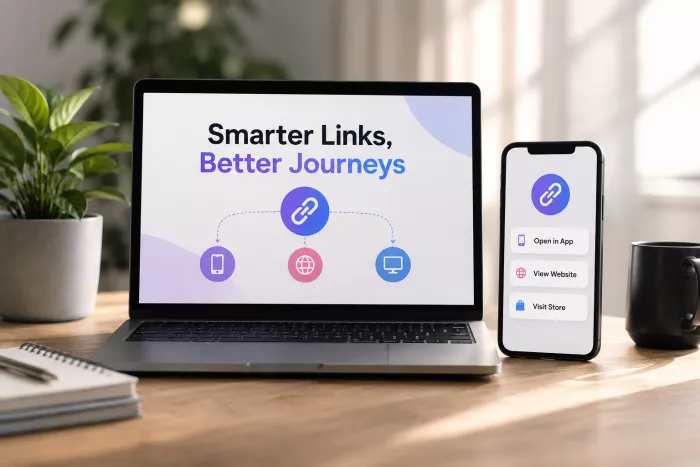
Tap a link on your phone and the right app opens on the exact screen you wanted. Forward that same link to someone on a laptop, and they land on an ordinary web page instead. One URL, two destinations, and nobody had to pick between them. That’s a smart link.
A plain link is a fixed address: everyone who clicks it ends up in the same place. A smart link is closer to a decision: it looks at who’s clicking and sends each person somewhere that fits. What follows is how that decision gets made, the shapes it comes in, what it quietly measures along the way, and the cases where it backfires.
So what actually counts as a smart link?
At its simplest, a smart link is one URL that can resolve to more than one destination. The visitor clicks; a rule somewhere checks a few things about them, their device, their country, whether they already have your app and forwards them to whichever page fits. All of that happens inside a redirect, usually in under a second, so the person clicking rarely notices anything happened at all.
If it helps, picture the link as a receptionist rather than a doormat. A plain link is the doormat: it drops you in one room, no matter who you are. The receptionist glances at you first phone or desktop, brand-new visitor or returning customer and points you down the hallway that makes sense for you.
This is also where smart links get muddled with URL shorteners, and the difference matters. A shortener mostly does one thing: take a long, ugly address and make it tidy. It still points everyone at the same page. A smart link may be short too, but shortness isn’t the point routing is. Every shortener can be dressed up to route, but not every short link is smart.
A quick history: where the term came from
The phrase “smart link” didn’t arrive with a spec sheet. It grew out of two separate problems that happened to need the same fix. App marketers kept losing people in the gap between a click and an install, and musicians releasing a single wanted one link they could post everywhere instead of a dozen platform-specific ones. Both wanted a link that could look at the situation and adapt.
The music case is why a lot of people met the idea first. Around the mid-2010s, services that turned one release into a single “listen everywhere” page became normal, and the mechanics underneath detect the click, offer or auto-pick the right service were exactly what app marketers were building in parallel. The term stuck because it described the behaviour, not the vendor. Today it’s a loose umbrella over anything that routes rather than points.
How the routing actually happens

When someone taps a smart link, the request doesn’t go straight to a final page. It hits a routing layer first, a server or a lightweight landing page whose only job is to read a handful of signals and decide where to send the click. Those signals are surprisingly few, but each one changes the outcome:
• Device and operating system, the big one. iOS and Android get pushed toward different app stores, while desktop visitors usually get a web fallback, because there’s no app for them to open in the first place.
• Whether the app is already installed. If it is, the link can open the app directly on the right screen. If it isn’t, the same link can send the person off to install it.
• Country and language, read from the IP address or browser settings, used to route someone to a localised page instead of a generic global one.
• The referral source the channel the click came from, whether that’s an email, an Instagram bio, or a QR code on a poster. This is mostly used for tracking, but it can change the destination too.
• Softer signals now and then, like time of day or a returning-visitor cookie, used for campaigns that deliberately change what they show over the course of a launch.
The clever part: remembering what you wanted
The genuinely interesting problem smart links solve is continuity across an install. Say you tap a link for one specific pair of shoes, but you don’t have the shop’s app yet. A dumb link sends you to the App Store, you install, you open the app and you’re dropped on the generic home screen with no idea where those shoes went. A smart link using deferred deep linking holds onto that original intent through the whole detour: install, first launch, then straight to the shoes.
Under the hood this leans on platform features with unglamorous names: universal links on iOS, app links on Android that let a normal-looking web URL open an app directly when it’s installed, and fall back to the web or the store when it isn’t. Getting that chain to behave the same way across browsers, across the mini-browsers tucked inside Instagram and TikTok, and across both operating systems is most of the actual engineering. It’s also why people pay for a smart-link service instead of hand-rolling a redirect.
The anatomy of a smart link
A smart link looks like an ordinary URL, which is the point. But it’s worth knowing what the pieces do, because the parts you can’t see are where the intelligence lives.
| Part | What it is | Why it matters |
| Domain | The visible address is ideally your own branded one, not a generic shortener. | Sets trust and email deliverability; it’s the one thing people read before clicking. |
| Path / slug | The short code that identifies this specific link or campaign. | Tells the service which rule set to apply to the click. |
| Routing rules | The invisible logic on the server: device, geo, and install checks. | The actual “smart” part, nothing about it is visible in the URL. |
| Parameters | The tracking tags carried along in the tail (the ?utm=… part). | How the click gets attributed back to a channel. |
| Fallback | The defined “if all else fails” destination. | Keeps a broken or unsupported route from dead-ending the visitor. |
Two links can look almost identical and behave completely differently, because everything that matters is in the rules and parameters, not the visible text. That’s also why copying someone else’s smart link rarely does what you want; you inherit their routing, not yours.
The main flavours you’ll run into
“Smart link” is a category, not a single product. A few distinct patterns show up again and again, and most real links are a blend of them:
• Deep links and store routing. The workhorse. One link that opens the app if it’s installed, sends the visitor to the correct app store if it isn’t, and shows a web page on desktop.
• Music and content links. The “one link, every platform” pages musicians use click it and you’re offered Spotify, Apple Music, YouTube and the rest, with the link often remembering your preferred service for next time. For a lot of people, this is the first smart link they ever met without knowing it had a name.
For artists, smart links for music marketing become even more useful across a release cycle, where pre-saves, streaming destinations and later promotion can stay behind the same campaign URL.
• Geo and language routing. A single address that sends UK visitors to the British store, German visitors to the German-language site, and everyone else to a sensible default without ever showing a “choose your region” dropdown.
• Rotating and split links. One URL that quietly divides traffic between two or more destinations, used for A/B tests or for spreading load across pages.
• Fallback links. Less a type than a rule bolted onto the others: if the ideal destination isn’t available, degrade gracefully to the next best thing instead of throwing an error in the visitor’s face.
When reaching for one is worth it
The short version: a smart link earns its keep whenever a single link has to serve an audience that isn’t all the same, or whenever you need to know what a click actually did afterward. In practice that lands on a handful of recurring situations.
• You’re running one campaign across several channels. The same creative goes out over email, Instagram, and a printed QR code, but the right destination differs by device and context. A smart link lets you use one URL everywhere and sort the details out per click.
• You’re driving app installs and don’t want to lose people mid-journey. Deferred deep linking means a new user who came for one specific thing actually arrives at that thing after installing the difference between a conversion and a shrug.
• You have an international audience. Instead of a clumsy country picker, the link quietly sends people where they belong based on where they are.
• You’re stuck with a single link slot. Link-in-bio on social platforms is the obvious case: one URL expected to lead to a store, a new release, a mailing list, and a tour date all at once.
The routing only works well if the destination stays focused, which is why building a link-in-bio landing page around one clear action usually works better than presenting visitors with a wall of equally important choices.
• You need real attribution. If your job depends on proving which channel drove sign-ups, the routing layer doubles as the measurement layer and that’s genuinely useful, not just a nice-to-have.
Three quick real-world walkthroughs
Abstractions get slippery, so here are three ordinary situations and what the link does in each.
The band dropping a single. A musician posts one link in their bio the day a track goes live. A fan on iPhone taps it and Apple Music opens; another on Android gets Spotify; someone on a desktop at work gets a web player with every option laid out. One link, posted once, and nobody had to guess which service a given fan uses.
The retailer running a Black Friday push. The same URL goes in an email, on Instagram, and on the QR code of an in-store poster. App users open straight to the sale page inside the app; people without the app get a mobile web page with an install prompt that remembers the sale; desktop shoppers see the full site. Meanwhile the team can see that the in-store QR drove more installs than the email did and shift budget accordingly.
The SaaS company onboarding a new user. A teammate sends an invite link. If you already have the app, it opens to the exact shared project. If you don’t, it walks you through sign-up and then drops you into that same project instead of a blank dashboard so the invite actually lands you where the person who sent it meant you to be.
What a smart link can actually measure
Routing gets the attention, but for a lot of teams the quieter reason to use a smart link is measurement. Because every click passes through the link’s own layer before reaching its destination, that layer can record what happened and stitch together events that a plain link would leave disconnected.
• Which channel drove the click. Tag the same link differently per place you post it and you can tell the Instagram bio from the newsletter from the printed QR, even though they all point to one URL.
• Whether the click became an install. Deferred deep linking doesn’t only improve the user’s path; it lets the link connect “tapped the ad” to “opened the app for the first time,” which is the join marketers care most about.
• What happened after. Some setups follow the thread past the install to a first purchase or sign-up, so a channel gets credit for outcomes, not just clicks.
• How devices and countries split. The same routing signals double as reporting dimensions: you learn that mobile converts better, or that one country over-indexes, without any extra instrumentation.
A caveat worth keeping in view: the more a link measures, the more personal data it touches, and that’s not free anymore legally or in terms of user trust. Which leads straight to the next two sections.
When a smart link is the wrong tool
This is the part most explainers skip, which is a shame, because the failure modes are the whole reason to think before adding one. A smart link inserts a middle step between the click and the destination, and every middle step is something that can slow down, break, or be distrusted.
• It adds a point of failure to a shared one. Because so many links can run through a single routing service, an outage doesn’t break one link, it breaks all of them at the same moment. A plain link pointing straight at your page has no such single throat to choke.
• It costs a beat of speed. The redirect is fast, but it isn’t free, and on a weak mobile connection that extra hop is exactly where some people give up before the page loads.
• It looks like something to be suspicious of. Redirect chains are also what phishing uses, so smart links get flagged by spam filters more often, and a cautious person hovering over a link that won’t show its real destination may simply not click.
• It sits on an honesty fault line. A link that hides where it’s really going is convenient for you and slightly opaque for the person clicking. Usually that’s harmless but you’re spending a little of their trust, and it’s worth knowing you’re spending it.
• It can muddy SEO and privacy. Search engines don’t always pass ranking signals cleanly through redirects, and tracking-heavy links collect data that increasingly needs a real justification under privacy law, not just a marketing wish.
The honest summary: a smart link trades a little of the visitor’s certainty for a lot of the sender’s flexibility. When that flexibility helps the visitor with the right app, the right language, the right page it’s a good trade. When it only helps you count things, ask whether a plain link would have done the job.
Smart links and privacy: the post-cookie shift
For years, the web tracked people mostly through third-party cookies. Those are being squeezed out by browser changes and by privacy regulation and that has quietly raised the stakes on links. When you can’t follow someone around with a cookie, the moment they click a link becomes one of the few clean, consented signals left. The redirect is prime real estate in a cookieless world.
That’s double-edged. It makes smart links more useful for legitimate measurement, and it also makes them a target for the same scrutiny cookies attracted. A link that reads your IP to guess your country, notes your device, and logs your click is collecting personal data, and in places like the EU that generally needs a lawful basis and, often, a clear notice. “It’s just a link” isn’t a defence.
The practical takeaway isn’t to avoid smart links. It’s to treat the routing layer as something that should be able to pass a privacy review: collect what you’ll actually use, say so where it’s reasonable to, and don’t hoard click data out of habit. The teams that get this right end up more trusted, not merely more compliant.
Smart link vs. the alternatives
It’s easier to see where a smart link fits once it’s lined up against the things people reach for instead. None of these is “better” in the abstract; they answer different questions.
| Tool | Destinations | Device-aware | Tracks clicks | Adds a redirect |
| Smart link | Many, chosen per click | Yes | Yes, usually detailed | Yes |
| Plain URL | One, same for everyone | No | Only if the page does | No |
| URL shortener | One, unless upgraded | Rarely | Basic click counts | Yes |
| QR code | Whatever it encodes | Only if it wraps a smart link | Only if it wraps a smart link | Depends on the link inside |
| Landing page | One, built to convert | Possible, via its own code | Yes | No |
The row worth staring at is the QR code. A QR is just a picture of a URL, so it’s only as smart as whatever link you bake into it. Point one at a smart link and it inherits all the routing; point it at a plain page and it stays dumb forever.
Common mistakes to avoid
Most smart-link regret traces back to a short list of avoidable errors.
• Using a generic shortener domain for everything. It reads as spam, gets filtered more often, and throws away a free chance to reinforce your brand in the one spot people actually look before clicking.
• Forgetting the desktop case. Plenty of links are built and tested on a phone, then quietly fail or land awkwardly when someone opens them on a laptop, which is exactly what happens the moment a link gets shared.
• Never defining a fallback. When the app isn’t installed, the country isn’t supported, or the deep-link target is gone, a link without a fallback dead-ends and a dead link is worse than a plain one.
• Chaining redirects on top of redirects. A shortener pointing at a smart link pointing at a UTM-tagged page adds latency at every hop and multiplies the ways it can break. Collapse the chain wherever you can.
• Measuring everything and reading nothing. Tracking parameters you never look at are pure cost latency for the user, data risk for you with no payoff. Instrument the questions you’ll actually answer.
Building or buying one
There are two roads. You can hand-roll the redirects yourself: a small server, a set of rules, some glue for the deep-linking which stays cheap right up until you hit the cross-platform edge cases, at which point it stops being cheap in a hurry. Or you use a managed smart-link service that has already fought those battles and hands you analytics on top. For most people the managed route wins on time; for teams with unusual needs or strict privacy constraints, owning the whole stack has its arguments.
Whichever road you take, a few things separate a smart link you’ll be happy with from one you’ll come to resent:
• Deep-linking that covers the awkward cases in-app browsers, deferred installs, both operating systems, not just the happy path a demo shows you.
• A custom branded domain, so the link carries your name instead of a generic shortener’s. This isn’t vanity; it’s the single easiest fix for the trust problem, because people click links that look like they belong to someone they recognise.
• Analytics deep enough for the question you care about, whether that’s raw click counts or full attribution down to which individual post drove a purchase.
• A sensible, configurable fallback for every route, so a missing app or an unsupported country lands the visitor somewhere useful instead of nowhere.
• A privacy posture you could explain out loud if a user asked, since these links sit directly on top of the data regulators have started paying close attention to.
Before you ship one
A smart link that hasn’t been tested on real hardware is a guess dressed up as a feature. A short list to run through before it goes live:
• Test on an actual iPhone and an actual Android phone, with the app both installed and not installed. Emulators tend to lie about exactly the cases smart links exist to handle.
• Open it from inside an app’s browser Instagram, TikTok, a messaging app not only Safari or Chrome. In-app webviews are where deep links most often fail quietly.
• Set and check the fallback for every route, then break the ideal destination on purpose to confirm the fallback actually catches.
• Keep the redirect lean. Strip any tracking you won’t genuinely look at, because every extra hop is latency you’re charging to the visitor.
• Say where the link goes when you reasonably can. A branded domain and honest preview text do more for your click-through rate than any amount of clever routing behind the scenes.
Frequently asked questions
1. Is a smart link the same as a deep link?
Not quite. A deep link is the destination trick of a URL that opens a specific spot inside an app. A smart link is the decision layer that might use a deep link as one of its possible outcomes, alongside a store page or a website. Every app-routing smart link relies on deep links; not every deep link is smart.
2. Do smart links hurt SEO?
They can if you point them at content you want ranked, because redirects don’t always pass link signals cleanly and search engines may treat a routing hop with suspicion. For campaign and app links which you’re not trying to rank anyway it’s a non-issue. Keep smart links off the pages you care about ranking.
3. Are smart links safe to click?
The technology is neutral; the practice varies. Because they hide the final destination, they share a shape with a lot of phishing, so a smart link from a source you don’t trust deserves the same caution as any unknown link. A branded domain and a visible preview go a long way toward earning that trust back.
4. Do I need a paid service to use one?
Now you can build basic routing yourself. You tend to pay for the hard parts: reliable cross-platform deep linking, deferred install matching, and analytics. For most teams the time saved is worth more than the fee; for a simple geo-redirect, rolling your own is reasonable.
5. Will a smart link slow my page down?
It adds one redirect hop, usually well under a second negligible on a good connection, occasionally noticeable on a bad one. The fix is to keep the routing lean and avoid stacking multiple redirects on top of each other.
A short glossary
| Term | What it means |
| Deep link | A URL that opens a specific screen inside an app rather than the app’s home screen. |
| Deferred deep link | A deep link that survives an app install, so a new user still lands on the intended screen after downloading. |
| Universal link / App link | The iOS and Android features that let a normal web URL open an app directly when it’s installed. |
| Fallback | The backup destination is used when the ideal one isn’t available. |
| Attribution | Connecting an action an install, a purchase back to the click and channel that caused it. |
| Redirect | The server steps forward a click from the link to its chosen destination. |
The verdict
A smart link is a small piece of infrastructure that punches well above its size. At its best it removes friction. The visitor never sees the right app opens, the right language loads, the thing they came for is already waiting and it hands the sender a clean read on what worked. At its worst it’s an extra hop that slows things down, trips a spam filter, and hides a destination out of nothing more than habit.
The deciding question is almost never “can a smart link do this.” It usually can. The sharper question is who the routing is really serving. Aim it at the visitor’s convenience and it becomes one of the quietest, most useful tools you can put behind a link. Aim it only at your own dashboards and you’ve bolted a toll booth onto your own front door.
It’s worth noticing where all this is heading, too. As third-party cookies fade and privacy rules tighten, the redirect is becoming one of the few places left where personalisation and measurement can still happen at all. Which means the humble link is slowly turning into a small policy decision at a moment where something, on your behalf, decides how much it needs to know about a person before sending them where they’re going. Worth getting that one right.


Comments