8 Best SeaArt AI Alternatives for AI Art, Anime Images and Creative Visuals



SeaArt AI is popular because it gives creators an easy way to generate anime art, AI portraits, character images, and model-based visuals without starting from scratch. But it is not the best fit for everyone. Some users may want cleaner realism, stronger text generation, better editing tools, more professional workflows, or a less crowded creative platform.
Here are 8 strong SeaArt AI alternatives worth considering, based on workflow, output quality, pricing, creative control, and where each tool performs better than SeaArt AI.
Before switching, check out how Seaart AI actually performs, read a detailed Seaart AI performance and reviews.
Quick Comparison of the Best SeaArt AI Alternatives
| Tool | Best For | Free Plan | Starting Paid Price |
| Leonardo AI | Professional AI art and creative control | Yes | $12/month |
| Midjourney | Cinematic and artistic image quality | No standard free plan | $10/month |
| Civitai | Community models and LoRA discovery | Yes | Around $10/month |
| Tensor.Art | Anime, LoRA, and model-based creation | Yes | $9.90/month |
| Playground AI | Casual image generation and editing | Yes | $15/month |
| Ideogram | AI images with readable text | Yes | $20/month |
| NightCafe | Community AI art and daily credits | Yes | Around $5.99/month |
| Getimg.ai | Image generation plus editing tools | No full free plan shown on current pricing page | $10/month |
1. Leonardo AI
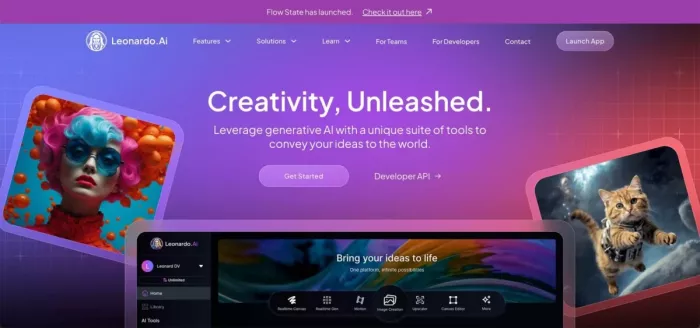
Leonardo AI is one of the strongest SeaArt AI alternatives if you want more control over image generation, visual style, and production-ready creative assets. SeaArt AI feels more community-driven and experimental, especially for anime, character art, and model-based generation. Leonardo AI feels more structured, with tools for image generation, real-time canvas editing, motion, character references, and brand-style creative workflows.
The workflow is more organized than SeaArt AI. You choose a model, write a prompt, adjust image settings, generate variations, and refine the result inside the platform. It works well for fantasy art, realistic portraits, product mockups, game assets, marketing visuals, and social media graphics. It may take a little more setup than SeaArt AI, but the extra control is useful when you want cleaner and more consistent results.
Pros and Cons
| Pros | Cons |
| Strong image quality for realistic, fantasy, product, and character visuals | Can feel slightly more technical than SeaArt AI for beginners |
| More professional creative workflow than many community-style AI art tools | Token limits matter if you generate heavily |
| Includes image generation, canvas editing, motion, and creative refinement | Some advanced tools are locked behind paid plans |
| Better suited for polished project work and brand assets | Anime and model browsing may feel less open than SeaArt AI |
Pricing
| Plan | Price | What You Get |
| Free | $0/month | 150 fast tokens per day, public generations, basic quality settings |
| Essential | $12/month | 8,500 fast tokens per month, private creations, enhanced quality, 10 personal AI models |
| Premium | $30/month | 25,000 fast tokens per month, larger token bank, unlimited relaxed image generation on selected models |
| Ultimate | $60/month | 60,000 fast tokens per month, unlimited relaxed image and video generation on selected models |
| Team Starter | $72/month | 3-seat team plan with shared tokens and private team generations |
Where It Beats SeaArt AI
Leonardo AI beats SeaArt AI when the goal is polished, controlled, and project-ready image generation. SeaArt AI is better if you enjoy browsing community models, remixing styles, and creating anime or character-heavy images quickly. Leonardo AI is stronger when you need cleaner outputs, better visual consistency, stronger editing control, and images that can be used for marketing, branding, game concepts, thumbnails, or professional content.
It is also a better choice for users who want a less chaotic workspace. SeaArt AI can be fun and flexible, but Leonardo AI feels more reliable for repeat creative work.
Best fit: Choose Leonardo AI if you want a more professional SeaArt AI alternative with stronger control, cleaner outputs, and better support for serious creative projects.
2. Midjourney
Midjourney is the best SeaArt AI alternative if image quality matters more than tool variety. It is known for cinematic lighting, strong composition, rich detail, and a polished artistic style that often looks ready for covers, posters, thumbnails, and concept visuals. SeaArt AI gives you more model-based exploration, while Midjourney gives you a more premium final image with less manual adjustment.
The workflow is prompt-focused. You describe the image, generate a grid of options, upscale the best result, and refine it through variations, style references, character references, or image prompts. It is not as open as SeaArt AI for browsing models or trying community LoRAs, but it is more dependable when you want a beautiful image quickly.
Pros and Cons
| Pros | Cons |
| Excellent cinematic and artistic image quality | No normal free plan for most users |
| Strong results for fantasy, editorial, product, fashion, and concept art | Less model-browsing freedom than SeaArt AI |
| Great for blog covers, posters, thumbnails, and high-impact visuals | Prompting can take practice |
| Consistent premium look across many styles | Not ideal if you want open LoRA experimentation |
Pricing
| Plan | Price | What You Get |
| Basic | $10/month, or $8/month annually | 3.3 hours of fast GPU time per month |
| Standard | $30/month, or $24/month annually | 15 hours of fast GPU time plus unlimited relaxed image generations |
| Pro | $60/month, or $48/month annually | 30 hours of fast GPU time, stealth mode, unlimited relaxed images and SD video |
| Mega | $120/month, or $96/month annually | 60 hours of fast GPU time and higher usage capacity |
Where It Beats SeaArt AI
Midjourney beats SeaArt AI in pure visual polish. If you want cinematic portraits, realistic editorial covers, fantasy scenes, product-style visuals, or artistic compositions, Midjourney usually feels more refined. SeaArt AI is more flexible for anime, community models, and experimental generation, but Midjourney is stronger when the final image has to look premium.
It is also easier to recommend for creators who do not want to keep changing models or settings. You still need good prompts, but the default output quality is often stronger than many community-first AI art platforms.
Best fit: Choose Midjourney if you want the most polished and artistic SeaArt AI alternative for blog covers, concept art, cinematic visuals, and premium creative images.
3. Civitai
Civitai is one of the closest SeaArt AI alternatives if your main interest is AI art models, LoRAs, checkpoints, character styles, and community-driven creation. It is less like a closed image generator and more like a model marketplace and discovery hub for people who want to explore different visual styles in depth.
The workflow depends on how you use it. You can browse models, study sample prompts, generate images, collect resources, follow creators, and test different styles. It has a more technical feel than SeaArt AI, but that is also the appeal. If SeaArt AI feels like a guided creative app, Civitai feels like a deeper library for people who want more control over the model ecosystem.
Pros and Cons
| Pros | Cons |
| Huge community around models, LoRAs, and AI art styles | Can feel overwhelming for beginners |
| Strong for anime, character work, fantasy, and niche styles | Less polished as a simple all-in-one generator |
| Good for discovering how specific image styles are made | Quality depends heavily on model choice |
| Useful for users who want model-level control | Not as clean or guided as SeaArt AI |
Pricing
| Plan | Price | What You Get |
| Free | $0 | Browse models, use community features, and access free generation options depending on availability |
| Bronze | Around $10/month | 10,000 Buzz per month, private model allowances, more queued jobs, priority support |
| Silver | Around $25/month | 25,000 Buzz per month, more private models, more images per job, premium support |
| Gold | Around $50/month | Higher Buzz allowance and heavier creator usage |
| Buzz Packs | Varies | One-time credit-style purchases for generation and model training |
Where It Beats SeaArt AI
Civitai beats SeaArt AI when you want deeper access to the model community. SeaArt AI is easier for casual generation, but Civitai is stronger if you want to understand, compare, and use specific models or LoRAs. It is better for users who care about the engine behind the image, not just the final output.
It is also a better research tool for AI art creators. If you want to discover new anime styles, realistic models, fantasy checkpoints, or creator-made workflows, Civitai gives you more depth than SeaArt AI.
Best fit: Choose Civitai if you want a model-heavy SeaArt AI alternative built around community discovery, LoRAs, and advanced AI art experimentation.
4. Tensor.Art
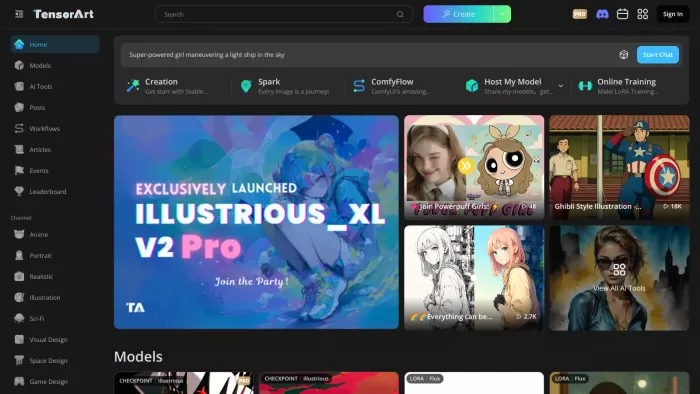
Tensor.Art is a strong alternative for users who like SeaArt AI’s anime, character, and model-based generation style but want another platform with a large creator ecosystem. It supports image generation, model browsing, LoRA-based workflows, and community-style exploration, which makes it feel familiar to SeaArt AI users.
The workflow is built around choosing models, entering prompts, adjusting settings, and generating character or art-style images. It is particularly useful for anime, fantasy characters, stylized portraits, and experimental model-based outputs. Beginners can use it casually, but users who understand LoRAs, sampling settings, and model selection will get more out of it.
Pros and Cons
| Pros | Cons |
| Strong for anime, character art, LoRAs, and model-based generation | Interface can feel busy for new users |
| Free daily credits make it easy to test | Output quality depends on model and settings |
| Good alternative for users who like SeaArt AI’s community feel | Not as polished for business-style visuals |
| Useful for creators who want more control than basic prompt tools | Some advanced features require paid credits or Pro access |
Pricing
| Plan | Price | What You Get |
| Free | $0 | Around 50 daily credits for casual generation and testing |
| Monthly Pro | $9.90/month | 300 daily credits plus bonus credits, more tasks, higher resolution, longer storage |
| Quarterly Pro | Around $29.70 | 300 daily credits plus larger bonus credits |
| Yearly Pro | Around $118.80/year | 300 daily credits plus larger annual bonus credit allowance |
| Credit Packs | From around $9.90 | One-time credit packs for extra usage |
Where It Beats SeaArt AI
Tensor.Art beats SeaArt AI if you want a similar creative world but with a slightly different model ecosystem. It is especially useful for anime creators, character designers, and users who enjoy testing LoRAs and model settings. SeaArt AI may feel easier for quick creation, but Tensor.Art gives serious hobbyists another strong space for deeper experimentation.
It is not the best pick for polished brand visuals or clean marketing graphics, but for anime and model-driven art, it is one of the most natural SeaArt AI alternatives.
Best fit: Choose Tensor.Art if you want a SeaArt-like experience focused on anime, LoRAs, community models, and flexible AI art generation.
5. Playground AI

Playground AI is a more approachable SeaArt AI alternative for users who want AI image generation and simple editing in one browser-based workspace. It is not as model-heavy as SeaArt AI, but it feels cleaner for people who want to create images, make edits, and use results for social media, thumbnails, posters, or casual design work.
The workflow is simple: write a prompt, choose a style or model, generate images, and edit the result with built-in tools. It works well for creators who do not want to spend too much time inside technical settings. Compared with SeaArt AI, it feels less like a model community and more like a lightweight creative editor.
Pros and Cons
| Pros | Cons |
| Easy browser-based image generation workflow | Less strong for LoRA and model discovery |
| Good for social media visuals, thumbnails, and casual design | Not as deep as SeaArt AI for anime model exploration |
| Includes image editing and generation in one place | Free and paid limits can change |
| More beginner-friendly than many model-heavy platforms | Advanced creators may want more control |
Pricing
| Plan | Price | What You Get |
| Free | $0 | Limited daily image generation for casual users |
| Pro | $15/month, or around $12/month annually | Higher image limits, commercial use, better downloads, and faster workflow |
| Turbo | $45/month, or around $36/month annually | Faster generation, higher limits, and heavier creator usage |
Where It Beats SeaArt AI
Playground AI beats SeaArt AI when simplicity matters. SeaArt AI is better for community models, anime styles, and deeper prompt experimentation. Playground AI is better if you want to generate, edit, and publish images without feeling buried in model choices.
It is especially useful for creators who need fast images for content, not endless model testing. If your workflow is blog cover, Instagram post, YouTube thumbnail, or quick visual concept, Playground AI can feel more direct.
Best fit: Choose Playground AI if you want a cleaner and simpler SeaArt AI alternative for everyday image generation and light editing.
6. Ideogram
Ideogram is the best SeaArt AI alternative if your images need readable text. Many AI image tools struggle with typography, but Ideogram is built around posters, logos, social graphics, designs, and images where words need to look correct. That makes it very different from SeaArt AI, which is stronger for character art and model-based image styles.
The workflow is simple and design-focused. You write a prompt, choose a style, generate options, and refine the image. It works especially well for quote graphics, posters, social media designs, logos, stickers, product-style visuals, and blog graphics with short text. If SeaArt AI is mostly about visual style, Ideogram is more useful when the image has to communicate through both design and wording.
Pros and Cons
| Pros | Cons |
| Excellent for text inside AI-generated images | Less useful for LoRA-heavy anime workflows |
| Strong for posters, logos, social posts, and marketing graphics | Free plan is limited |
| Simple interface with fast design-style output | Not as model-rich as SeaArt AI |
| Good for creators who need readable words in visuals | Some advanced tools sit behind paid plans |
Pricing
| Plan | Price | What You Get |
| Free | $0 | 10 slow credits per week, limited generation access |
| Plus | $20/month, or $15/month annually | 1,000 priority credits per month, unlimited slow credits, more queue capacity |
| Pro | $60/month, or $42/month annually | 3,500 priority credits per month, higher concurrent generations |
| Team | $30/month per member, or $20/month annually per member | Team plan with minimum 2 members and shared team workflow |
| Basic | $8/month legacy only | No longer available for new purchase |
Where It Beats SeaArt AI
Ideogram beats SeaArt AI when text accuracy matters. If you are making a poster, title graphic, quote card, product label, logo concept, or social media image with words, Ideogram is the stronger option. SeaArt AI is better for anime characters and art styles, but Ideogram is better when the image needs clean typography.
It is also a better option for creators who publish visual content regularly. Blog covers, Pinterest images, Instagram graphics, and marketing visuals often need readable text, and that is where Ideogram stands out.
Best fit: Choose Ideogram if you want a SeaArt AI alternative that can create better text-based visuals, posters, and social media graphics.
7. NightCafe
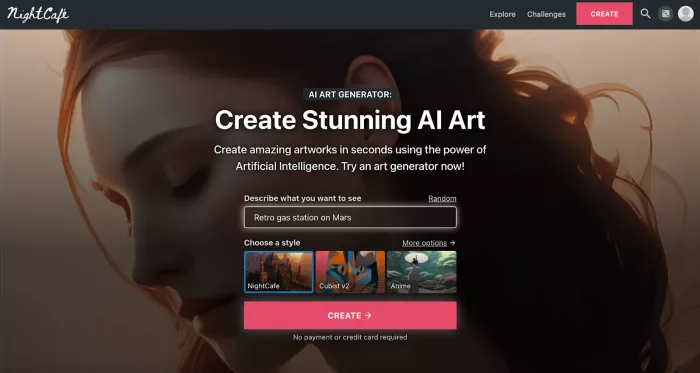
NightCafe is a good SeaArt AI alternative for users who enjoy community AI art but want a simpler and more challenge-driven experience. It gives access to multiple models, daily credits, community sharing, art challenges, and a more casual creation environment. It is less technical than Civitai and less production-focused than Leonardo AI.
The workflow is beginner-friendly. You choose a creation mode, enter a prompt, select model or style options, generate the artwork, and share it with the community if you want. It is strong for hobbyists, casual artists, students, and creators who want to experiment with different styles without building a complex AI art workflow.
Pros and Cons
| Pros | Cons |
| Beginner-friendly AI art platform with community features | Not as advanced for LoRA and model control |
| Daily free credits make it easy to test | Credit limits matter for frequent use |
| Good for art challenges, casual creation, and experimentation | Output quality can vary by model |
| Supports different generation styles and models | Less professional than Leonardo AI or Midjourney |
Pricing
| Plan | Price | What You Get |
| Free | $0 | Daily free credits and community participation |
| Entry Paid Plan | Around $5.99/month | Paid monthly credits for more generation capacity |
| Higher Credit Plans | Varies | Larger monthly credit allowances for frequent AI art generation |
| Credit Packs | Varies | Extra credits for one-time usage |
Where It Beats SeaArt AI
NightCafe beats SeaArt AI for casual community-based creativity. SeaArt AI is stronger for anime model generation and style-specific control, but NightCafe feels more welcoming for users who want to create art, join challenges, and explore AI images without too much technical setup.
It is also better for beginners who are still learning what AI image generation can do. The credit system and community layer make it feel more like an art playground than a complex model platform.
Best fit: Choose NightCafe if you want a simple, community-friendly SeaArt AI alternative for casual AI art and creative experiments.
8. Getimg.ai
Getimg.ai is a strong SeaArt AI alternative for users who want image generation, editing, upscaling, and AI video access in one workspace. It feels more like a practical creator platform than a community art site. Instead of focusing mainly on anime models or social discovery, Getimg.ai gives users a toolkit for generating, editing, resizing, and improving visuals.
The workflow is useful for creators who need production output. You can generate images, use different models, upscale images, resize them, edit content, and work with image and video tools depending on the plan. It is a better fit for marketers, designers, content teams, and creators who need repeatable visuals rather than casual model browsing.
Pros and Cons
| Pros | Cons |
| Combines image generation, editing, upscaling, and video model access | Less community-focused than SeaArt AI |
| Good for creators who need practical output, not only experiments | Pricing is higher than basic hobby tools |
| Supports many models and commercial workflows | No full free plan shown on the current pricing page |
| Useful for teams and content production | Beginners may not need all features |
Pricing
| Plan | Price | What You Get |
| Entry | $10/month, or $8/month annually | 3,000 credits per month, commercial rights, image and video model access, 4K upscaling |
| Core | $30/month, or $25/month annually | 15,000 credits per month per seat, access to all image and video models, 8K upscaling |
| Plus | $65/month, or $55/month annually | 35,000 credits per month per seat, larger batch capacity, top-up credits |
| Ultra | $175/month, or $150/month annually | 100,000 credits per month per seat, highest usage limits and professional workflow capacity |
Where It Beats SeaArt AI
Getimg.ai beats SeaArt AI when you want a more practical creator workflow. SeaArt AI is stronger for browsing community styles and anime models, but Getimg.ai is stronger for producing, editing, resizing, and improving images in one platform. It is less playful, but more useful for repeat content work.
It is also a better option for users who need commercial image workflows. If you are creating blog visuals, ad concepts, thumbnails, website graphics, or campaign assets, Getimg.ai gives you more production-oriented tools than SeaArt AI.
Best fit: Choose Getimg.ai if you want a SeaArt AI alternative focused on image generation, editing, upscaling, and practical content production.
Which SeaArt AI Alternative Should You Choose?
The best SeaArt AI alternative depends on why SeaArt AI does not fully work for you. If you want polished creative control, Leonardo AI is the strongest all-round pick. If you want the best-looking artistic images, Midjourney is the better choice. If you want a similar model-driven community experience, Civitai and Tensor.Art are the closest alternatives.
If your work involves social graphics, posters, or images with readable text, Ideogram is the most useful option. If you want a simpler browser-based creative workflow, Playground AI is easier to use than most model-heavy platforms. For casual community AI art, NightCafe is still one of the friendlier choices. For serious content production, editing, and upscaling, Getimg.ai is more practical.
Final Verdict
SeaArt AI is still a strong choice for anime-style images, AI characters, model-based generation, and community-driven visual experimentation. But it is not the best tool for every creator. Users who want professional control, cleaner realism, readable text, or stronger editing tools will usually find better options elsewhere.
For most creators, Leonardo AI is the best overall SeaArt AI alternative because it balances image quality, creative control, editing tools, and professional workflow. Midjourney is the best choice for cinematic and premium-looking art. Civitai and Tensor.Art are better for model-heavy experimentation. Ideogram is the better pick for text-based images, while Getimg.ai is the better option for production work.
The simple answer is this: use SeaArt AI if you enjoy anime art, character images, and model-based community creation. Choose an alternative when your work needs more polish, better control, clearer text, stronger editing, or a more professional creative workflow.


Comments