Grok AI Video Generation in 2026: What Creators Can Actually Do With Grok Imagine

Christine Davis
AI video has reached a point where getting an impressive-looking clip is no longer the hardest part. What interested me more while exploring Grok Imagine was everything that happens after that first generation: how much control I have over the shot, whether I can preserve a visual idea across multiple clips, how easily I can correct something that is almost right, and whether the result can realistically fit into a creator workflow.
That is where Grok Imagine becomes more interesting in 2026. The better question is no longer whether it can generate good-looking video, but whether it gives creators enough control to turn an idea into footage they would actually use.
Where Grok Imagine Stands for Video Creators in 2026
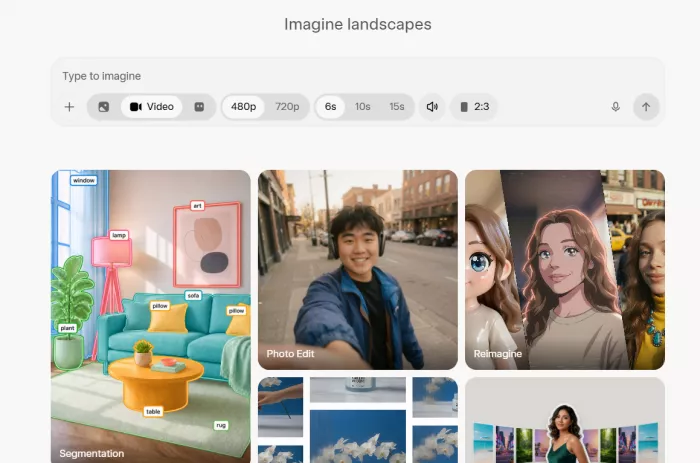
What stood out to me most about Grok Imagine was not one particular feature, but the number of stages of video creation it now covers.
I can begin with a text prompt when I want the model to interpret an idea more freely, start from an image when I already know what the frame should look like, introduce references when a person or product needs to remain recognizable, and then move into editing or extension when a result is promising but incomplete.
That feels more practical than treating AI video as a process of repeatedly generating clips until something usable appears. The current Grok Imagine workflow is broader than one generation mode. Video 1.5 handles text-to-video, image-to-video and reference-guided generation, including native audio, while Grok's wider video tooling also includes editing and clip extension. Standard Video 1.5 generations can run for up to 15 seconds, with multiple aspect ratios and resolution reaching 1080p for text-to-video and image-to-video.
| Area | What I find useful as a creator |
| Starting a shot | I can begin from either an idea or an already-designed image |
| Maintaining visual identity | References give me more control over recurring people, products and visual elements |
| Sound | Audio can be generated alongside the scene rather than being treated as a completely separate first step |
| Fixing a result | Editing gives me an alternative to throwing away a nearly usable clip |
| Continuing a scene | Extension lets me build beyond the original generation |
| Publishing formats | Multiple aspect ratios make the workflow relevant to YouTube, Shorts, Reels and other formats |
The shift I notice here is from generation toward direction. I do not necessarily want an AI model making every creative decision. I want to decide what should already be established, what Grok should invent, and what I should be able to change afterwards.
Text-to-Video: Useful, but I Would Not Start Every Project Here
Text-to-video is the most obvious way to use Grok Imagine. I describe a scene and the model attempts to turn that description into a moving sequence.
What became clear to me is that video prompting requires a different mindset from image prompting. With an image, describing the subject, style and environment can often be enough. With video, I also have to think about what changes over time, how the camera behaves and where the viewer's attention should move.
A prompt such as "a futuristic city street at night" gives the model a setting, but almost no direction. I would rather write something closer to: "A deserted futuristic commercial district after rainfall. The camera slowly pushes forward at street level while neon reflections move across the wet pavement. A delivery drone crosses the background midway through the shot. Restrained handheld movement, shallow depth of field, light rain and distant traffic."
The second version is not simply more descriptive; it makes deliberate decisions about the shot.
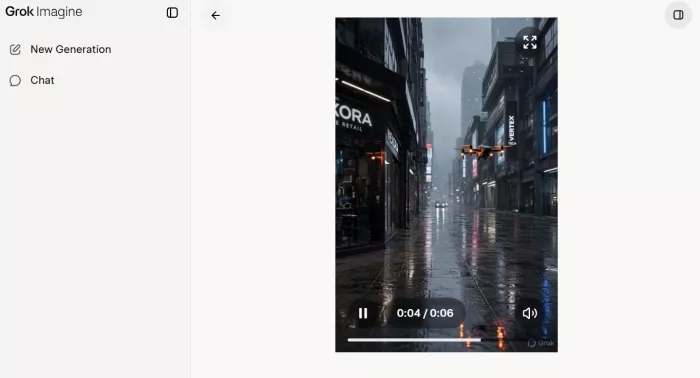
Text-to-video works best for me when I am exploring an idea and do not need complete control over the opening composition. It makes sense for establishing shots, atmospheric B-roll, social hooks, transitions, conceptual footage and early visual development. When I already know what the shot should look like, however, image-to-video becomes more useful.
Image-to-Video Gives Me More Creative Control
Image-to-video is one of the Grok Imagine capabilities I find more practical for a real creator workflow.
If I already have the composition I want, whether that is a photograph, product render, illustration or AI-generated image, I do not want the video model redesigning it every time I ask for movement. I want to preserve the frame and concentrate on animation.
That changes the balance of control. With text-to-video, Grok makes decisions about composition and motion at the same time. With image-to-video, I can establish the composition first and use the prompt mainly to control movement, camera behaviour, atmosphere and pacing.
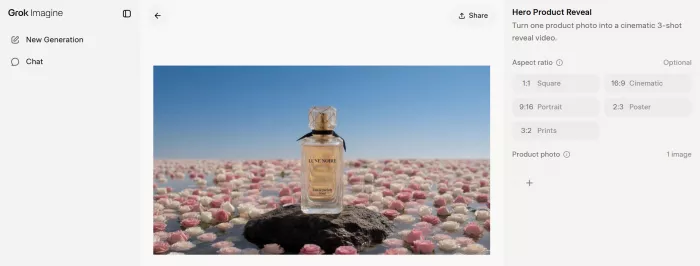
For a product shot, I might prepare the exact product image first and then add a controlled camera orbit, subtle lighting changes and environmental motion. With a fashion image, I might preserve the styling and framing while introducing fabric movement, wind and slight camera motion. An illustrated scene could gain moving clouds, particles, reflections or water without requiring the whole visual to be reinvented.
Video 1.5 currently supports image-to-video output up to 1080p, which also makes this mode more relevant when visual quality matters. The main advantage for me is that I am giving the model fewer creative decisions to solve at once. That tends to make the process feel more intentional rather than purely generative.
Reference-to-Video Is Where Consistency Starts to Matter
Generating one impressive character or product is relatively easy compared with keeping that same character or product recognizable across several shots.
That is why reference-to-video is one of the more important capabilities to watch. Instead of using an uploaded image only as the opening frame, Grok can use reference images as visual guidance when constructing a different scene. The current workflow supports up to seven reference images in a single request, allowing a creator to provide several pieces of visual information rather than describing everything through text.
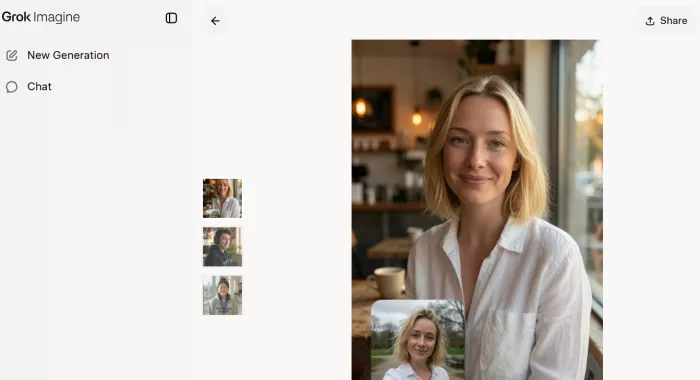
This is useful in practical ways. A fashion creator could provide references for a model and outfit before generating a different environment. A brand could provide product images and create scenes around them. A creator working with a recurring character could establish appearance and wardrobe before changing the setting or action.
The current reference workflow is limited to 720p, so it does not have the same output flexibility as standard generation. That is worth considering if reference-to-video becomes central to a high-resolution project.
Still, the idea behind it matters more than the specification. AI video is slowly moving away from producing disconnected clips and toward generating inside a visual world that the creator has already defined. For long-term creator use, that may be more valuable than another small increase in image sharpness.
Native Audio Makes the First Draft More Useful
Another part of Grok Imagine that changes how I evaluate a clip is generated audio. Video 1.5 can create sound effects, ambience and dialogue alongside the visuals, while audio can also be disabled when I would rather handle sound separately.
I would not automatically keep generated audio in the final version of every project. For branded work, polished YouTube content or anything where voice and music define the identity of the piece, I would still want more precise control.
Where native audio becomes useful is in rough production and ideation. A rainy street is easier to judge when the rain is audible. A crowded room feels more believable when I can hear the atmosphere. Dialogue also makes it easier to evaluate timing and pacing than watching a silent face move.
There is also more control over voices than simple generated dialogue suggests. In reference-to-video, Video 1.5 can currently work with up to three preset voices, which makes it possible to establish a voice before generating the scene rather than leaving every part of the dialogue performance open to interpretation. Custom voice-file references are more restricted, so I would still treat this as a useful production control rather than a complete replacement for a dedicated voice workflow.
The value is not necessarily that generated audio replaces sound design. It is that the first draft becomes more complete and therefore easier to judge.
Prompting Grok Feels More Like Directing Than Describing
One thing I would recommend when using Grok for video is to stop treating prompts like image descriptions. I found it more useful to think in terms of a short piece of shot direction. A practical framework is:
Subject + Action + Environment + Camera + Movement + Lighting + Pacing + Sound
Not every prompt needs every element, but thinking through them forces me to decide what should remain stable and what should change.
Take a simple product reveal. "A white running shoe on a table, cinematic" identifies the subject and mood, but it leaves almost every filmmaking choice to the model.
I would rather write: “A white running shoe sits motionless on a brushed-metal pedestal in a dark studio. Begin in a close three-quarter view and slowly orbit clockwise while a narrow overhead light moves across the mesh texture. Keep the shoe fixed throughout the five-second reveal, with minimal background movement and a low studio ambience.”
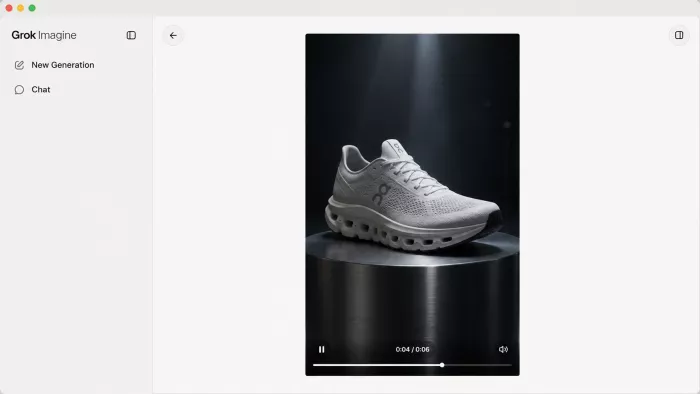
The improvement comes from separating the roles inside the shot. The product remains stable while the camera and lighting create the movement, which gives the model a clearer visual hierarchy to follow.
Once I started thinking about prompts this way, Grok made more sense to me as a directing tool rather than simply a generator.
Video Editing Is Where the Workflow Gets More Practical
Generation attracts most of the attention, but editing may prove more important for regular creator use.
A common problem with generative video is getting a clip that is almost right. I may like the framing and motion but notice an unwanted object, a lighting problem or an environmental detail that does not fit the scene. Without editing, I either accept the mistake or regenerate the whole clip and risk losing the parts that already worked.
Grok Imagine's video editing workflow allows an existing clip to be modified through text instructions. The system can handle changes such as adding or removing objects, altering scene characteristics and restyling footage. Current editing inputs can be up to 8.7 seconds long, while the edited result keeps the original duration and aspect ratio and is capped at 720p.
That limitation is worth noting, but the workflow itself is important because real creative work rarely follows a clean prompt → result → finished path. I am more likely to produce a draft, inspect it, change specific details, compare versions and refine the strongest result.
For that reason, I am becoming less interested in which model produces the prettiest first attempt and more interested in which one allows me to improve an almost-good result without starting from zero. That same shift is making AI video editing tools more important to creator workflows, since refining usable footage can matter more than generating another version from scratch.
Video Extension Helps With Duration, but Not Every Continuity Problem
Grok can also take an existing video and continue it from its final frame.
The current extension workflow accepts source clips between two and 15 seconds and can add another two to ten seconds. The extended output follows the original aspect ratio and resolution, with output currently capped at 720p.
This is useful because a 15-second generation limit no longer means every idea has to end after 15 seconds. A creator can potentially build forward from an existing shot.
But extension should not be confused with guaranteed storytelling continuity. A model can continue the visual sequence while still introducing subtle changes in a face, product, lighting setup, object position or movement.
That is why I would still think in individual shots for longer projects. Extension can help create more material, but I would rather assemble the final sequence in an editor than depend on one continuously generated shot to behave like conventional footage.
Resolution, Duration and Aspect Ratios in Practice
Standard Grok Imagine Video 1.5 generations currently support clips between one and 15 seconds. Text-to-video and image-to-video can output at 480p, 720p and 1080p, while some other modes operate with more restrictive resolution limits.
The system also supports several aspect ratios, including 16:9, 9:16, 1:1, 4:3, 3:4, 3:2 and 2:3.
| Format | Where I would use it |
| 16:9 | YouTube videos, websites and cinematic sequences |
| 9:16 | Reels, Shorts and vertical social content |
| 1:1 | Feed posts, ads and flexible campaign assets |
| 4:3 or 3:4 | Editorial and portrait-oriented creative work |
| 3:2 or 2:3 | Photography-led compositions and visual experiments |
I would not judge the system by resolution alone. When I look at generated footage, I care more about whether the motion holds together, whether the subject remains recognizable, whether the camera follows the direction and whether I could comfortably place the clip beside other footage.
Resolution is easy to list in specifications. Consistency determines whether the output is genuinely useful.
Where the Different Modes Hit Their Limits
One thing that can become confusing is that not every Grok video feature has the same technical ceiling. The mode I choose affects both how much control I have and what kind of output I can produce.
| Mode | Current practical limit | Where I would use it |
|---|---|---|
| Text-to-video | Up to 15 seconds and 1080p | Starting from an idea without an established frame |
| Image-to-video | Up to 15 seconds and 1080p | Animating an existing photograph, render or designed frame |
| Reference-to-video | Up to 15 seconds and 720p | Keeping people, products or visual references more consistent |
| Video editing | Input clips up to 8.7 seconds, output capped at 720p | Correcting or restyling an almost-usable clip |
| Video extension | Adds roughly 2–10 seconds, output capped at 720p | Continuing a useful shot beyond its original ending |
This matters more than it may appear from a feature list. If I need maximum resolution, I would probably build more of the shot through text-to-video or image-to-video. If identity consistency matters more, accepting the lower reference-to-video resolution may be the better trade-off.
The same applies to editing and extension. They are useful because they preserve work I have already done, but I would not assume that a 1080p generation can move through every later stage while remaining at the same resolution.
How I Would Fit Grok Into a Real Creator Workflow
The most useful way for me to think about Grok Imagine is as one part of production rather than a replacement for the entire production process.
A practical workflow might look like this:
Concept → strong keyframe → animation → variations → reference control → correction → extension → final assembly in an editor
That feels more realistic than expecting one prompt to produce a finished 30- or 60-second piece.
Social creators can use Grok for visual hooks, unusual transitions and B-roll. YouTubers can create conceptual footage that would otherwise require stock libraries, animation or a dedicated shoot. Brands can prototype campaign visuals before committing to physical production, while designers can animate static artwork and filmmakers can use generated footage for previsualization or difficult-to-shoot concepts.
The common advantage is not that AI replaces the whole production process. It is that the distance between having an idea and being able to evaluate that idea visually becomes much shorter.
What I Would Watch Carefully Before Using the Output
I would still inspect generated footage more carefully than ordinary camera footage because several problems are easy to miss on first viewing.
● I would judge continuity across the entire shot, not one attractive frame. A face, product or outfit needs to remain convincing as the viewing angle and movement change.
● Physical interaction deserves extra attention. Holding objects, putting on clothing or interacting with another person places more pressure on the model than simple camera movement.
● Background details can be deceptive. Reflections, signs, furniture and secondary objects may shift while attention remains focused on the main subject.
● Commercial accuracy needs manual checking. A product can look visually convincing while still altering packaging, logos, materials or colour details.
● Repeatability matters as much as quality. If a strong result is difficult to reproduce, that affects both time and production cost.
This is also why polished showcase clips should never be the only way to judge an AI video model. The more useful question is how consistently the tool produces footage that can survive an actual editing process.
Cost Per Usable Clip Matters More Than Cost Per Generation
Grok Imagine Video 1.5's API pricing currently varies by resolution. Video output is priced at approximately $0.08 per second at 480p, $0.14 at 720p and $0.25 at 1080p, with image input charged separately.
The per-second pricing becomes easier to understand when I translate it into actual clip lengths.
| Video length | 480p | 720p | 1080p |
|---|---|---|---|
| 5 seconds | $0.40 | $0.70 | $1.25 |
| 10 seconds | $0.80 | $1.40 | $2.50 |
| 15 seconds | $1.20 | $2.10 | $3.75 |
That means a ten-second 720p generation costs roughly $1.40 in video output charges, while the same duration at 1080p is around $2.50.
For creators, however, price per generated second is only part of the story.
If I generate ten ten-second clips and only two are good enough to use, I may have generated 100 seconds of footage but produced only 20 useful seconds. That makes something like Creator Efficiency = Usable Generations ÷ Total Generations a more meaningful way to think about cost.
This also changes how I compare models. A slightly more expensive system may still be cheaper in practice if it reaches a usable result in two attempts instead of ten. Once AI video becomes part of regular production, predictability becomes an economic feature.
Comparing Grok With Other AI Video Tools
I would avoid comparing Grok with Sora, Veo, Runway, Kling or other models only by looking at which one produces the most spectacular demo. The differences between today’s AI video generation tools become much clearer when they are compared by creative control, editing flexibility and the workflows they are actually built to support
A better comparison starts with workflow.
| What I would test | Why it matters |
| How reliably does it follow camera instructions? | A beautiful result is still unusable if it is the wrong shot |
| How well does it preserve characters and products? | Recurring visual identity matters across a project |
| Can I begin from my own artwork or photography? | This gives me more control over the starting point |
| Can I correct an almost-good result? | Regeneration can waste footage that already works |
| Can I extend useful footage? | This affects storytelling flexibility |
| Is the generated audio useful? | Good native sound can remove extra production steps |
| How quickly can I explore alternatives? | Creative work usually depends on iteration |
| What does one usable shot really cost? | Headline pricing rarely reflects actual production economics |
Looking at Grok this way makes its combination of generation, references, editing, extension and audio more significant.
A model becomes genuinely useful when I can direct it, correct it and build on what it gives me, rather than simply admire the first result.
When Video Becomes Easier to Make, Taste Matters More
The larger shift around AI video is not only technical. Until recently, a visually ambitious idea could require a camera crew, lighting, locations, actors, animation, VFX, sound design and editing before anyone could even see whether the concept worked.
Generative video compresses part of that process, but cheaper execution does not automatically lead to better content. In fact, it creates a new problem: once polished-looking imagery becomes widely available, polished imagery alone becomes less distinctive.
The advantage moves toward judgment. I still have to recognize when a shot feels generic, choose the strongest variation, understand pacing, notice distracting camera movement and decide which clips actually belong together.
AI can reduce the effort required to execute an idea, but it does not automatically provide taste. As execution becomes cheaper, taste, direction and editing judgment become more valuable rather than less.
Who I Think Grok Imagine Makes the Most Sense For
Based on the way its current tools are structured, Grok Imagine makes the most sense to me for creators working in short, visually driven formats or projects that can be built shot by shot.
That includes social creators, advertisers, designers, e-commerce teams, filmmakers, visual storytellers and creators who already work with AI-generated imagery.
I would be more cautious about relying on it as the entire production system for projects that require long uninterrupted scenes, absolute product accuracy, tightly controlled performances or perfect continuity across many shots.
That does not reduce its usefulness. A creator tool does not need to replace everything I already use. If it removes one difficult production step, lets me test an idea faster or creates footage that would otherwise be expensive to produce, it can already earn a practical place in the workflow.
Verdict: Grok Is More Interesting as a Workflow Than as a Generator
After looking at Grok Imagine from a creator's perspective, I would not describe its main strength simply as AI video generation. What interests me more is the combination of operations around the generation itself. I can start from text or an existing image, introduce visual references, generate audio, modify footage and continue an existing shot instead of treating every generation as an isolated result.
There are still clear limitations around clip duration, resolution in certain modes and the harder problem of maintaining consistency across complex sequences. I would also continue using a traditional editor to assemble and finish anything substantial.
But that is exactly why the most useful question is no longer "Can Grok generate an impressive AI video?" Several leading models can already do that under the right conditions.
The more important question for me is how much work stands between the idea I have and the footage I am actually willing to publish.
That is where Grok Imagine becomes interesting in 2026. The model that wins creators may not be the one with the most impressive demo reel, but the one that makes it easiest to establish an idea, preserve what works, correct what does not and move from experimentation into a repeatable creative process.


Comments