
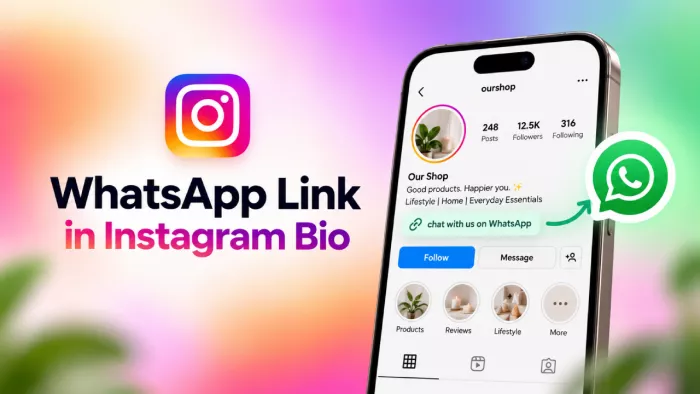
A WhatsApp link in your Instagram bio turns a profile visit into a conversation in one tap: no typing a number, no copy-paste, no lost lead. A plain website link can't do that: it asks people to read, scroll, and hunt for a way to reach you, and most never finish. This guide shows how to add a WhatsApp link the right way in 2026 every method, a pre-filled first message, click tracking, and a recent change that quietly makes most older tutorials wrong.
How a Click-to-Chat Link Works
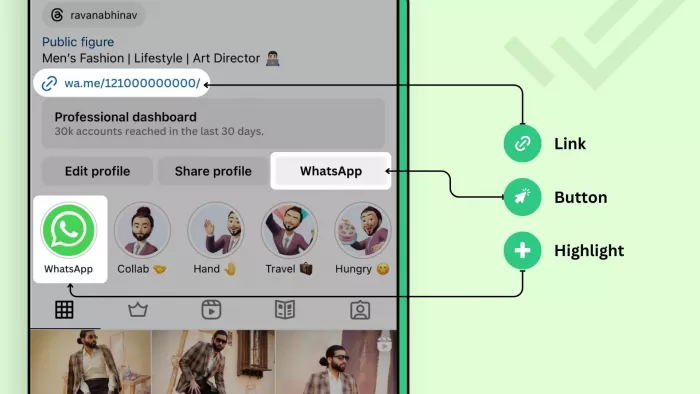
WhatsApp has a built-in feature called click-to-chat. It lets anyone start a conversation with a number they have never saved, which is exactly what you need when a stranger finds you on Instagram.
The link looks like this: https://wa.me/<number>. The number is your full phone number with the country code, and nothing else, no plus sign, no spaces, no dashes, no brackets, and no leading zero. A UK number saved as 07123 456789 becomes 447123456789.
When someone taps it, WhatsApp opens straight to a chat with you. If they have the app, it opens there; if they are on a desktop browser, it opens WhatsApp Web.
One thing to be clear about before you publish the link: your number is not hidden. It sits inside the URL, and WhatsApp displays it at the top of the chat because the visitor has never saved you as a contact. Anyone who taps the link can see it and keep it. What stays private is their side. You see nothing about the visitor until they send the first message.
If that matters to you, use a dedicated number for the link rather than your personal one. The WhatsApp Business app can run on a separate number on the same phone, and your profile photo and “About” line can be limited to contacts in WhatsApp’s privacy settings so strangers opening the chat see less.
The 2026 Change : Five Bio Links
Here is the part most guides still get wrong. For years the rule was simple and painful: one clickable link in your bio, full stop. That single restriction is the whole reason tools like Linktree exist.
Instagram has since changed it. You can now manage up to five Instagram bio links through Edit profile → Links → Add external link, and drag them into the order you want. The catch is worth knowing: only the first link shows on your profile, and the rest sit behind an "and X others" line that opens when tapped.
For your WhatsApp link, this means two things. You no longer have to choose between WhatsApp and your website; you can list both. And if WhatsApp is your priority, put it first so it shows without an extra tap.
Building Your WhatsApp Link Step by Step
You need the link before you can add it anywhere, so build it once and reuse it.
1. Take your WhatsApp number and write it in full international form: country code first, then the number, no symbols or spaces. Drop any leading zero that belongs to the local format.
2. Add it to the wa.me/ base. If your number is +1 (415) 555-0132, the link is https://wa.me/14155550132.
3. Open that link on your own phone to test it. It should launch a chat addressed to you. If it opens an error page, the number is formatted wrong, almost always a stray zero or a missing country code.
If you would rather not hand-build it, a WhatsApp link generator does the same job and lets you add a pre-filled message in the same step. Either way, the output is one plain URL you will paste into Instagram.
Adding a Pre-Filled First Message
You can make the chat open with a message already typed in the box, waiting for the visitor to hit send. This removes the awkward "hi, I saw you on Instagram" pause and tells you where the lead came from.
You do it by adding ?text= to the end of your link, followed by your message. Spaces are written as %20, so the link https://wa.me/14155550132?text=Hi%2C%20I%20found%20you%20on%20Instagram opens a chat pre-loaded with that sentence. A link generator handles this encoding for you automatically.
Tailor the pre-filled text to what you actually want people to say:
● For a salon or clinic: "Hi, I'd like to check availability for an appointment."
● For a shop: "Hi, is this item still in stock?"
● For a service business: "Hi, I saw your Instagram and want a quote."
Keep it to one short line. A long pre-filled paragraph looks like a bot and people delete it before sending.
Method 1 : Paste Into the Links Field
This is the fastest route and it now works on personal, creator, and business accounts alike. It is the method most people should use.
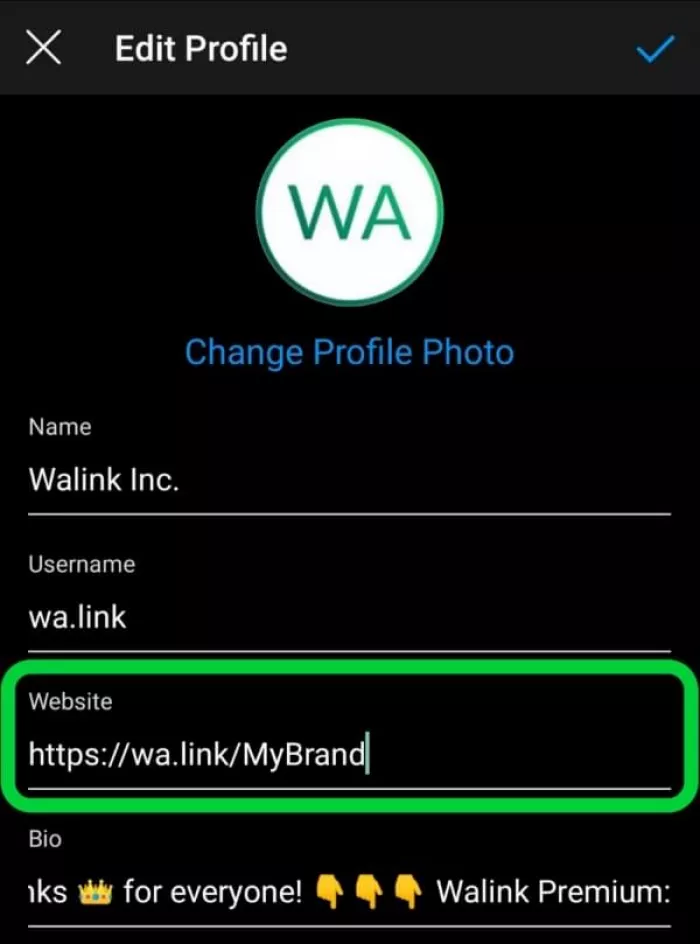
Open Instagram and tap Edit profile, then Links, then Add external link. Paste your wa.me link into the URL field. In the title field, type something a visitor understands at a glance "Chat on WhatsApp" or "Message us" rather than leaving the raw URL showing.
Save, and the link is live. If it is the only link, it appears directly under your bio text. If you have added others, drag WhatsApp to the top so it is the one that shows first.
Pick this if you want the simplest setup and are happy for people to reach you on your normal WhatsApp number.
Method 2 : Native WhatsApp Contact Button
Instagram also lets professional accounts show a dedicated WhatsApp button near the top of the profile, in the row with Follow and Message. It sits apart from the bio links, so it does not use up one of your five slots.
Three requirements decide whether it works:
● A professional Instagram account. Business or Creator both qualify; a personal account does not have the option at all.
● A number registered with the WhatsApp Business app. A regular WhatsApp number is not accepted, so if you only use personal WhatsApp, you will need to set up WhatsApp Business first. Numbers hosted on the WhatsApp Business Platform (the API used by larger companies) may not be accepted either, so check before relying on it.
● Verification. Instagram sends a code to that number over WhatsApp and the button only goes live once you enter it.
To set it up, go to Edit profile, open Contact options, choose WhatsApp Business phone number, enter the number and confirm the code.
One detail that trips people up: if you also have an email address or phone number listed under Contact options, Instagram folds them all into a single “Contact” button and the WhatsApp option sits one tap inside it. For a standalone WhatsApp button, remove the other contact methods.
Pick this if you run a professional account on WhatsApp Business and want a tap-to-chat button that looks native to the profile.
Method 3 : Stories, Highlights and Link Stickers
Your bio is not the only place a WhatsApp link can live. The link sticker in Stories lets you attach your wa.me link to any Story, so people tap through straight from a post rather than hunting for your profile.
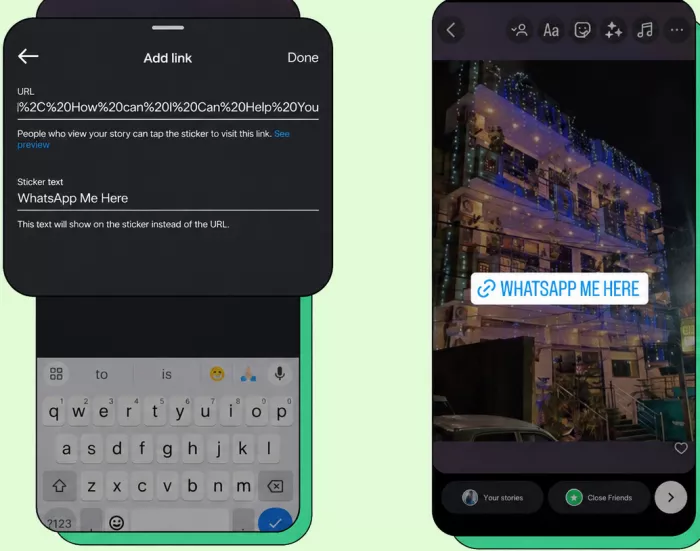
The weakness of a Story is that it vanishes in 24 hours. The fix is to save that Story to a Highlight. A Highlight pinned under your bio keeps the link reachable for good, and you can give it an obvious cover and title like "Chat" or "Book now."
This works well as a backup to your bio link, not a replacement. A Highlight takes two taps to reach the link, while a bio link takes one. Use it to catch people who are watching your Stories in the moment and ready to act.
Method 4 : Link-in-Bio Tools, and When They Still Fit
For years the standard advice was to route everything through Linktree or a similar page. Now that Instagram gives you five native links, that advice is out of date for most people. A third-party tool adds an extra tap and an extra page to load.
That said, these tools are not dead. They still earn their place in specific cases:
● You need more than five links and don't want to drop any of them.
● You want click analytics on each button, which Instagram does not give you.
● You want a branded landing page with your colours, logo, and a custom layout.
● You run campaigns and need to swap the destination often without touching your Instagram profile.
If you use one, add your WhatsApp link as a clearly labelled button on the page, then paste the page's URL into your Instagram link field. Pick this route only if one of the reasons above actually applies to you.
Tracking Clicks : Instagram's Blind Spot
Here is something the setup tutorials rarely mention: Instagram gives you very little on whether your WhatsApp link is working.
If you have a professional account, Insights shows a link-taps figure under profile activity. It is one combined number for your profile links, not a breakdown per link, so with WhatsApp and a website both listed you cannot tell which one people tapped. Personal accounts get nothing at all.
The usual workaround people reach for is UTM tags, and it is worth being precise about when they help:
● On a direct wa.me link, UTM tags do nothing. WhatsApp ignores them and no analytics tool ever sees the tap. Adding ?utm_source=instagram to a wa.me link records exactly zero data.
● UTMs only work if the link lands on a page you own first, with Google Analytics or similar installed, and that page then hands off to WhatsApp. Even then you are counting visits to the page, not chats opened or messages sent. Attribution ends the moment WhatsApp takes over.
That leaves two methods that actually measure the link itself:
● Route it through a short-link service or a tool with link-in-bio analytics. These count taps on that specific button before the redirect, which is the only clean per-link number available.
● Watch the pattern inside WhatsApp. A pre-filled message that mentions Instagram, or a greeting set in WhatsApp Business, makes Instagram leads announce themselves so you can count them by hand.
None of these is perfect. The short-link route counts taps but not conversations; the WhatsApp route counts conversations but misses people who tapped and never sent. Together they give you a rough enough picture to decide whether the link deserves the top spot in your bio.
Writing a CTA That Earns the Tap
A working link still does nothing if no one knows to tap it. The link and the line of text above it are a pair, and most bios skip the second half.
Tell people what the link is and why to use it, in plain words. "Questions about pricing? Tap below 👇" works far better than a bare "WhatsApp" sitting alone. Name the benefit, point at the link, and keep it to a single short line so it survives on a small screen.
Placement matters too. Put the call-to-action on the last line of your bio text so it sits right next to the link, and use one arrow or WhatsApp emoji to draw the eye no more than one, or it reads as spam.
Match the promise to reality. If the CTA says "get a quote in minutes," someone needs to actually reply in minutes, or the tap is wasted.
Common Mistakes That Break the Link
Almost every broken WhatsApp link fails for the same handful of reasons, and nearly all of them are about how the number is written. This table shows the usual slip-ups against the correct version, using a sample US number, +1 (415) 555-0132.
| Mistake | Wrong | Correct |
| Leading zero kept | wa.me/014155550132 | wa.me/14155550132 |
| No country code | wa.me/4155550132 | wa.me/14155550132 |
| Spaces or symbols left in | wa.me/+1 415 555 0132 | wa.me/14155550132 |
| Plus sign in the number | wa.me/+14155550132 | wa.me/14155550132 |
Two more mistakes have nothing to do with formatting. Using a landline or a number with no WhatsApp account attached means the chat has nowhere to open. And forgetting to tap Save after pasting the link is more common than it sounds always reopen your profile and test the link yourself before you move on.
Final Verdict
For most people the answer is Method 1: build a wa.me link, add a short pre-filled message, and paste it into your bio links with a clear label. It is quick, free, and now works on every account type. Everything else is a layer you add only if you need it.
| Method | Best for | Account needed | Effort |
| Bio links field | Almost everyone | Any account | Low |
| WhatsApp contact button | Businesses wanting a native button | Professional + WhatsApp Business | Medium |
| Stories and Highlights | Catching active Story viewers | Any account | Low |
| Link-in-bio tool | 6+ links, branding, or analytics | Any account | Medium |
Whichever you choose, the two things that decide whether it works are a correctly formatted number and a bio line that gives people a reason to tap. Get those right, test the link on your own phone, and your Instagram profile starts handing you conversations instead of hoping visitors find you some other way.


Comments