
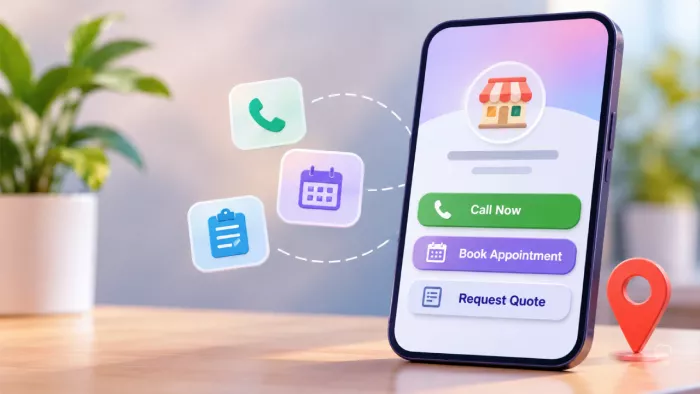
A link in bio is the clickable destination on a social profile, and for a local service business its job is narrow: turning a profile tap into a phone call, a booked appointment, or a quote request. Instagram now allows up to five external profile links with no follower requirement on any account type, while TikTok allows one and only unlocks the field at 1,000 followers or with a Verified Business Account.
This guide covers choosing a primary action, deciding between native links and a dedicated page, building separate layouts for emergency and scheduled services, setting up call buttons and booking flows correctly, adding call tracking without damaging local rankings, and measuring outcomes rather than clicks.
Deciding What Your Link Should Do
Choose one primary action before selecting any tool. There are three realistic options: a phone call, a booked appointment, or a quote request.
The right choice is set by urgency and pricing complexity, not preference. Urgent services cannot use forms because the customer needs an answer now. Slot-based services convert better through booking because most browsing happens outside working hours. Services needing measurement, photos, or site access require a quote step before a price exists.
| Business type | Primary action | Reason |
| Emergency plumber, locksmith, towing, 24-hour electrician | Phone call | Urgent and unplannable |
| Salon, dental practice, clinic, photographer, tutor | Booked appointment | Slot-based, booked outside working hours |
| Builder, landscaper, removals, roofing | Quote request | Price depends on detail the customer supplies first |
Pages with three equally weighted calls to action convert worse than pages with one dominant action and two quiet secondary links. A visitor forced to choose between competing options often chooses none.
Choosing Between Native Links and a Page
A dedicated link-in-bio page is not always necessary. Instagram supports up to five external links natively, available to personal, Creator, and Business accounts, and the links field sits separate from the bio text so it does not consume your character limit.
| Factor | Native profile links | Dedicated page |
| Setup time | Under ten minutes | One to two hours |
| Taps to destination | One | Two |
| Per-link click data | Not available | Available |
| Works for TikTok | No, single link only | Yes |
| Custom layout and trust content | No | Yes |
Use native links when you have one or two destinations and work mainly on Instagram and Facebook. Removing the intermediate page removes a tap, and every tap loses a share of visitors.
Use a dedicated page when you have three or more destinations, need click data, operate on TikTok where only one slot exists, or want reviews and licensing visible before the visitor acts. A well-structured link-in-bio landing page keeps the primary action prominent while organising supporting information without overwhelming visitors.
For a single-location business focused on calls, five native links labelled Call, Book, Directions, Reviews, and Prices usually beats a page.
Checking Platform Requirements
Confirm which link fields your accounts actually have before planning around them.
| Platform | Links available | Requirement |
| Up to 5 profile links, plus Story stickers | None, any account type | |
| TikTok | One website link | 1,000+ followers or a Verified Business Account |
| Facebook Page | Website field plus action buttons | Page setup only |
| Google Business Profile | Website, booking, and call button | Verified listing |
TikTok is the restrictive one. Below the threshold, the website field does not appear, so this is a question of access rather than quantity. Instagram offers more flexibility, and businesses can add multiple bio links directly through their profile settings without a third-party tool. Switching to a TikTok business account without completing verification does not unlock its website field.
Matching the Setup to Your Service Type
Emergency and scheduled services need structurally different pages, not the same page with different button labels.
Emergency services
Locksmiths, towing, emergency plumbing and HVAC, 24-hour electricians. The visitor needs confirmation you can attend immediately.
1. Business name with one line stating service and coverage
2. Large call button, visible without scrolling
3. Availability status, either open now or next available time
4. Service area listed as place names
5. Two or three trust lines covering licensing, insurance, arrival time
6. All remaining content
Scheduled services
Salons, dental practices, clinics, photographers, tutors, accountants. The visitor is planning ahead and wants to see availability without speaking to anyone.
1. Business name and specialism
2. Booking button opening directly into live availability
3. Service list with prices or price ranges
4. Recent work or results
5. Reviews with a link to the source
6. Phone number, present but secondary
7. Location, parking, and access details
Applying the second layout to an emergency business is the most common structural error. A booking calendar above a call button asks an urgent customer to pick a time slot when they need someone to answer the phone.
Laying Out the Page
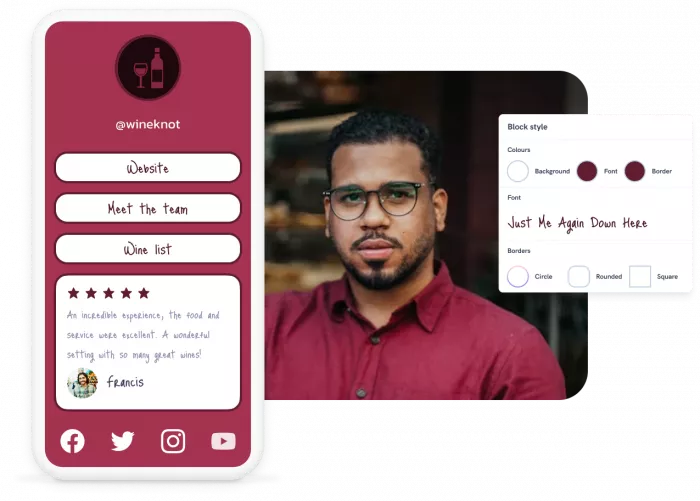
The first screen is the whole page for most visitors. Content below the fold serves only the minority still deciding.
Three things belong in that first screen: business identity, the primary action, and one trust signal. A services menu, an about section, or an embedded social feed above the phone number reduces conversions regardless of how good the content is.
● Keep button count between three and five. Eight or more reads as a directory, and visitors scan directories instead of acting on them. Businesses with many services should group them behind a single "Our Services" link.
● Size tap targets for thumbs, not cursors. A phone number rendered as small text inside a sentence is not a button. The primary action should be a full-width block that cannot be missed or mis-tapped.
● Write labels as outcomes rather than categories. "Call for emergency repair" beats "Contact". "Book an appointment" beats "Booking". The label is doing persuasion work, not navigation work.
● Review the page on a phone before approving it. Social profile traffic is overwhelmingly mobile, and layouts that look balanced on a monitor are usually top-heavy on a handset.
Setting Up the Call Button
For most service businesses this is the highest-value element on the page. Phone callers run roughly 80 to 95% qualified against 40 to 60% for form submissions, and qualified calls book at around 50 to 75% compared with 25 to 45% for forms.
● Use a genuine tel: link rather than plain text. Format as <a href="tel:+441234567890"> with the full international number. Plain text numbers are auto-detected on some devices and ignored on others.
● Add a sticky call bar for emergency services. A bar fixed to the bottom of the screen keeps the action available at any scroll position.
● Provide a desktop fallback. A tel: link on a laptop opens a dialog most people cannot use. Show the number as readable text beside the button so it can be copied.
● Test on physical devices running both operating systems. Tap it on an iPhone and an Android and confirm it opens the dialler rather than a browser prompt or an empty app chooser.
Connecting Your Booking System
Where booking is the primary action, the booking tool effectively is the page. Everything before it exists to deliver the visitor into that flow.
Booking tools are also where most unrecorded loss happens, because owners rarely complete their own flow as a new customer. Open the link on a phone with no existing account and count the taps between arrival and confirmed slot. More than four indicates a problem. Then check for these faults:
● Account creation demanded before availability is visible. Tools asking for an email and password before showing a single open slot lose most prospective bookings. Enable guest checkout where available.
● Calendars defaulting to an empty week. Many tools open on the current week, which on a Friday afternoon shows nothing at all. Set the default to your next genuinely open day.
● Deposit requests without context. Taking payment upfront is reasonable and reduces no-shows, but it needs one explanatory line beside the field. An unexplained payment screen reads as untrustworthy to someone arriving from a social profile.
● Forms collecting unnecessary information. Name, phone, service, and time are enough. Collect the rest at the appointment.
Adding Hours and Service Area
Two questions decide whether a visitor makes contact: whether you are open, and whether you cover their location. A page answering neither loses leads that never show up in any report.
A static link-in-bio page cannot reflect live status the way a Google listing can, which matters because a large share of social traffic arrives outside working hours. Three ways to handle it:
● Live open or closed status suits businesses with fixed hours and a custom-built page. Cleanest option, but it needs dynamic rendering, which most basic builders do not support.
● A standing after-hours message suits scheduled services. A line such as "Closed now, messages answered from 8am" removes the uncertainty without any technical work.
● A stated response window suits emergency and quote-based businesses. "Calls answered within 15 minutes" converts better than published hours, because urgency customers judge response speed rather than opening times.
Service area belongs on its own line, written as place names. Listing four or five specific areas answers the question. "And surrounding areas" leaves the visitor guessing whether their address qualifies.
Adding Trust Signals
Trust here is specific to the transaction: the customer is admitting a stranger to their property or paying a deposit to a business found on a phone screen. Risk reduction works better than general social proof.
● Review count and rating linked to the source. Link to live Google reviews rather than screenshots, so visitors can judge volume, recency, and how you reply.
● Licensing, insurance, and registration numbers. Gas Safe, NICEIC, state licence, DBS, or the equivalent for your trade, written out in full. This is the clearest signal of an accountable business.
● Photographs of completed work. Three genuine job photos outperform twenty stock images, which are recognisable and reduce credibility.
● A named individual. For owner-operated businesses, "Call Dave" converts better than "Call us" because it tells the customer who is turning up.
Unrecognised association logos, self-made quality graphics, and year-founded seals take up space these four should hold.
Connecting It to Your Google Business Profile
Your link-in-bio page is a secondary surface behind your Google Business Profile, not a competitor to your website. Most local decisions happen on the profile, and around 42% of profile conversions come from people who never reach the business website at all. The bio link catches the separate group arriving through social platforms.
Two requirements follow. First, match details exactly across both: business name, phone number, hours, service area, and primary services should be identical on your Google listing, your bio page, and your website footer.
Second, route two actions back to the profile. Link to your Google reviews rather than reproducing them, because review activity on the profile feeds your local ranking. Use Google's map for directions rather than a static address.
Setting Up Call Tracking Safely
Call tracking identifies which calls came from your bio link, your Google listing, or paid ads. Set up carelessly, it damages local rankings.
Local search relies on NAP consistency, meaning your name, address, and phone number matching across your website, your Google Business Profile, and the directories feeding Google. Replacing your real number with a tracking number on your profile or in citations introduces a number that contradicts everything else.
| Location | Number to use |
| Google Business Profile, primary field | Your real local number |
| Directory citations and listings | Your real local number, identical everywhere |
| Landing pages and bio pages you own | Tracking number via dynamic insertion |
| Google Ads | Google forwarding numbers, which do not touch your profile |
1. Keep the real number everywhere Google reads it. Profile, citations, website footer, and social bios stay unchanged.
2. Apply dynamic number insertion only to pages you control, so the displayed number changes by source while published listing data stays constant.
3. If you need tracking on the profile, put a forwarding number in the primary field and keep your real local number as the additional number.
4. Test tracking numbers monthly. Numbers get reassigned and forwarding fails quietly. A dead number on a live page is worse than no tracking.
Tracking What Matters
Link taps measure interest, not outcomes. A page that doubles taps while calls go unanswered produces worse results while reporting improvement.
| Metric | Source | Signals a problem when |
| Answer rate | Phone system or call tracking | Below 85% during stated hours |
| Missed calls by time of day | Call log | Clusters repeat at the same hours |
| First-time callers | Call tracking | Flat month over month |
| Average call duration | Call tracking | Under 30 seconds, indicating poor-fit leads |
| Bookings attributed to social | Booking tool with source tagging | No attribution configured |
Missed calls grouped by time of day is the most actionable. Clusters expose structural gaps such as uncovered lunch periods, handsets left in vehicles, or weekend calls going to voicemail. Each one you fix recovers revenue from traffic already arriving.
Preparing to Handle the Calls
Run a readiness check before pushing traffic, because extra volume into an unprepared intake process loses money faster. For most small service businesses the constraint is not reach. It is what happens in the ninety seconds after someone taps the call button.
● Who answers, and the fallback when they cannot. An unanswered phone is the most expensive failure in the chain, because that caller reaches a competitor within minutes. Set up forwarding to a second handset or an answering service in advance.
● What the voicemail greeting says. A default carrier message gives the caller nothing. A fifteen-second greeting naming the business, stating callback timing, and offering a text option recovers a real share of missed calls.
● Out-of-hours response speed. Decide a realistic window and publish it. A stated "we reply by 9am" beats an unanswered line and beats a promise you will miss.
● Whether the person answering knows what to ask. Postcode, problem, urgency, access. Four questions written on a card beside the phone. Qualifying properly on the first call decides whether call volume becomes booked work.
Reviewing and Fixing Common Problems
Run this as a quarterly audit. Most of it takes ten minutes on a phone.
● The link points to a homepage. Homepages are built for search visitors with general questions, not profile visitors with specific intent. The most common and most costly fault.
● The phone number sits below the fold. Open the page on your own handset and look at what is visible without scrolling.
● The tel: link is missing or broken. Verify by tapping, not by looking.
● Phone numbers differ across platforms. Check Instagram, Facebook, TikTok, your Google listing, your website, and your bio page in one session and fix every mismatch.
● No service area in place names. Add the four or five areas you genuinely cover.
● The booking tool requires account creation. Complete the flow as a new customer and count the taps.
● The page is standing in for a website. Link-in-bio pages typically sit on a shared subdomain owned by the tool provider, so they carry no local SEO value. They cannot replace service and location pages, and a business relying on one as its only web presence will not appear in local search.
The Conclusion
A link in bio for a local service business is a short, single-purpose destination that converts an existing tap into a call or a booked slot. Effective setups share four traits: one defined primary action, that action in the first screen, a call or booking flow with minimal steps, and a phone number consistent across every listing Google reads.
The build order is straightforward. Define the primary action, set up five native Instagram links or a single page depending on destination count, test the call button on real devices, publish service area and response times, keep the real number on all listings while confining tracking to pages you own, then review missed calls before chasing more traffic. That last step returns the most in most cases, because intake capacity rather than visibility is the usual constraint.


Comments