8 MotionMuse AI Alternatives for Better Motion, Realism, and Control



MotionMuse AI is useful if you want to turn static images into short animated videos, especially through simple image-to-video generation. It is built for quick visual experiments rather than full-scale video production, which makes it appealing for casual creators, social media users, and people who want fast AI motion effects without learning editing software.
But MotionMuse AI is not the only option. Some creators may want stronger cinematic control, cleaner realism, better prompt handling, safer mainstream workflows, longer video creation, or tools that support marketing videos instead of only short motion clips. That is where alternatives like Runway, Pika, Kling AI, PixVerse, Luma Dream Machine, Hailuo AI, InVideo AI, and Google Flow become more useful.
This guide breaks down the best MotionMuse AI alternatives based on what they do well, where they fall short, pricing, and who should use each one.
Quick Comparison of the Best MotionMuse AI Alternatives
| Tool | Starting Paid Price | Best For |
| Runway | Around $12/month yearly | Professional AI video creation |
| Pika | Around $8/month yearly | Creative effects and social clips |
| Kling AI | Around $10/month | Realistic image-to-video output |
| PixVerse | Around $8 to $10/month | Stylized AI videos and viral effects |
| Luma Dream Machine | Around $30/month | Cinematic short AI videos |
| Hailuo AI | Around $9.99/month | Realistic short video generation |
| InVideo AI | Around $20 to $25/month | Script-to-video and marketing videos |
| Google Flow / Veo | Usually through Google AI paid plans | High-end AI video generation |
1. Runway
Runway is one of the strongest alternatives to MotionMuse AI for creators who want more control over AI video generation. It supports text-to-video, image-to-video, video editing, generative effects, and more advanced creative workflows, making it useful for social videos, concept clips, ads, and experimental storytelling.
Where MotionMuse AI is more focused on quick image-to-video generation, Runway feels closer to a full creative studio. It is better suited for users who want polished output, stronger editing options, and a more professional workflow instead of relying only on simple animated clips.
| Pros | Cons |
| Strong AI video generation quality | Can feel advanced for complete beginners |
| Useful for image-to-video and text-to-video creation | Free credits are limited |
| Includes editing tools beyond basic generation | Paid plan is needed for regular use |
| Better for polished creative projects | Output may still need prompt testing |
Why it is a good MotionMuse AI alternative:
● It gives creators more control over video style, camera movement, and visual direction.
● It is better suited for professional-looking videos, not just quick animated image clips.
● It offers a broader creative workflow with editing, generation, and experimental tools in one place.
● It works well for creators, marketers, agencies, and video editors who need more flexibility.
Pricing: Runway has a free plan with limited one-time credits. Paid plans start at around $12/month when billed yearly.
Best for: Creators who want a more professional AI video platform with stronger editing and generation tools than MotionMuse AI.
2. Pika
Pika is a creative AI video tool built for short, expressive, and visually playful clips. It can generate videos from prompts, images, and creative effects, making it especially useful for social media creators who want eye-catching results without building a full video editing workflow.
Compared with MotionMuse AI, Pika feels more experimental and trend-friendly. It is not only about animating a still image. It is also about applying fun effects, transforming scenes, changing objects, and creating short videos that feel made for TikTok, Instagram Reels, YouTube Shorts, and casual creative posts.
| Pros | Cons |
| Easy to use for short creative videos | Not ideal for long-form video projects |
| Strong effect-based generation | Output consistency can vary |
| Good for social media content | Advanced control is limited compared with pro tools |
| Free plan available for testing | Heavy use requires a paid plan |
Why it is a good MotionMuse AI alternative:
● It is better for creators who want playful video effects rather than basic photo animation.
● It supports a more social-first style of AI video creation.
● It is easy for beginners but still useful for creators who want fast visual experiments.
● It gives more room for creative transformations than a simple image-to-video workflow.
Pricing: Pika has a free plan. Paid plans usually start at around $8/month when billed yearly, depending on the plan and available credits.
Best for: Creators who want fun, short, and effect-driven AI videos for social platforms.
3. Kling AI
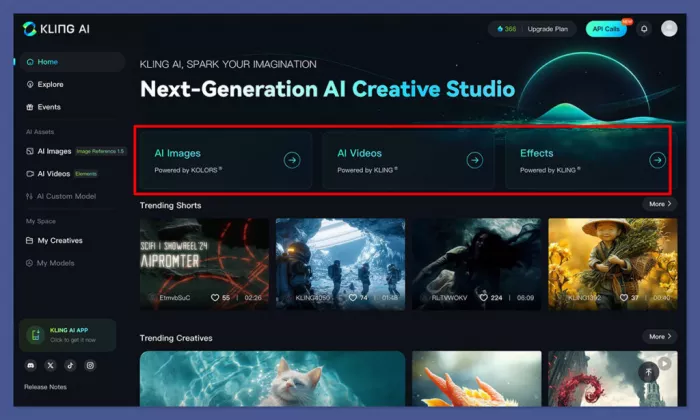
Kling AI is one of the most talked-about AI video tools for realistic motion and cinematic-looking clips. It is especially strong for image-to-video generation, where users want a still image to move with more natural camera motion, body movement, facial expression, or scene flow.
As a MotionMuse AI alternative, Kling AI makes sense for users who care more about realism than quick templates. It can take more testing to get the exact result you want, but when the prompt and image work well together, the output can look more polished and cinematic than many lightweight animation tools.
| Pros | Cons |
| Strong realistic motion quality | Results can take prompt testing |
| Good for image-to-video generation | Some features may depend on region or access |
| Can create cinematic short clips | Free plan may include limits or watermarks |
| Useful for creators focused on realism | Credit use can become costly with frequent testing |
Why it is a good MotionMuse AI alternative:
● It is stronger for realistic motion, cinematic camera movement, and natural-looking video clips.
● It works well when creators want a still image to feel like part of a real video scene.
● It offers more serious image-to-video potential than basic template animation.
● It is useful for creators testing character clips, product visuals, concept scenes, and cinematic social content.
Pricing: Kling AI has a free plan or free access tier in many cases. Paid plans commonly start around $10/month, with higher plans offering more credits and better usage limits.
Best for: Users who want realistic image-to-video output and more cinematic motion than MotionMuse AI.
4. PixVerse
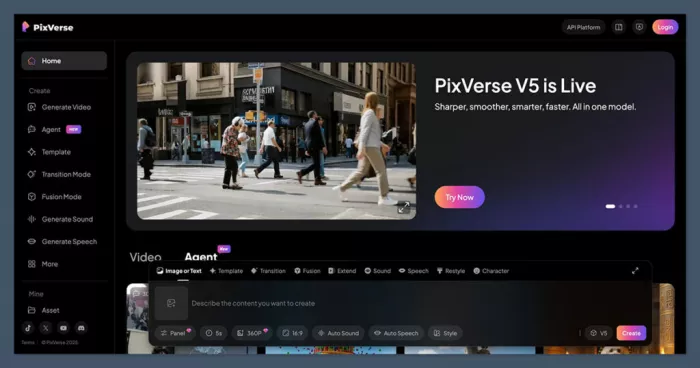
PixVerse AI is a strong MotionMuse AI alternative for creators who like stylized videos, viral effects, and easy image-to-video generation. It is built around turning photos and prompts into short AI videos, often with a focus on effects, motion templates, and social-ready visuals.
Unlike tools that feel more technical, PixVerse is easy to approach. It works well for creators who want fast visual output without spending too much time on complex controls. The tradeoff is that results can vary depending on the prompt, input image, and chosen style.
| Pros | Cons |
| Easy image-to-video workflow | Output quality can vary |
| Good for stylized and viral effects | Not always suited for professional editing |
| Free plan available | Paid credits may be needed for regular use |
| Beginner-friendly interface | Limited control compared with advanced platforms |
Why it is a good MotionMuse AI alternative:
● It keeps the simple image-to-video appeal but adds more creative effect options.
● It is useful for social creators who want quick, stylized clips.
● It feels accessible for beginners and casual users.
● It works well for visual experiments, trend-style videos, and short-form content ideas.
Pricing: PixVerse has a free plan with limited credits. Paid plans usually start around $8 to $10/month, depending on billing and plan structure.
Best for: Creators who want a simple AI video tool for stylized clips, effects, and social-ready visuals.
5. Luma Dream Machine
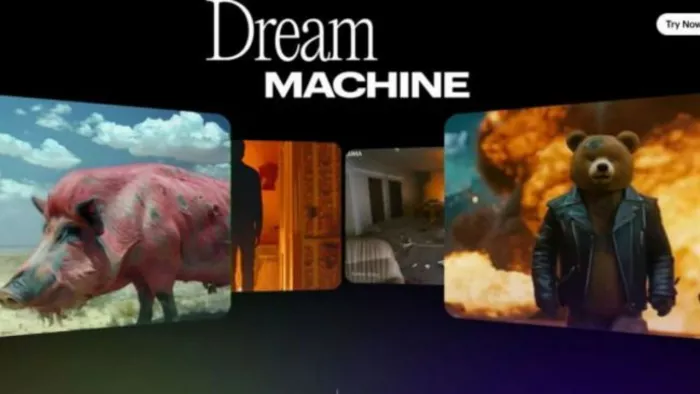
Luma Dream Machine is a more cinematic AI video generator that can create visually polished clips from text and images. It is known for smooth motion, realistic visual flow, and a more film-like feel compared with many basic image animation tools.
For users moving beyond MotionMuse AI, Luma is useful when the goal is not just to make an image move, but to create a more atmospheric scene. It works well for concept videos, cinematic shots, product visuals, mood-based clips, and creative storytelling experiments.
| Pros | Cons |
| Strong cinematic video quality | Paid plans are more expensive than basic tools |
| Good motion and scene flow | Free access may be limited |
| Useful for concept and mood videos | Not always the fastest option for casual users |
| Better visual polish than many simple generators | Requires prompt testing for best results |
Why it is a good MotionMuse AI alternative:
● It is better for cinematic video generation rather than simple photo animation.
● It can create smoother scenes with stronger atmosphere and movement.
● It is useful for creators who care about mood, camera feel, and visual storytelling.
● It fits creators who want higher-quality short clips for campaigns, concepts, or portfolios.
Pricing: Luma has limited free access or trial-style usage in some cases. Paid plans start at around $30/month.
Best for: Creators who want cinematic short AI videos with stronger visual polish.
6. Hailuo AI
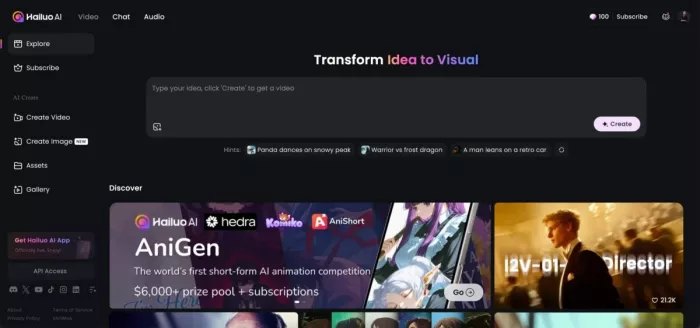
Hailuo AI, developed by MiniMax, is another strong alternative for realistic AI video generation. It is often used for short videos where movement, character behavior, and camera motion matter more than simple visual effects.
Compared with MotionMuse AI, Hailuo feels more focused on generating believable short scenes. It can be useful for creators testing character clips, story ideas, social visuals, product shots, or cinematic AI experiments. Like most AI video tools, the quality depends heavily on the prompt and input image.
| Pros | Cons |
| Strong short video realism | May require several attempts for best results |
| Good for character and scene movement | Credit limits can affect frequent use |
| Free access or trial credits may be available | Advanced users may want more editing control |
| Lower starting price than some premium tools | Output length can be limited |
Why it is a good MotionMuse AI alternative:
● It is better for users who want realistic short videos instead of basic animated photos.
● It handles motion and scene generation more seriously than many lightweight tools.
● It can work well for creators experimenting with story clips, characters, and cinematic visuals.
● It offers a lower-cost entry point compared with some premium AI video platforms.
Pricing: Hailuo AI generally offers free access or trial credits. Paid plans commonly start around $9.99/month.
Best for: Creators who want realistic short AI videos without starting with a very expensive plan.
7. InVideo AI

InVideo AI is different from tools like MotionMuse AI because it is not only focused on generating motion from images. It is designed to turn prompts, scripts, and ideas into full videos with scenes, stock footage, voiceovers, subtitles, and editing assistance.
That makes it a strong alternative for marketers, YouTubers, bloggers, educators, and business owners who need finished videos rather than isolated AI-generated clips. If MotionMuse AI is about animating an image, InVideo AI is more about producing usable content from an idea.
| Pros | Cons |
| Good for script-to-video creation | Not focused only on cinematic AI generation |
| Useful for marketing, YouTube, and explainers | Free exports may include limits or watermarks |
| Includes stock media and editing features | Advanced AI model access may require paid plans |
| Better for complete videos than short clips only | Less ideal for users who only want image-to-video effects |
Why it is a good MotionMuse AI alternative:
● It is better for creators who need complete videos, not only animated images.
● It helps turn blog ideas, scripts, product explainers, and ads into video content.
● It is useful for creators who do not want to edit everything manually.
● It fits business and marketing workflows better than a basic image-to-video generator.
Pricing: InVideo AI has a free plan with usage limits. Paid plans usually start around $20 to $25/month, depending on monthly or annual billing.
Best for: Marketers, YouTubers, educators, and businesses that want finished videos from prompts or scripts.
8. Google Flow / Veo
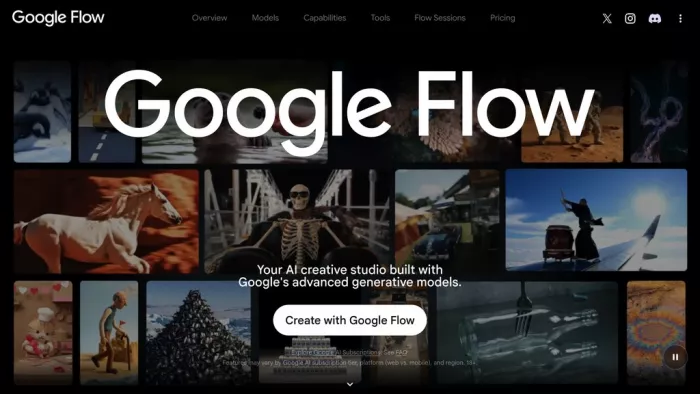
Google Flow, powered by Google’s Veo models, is one of the most advanced options for AI video generation. It is built for higher-end creative work where users want strong realism, cinematic scene generation, and better control over complex video ideas.
As a MotionMuse AI alternative, Google Flow is not the simplest or cheapest option. It is better viewed as a premium video generation route for creators who want access to Google’s strongest AI video models. Availability, limits, and pricing can vary by country and Google AI plan, so it is not always as straightforward as signing up for a basic creator tool.
| Pros | Cons |
| High-end AI video generation potential | Access and limits may vary by region |
| Strong realism and cinematic quality | Usually tied to paid Google AI plans |
| Useful for advanced creative experiments | Not the cheapest option for casual users |
| Backed by Google’s AI video models | May be overkill for simple image animation |
Why it is a good MotionMuse AI alternative:
● It is stronger for advanced AI video generation and cinematic results.
● It suits creators who want premium output rather than basic animated image clips.
● It can be useful for high-quality concept videos, creative campaigns, and experimental storytelling.
● It is a better option for users who are already inside the Google AI ecosystem.
Pricing: Google Flow and Veo access usually depends on Google AI plan availability. Pricing varies by country, with paid Google AI plans often starting from the entry Pro tier and higher access available through more expensive plans.
Best for: Advanced creators who want access to premium AI video generation and do not mind plan-based access limits.
Which MotionMuse AI Alternative Should You Choose?
The best MotionMuse AI alternative depends on what you want to create. A creator making quick social clips does not need the same tool as a marketer producing product explainers or a filmmaker testing cinematic scene concepts.
| Need | Best Tool |
| Best overall professional AI video platform | Runway |
| Best creative effects and fun short clips | Pika |
| Best realistic image-to-video generation | Kling AI |
| Best stylized social video effects | PixVerse |
| Best cinematic mood and concept clips | Luma Dream Machine |
| Best lower-cost realistic short videos | Hailuo AI |
| Best script-to-video workflow | InVideo AI |
| Best premium AI video generation | Google Flow / Veo |
If you want something simple and close to MotionMuse AI, PixVerse and Pika are the easiest alternatives to test first. They keep the process light, visual, and creator-friendly.
If you want better realism, Kling AI and Hailuo AI are stronger choices. They are better suited for cinematic motion, character scenes, and more believable short clips.
If you want a more serious creative workflow, Runway and Luma Dream Machine are better options. Runway is stronger as a production-style platform, while Luma is attractive for cinematic visuals and atmospheric short videos.
If you need finished content for marketing, education, or YouTube, InVideo AI is the better choice because it focuses on complete videos rather than only AI motion generation.
Final Verdict
MotionMuse AI is a useful tool if your main goal is simple image-to-video generation. It works well for quick experiments, short animated clips, and creators who want to bring static photos to life without learning a complex video editor.
But it is not the best fit for every creator. If you want professional editing tools, Runway is stronger. If you want playful effects, Pika and PixVerse are better. If you want more realistic motion, Kling AI and Hailuo AI are worth testing. If you want cinematic visuals, Luma Dream Machine is a strong option. If you want full videos for marketing or YouTube, InVideo AI makes more sense. And if you want premium AI video generation from Google’s ecosystem, Flow and Veo are worth watching.
The smartest approach is to choose based on your workflow, not just the tool name. MotionMuse AI is fine for quick animated clips, but the best alternatives give you more control, better realism, stronger editing options, and more practical ways to create videos people can actually publish.


Comments